Email marketing automation tools: How to choose in 2026
Selecting an email marketing automation platform goes far beyond choosing where marketers will send emails. The right tool becomes the backbone of lifecycle marketing — powering personalized workflows and driving revenue. Email marketing automation platforms help businesses send targeted,...
 FrankLin
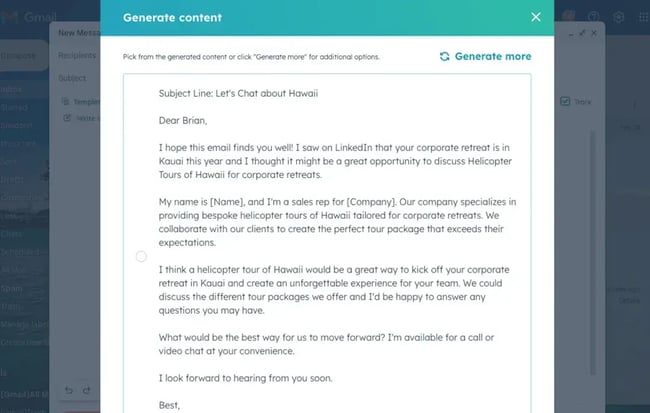
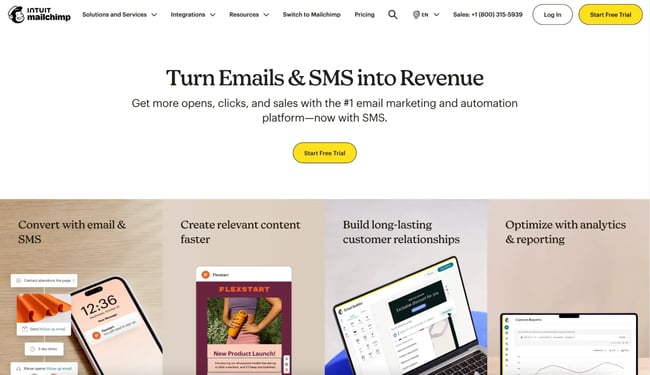
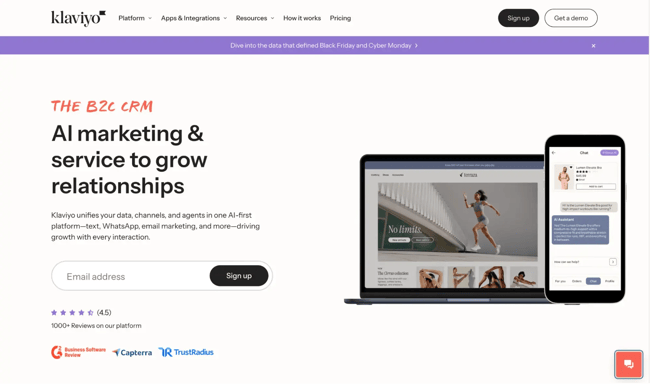
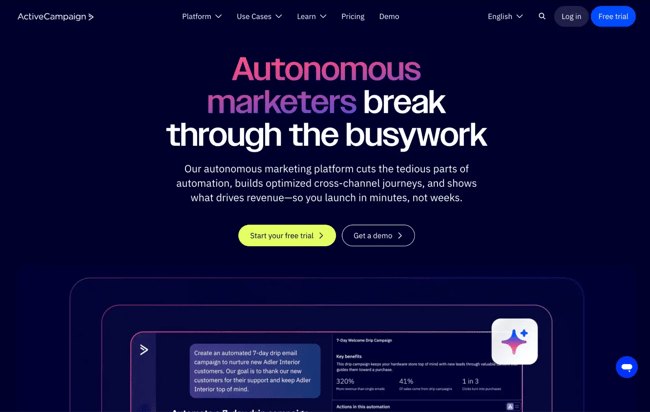
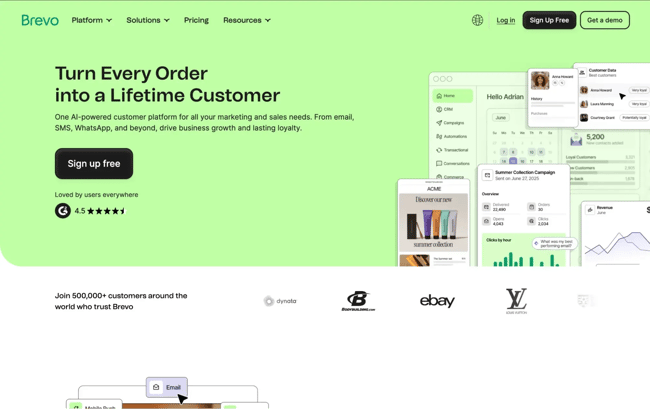
Selecting an email marketing automation platform goes far beyond choosing where marketers will send emails. The right tool becomes the backbone of lifecycle marketing — powering personalized workflows and driving revenue. Email marketing automation platforms help businesses send targeted, personalized emails at scale by automating workflows, segmenting audiences, and integrating with CRM and ecommerce tools. Today’s marketing teams need platforms that offer predictive analytics, journey-based targeting, drag-and-drop journey builders and behavioral triggers, unified customer data for accurate segmentation, AI-powered content and optimization features, strong deliverability and compliance safeguards, and transparent pricing and easy migration support. They also need software that’s durable enough to support long-term growth. To choose the best fit, map your needs by team size, use case, and required integrations. In this guide, learn how to evaluate email automation tools, where AI fits in, and how the top email marketing automation platforms stack up. Table of Contents Email marketing automation platforms automate sending targeted, personalized emails based on user behavior and customer data. These tools help teams: Unlike traditional email marketing software, which focuses on manual list sends, automation platforms like HubSpot’s email marketing software deliver continuous, context-aware communication powered by workflows and integrations. The right email automation tool depends on factors like revenue goals, team capacity, existing tech stack, and compliance requirements. Personally, as a fractional content strategist, I appreciate an email marketing tool that fits within my clients’ budgets and offers stress-free onboarding. But because every marketing team is different, here’s how to evaluate the best options on the market. Be sure to follow these best practices to avoid automation mistakes. Ask: What outcomes must this tool drive? Common goals for using an email marketing automation tool include: Pro tip: Look for platforms that support these use cases with pre-built workflow templates, strong segmentation, and native integrations. Some email marketing services require specialists. Others are designed for lean teams who need AI assistance, intuitive drag-and-drop builders, and fast implementation. If the goal is to ship campaigns regularly, prioritize platforms with: Pro tip: Migration to a new platform requires asset inventory, data export/import, domain authentication, and deliverability monitoring. Ensure your team has enough hands on deck to support migration efforts. CRM integration enables unified customer profiles and accurate segmentation. For a non-technical marketer, integrations — such as those with the CRM — provide easy access to the data sources that make email marketing effective. Common integrations for email marketing platforms include pairing with: Pro tip: CRM-native platforms like HubSpot’s email marketing software offer the strongest advantage. They eliminate data syncing issues and reduce tool fatigue, making it easier to maintain an email marketing strategy. If an email lands in the spam box, the chances that the recipient reads it dramatically decrease. Deliverability is a deal-breaker, and the right email marketing automation tool can get an email through spam filters. Look for tools with: Pro tip: Verifying and authenticating an inbox takes time and can be tricky. The best email marketing automation tools offer guides and one-to-one personalized setup to help guide marketers through authentication and onboarding. Transparent pricing models help users avoid hidden costs and plan budgets. However, pricing varies widely across the market and may increase as features become more in-depth. Consider: Pro tip: Transparent, all-in-one pricing prevents surprises as an audience grows. Choose an email automation tool with clear pricing for specific outcomes. Marketers can choose from many email automation tools, but only a select few are worth the investment. Below are six top platforms, evaluated on features, usability, extensibility, and total cost of ownership. HubSpot is an all-in-one marketing automation platform built on a unified CRM, which means every email, workflow, and personalization rule is powered by a single, consistent customer record. Instead of stitching together disconnected data sources, teams can build segmentation, triggers, and reporting directly from the CRM. What differentiates HubSpot is how quickly teams can get up and running. The email editor, automation builder, asset manager, and reporting tools all share a common interface. Deliverability safeguards, domain authentication prompts, and permission settings are built directly into the onboarding process, reducing the risk of mistakes that harm performance. HubSpot’s AI Email Writer, included with Marketing Hub, is a powerful addition for lean teams. The AI Email writer helps marketers: Because the AI is connected to the CRM, it can reference lifecycle stages, product data, or behavioral properties to create more personalized messaging. For teams that want powerful automation without the complexity of enterprise systems, HubSpot offers both sophistication and speed in a single platform. Key Features: Pricing: HubSpot Email Marketing is included in Marketing Hub plans, with a free tier available. Starter is $9 per seat/month, Professional $800/month, and Enterprise is $3,600/month. Paid plans offer automation, advanced segmentation, collaboration tools, and AI-powered features. What I like: HubSpot’s automation is CRM-native, meaning every workflow, trigger, and personalization token is powered by a unified data source. That means no syncing required. It’s also one of the fastest tools to adopt for teams that need to scale quickly without a complex setup. How to use AI to Write an Email with HubSpot Mailchimp remains one of the most recognized tools for small to mid-size teams. It offers strong templates, ecommerce-focused journeys, and beginner-friendly automation features. Key Features: Pricing: Free tier available. Paid plans scale with contact count and feature depth. What I like: Mailchimp is easy to start with and offers strong templates for ecommerce brands, though teams often outgrow it as their data needs become more complex. Klaviyo specializes in ecommerce automation with deep Shopify and WooCommerce integrations. It uses real-time product and behavioral data to fuel hyper-personalized journeys. Key Features: Pricing: Usage-based pricing. Pricing scales with email + SMS volume. What I like: Klaviyo is excellent for ecommerce brands needing granular, SKU-level personalization and predictive analytics. ActiveCampaign blends email automation with lightweight CRM functionality, making it popular for mid-sized B2B teams needing robust workflows. Key Features: Pricing: Tiered plans are available: Starter starts at $15/month, Plus at $49/month, Pro at $79/month, and Enterprise at $145/month. ActiveCampaign offers automation at higher tiers. What I like: Its workflow builder is one of the most flexible on the market. It’s great for teams that rely on complex, multi-branch automation sequences. Brevo offers accessible pricing and a combined messaging suite, including SMS and WhatsApp alongside email. Key Features: Pricing: Free tier with send limits. Paid plans are based on monthly email volume. What I like: Brevo is a cost-effective option for lean teams or early-stage companies needing cross-channel messaging. Customer.io is built for product-led companies and developers who want maximum flexibility in workflow logic and event-triggered automation. Key Features: Pricing: Core plans are available at $100/month, $1,000/month, or custom pricing. However, advanced features and data tools are priced separately. What I like: Customer.io’s event-based automation is very powerful for SaaS companies needing usage-based lifecycle emails. Platform Best For Standout Features Pricing Model HubSpot Teams needing unified CRM + automation AI Email Writer, CRM-native workflows, advanced segmentation, reporting Free tier + tiered plans Mailchimp Small teams, quick campaigns Templates, simple journeys Contact-based Klaviyo Ecommerce brands Product recommendations, predictive AI Usage-based ActiveCampaign B2B automation depth Advanced workflows, lead scoring Tiered + contact-based Brevo Early-stage teams Multi-channel messaging Send-volume based Customer.io Product-led SaaS Event-based automation, developer flexibility Tiered with add-ons When looking for an email marketing tool for my business, I wanted a tool that offered AI capabilities. AI features improve email content creation, targeting, and optimization. And, they change how marketing teams approach email campaigns. With AI capabilities, teams can reach their target audience faster — and with more personalized messaging. Here’s how to put these capabilities into practice. Of marketers who use generative AI, 43% say that it’s most helpful for creating email copy. AI writing tools like HubSpot’s AI Email Writer help teams generate emails in minutes instead of hours. With this tool, marketers can: How to use it: Start with the campaign’s goal (“convert trial users to paid”), then prompt the AI writer with: Use AI to produce a few options. Then refine them and insert personalization tokens directly from the CRM. This eliminates blank-page syndrome and accelerates iterative testing. According to HubSpot research, 78% of marketers say that subscriber segmentation is one of the most effective strategies they use for email marketing campaigns. AI can make segmentation more effective by analyzing historical behavior and engagement patterns to predict what a subscriber is most likely to do next. Email marketing automation platforms can surface segments such as: How to use it: Create workflows based on these predictive attributes. For example: This turns static lists into dynamic, behavior-aware audiences that update automatically. According to MailJet, using customers’ names to personalize emails is the most common strategy marketers use to personalize emails. However, AI tools like HubSpot’s AI-powered email take it a step further to personalize emails with hyper-relevant content blocks that adapt to each recipient in real time. It can automatically insert: How to use it: Build modular email templates with “smart” content blocks. Pull in CRM properties — like industry, lifecycle stage, and purchase history — so each subscriber receives content aligned to their needs. AI ensures personalization happens at scale without manual duplication. AI continuously monitors workflow performance and identifies where subscribers drop off, which steps are slowing conversions, and where alternative paths could perform better. AI-powered recommendations may include: How to use it: Review the workflow’s performance dashboard weekly. Accept or reject AI recommendations, test proposed changes, and use insights to refine segment logic. Over time, the system becomes more efficient with less manual monitoring. Predictive models estimate performance outcomes before a campaign launches, giving marketers a clearer sense of risk and opportunity. AI can forecast: How to use it: Before sending a campaign, evaluate the AI-generated forecast inside your platform. If expected engagement is low: This helps teams correct issues before they cause performance drops. Pro tip: Looking for a step-by-step guide? Check out this guide on how to set up automated email workflows. Traditional email marketing software is designed primarily for sending one-off or scheduled campaigns to a broad list, while email marketing automation platforms are built to send targeted messages automatically based on behavior, segment data, lifecycle triggers, and real-time data. Automation platforms allow you to create workflows triggered by actions like form submissions, website visits, purchases, or inactivity, making communication more relevant and scalable. For example, HubSpot’s Marketing Hub combines email automation with CRM data, so every message can automatically adapt to a contact’s history, preferences, and stage in the customer journey. You can migrate to an email marketing automation platform without hurting deliverability by taking a structured, phased approach that protects your sender reputation. This includes: Platforms like HubSpot provide built-in deliverability tools, permission-based contact management, and reporting that make it easier to identify and resolve issues as you migrate. Most email marketing automation platforms use contact-based pricing, send-volume pricing, or tiered plans. Entry-level tiers typically include basic email sends and reporting, while higher tiers add advanced automation, behavioral targeting, personalization, AI-driven insights, and deeper integrations. The most important integrations are those that enable real-time data sync between your email platform and the systems that store customer behavior and transaction data. This usually includes your CRM, ecommerce platform, customer support tools, and advertising channels, allowing you to trigger emails based on purchases, pipeline stages, support interactions, or ad engagement. Strong integrations help ensure consistent data, better segmentation, and more relevant automation. HubSpot’s native CRM and ecommerce integrations make it easier to build end-to-end workflows without relying heavily on third-party connectors. AI features improve email performance by reducing manual effort while continuously optimizing for engagement and conversions. AI can help generate and refine subject lines and copy, recommend optimal send times for each contact, predict churn or purchase likelihood, and dynamically personalize content based on past behavior. These data-driven adjustments allow marketers to test and improve faster than manual optimization alone. HubSpot’s AI email tools, for instance, assist with content creation, predictive insights, and performance recommendations, helping teams send more effective emails at scale without increasing complexity. Email marketing automation platforms help businesses send targeted, personalized emails at scale. The right platform should offer drag-and-drop journeys, unified customer data, AI-powered content and optimization features, and strong deliverability safeguards. If you want a platform that pairs powerful automation with a unified CRM and AI tools built directly into the workflow, HubSpot is a strong choice. Marketers can start free or request a demo to see how the platform streamlines email marketing for growing teams.
What is an email marketing automation platform?
How to Choose the Right Email Marketing Automation Tool
1. Start with your business goals.
2. Evaluate your team’s workflow and capacity.
3. Map your tech stack and data sources.
4. Prioritize compliance and deliverability safeguards.
5. Understand total cost of ownership.
Top Email Marketing Automation Software
1. HubSpot Marketing Hub + AI Email Writer
2. Mailchimp
3. Klaviyo
4. ActiveCampaign
5. Brevo
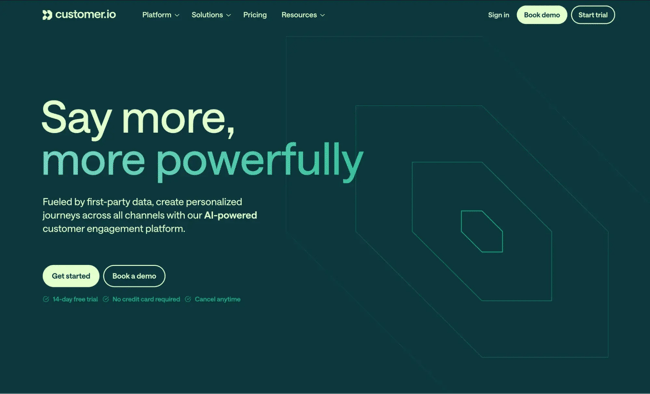
6. Customer.io
How to Use AI With Email Automation Tools
1. AI-Powered Email Writing
2. Predictive Segmentation
3. Automated Personalization
4. Journey Optimization
5. Performance Forecasting
Best-fit Picks by Use Case and Team Size
Small teams needing speed + ease of use: HubSpot
Ecommerce brands with deep product catalogs: Klaviyo
B2B companies requiring complex nurturing: ActiveCampaign or HubSpot
Startups with tight budgets needing multi-channel: Brevo
Product-led SaaS needing event-based triggers: Customer.io
Teams standardizing sales + marketing on one platform: HubSpot
Frequently Asked Questions About Email Marketing Automation Platforms
How are email marketing automation platforms different from email marketing software?
How do I migrate without hurting deliverability?
What pricing model should I expect?
Which integrations matter most for CRM and ecommerce?
How do AI features actually improve email performance?
The Fastest Path to Effective, Scalable Email Automation