What Is an MCP Server, and Why Should Marketers Care?
This means you can ask: ‘Show me which blog posts lost traffic last month, what keywords they rank for in Ahrefs, and how many support tickets mentioned those topics in Intercom’—and get one consolidated answer instead of logging into...
 Koichiko
Article Performance
Data from Ahrefs
The number of websites linking to this post.
This post's estimated monthly organic search traffic.
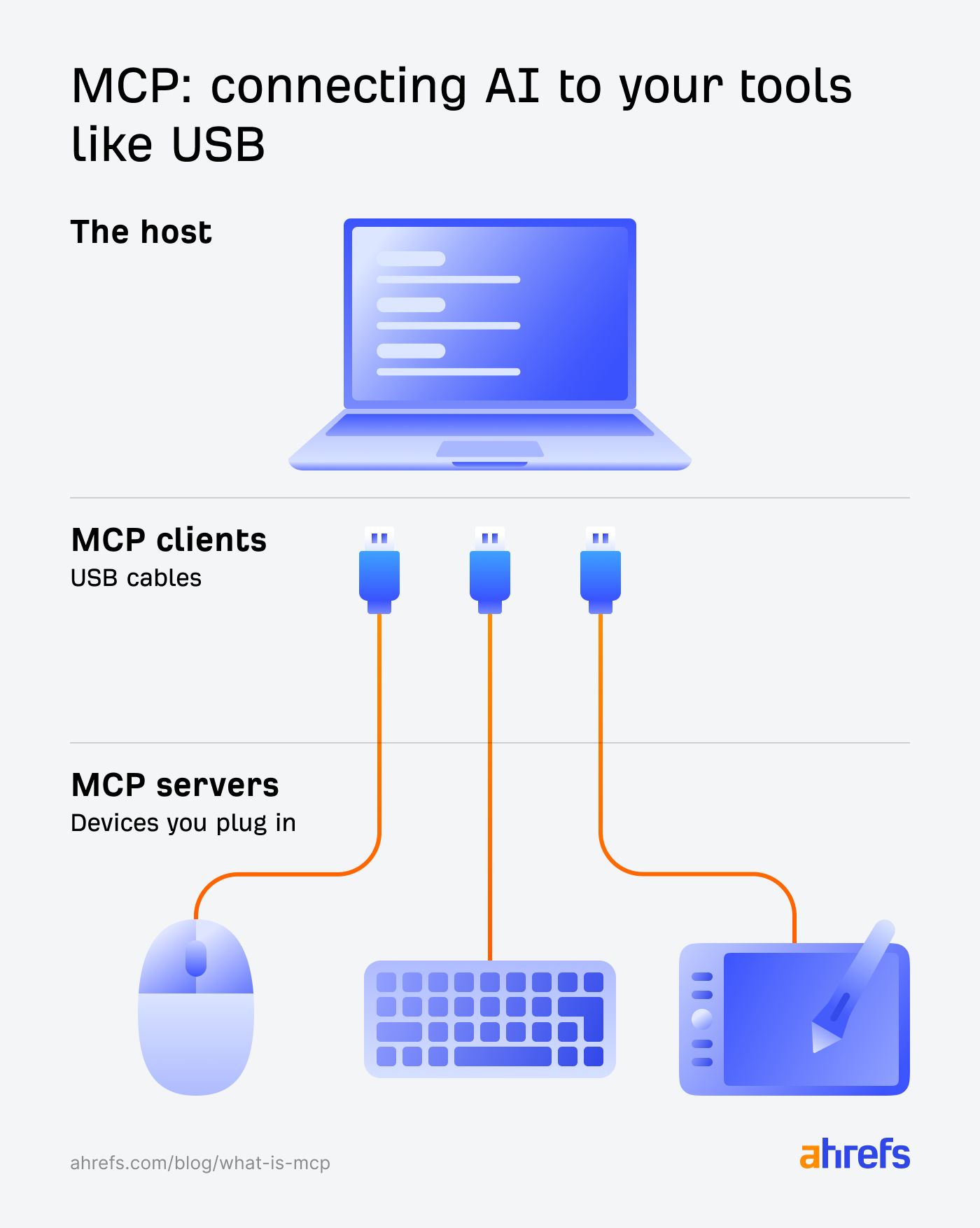
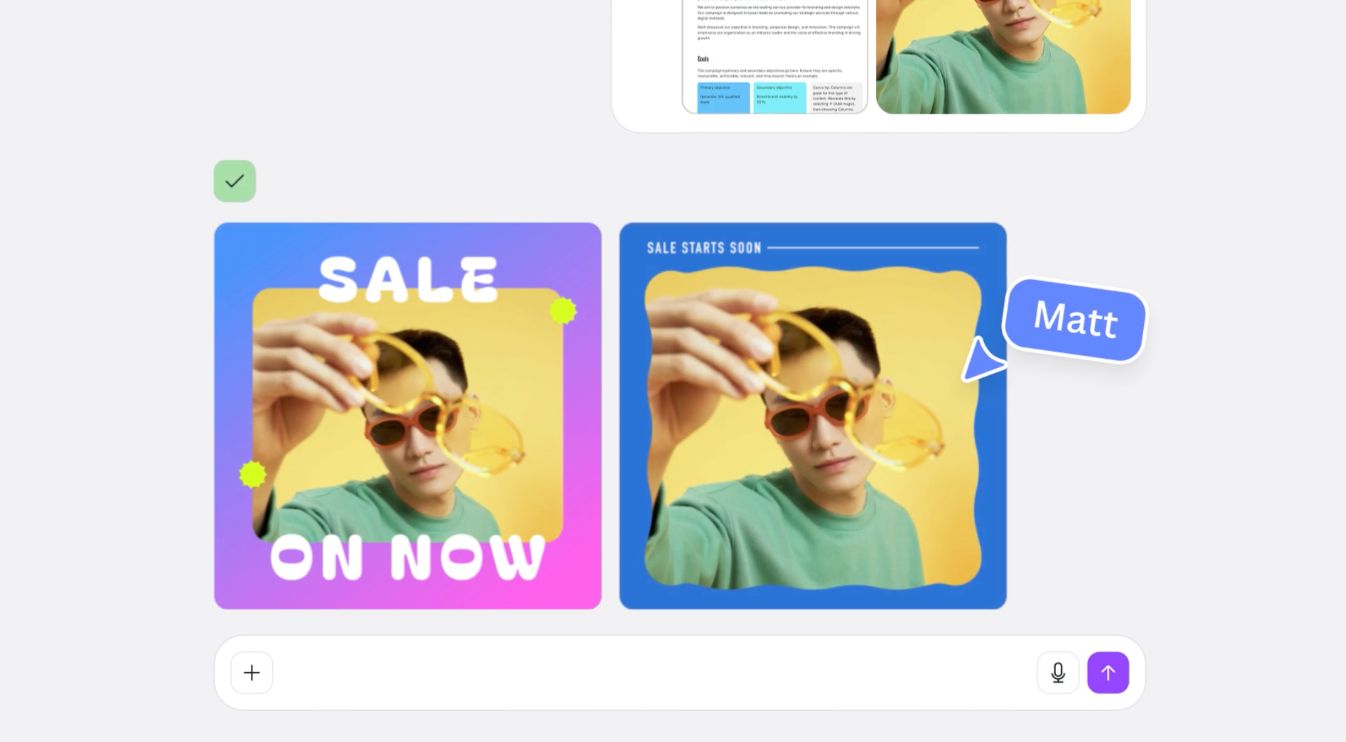
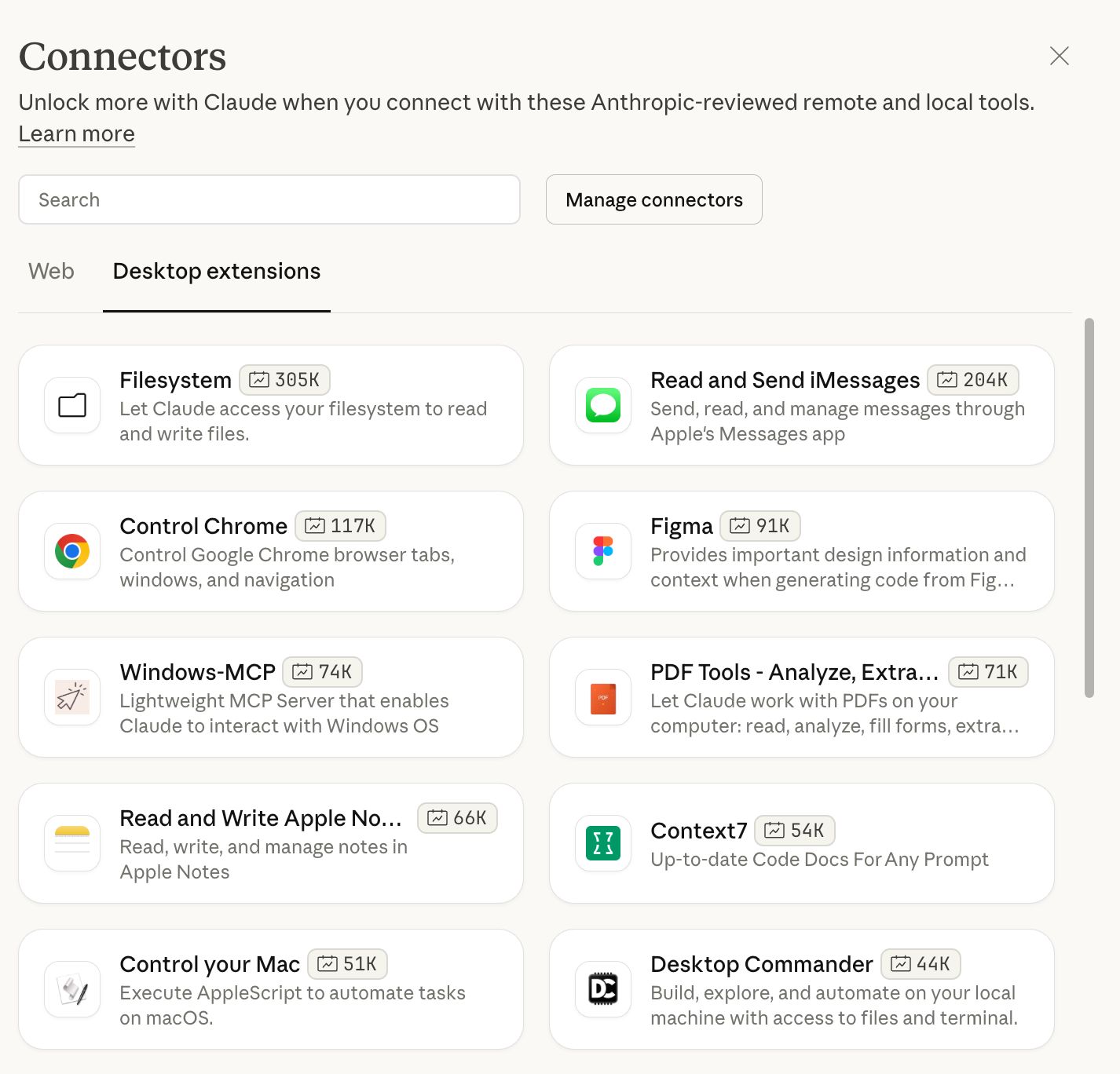
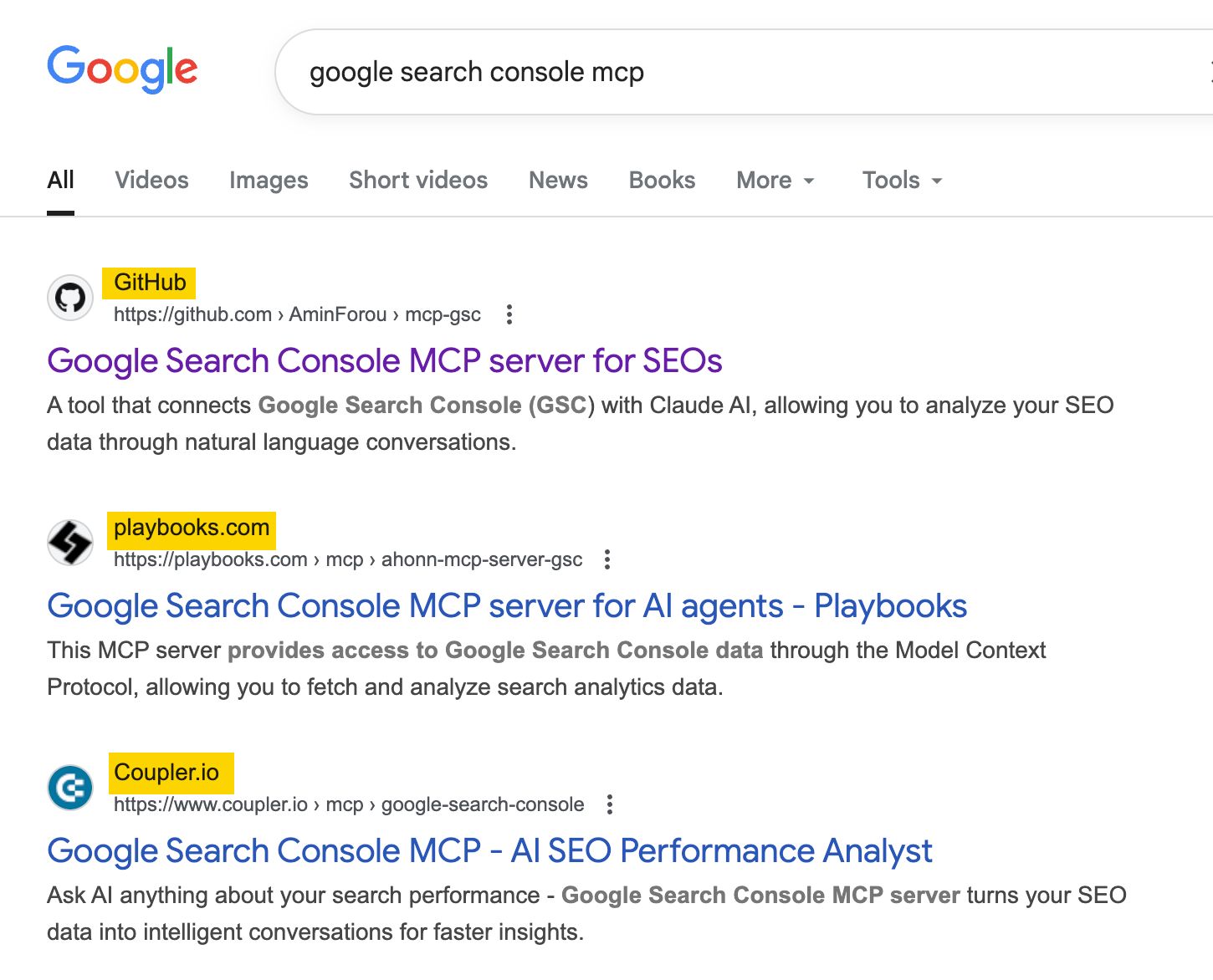
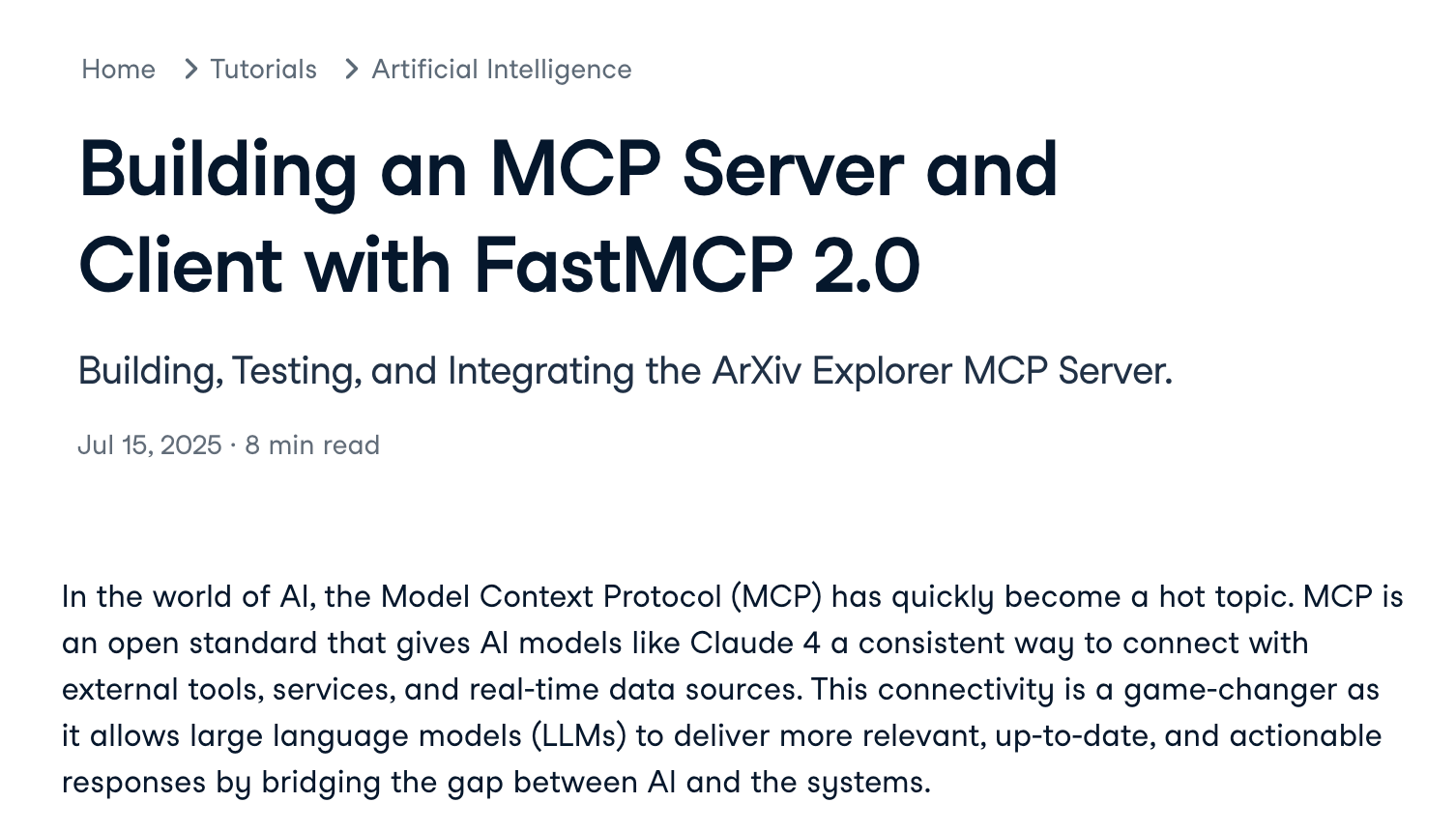
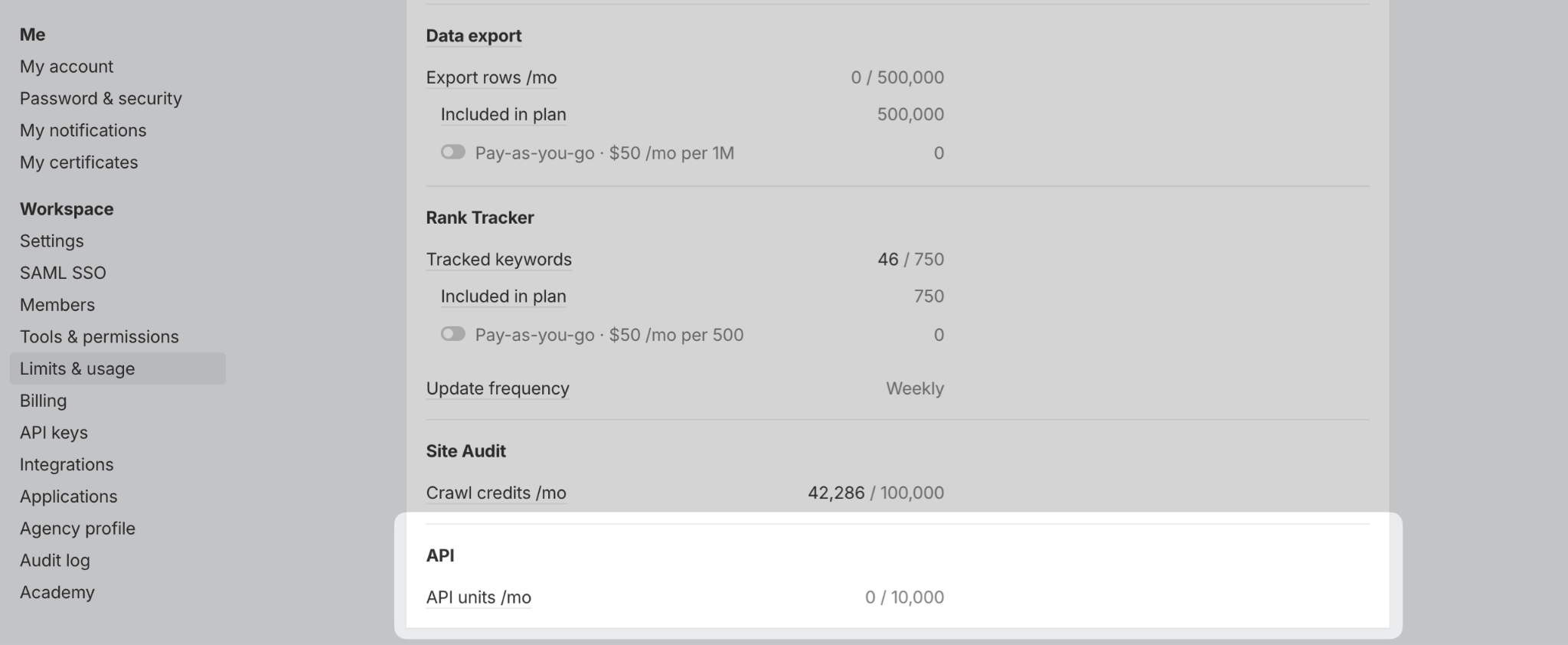
MCP (Model Context Protocol) connects your AI tools directly to your marketing stack—your CMS, analytics, CRM, social platforms, and more—through one standardized connection. This means you can ask: ‘Show me which blog posts lost traffic last month, what keywords they rank for in Ahrefs, and how many support tickets mentioned those topics in Intercom’—and get one consolidated answer instead of logging into three different tools and manually connecting the dots in a spreadsheet. Here’s what MCP is, how it integrates with your existing marketing tools, and practical ways to use it for tasks such as competitive intelligence, content optimization, and campaign analysis. Try it yourself! Ahrefs now has an official MCP server that connects directly to Claude and ChatGPT. Get started here in minutes and start pulling SEO data with simple prompts instead of clicking through dashboards. Want to see it in action first? Check out 15 real Ahrefs MCP use cases with screenshots and step-by-step examples. An MCP server is a service that gives an AI access to the outside world. It connects the AI to things like databases, file systems, and APIs so it can pull in the context or tools it needs without you doing the heavy lifting. It lets your AI safely pull data from your tools (e.g., Ahrefs, Mailchimp, Google Drive) without you exporting files or juggling different tools and dashboards. An MCP server is like a universal adapter. Think of those travel adapters that let you plug in anywhere in the world, or a restaurant waiter who handles everything happening in the kitchen—you just place your order, and they take care of the rest. Here’s the MCP architecture in a nutshell: Normally, AI has no idea how to talk to tools. But with an MCP: In practice, this means you can connect Claude or ChatGPT to a tool like Ahrefs and simply tell it what you need in plain language—instead of clicking around in different apps to get the job done. “Tell me about the rankings [Competitor] has on the first page of Google that [My Site] doesn’t have first-page rankings for.” The LLM automatically fetches data from Ahrefs, analyzes it, and gives you a report you can chat with. MCP sits between your AI assistant, like ChatGPT or Claude, and your marketing tools. It’s the stable, secure connection layer that keeps everything working. It handles: Tip Some marketing tools already have plug-and-play MCP connections you can turn on instantly. For tools that don’t, you don’t need anything special. As long as they have an API, you can connect them. A developer can set this up for you, or you can do it yourself if you’re comfortable with a bit of technical work (here’s a sample guide). MCP removes the friction between where your data lives and where you need to use it. Here are a few ideas to get you started. Pull data from multiple sources (e.g., Ahrefs, Google Analytics, Search Console, CRM) into one consolidated view without switching tools or exporting CSVs. Example prompt: And this might look something like this: Analyze data with Claude, then immediately create tasks in your project management tool (Asana, Linear) or update records in your CRM—no context switching. Example prompt: The output will look something like this: Connect support tools (Intercom, Zendesk) to automatically categorize, segment, and find patterns in customer conversations and feature requests. Example prompt: The output will look something like this: When you connect ChatGPT to a design tool like Canva using an MCP, you can simply describe what you want in plain language and see the design appear on your screen. It’s a smart way to start a project and then polish the details later in Canva if you’d like. Example prompt: You can also use one prompt to handle tasks that usually require lots of clicking. For instance: “I have a 50-slide presentation deck in Canva. Remove all the jargon and make it more conversational—I’m presenting to non-technical stakeholders tomorrow.” I refer here to examples published by Canva on its official site—see this page for more details. Track competitor rankings, backlinks, and content changes through Ahrefs without logging into dashboards. Example prompt: Output: Combine analytics data with SEO metrics to identify underperforming content, diagnose issues, and prioritize what to update or remove. Example prompt: Sample output: Take a bare-bones list (prospects, pages, keywords) and enrich it with data from multiple tools so you can see at a glance which items are worth pursuing and which aren’t. Example prompt: The output might look like: Pull together customer segments from your CRM, their behavior from analytics, and content they engaged with to inform targeting and messaging. Example prompt: The report could look like this: Pull data from your marketing tools and turn it into custom charts, dashboards, or interactive reports tailored to exactly what you need—no template limitations. You can then publish them online as a standalone, interactive dashboard. Example prompt: Our vibe-coded dashboard is a good example of this. It combines data from over 60k pages to their traffic sources and how they change in time (especially ChatGPT and Google Search). You’re in your favorite AI assistant working on a post when a new keyword idea pops into your head. Instead of breaking your flow by opening Ahrefs, running a search, checking rankings, and then coming back to your document, you can just ask directly: Now you can decide on the spot: Is this worth targeting? What angle are competitors missing? Should you update an existing page instead? Here are some of the things that opened my eyes to this technology as an Ahrefs user. If you’re already with Ahrefs, you can set up the MCP here and try these examples yourself. Ask: MCP cleans the data, queries Ahrefs, and returns a ranked table. Ask: The server pulls related terms, checks seasonality and trends using keyword growth rate data in Ahrefs, and adds “why now” notes (news, product cycles, regulation). Ask: You get competitors’ strongest markets, their top landing pages, and where your opportunities are. Output: a short, clear deck with recommended countries and missing content types. Ask: You’ll get a list of high-performing, low-competition angles mapped to search intent and your internal link sources. Ask: Output: a clean list of keywords with SEO data and title ideas. There are three scenarios here. Some tools—like Google Drive, Slack, Ahrefs, HubSpot, and a few others—have built-in connections you can turn on with a couple of clicks. Just follow a short setup guide and you’re done. When it’s available, this is by far the easiest path. Some of them may already be on the developer-reviewed list of connectors. For reference, you can check out how easy it is to connect Ahrefs to the web version of ChatGPT here. No coding skills required. If there’s no official connection, check if someone in the community made one. Search for “[your tool name] MCP server” and you’ll often find something ready to use. Just plug in your API credentials and customize what you need. For reference, here are the MCP servers for some popular marketing tools: No official connection and nothing from the community? You’ll need to build your own. The good news: if the tool has an API, it’s just a bit of technical work to connect it. You define the actions you want—like “pull rankings” or “create draft”—and wire them up. You can skim a guide like this one from Datacamp to see if it’s something you’d enjoy tackling. No API means no connection. If a tool doesn’t offer an API, there’s no way to automate it. You don’t need a special model, just an AI assistant that speaks MCP. Supported today: If you’re already using Claude or ChatGPT, you can start now. And if you switch models later, your workflows stay the same because the logic lives in the MCP server—not in the model. Before you dive in, there are a few best practices that make working with MCPs a whole lot smoother. These will help you get cleaner results, avoid common pitfalls, and save yourself from some very preventable frustrations. This is like asking someone to “make dinner, fix the car, paint the fence, and do taxes” all in one breath. It’s overwhelming (even for AI), and mistakes happen. Breaking tasks into steps makes everything clearer and easier to fix if something goes wrong. For example, a prompt like “Check my rankings, find competitors, analyze their backlinks, create a report, send it by email, and update my spreadsheet.” can be broken down into: Vague instructions lead to unpredictable results. Compare these: Vague: “Get some keyword data”. Some could mean 5 or 500. Which keywords? What kind of data? Specific: “Get the search volume and keyword difficulty for these 10 keywords: [list] in the United States”. Exact number: 10 keywords. Exact data: search volume and difficulty. Exact location: United States. The more specific you are, the more likely you are to get exactly what you need. AI sometimes “makes things up” when it doesn’t have real data—this is called hallucination. It’s like when someone doesn’t know an answer but gives you one anyway instead of saying “I don’t know.” To prevent this, you can tell the AI explicitly: “Only use data from the Ahrefs results. If you don’t find something in the Ahrefs data, say ‘Data not available’ instead of guessing.” Imagine a restaurant that says “maximum 5 orders per person”. APIs work the same way—they limit how many times you can ask for data. Regularly check how many API units you’ve consumed in your dashboard. Different tasks use different amounts. For example, checking basic keyword data costs less than analyzing detailed backlink profiles for multiple competitors.” For example, in Ahrefs, you can do that in the Account Settings, Limit and usage. This is more of a tip for those of you who decide to build an MCP yourselves. When you build an MCP server, you need to define what actions it can perform. This happens in your server’s code and tool definitions. Only give tools the minimum permissions they need to work, because AI could accidentally delete things, or a confused prompt could update settings you didn’t want changed. If you’re just pulling SEO data to analyze, your automation only needs “read” access. It shouldn’t have permission to change your project settings or delete projects. Last but not least, before jumping into specific tasks, you can have a conversation about how to phrase your prompt. The AI can suggest which questions to ask and in what order. So, for example, you can say something like, “I run a small gardening blog with 50 articles. I want more organic traffic, but I don’t know where to start. What should I ask using Ahrefs MCP?” The AI might suggest checking competitor keywords first, then finding trending topics in your niche, or analyzing which of your existing articles perform best - things you might not have thought to investigate. It’s like asking a consultant, “What should we look at first?” before diving into the data. The AI knows what questions typically lead to useful insights and can tailor suggestions to your specific situation. MCP is about removing the friction that slows you down, not replacing your current workflow. The copy-paste between tools, the “let me pull that report real quick,” the context you lose switching between tabs—MCP handles all of that in the background so you can stay focused on the actual work. Start small. Pick one repetitive task that eats up 30 minutes of your day—maybe it’s checking competitor rankings, or pulling together a weekly report, or enriching a prospect list. Set up an MCP connection for that one thing and see how it feels. Got questions or comments? Let me know on LinkedIn.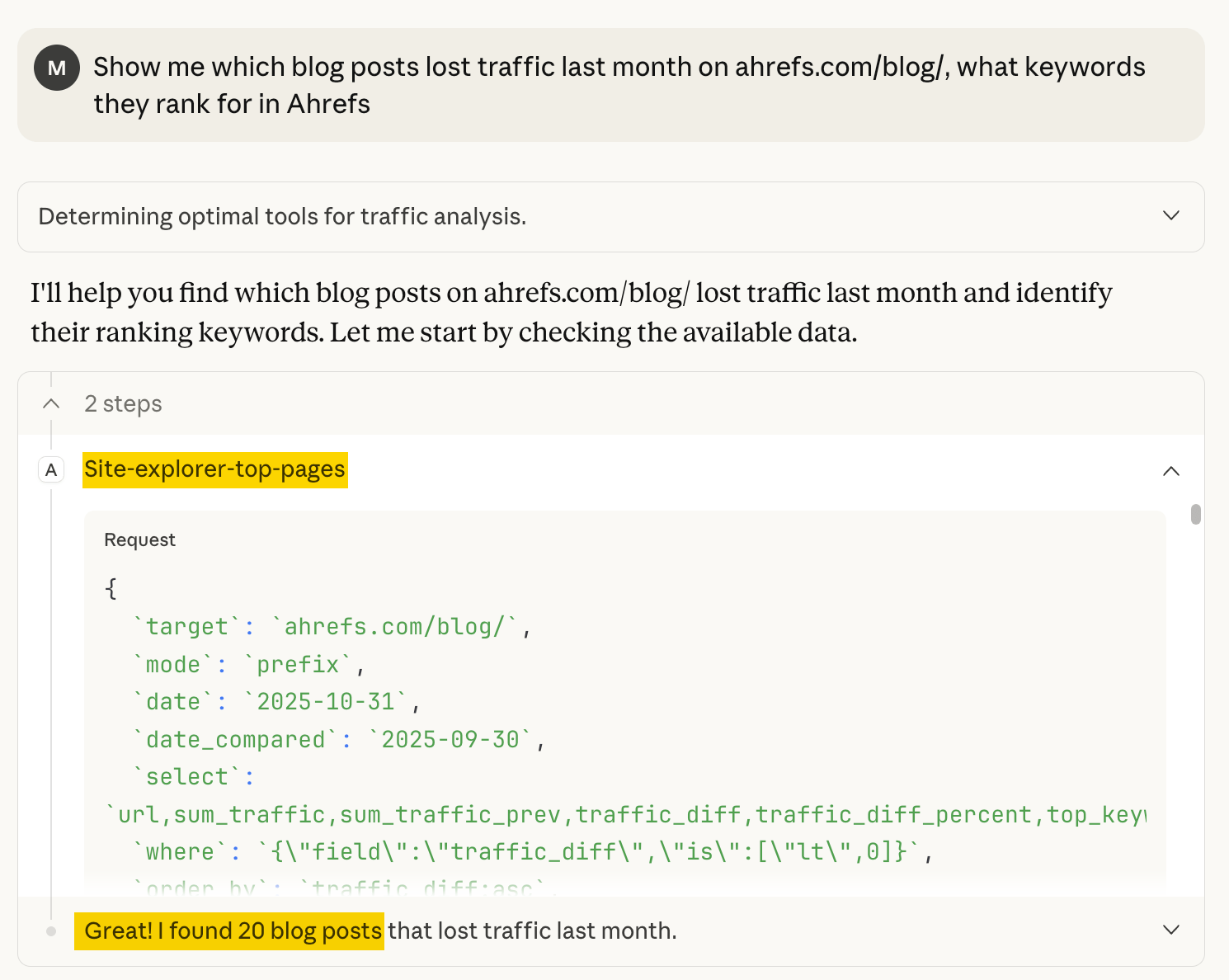
Why this matters

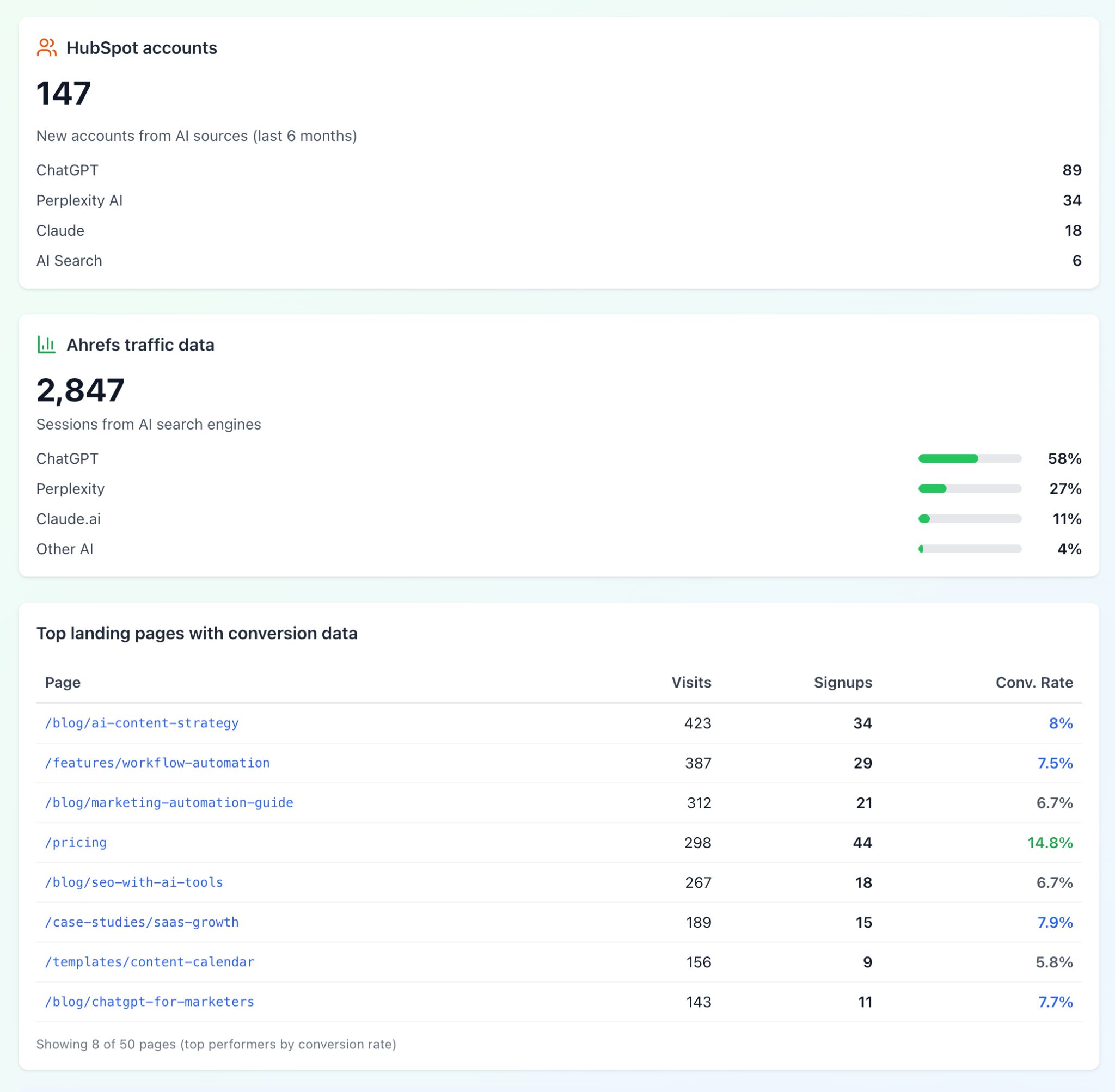
1. Track AI search engine impact across HubSpot and Ahrefs
2. Analyze traffic with Google Search Console, create tasks in Asana—no switching tabs
3. Group Intercom conversations into actionable themes instantly
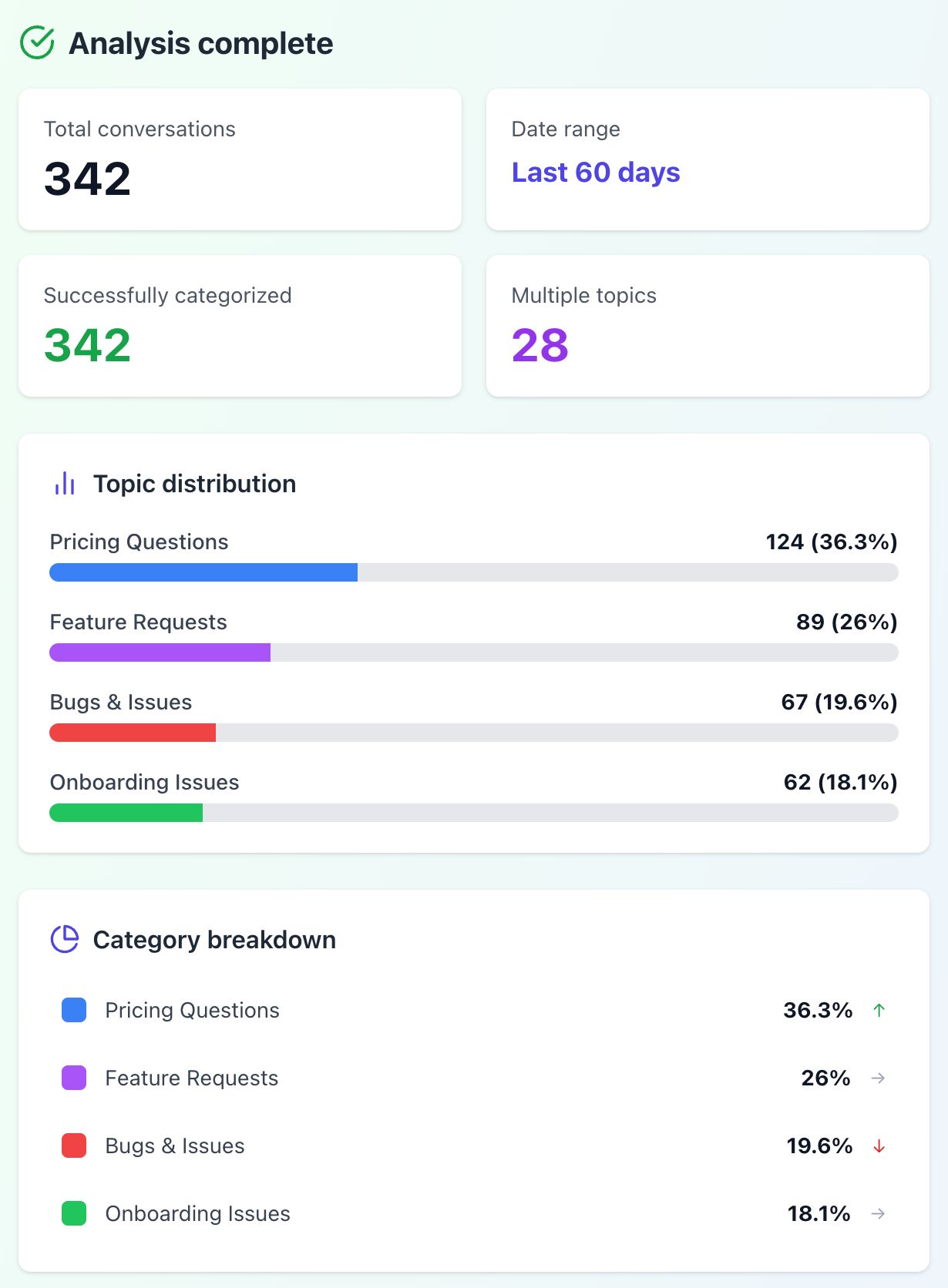
4. Connect Canva to work on designs directly in ChatGPT
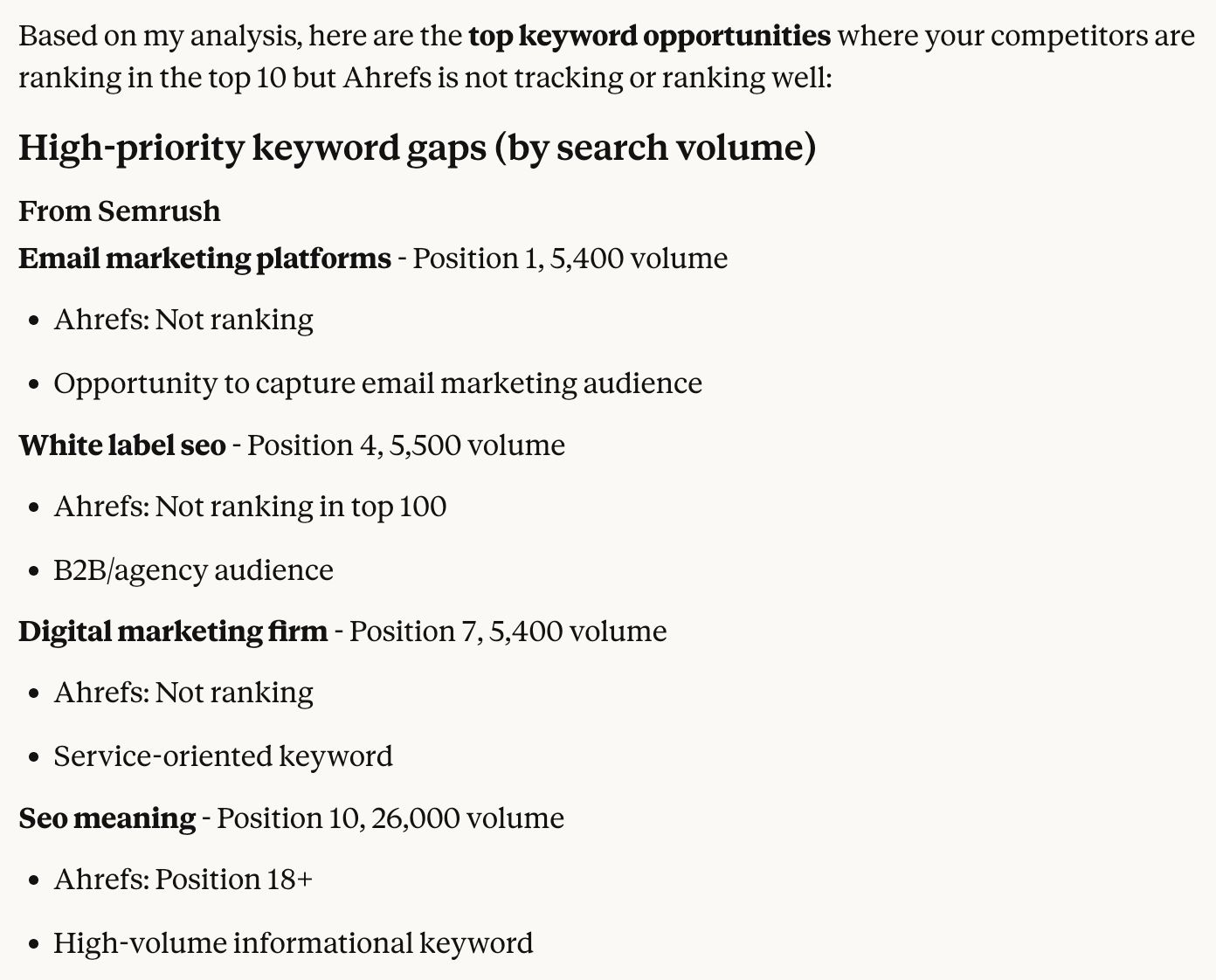
5. Find competitor keywords you’re missing with one question
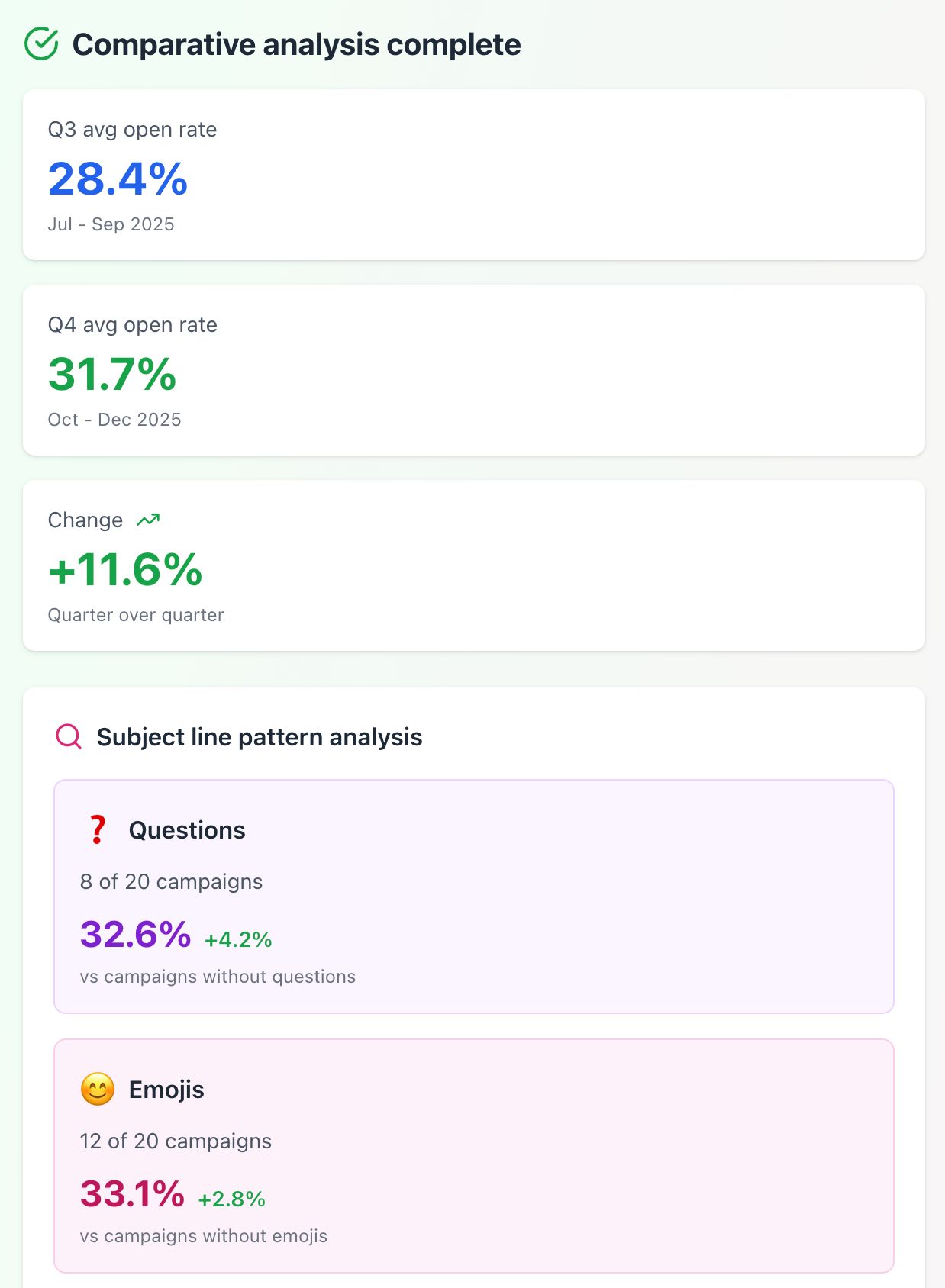
6. Identify underperforming content and learn exactly what to fix
7. Simplify ABM enrichment with Clay and Ahrefs
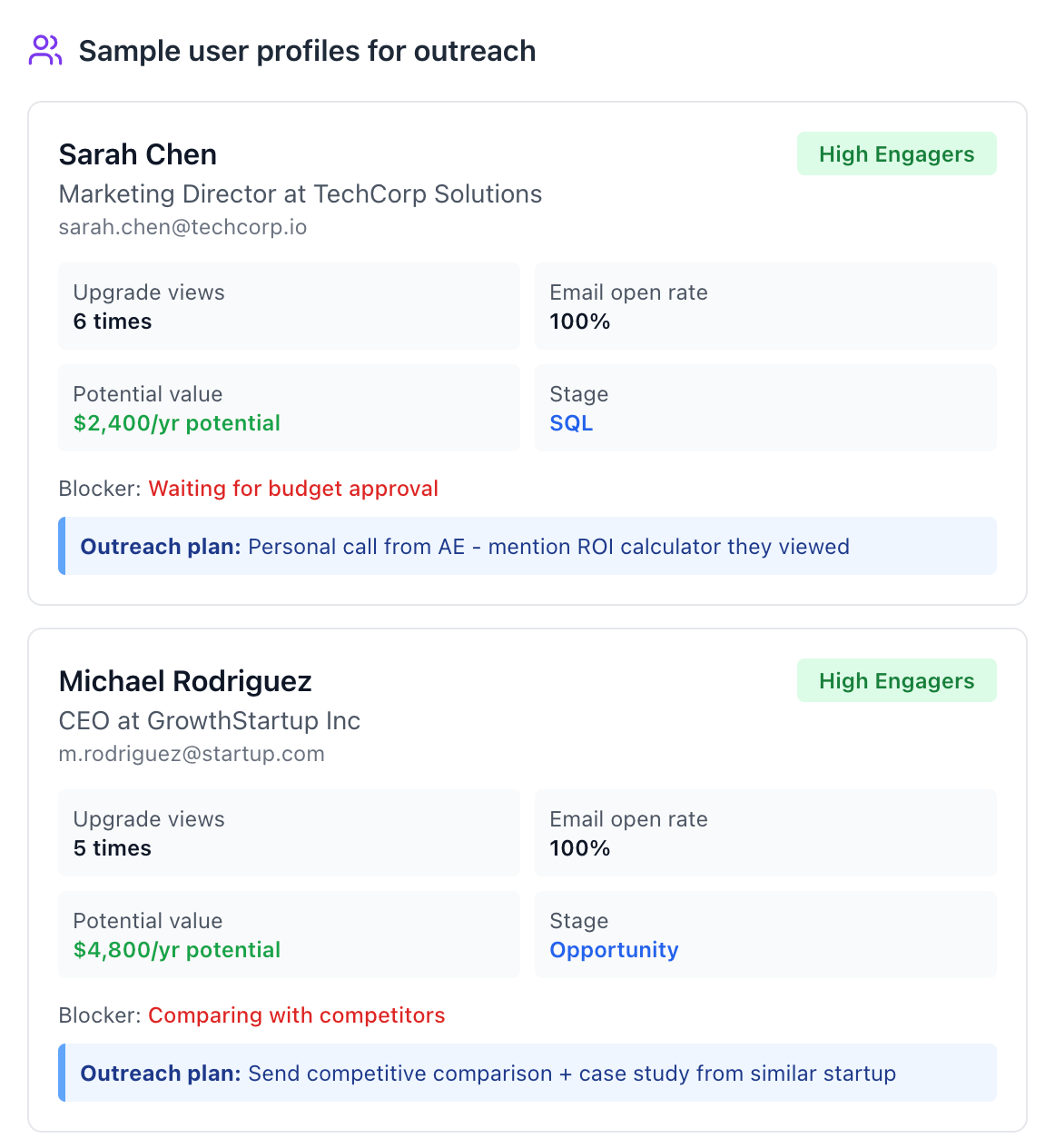
8. Build targeted campaigns using real customer behavior
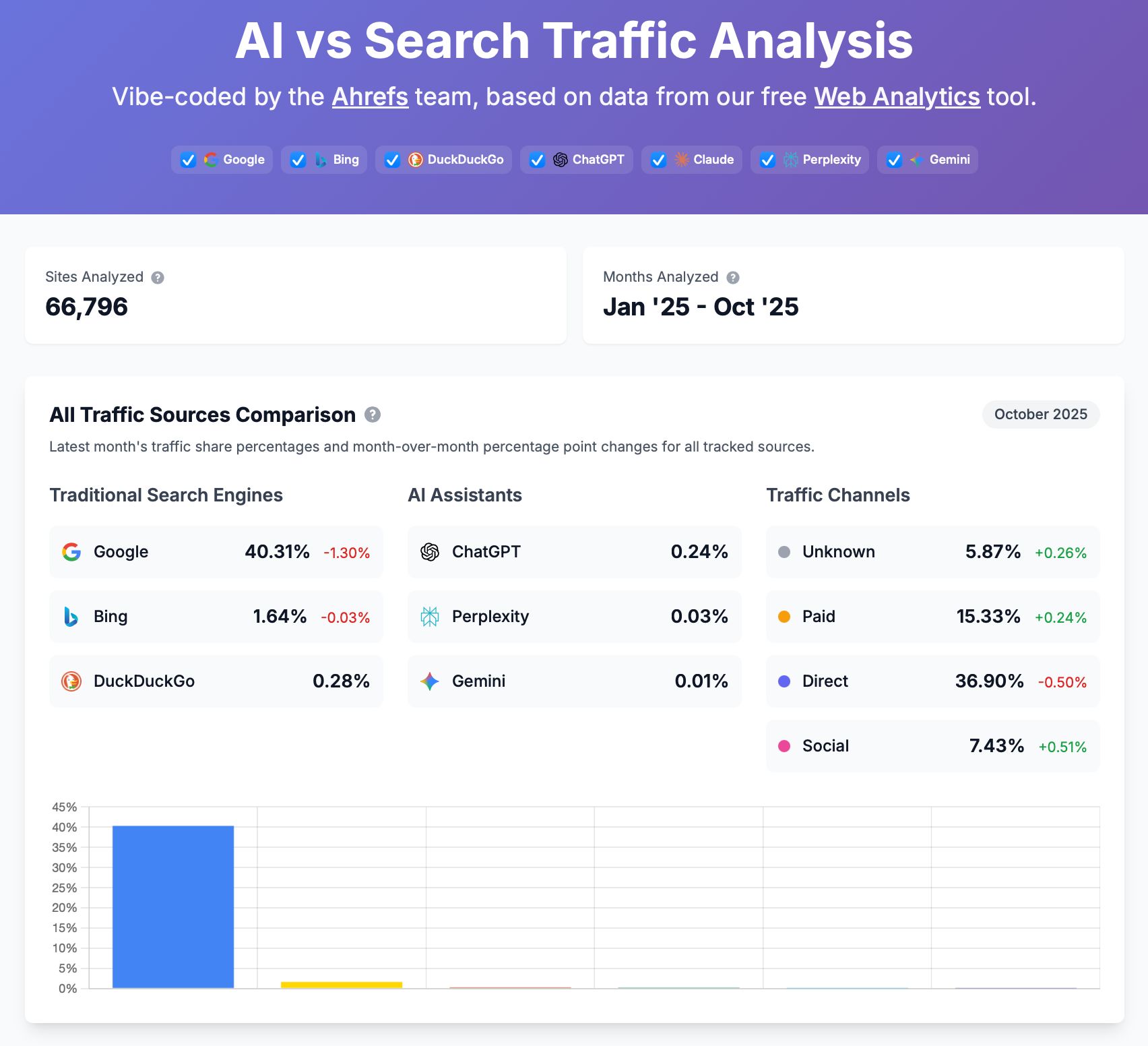
9. Create custom visualizations and dashboards
10. Check data without breaking your flow
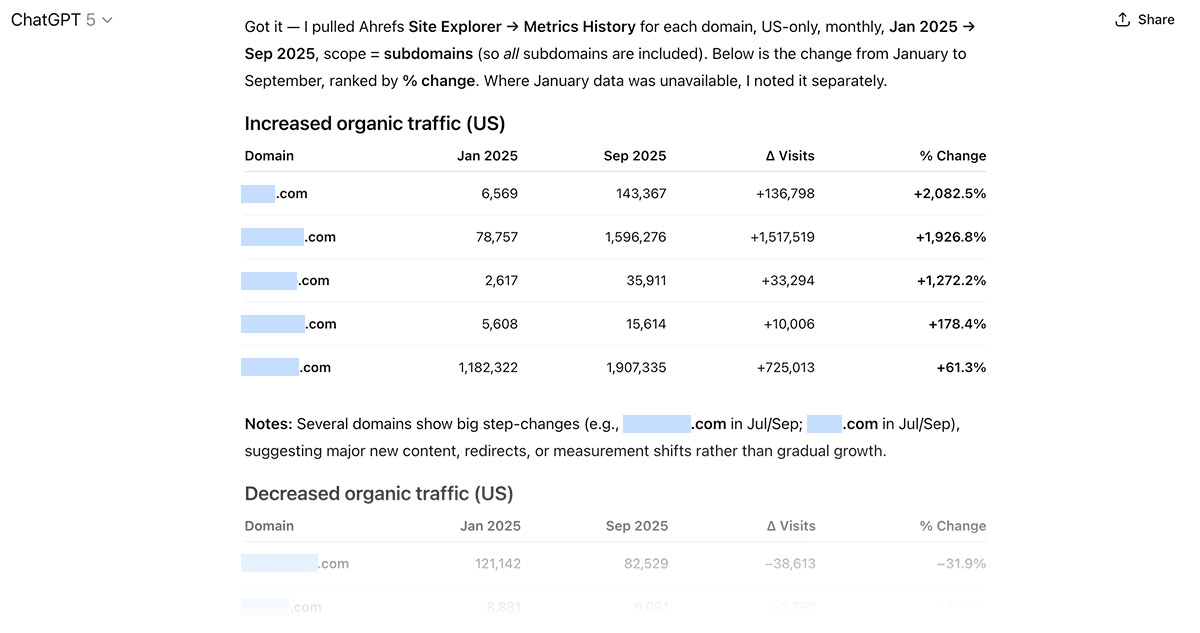
1. Identify fast-growing competitors
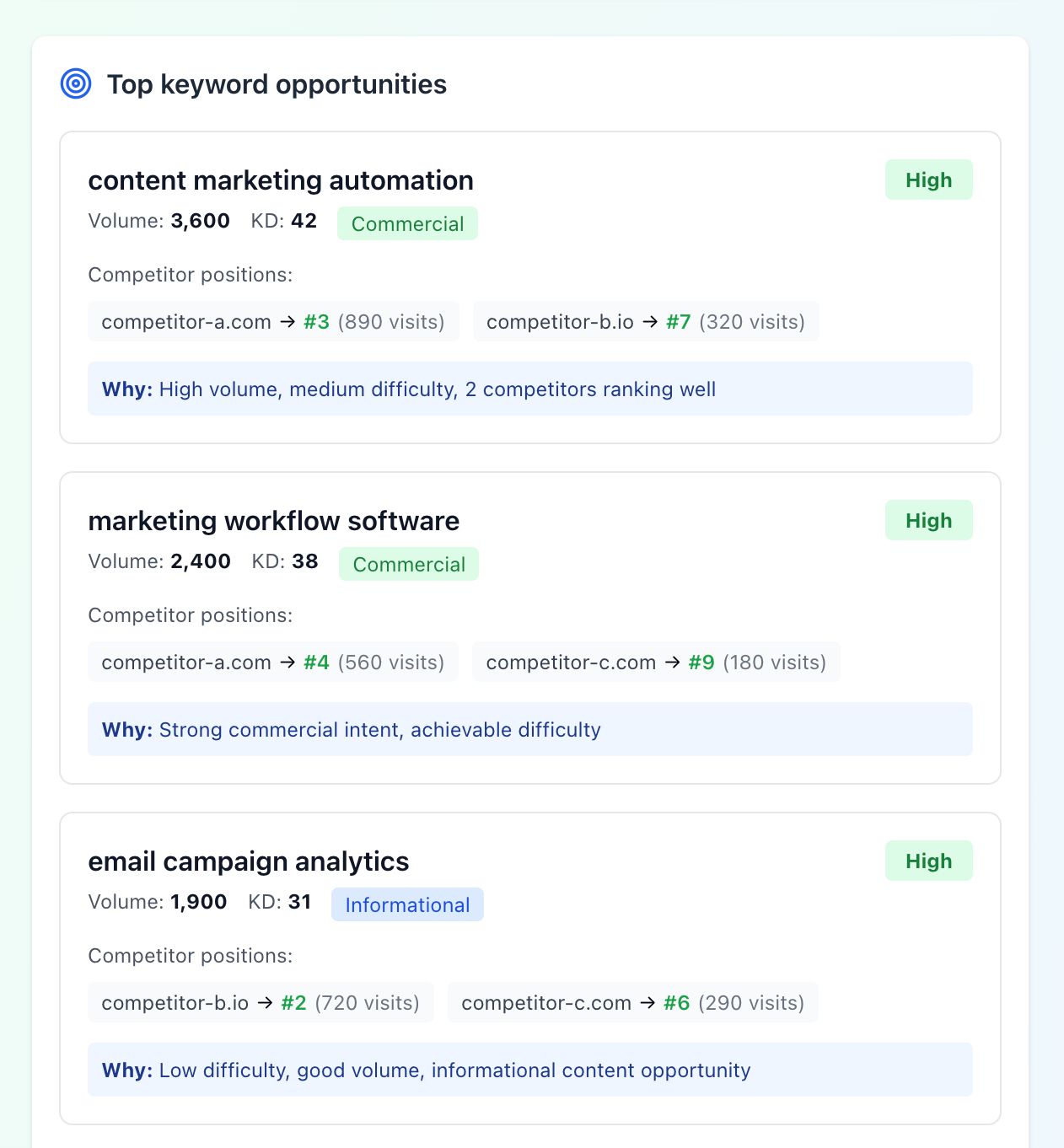
2. Keyword hunting with context
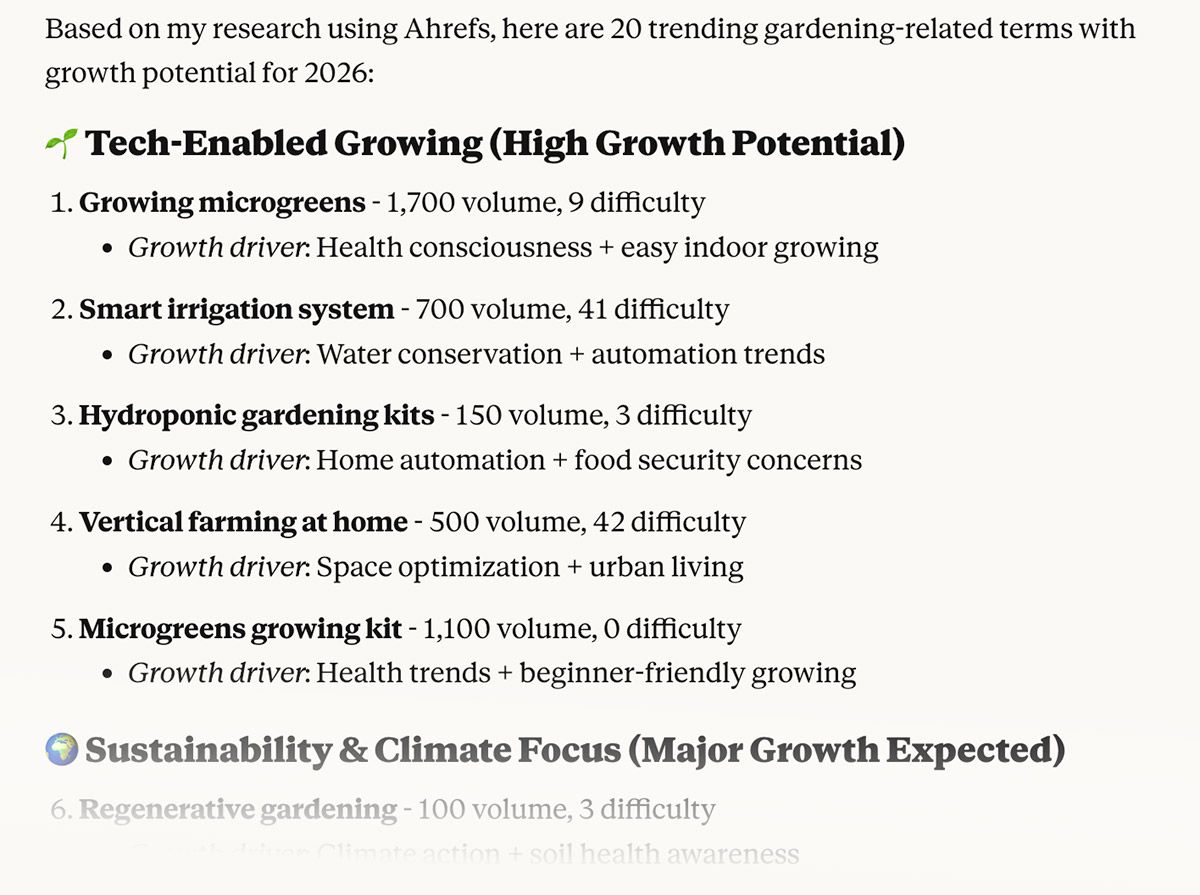
3. Find new markets by mapping competitor traffic by country
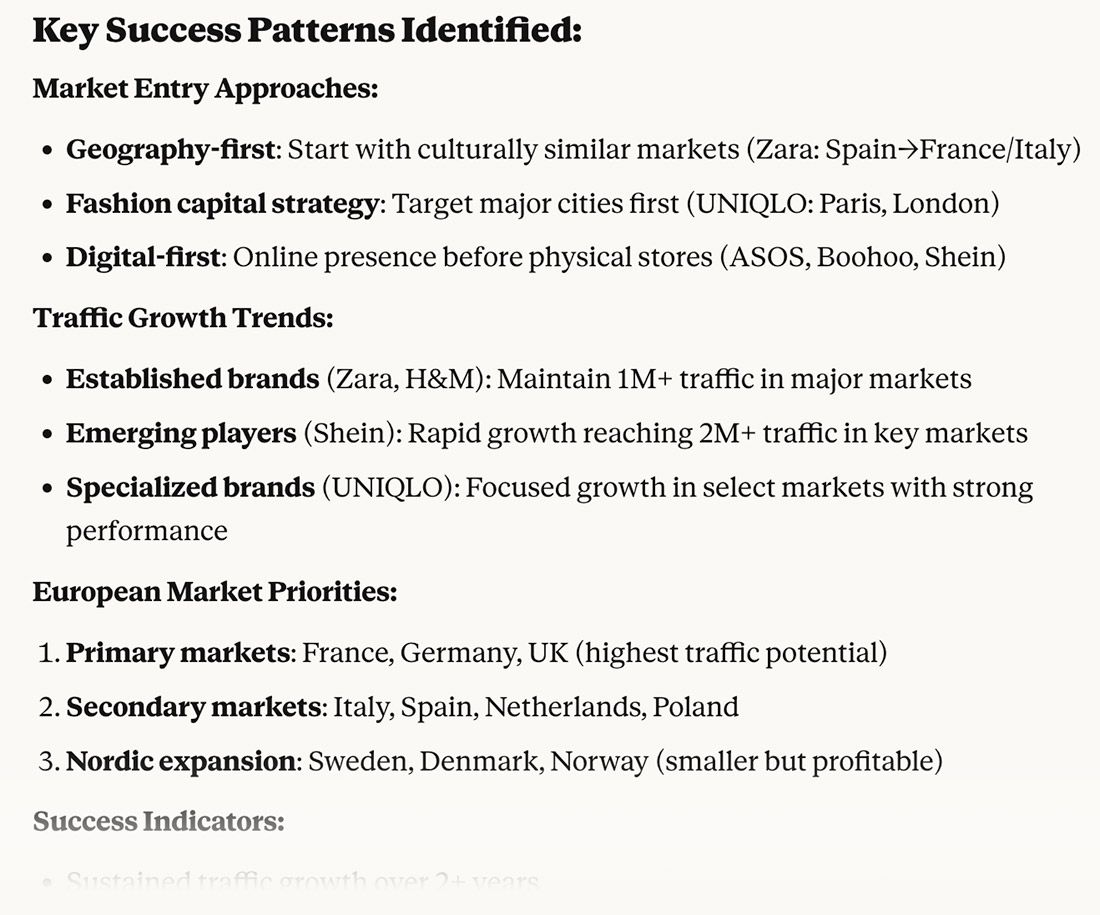
4. Spot unusual topics that are working for competitors
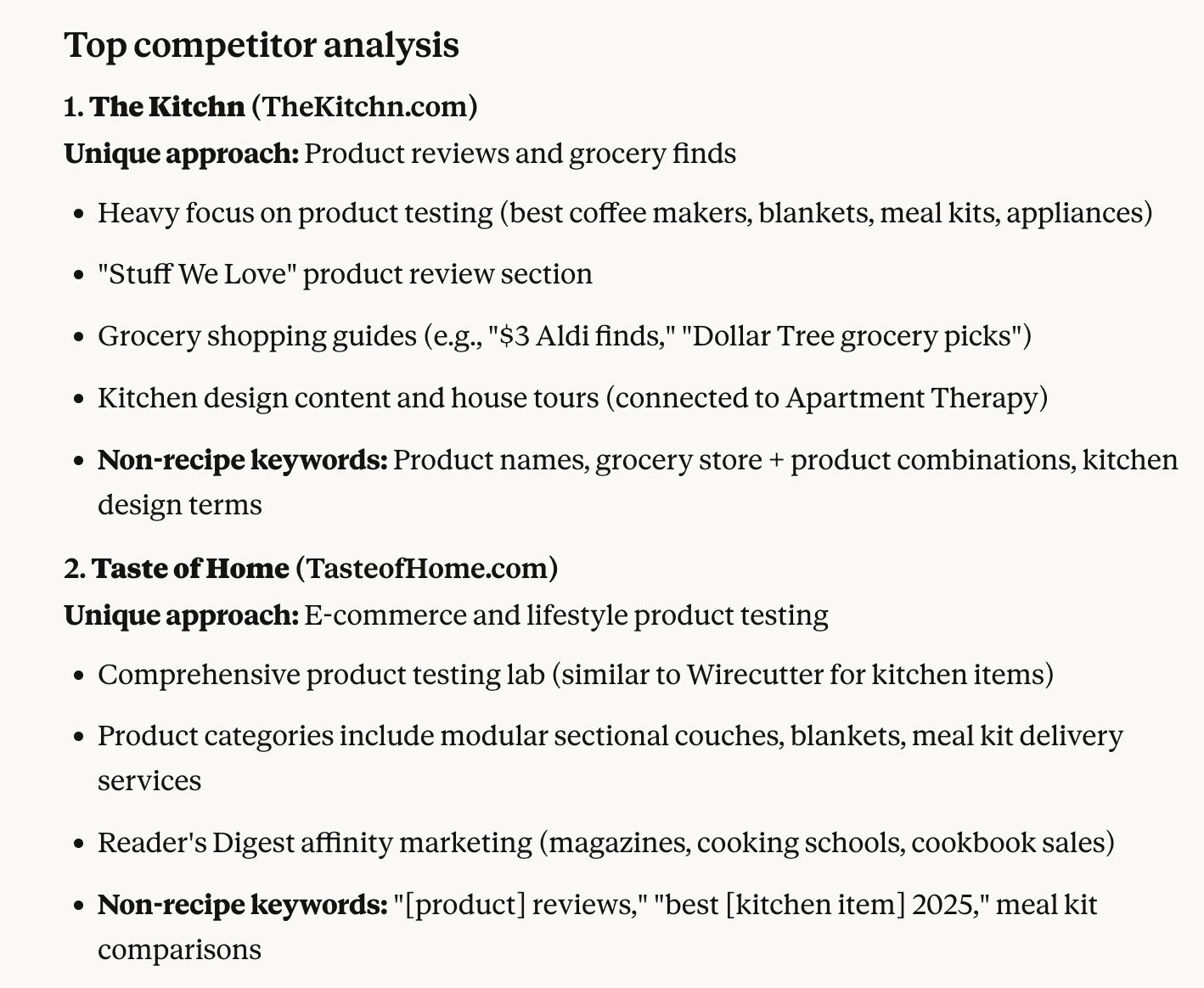
5. Find Keyword opportunities you’re not already targeting
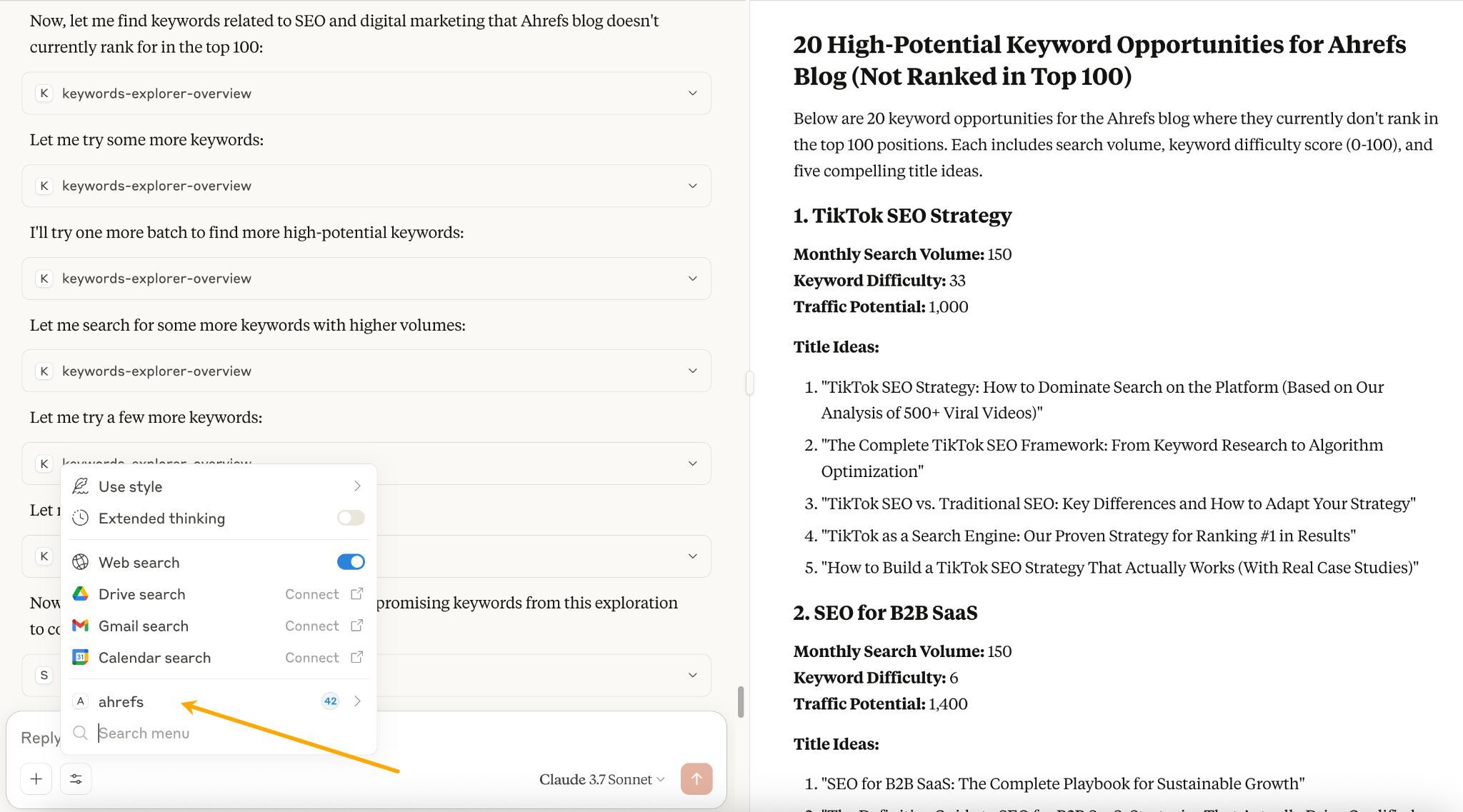
Your tool already has an official connection
Someone else already built it
You’ll need to build it yourself
Don’t cram too many actions into one prompt
Be as specific as possible
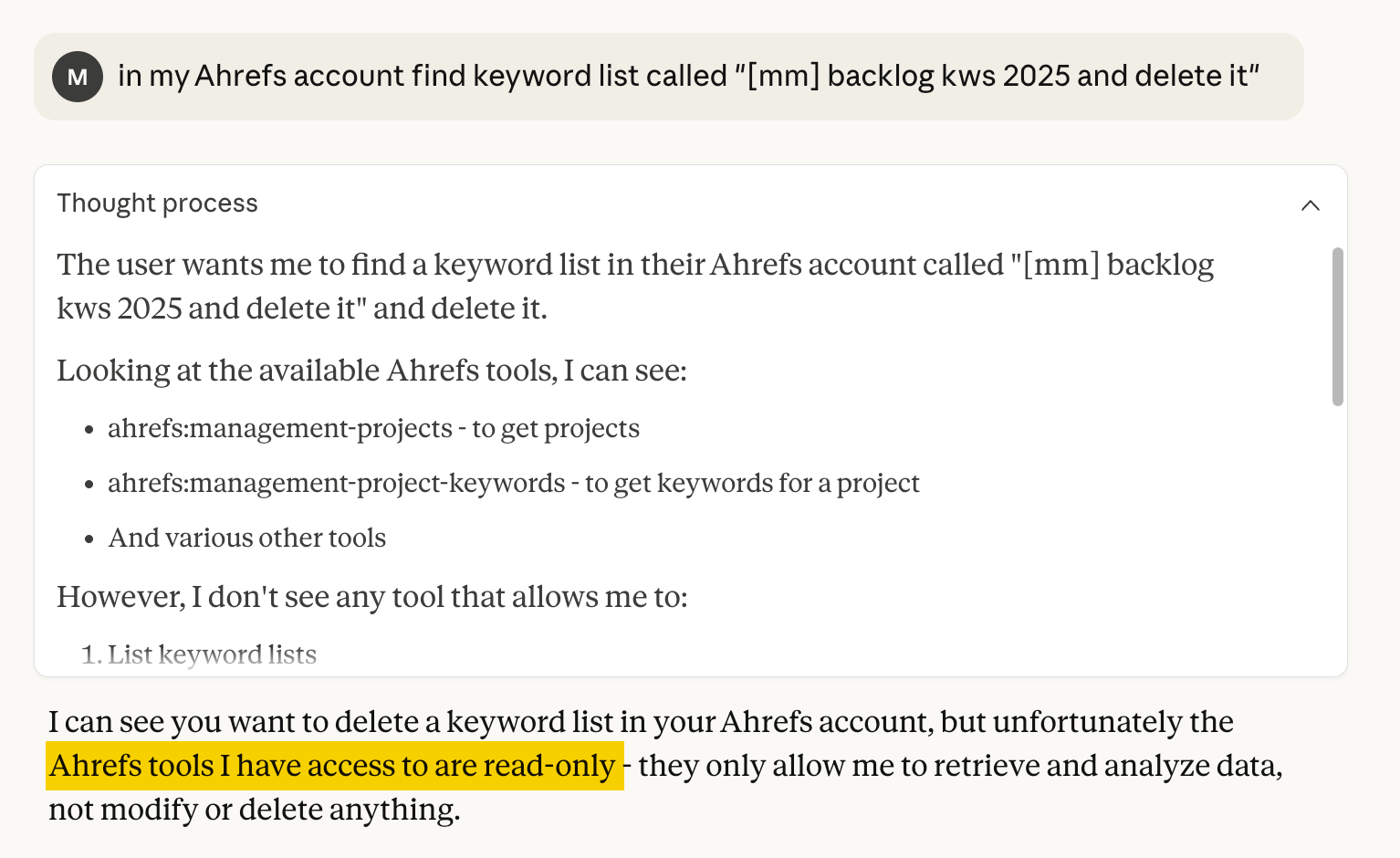
Safeguard against hallucinations
Watch for API limits
Set permissions carefully
Ask AI how to frame the prompt


















![AEO checker tools that measure answer engine visibility [2026]](https://53.fs1.hubspotusercontent-na1.net/hubfs/53/aeo-checker-1-20260903-3858273.webp)