Every app on my phone has decided I need AI, and none of them bothered to ask
Every app wants to become an AI app, even when users keep dismissing the invitation. Somehow, software that promises to understand us still can’t remember when we’ve said no.
 Aliver
My wife doesn’t use AI very much. She isn’t philosophically opposed to it, nor is she waiting for the machines to overthrow civilization. She simply opens Google Photos because she wants to look at her photos.
Lately, however, the app keeps greeting her with invitations to try its AI tools. Google would very much like her to search her library conversationally, generate something new, or ask Gemini to edit a photo. She dismisses the prompt, gets on with her life, and eventually meets it again.
That small irritation made me look at the apps on my own phone. Apparently, nearly all of them have reached the same conclusion. I don’t merely need AI occasionally. I need it waiting inside every search bar, messaging app, music player, and document reader I already use.
My apps have all caught AI fever
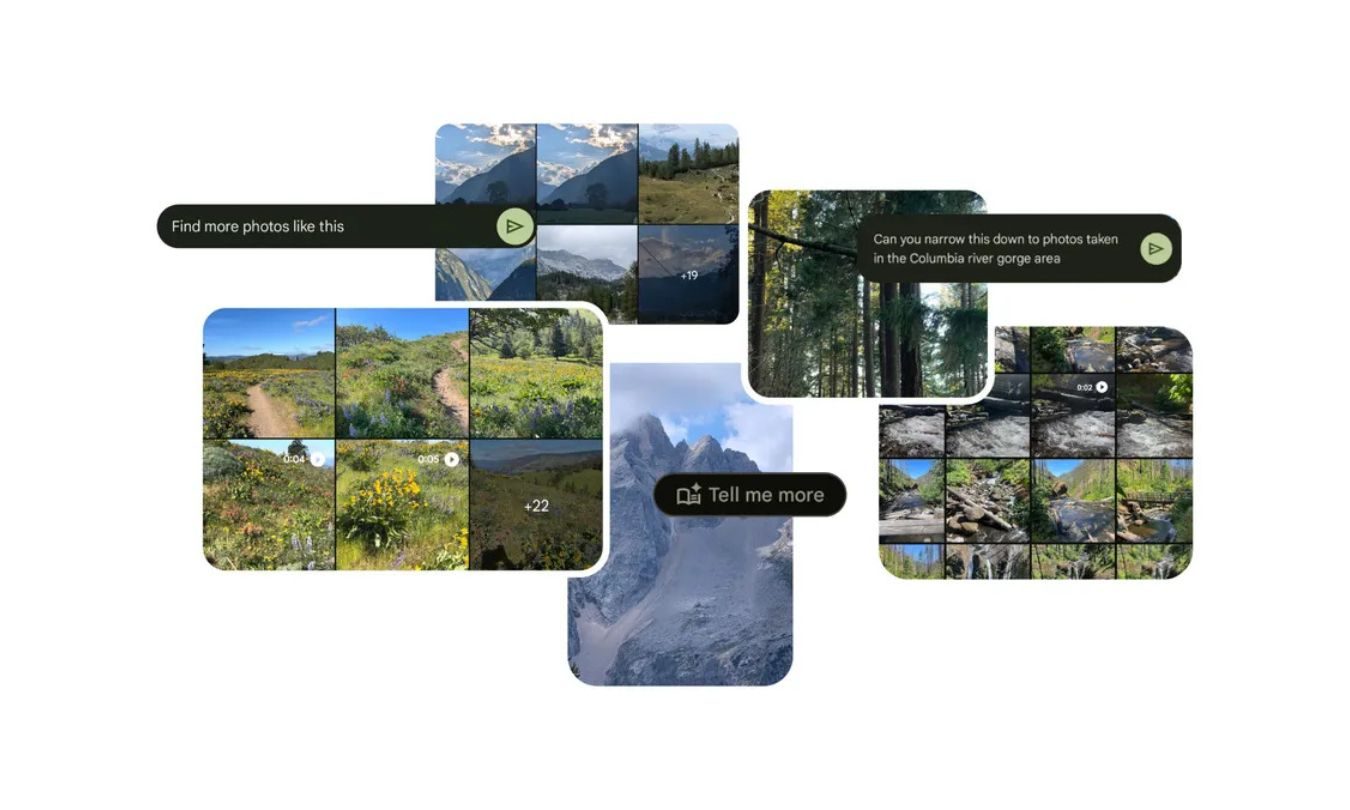
Google Photos now includes Ask Photos, which uses Gemini to search your library, answer questions about it, and make edits from written instructions. Google says the feature remains experimental and may produce inaccurate results. You can disable it, although doing so requires digging through Photos settings, Preferences, and finally Gemini features in Photos.
 Google
The setting exists, which is better than nothing. Still, someone who repeatedly dismisses an invitation has already communicated a preference. The app simply interprets “not now” as “please ask me again once I’ve forgotten why I was annoyed.”
Meta has taken a broader approach. Its assistant now lives across WhatsApp, Instagram, Facebook, and Messenger. One blue circle has managed to follow users across four separate apps, like a helpful shop assistant who somehow appears in every aisle.
Spotify has its AI DJ, AI-generated playlists, and conversational music search. Adobe Reader puts an AI assistant beside the humble PDF. Microsoft went further and renamed its Office hub the Microsoft 365 Copilot app, presumably because “Microsoft 365, Now With AI Whether You Asked or Not” tested poorly.
Now you can talk to Spotify:
🎧 It plays what you want
🎧 It adds what you want
🎧 It even answers what you’re curious about
What’s the first thing you’d say? pic.twitter.com/uKajUFpA1G
Microsoft does let desktop users disable Copilot in Word, Excel, and PowerPoint. Its documentation says the same switch isn’t available in the iOS, Android, or web versions. Mobile users can change broader privacy settings instead, potentially affecting other connected features in the process.
That’s less an off switch and more a circuit breaker.
Some of these tools are genuinely useful
I’m not pretending every AI feature is worthless. Finding a particular photo by describing the half-remembered circumstances around it is useful. Asking a 70-page PDF a specific question can save time. Conversational music search might succeed where Spotify’s ordinary search bar sometimes behaves as though I’ve given it a riddle.
I also pay for ChatGPT and Claude. Clearly, my objection isn’t that artificial intelligence exists.
The difference is intent. When I open an AI app, I’m choosing an AI interaction. When I open Photos, I want my photos. When I open WhatsApp, I want to message someone. When I open Spotify, I probably already know what I want to hear.
 Solen Feyissa / Unsplash
These apps worked before AI became their loudest new feature. Now, the assistant is increasingly presented as the natural center of the experience, while everything the app was originally built to do gets pushed slightly to the side.
The industry appears terrified that AI might become invisible. Every assistant needs a button, every button needs a colorful glow, and every glow must occupy the exact piece of screen where your thumb already goes.
A genuinely useful feature doesn’t need to keep introducing itself. It quietly becomes part of your routine because it solves a problem better than the old method. The current approach feels closer to software companies desperately proving that they, too, possess an AI strategy.
“No” should survive the next update
These companies keep promising software that understands us. Google Photos can identify faces, places, objects, and half-remembered vacations from years ago. Spotify studies what we play, when we play it, and which song we abandon after 12 seconds. Meta has spent years building systems designed to predict what will keep us staring at a screen.
Yet remembering that someone already declined an AI feature apparently remains beyond the limits of modern computing. Sure, we can find a way in their documentation a way to opt-out, but why make opt-in the default?
A dismissed prompt returns. A hidden button becomes more prominent. An app update quietly gives the assistant another opportunity to introduce itself. The software remembers everything except the preference that conflicts with the company’s current strategy.
Perhaps these apps already understand what “no” means. They’ve simply decided that remembering it would be bad for engagement.