
10 ways to use AI glasses while sightseeing
There’s a new travel essential worth packing on your next trip
 Astrong

The latest in wearable technology from Meta provides a portable hands-free travel assistant that makes sightseeing easier than ever. These glasses can help with directions, translating languages, taking videos and pictures and even sending and receiving messages, all hands-free.
AI glasses can be worn as prescription glasses and transition lenses or just as sunglasses, making them ideal for warmer destinations. Plus, options like Ray-Ban Meta and Oakley Meta glasses mean you can look extra stylish while on the move. I’m a travel writer and always make sure I have Meta glasses with me to record the highlights of my trips, stay in touch with friends and family, and get immersed in a destination.

All you have to do is link the glasses to the Meta AI app on your phone through Bluetooth and any images, video or information will be stored on your device. Additionally, the battery life can last longer than a smartphone, so you don’t have to worry about a lack of power when you need to take that all-important sunset snap.
Keep reading to discover how AI glasses can boost your travel experience this summer and beyond.
1. Asking for fun facts about a landmark
Wearing AI glasses when visiting a new town or city is like having your own personal free tour guide. If you are standing in front of a famous building or monument and want to learn more about it, you can just say: “Hey Meta, tell me about that landmark.”
The built-in camera in the glasses will scan the area and then tell you what you are looking at and recite fun facts about it. For example, if you are looking at Tower Bridge in London, it will tell you when it was built and the style of the structure.
It is also useful if you are going around a museum or an exhibition and want to find out more about the artwork or sculptures. You can ask, “Hey Meta, what am I looking at” and it should be able to tell you about the painting or artist.
It isn’t just a one-way conversation though, you can continue the conversation by asking for extra facts about a landmark or painting such as what happened to an artist or what a location is used for.
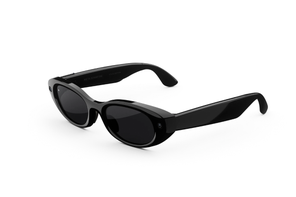
Meta Starfire Kylie Edition
2. Taking calls hands-free
You can link AI glasses to your phone’s contacts using Bluetooth and make and receive calls while on the move. This means you don’t have to worry about missing a call and you can keep in touch with people while exploring a destination.
It can also be useful if you are planning to meet someone as you can call them and describe where you are as you see it. Plus, it is all hands-free so you don’t need to search for your phone in the bottom of a bag and can carry shopping or luggage while continuing a conversation.
You can make a call by simply stating “Hey Meta, call xx” and you can receive calls by saying “Hey Meta, answer” or by double tapping on the right of your glasses.
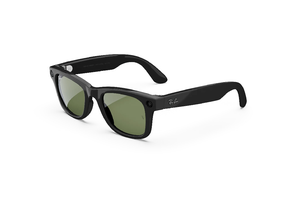
Ray-Ban Meta Wayfarer (Gen 1)
3. Sending messages
As well as phone calls, you can also send WhatsApp or Facebook Messenger messages via AI glasses. Simply link your WhatsApp and Messenger accounts in the Meta AI app and ask to send messages when wearing your glasses.
This can be a convenient hands-free way to keep in touch with people while you are on the move and rushing around a city to take in the sights.
4. Avoiding getting lost in new destinations
It can be hard to find your way around a new town or city that you are visiting, especially if the road signs are in a different language. Luckily, you can link AI glasses to tools such as Google or Apple Maps.
You can ask Meta to direct you to a location such as a local coffee shop or set it on your phone and follow the instructions. This can all be done hands-free, meaning you will look like less of a tourist and more of an expert navigator.
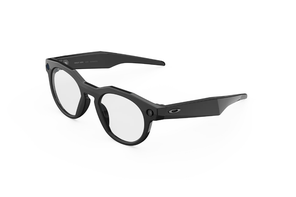
Oakley Meta HSTN
5. Break the language barrier
Language barriers can be an issue when travelling, particularly if you need directions or are trying to order food or drink in a restaurant. AI glasses can be your personal translator. The glasses and app provide live translation from English, Spanish, French and Italian as well as German and Portuguese on Ray-Ban Meta and Oakley Meta models. Other languages are being added.
You set the language you need to translate from and to within the app or state: “Hey Meta, start live translation.” The glasses will then listen to what the other person is saying and translate it for you. You can also use your glasses to ask Meta to translate menus or signs or to find out how to say certain words or phrases. You may not sound fluent, but it can create an easier conversation compared with constantly having to look at your phone to translate words.
6. Snapping photos and videos
AI glasses can take 3k resolution videos of up to three minutes in the latest models and high definition photos. You could film yourself walking around an attraction or take a quick picture without reaching for your phone.
This can provide a unique perspective on a landmark or destination as you are no longer just viewing it through a 6in smartphone screen and can get a better perspective of what you want to capture.
7. Posting to social media
You don’t have to wait until you get back to the hotel to share your holiday snaps. Pictures and videos can be shared to Facebook and Instagram instantly.
AI glasses also let you live-stream in a destination or post directly to social media so you can keep your loved ones informed of what you are getting up to while travelling, all from your own point of view rather than blurry videos or photos you may capture on your phone.

8. Recall an email
It can be hard to switch off from work while travelling. If you do feel the need to find out what is going on at work, you can link your glasses to your email and ask it to recall any messages.
9. Listen to music
Don’t worry about remembering headphones to listen to your favourite audiobooks or playlist, your glasses can connect to music apps such as Spotify and Amazon Music. It uses open ear audio, which can be safer as you can still hear your surroundings.
10. Remember a room number
From boarding gates to parking spaces and hotel room numbers, there’s a lot to remember when travelling. AI glasses can act as a personal assistant. You just ask it to remember a parking level where you left a car or your hotel room number and a reminder will be added to the Meta AI app.



















.jpg&h=630&w=1200&q=100&v=1a56ad72fe&c=1)




.jpg&h=630&w=1200&q=100&v=c0f97a310e&c=1)
