How I Use My AI Marketing Assistant After 200+ Hours
Here’s me letting my AI assistant code something for me, while I contemplate the AI doomsday scenarios. But debating the impact of AI on our jobs only gets you so far. A better use of your time is figuring...
 MikeTyes

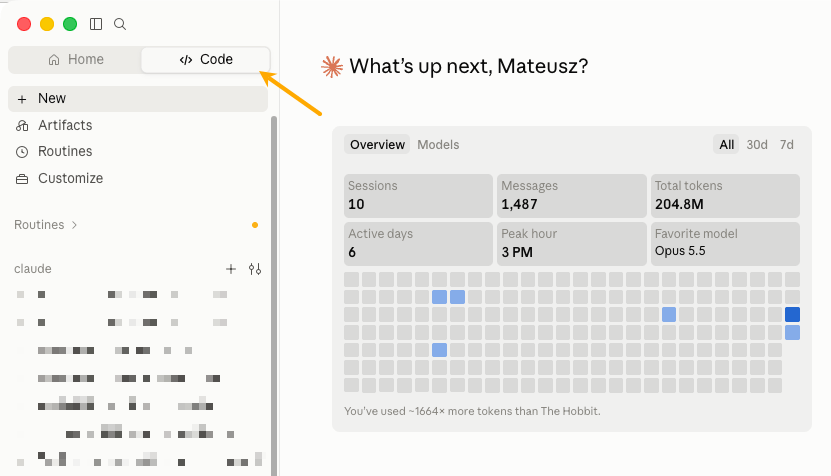
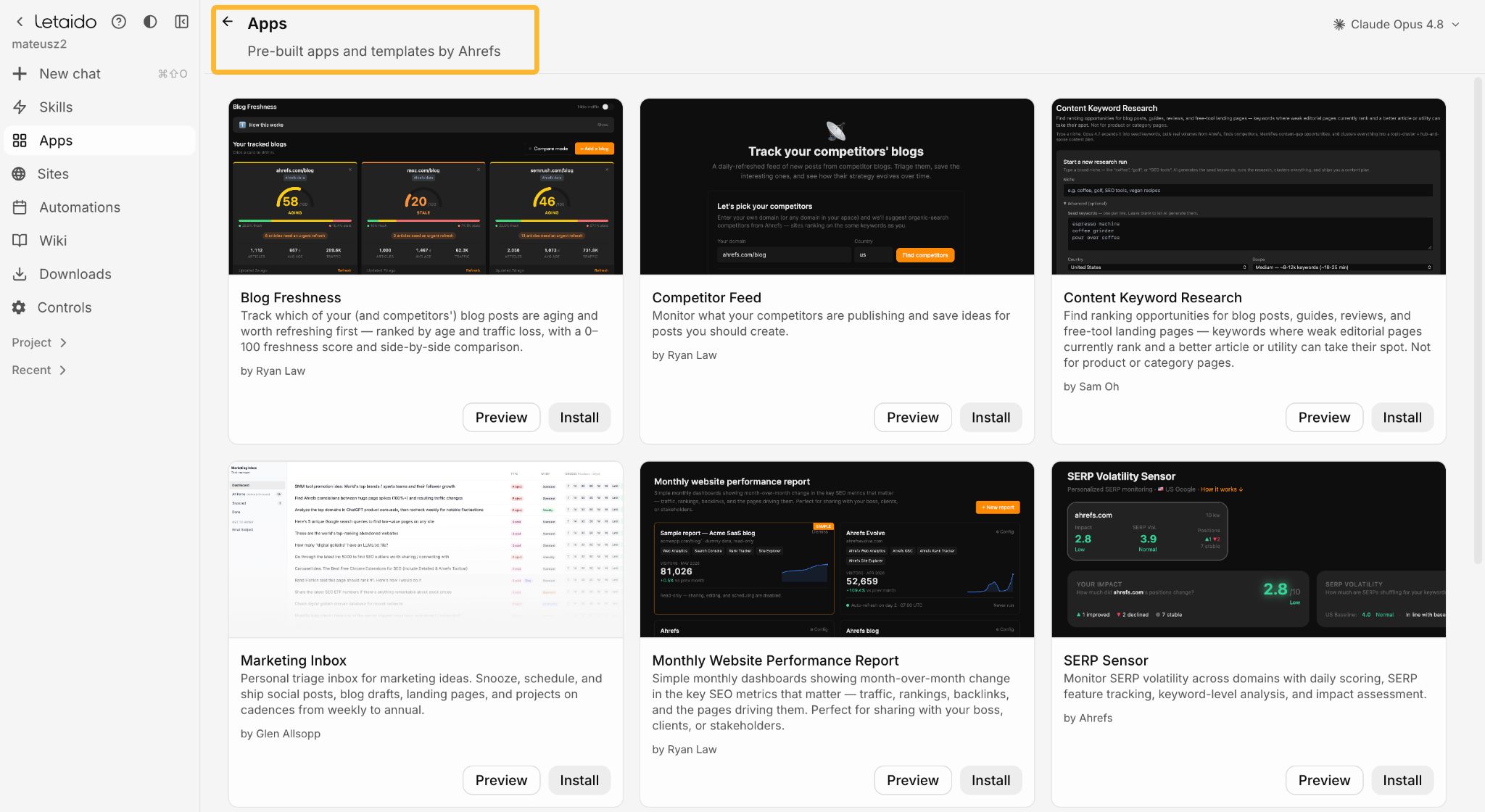
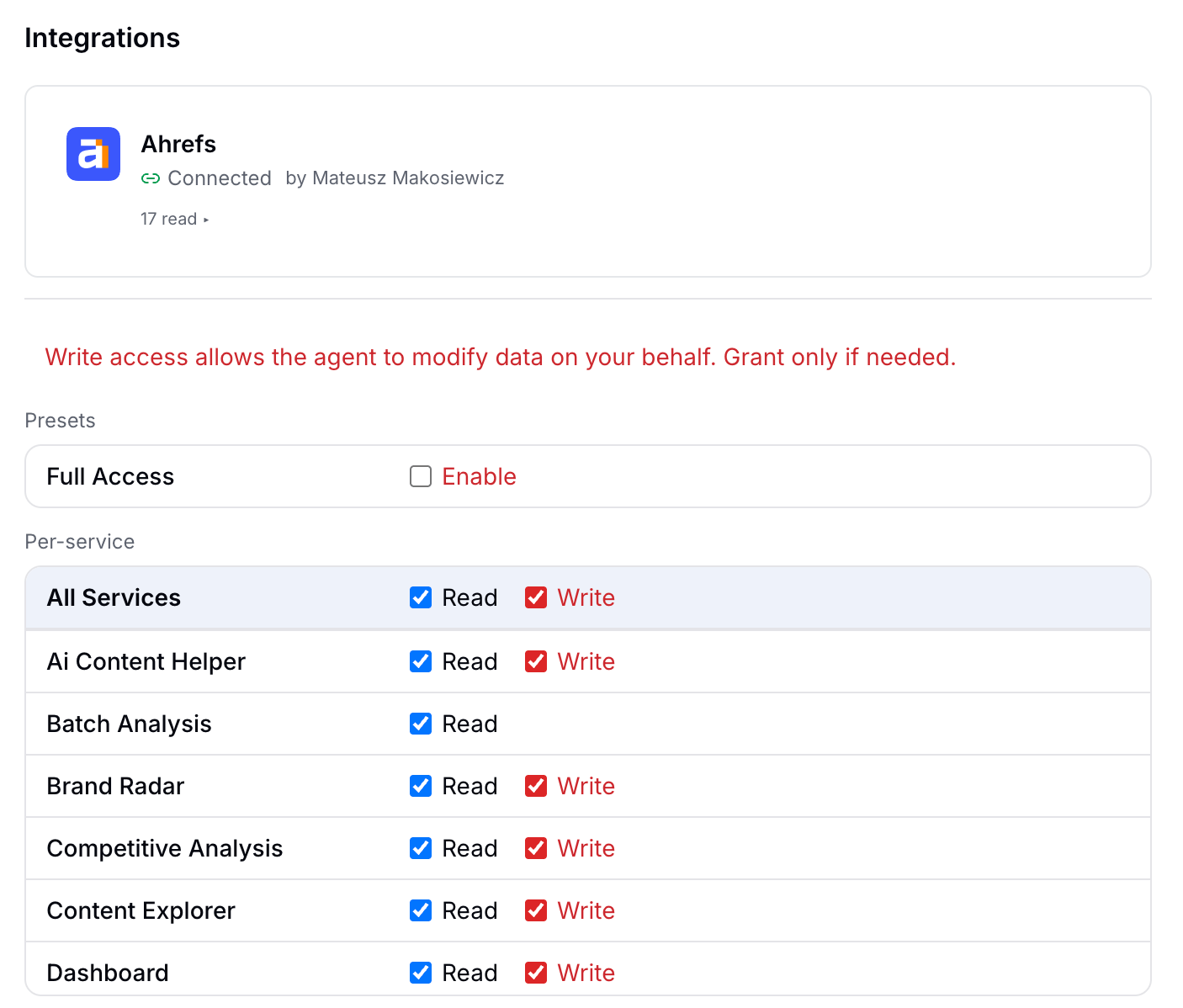
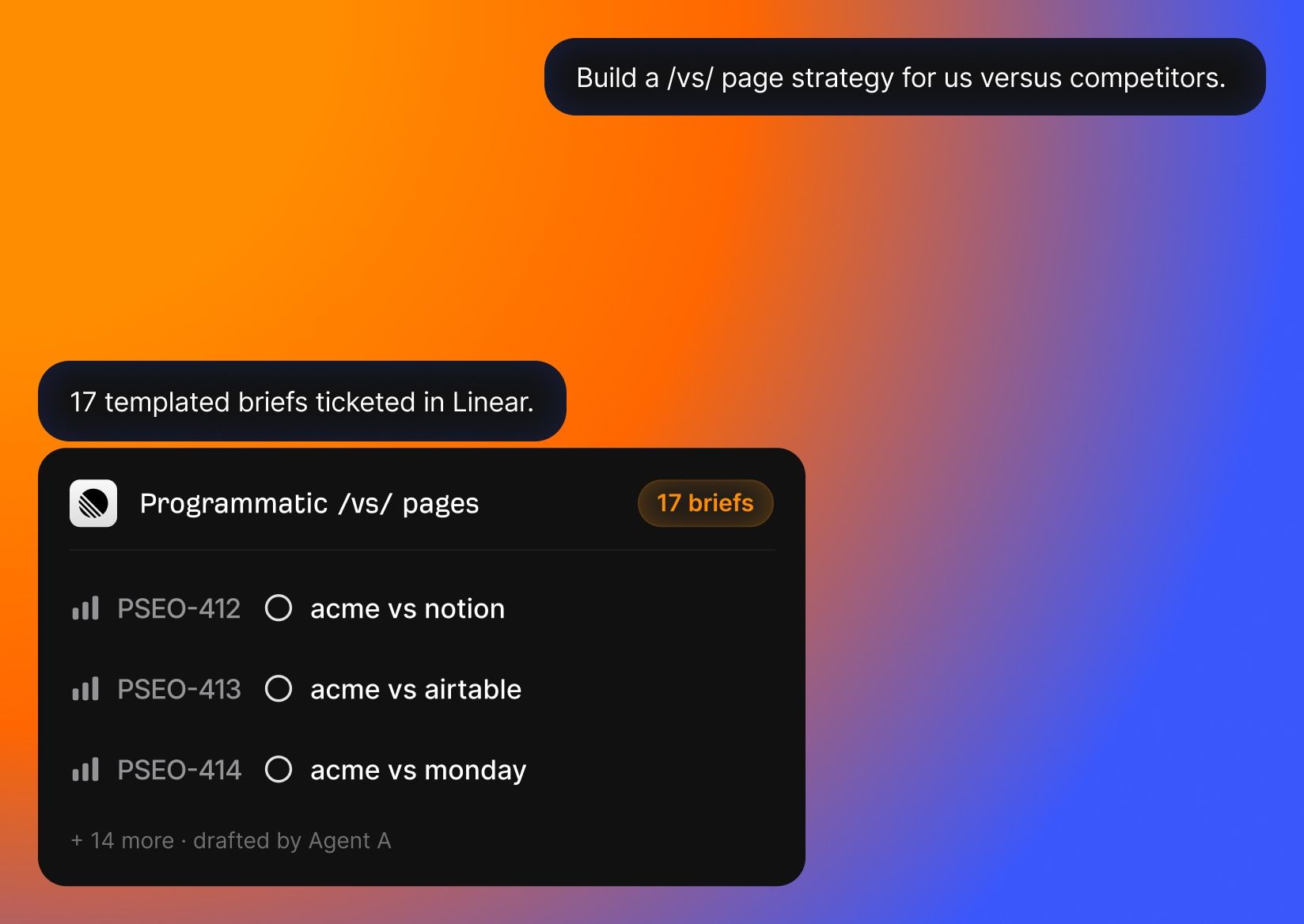
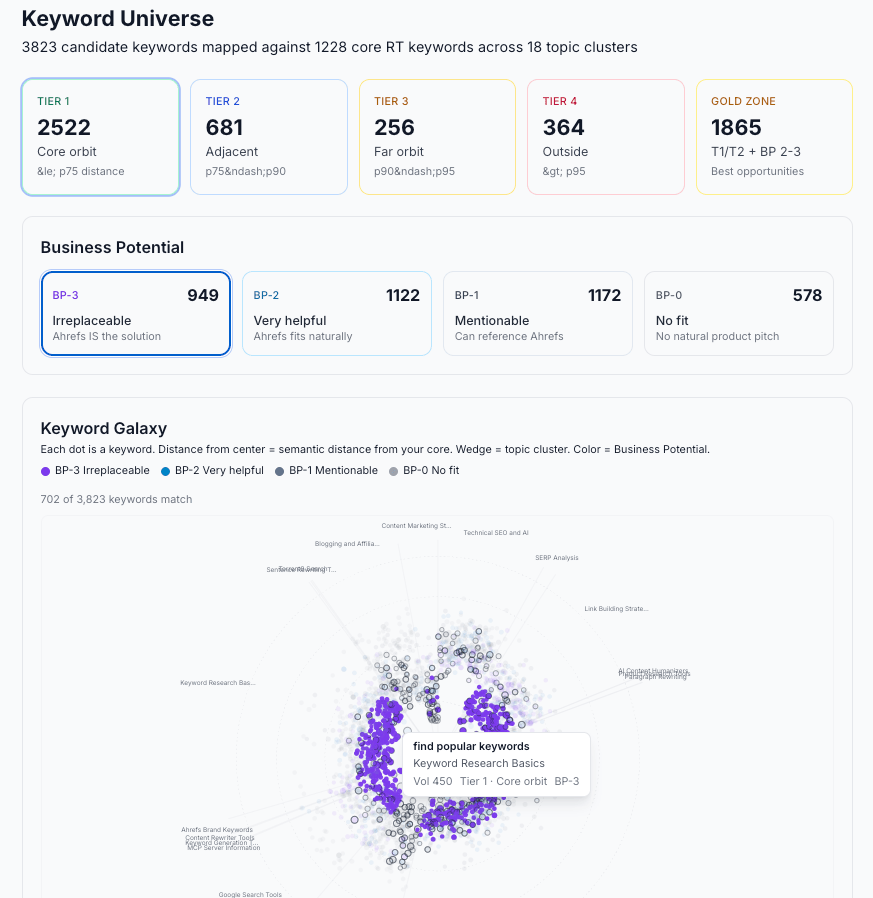
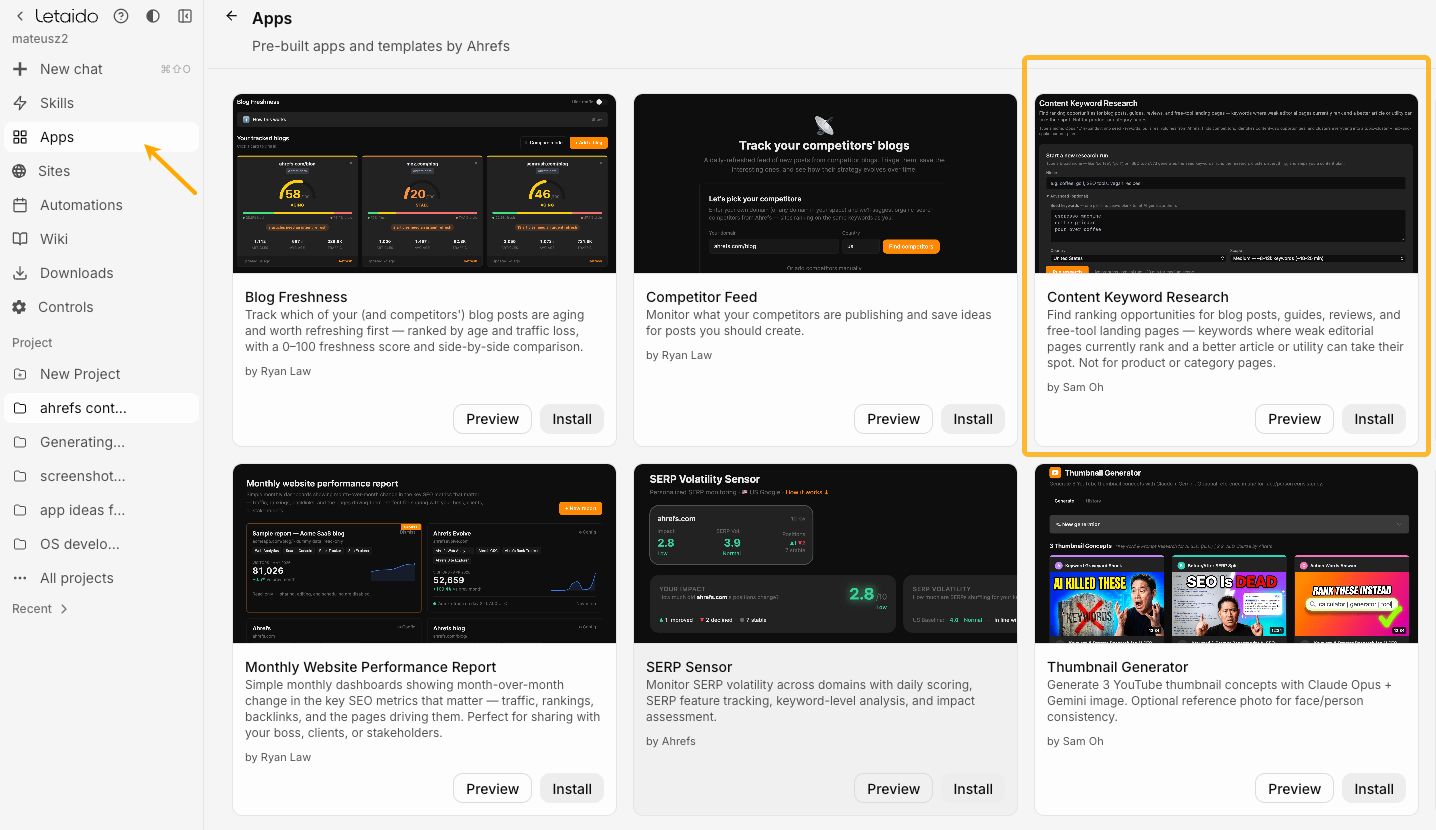
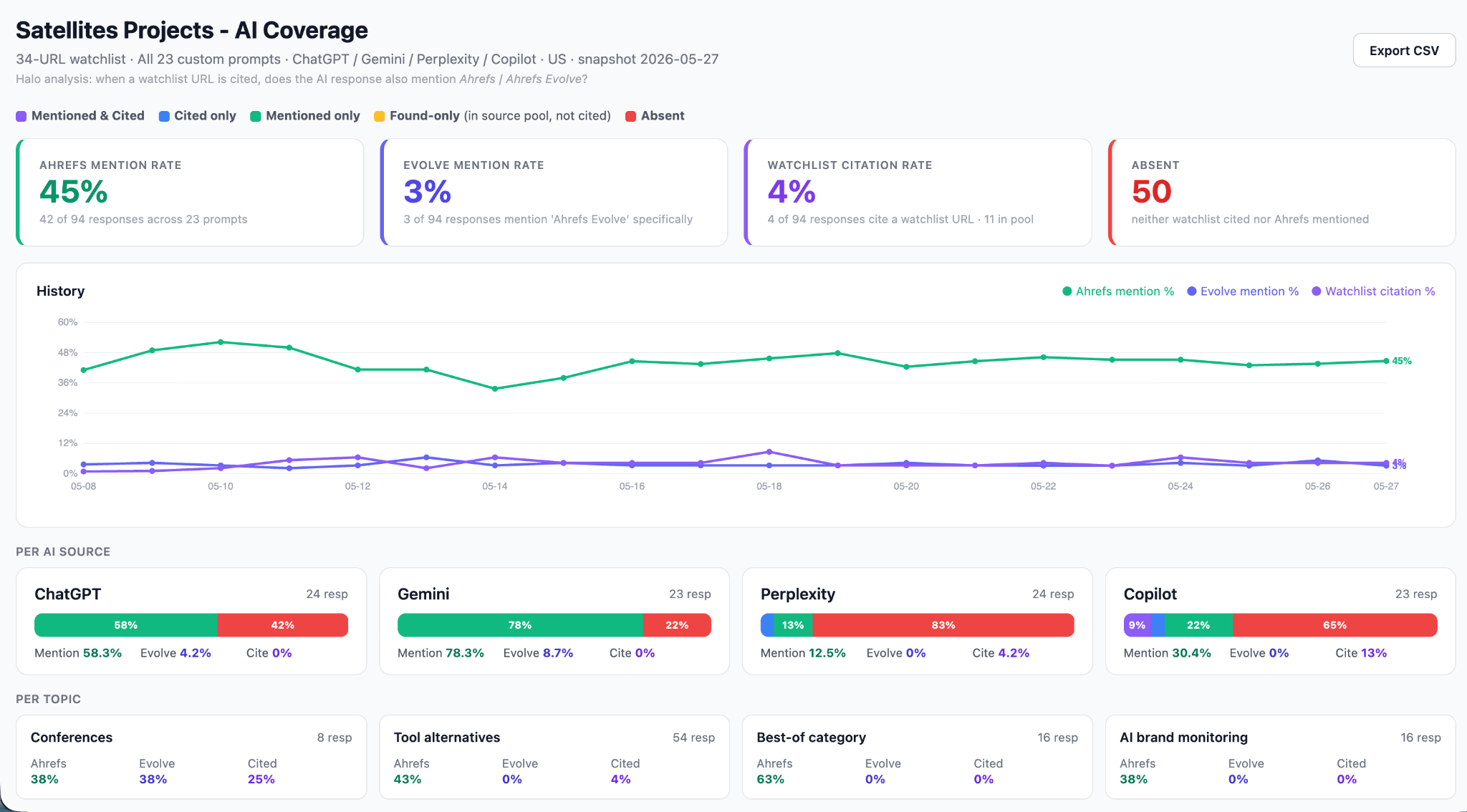
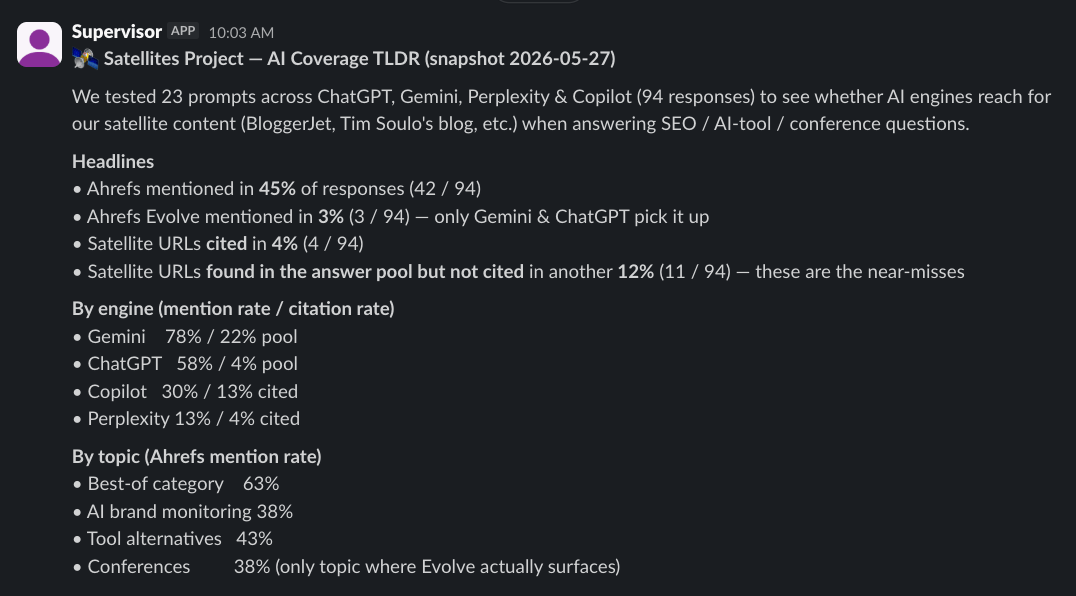
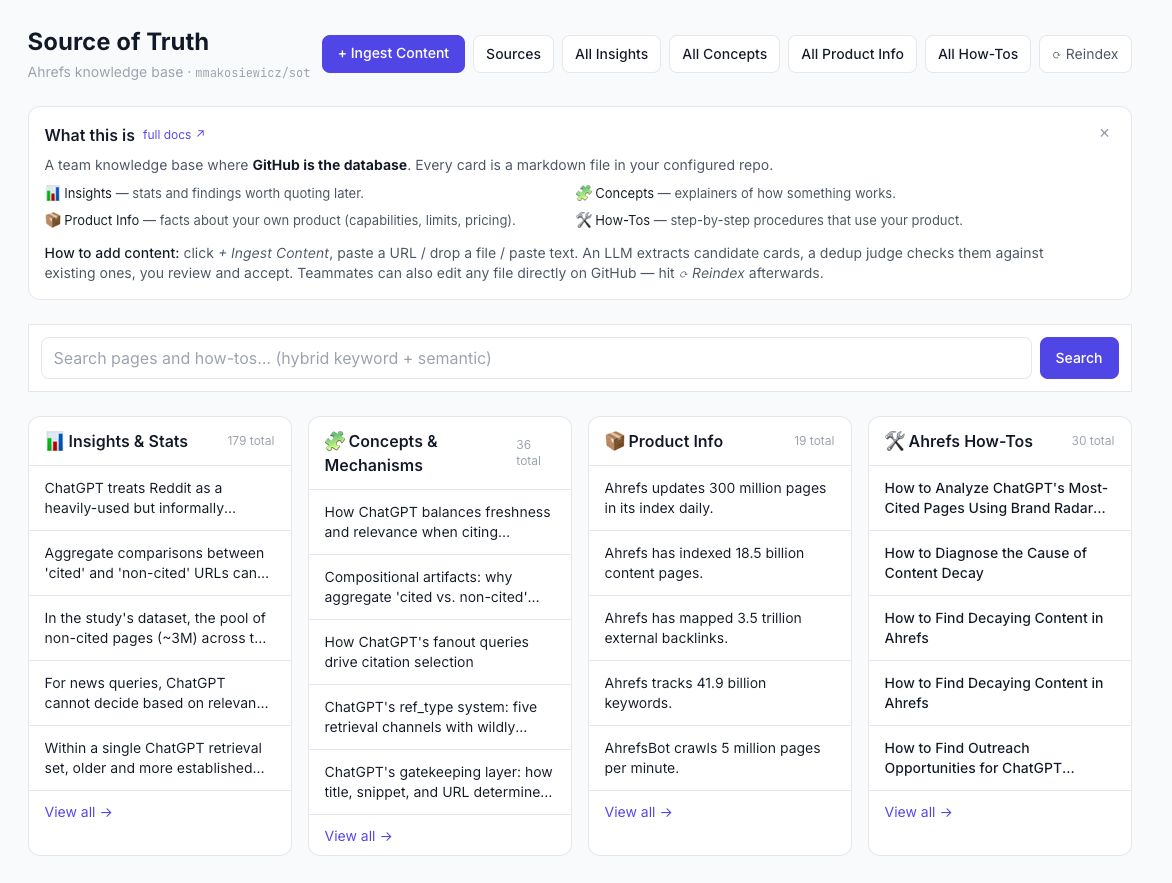
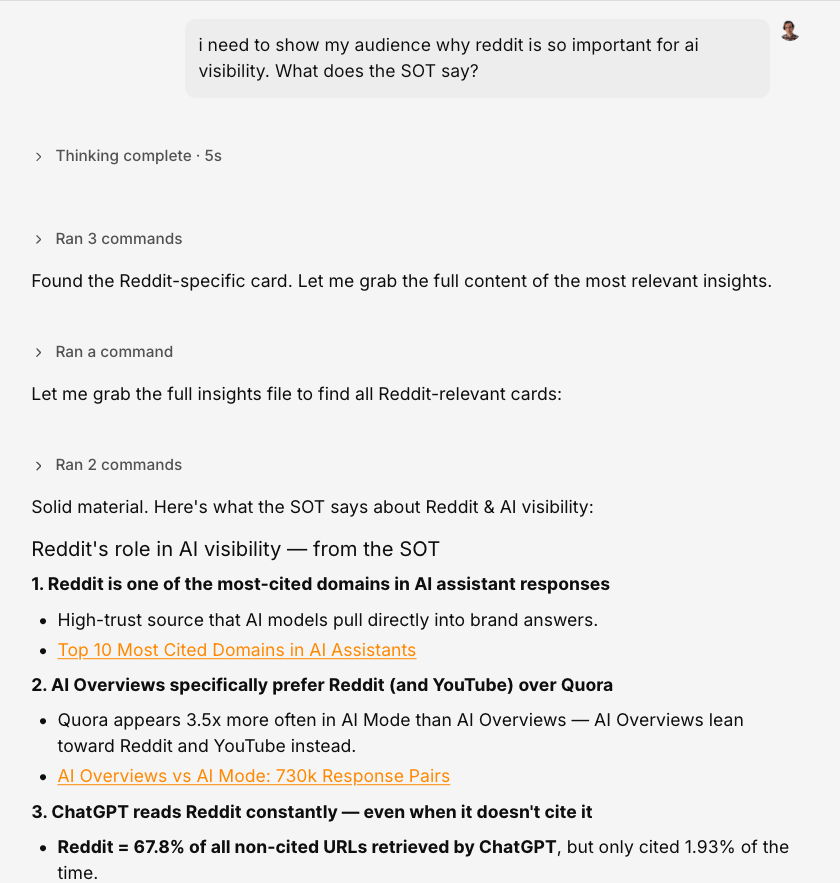
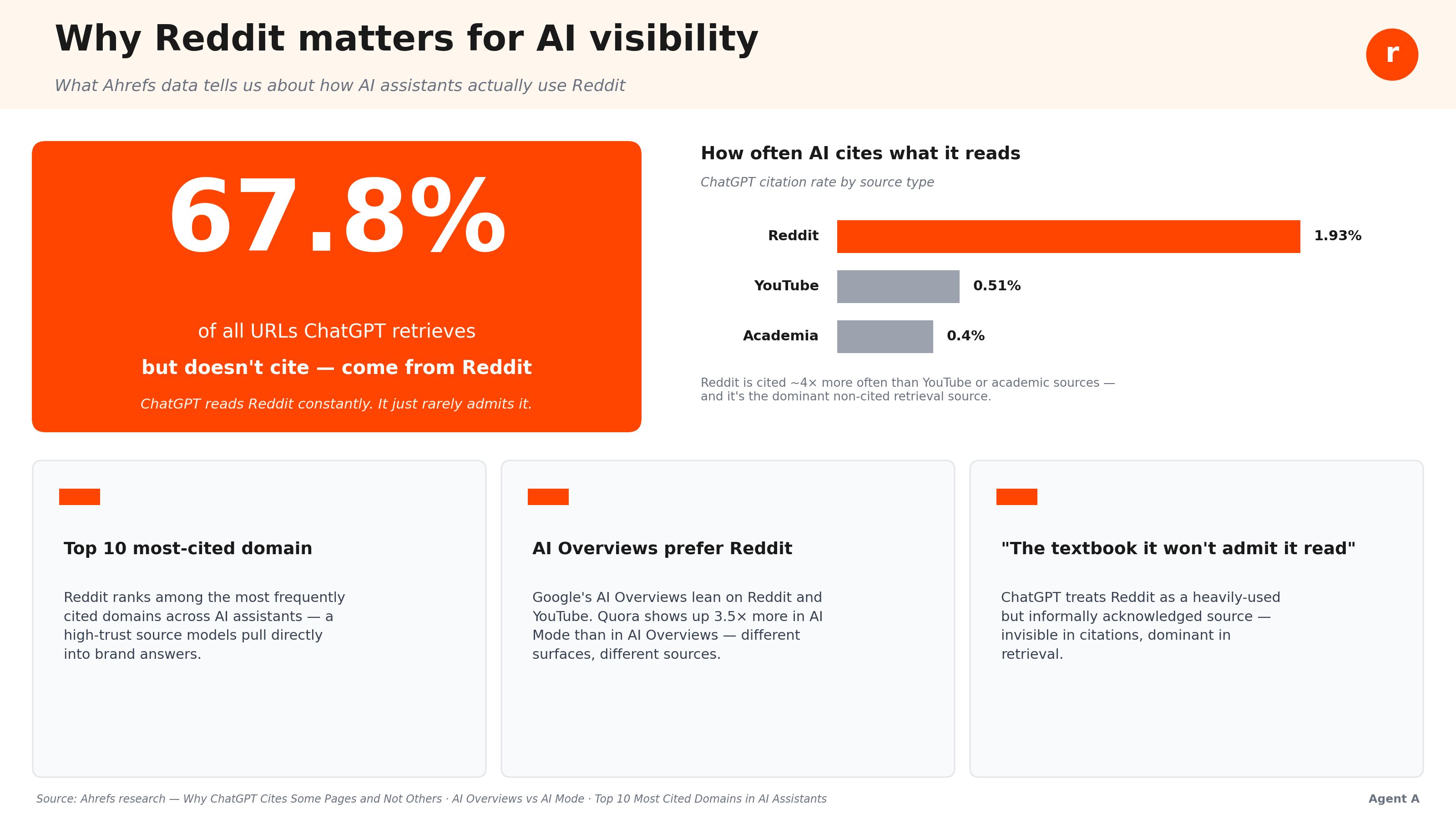
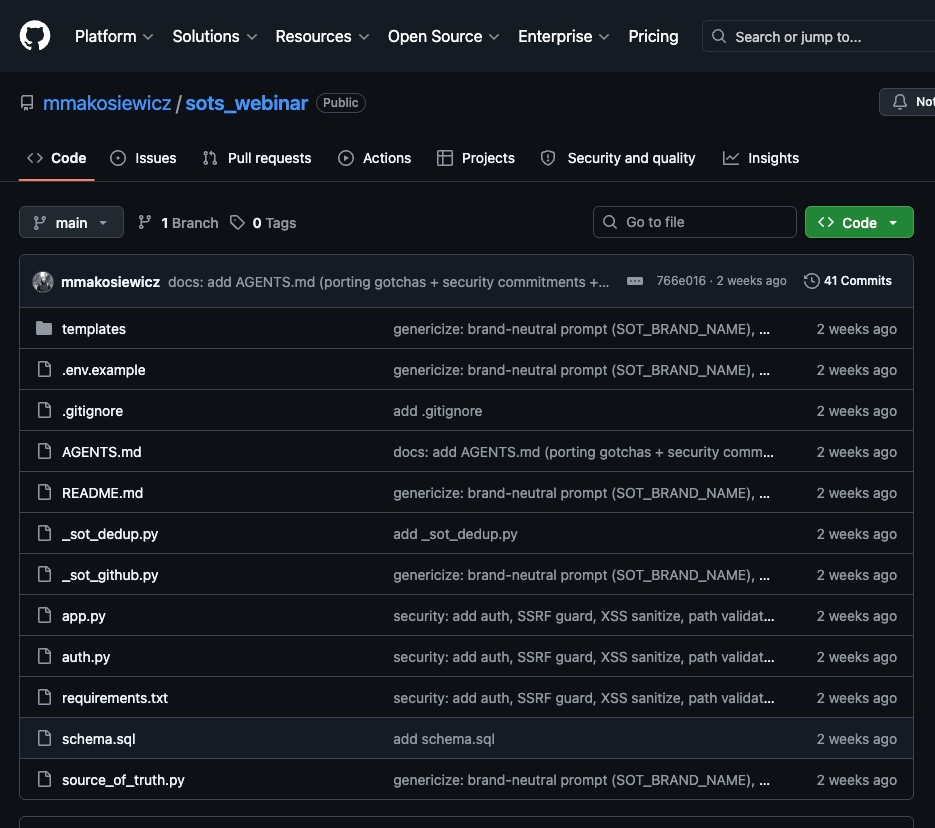
After spending 200+ hours with Agent A, Ahrefs’ AI marketing assistant, I’m still not sure whether it’s my best friend or my biggest threat—it’s that capable. Here’s me letting my AI assistant code something for me, while I contemplate the AI doomsday scenarios. But debating the impact of AI on our jobs only gets you so far. A better use of your time is figuring out how to reinvent your role with this technology. I mean, use it to do the things you never had enough time, skills, or resources to do before—and create more value for your team in the process. In this article, I’ll show how I use Agent A for marketing: building small tools, automating SEO research, improving my writing, organizing knowledge, running recurring checks, and connecting the tools I already use. Each section includes a prompt you can try, plus the frustrations and limits I’ve found along the way. An AI marketing assistant is a dedicated workspace for marketing tasks that can use tools, work with files, connect to data sources, remember preferences, and automate repeatable workflows. It looks like a typical AI chatbot on the surface, but that’s just how you talk to the agentic AI technology “under the hood”. You can set up your first agent using Claude Code or the ChatGPT Agents feature in minutes using a single sentence, no coding skills needed. Unlike a chatbot that mainly answers questions, or a general-purpose AI agent that starts from scratch, a marketing assistant comes with built-in marketing expertise, specialized tools, and integrations with the platforms you already use. Agent A, for example, comes with marketing apps and skills built by the Ahrefs team based on combined years of experience in marketing. Agent A also has direct access to Ahrefs data, and is designed to work with it natively. That means less setup, fewer workarounds, and a much faster path from idea to execution. What is Agent A? Agent A is a marketing agent from Ahrefs—an AI assistant with direct access to the full Ahrefs dataset that can carry out marketing tasks autonomously, rather than just answer questions. Agent A includes: Since early April, I’ve accumulated 248 chat sessions, roughly 17,000 messages, 41 apps, 57 artifacts, and 17 automated jobs in Agent A, my AI assistant. That’s why I no longer think of it as a chatbot. It feels more like a workshop—a place where work gets done. I can build, experiment, and solve problems there, then invite others in to collaborate or explore what I’ve created. Here’s how I use it in my day-to-day work. Recommendation To have your assistant build things like these for you, you don’t even need a specific prompt: just describe it in natural language, or even better: show it a link to this article. SEO involves a lot of repetitive work: pulling data, cleaning it up, comparing reports, checking assumptions, and figuring out what to do next. It’s important work, but it shouldn’t take over your day. My AI assistant handles much of that busywork, so I can focus on strategy and decision-making. One example is a keyword research hub I built. It brings together the frameworks, shortcuts, and processes I’ve developed over the years into a single workflow. Instead of starting from scratch, I get a prioritized list of opportunities, business potential scores, and topic relationships that make the next steps much clearer. If you want to copy the logic of my app, show this GitHub link to any AI agent. I encourage you to remix it so it feels tailor-made—because that’s the whole point. If you’re using Agent A, you can also try the Content Keyword Research app by Sam Oh, which you may know from our YouTube channel. Many marketing reports are only useful if they keep running after the first analysis. My AI assistant turns one-off investigations into recurring systems with scheduled checks, historical tracking, alerts, and reports. Things that used to live on a to-do list become processes that run automatically. For example, for one of the AI SEO experiments I did, I built a custom dashboard showing citations and mentions earned by the pages I built, i.e., the AI coverage. The assistant can then message me on Slack every week with a simplified version of the report: Product details, customer insights, decisions, and lessons learned often get buried in chat threads and forgotten documents. My AI assistant acts like a librarian that keeps track of this information and makes it easy to retrieve later. That means less time searching for context and fewer mistakes caused by missing information. For example, I can use the app to get data for a presentation and ask my AI assistant to create an infographic from it: The prompt I used to create the infographic. And the quick one-shot infographic I pasted right into the webinar deck. If you want an app exactly like that, show this GitHub link with all the instructions to your AI assistant. By the way, collating all of the instructions and pushing them to GitHub was also done by Agent A. I just described what I wanted to achieve. One of the biggest frustrations with AI is having to repeat the same stylistic preferences over and over. So, I taught my agent what to avoid and what to emphasize, so those preferences became part of its default behavior. The style reference works like a skill inside the tool, so I can call on it anytime by saying something like, “use my editorial guide.” To make this work, I simply gave the assistant links to my favorite articles and a few guidelines on how I like to write. From that, it built a writing profile that I can keep refining over time. You can do the same. Show your assistant examples of work you admire—or your own best work—and it can learn the patterns, preferences, and style that make your writing feel like you. There’s more useful content online than anyone can read, let alone put into practice. Most of us are constantly saving articles, guides, and frameworks with every intention of coming back to them later but we rarely do. An AI assistant can help with that. You show it a useful guide or framework, it learns the process, and the next time you need that approach at work, it already knows how to run it. For example, my colleague Louise wrote a great guide on YouTube monitoring, but the practical steps were a lot to remember. So, I asked my agent to turn the step-by-step instructions from the guide into a reusable skill. Look at the prompt in the image—you don’t need to be an AI prompt engineer to make your assistant instantly incredibly useful to you. Since my assistant has access to SEO data, it can autonomously run the instructions given in the article. On a sidenote, LLMs like ChatGPT and Claude Opus provide the intelligence, but we still need to give them the right context. That can be as simple as showing your assistant the content you like. Connect the assistant to the right set of data, e.g., SEO data, and As a content creator, what you really need is a personalized content feed: the important signals from the week that could inspire your next piece. An AI agent can help a lot here. It can plan the workflow, run it on a schedule, and message you when something is worth reading. I’ve always felt behind on what’s happening on Reddit, so I asked my assistant to build a Reddit listening app. It checks r/SEO, r/bigseo, and r/SEO_LLM for posts about AI search, generative engine optimization, and AI visibility. Instead of scrolling manually, relevant posts are collected daily, matched against keywords, stored in a searchable format, and turned into a weekly report. I use it to keep up with a fast-moving topic without having to live on Reddit. But of course, I tend to forget to check the app. Good thing my assistant sends me reports straight to Slack. When you need a webpage, what you really want is to launch pages quickly without waiting on a designer’s queue or a developer sprint. An AI assistant can help with that. It can plan the page, build it, publish it somewhere shareable, and let you keep making changes in plain English even after it’s live. It can even build a quick CMS for that page. In Agent A, I can also buy a new domain right in the tool and have the Agent publish to it for me. Get an agentic AI tool like Agent A and describe the website you want as if you were briefing a teammate or a contractor. Share examples, mood boards, competitor pages, or anything else that helps communicate the look, feel, and purpose of the site. The more context you provide, the easier it is for the AI to understand what you’re trying to build. Content often depends on data stored across analytics platforms, CRMs, spreadsheets, and other tools. Rather than manually pulling everything together, I can ask the AI to collect the relevant data and prepare an initial analysis. From there, it can surface trends, highlight notable findings, and generate charts or visuals that can be used directly in a report or article. For example, my latest article on Moltbook was practically entirely done within the AI workspace, including pulling data from Ahrefs and visualizing it. After doing something for years, you develop your own way of working. The problem is that most software is designed for the average user, not for your specific workflow. AI changes that by making it easy to build tools around how you already work. For example, inspired by my colleague Louise, I built a Scrapbook app. It takes articles, videos, links, or notes, summarizes them, generates related content ideas, and stores everything in GitHub so I can access it from anywhere and share it with my team. It’s part second brain, part research library, and part citation vault for future writing projects. So whenever I come across inspiring content, I can just come to the Agent and say “scrapbook URL”. Some apps have been part of my daily work for years. Now I don’t have to keep jumping between them, because AI acts as the glue between those systems. My assistant helps move information between tools, remembers decisions, checks status updates, and keeps workflows running. The hardest part of using a powerful AI assistant is noticing when my own thinking starts bending to fit what it produces. A few patterns I keep catching myself in and how to fix them. More output doesn’t equal better work. One of the biggest traps with AI is assuming that producing more automatically creates more value. It doesn’t. If you’re not careful, you end up building more things while maintaining fewer of them. Quality slips, ownership becomes fuzzy, and your attention gets spread too thin. The answer isn’t to create less. The whole point of using AI is to do more, after all. The key is to start small. Before building an app, automation, or content engine, create the minimum useful version first—a prompt, checklist, note, or proof of concept. Then scale only what proves genuinely useful. The same applies to SEO and content marketing. Publishing lots of AI-assisted content isn’t automatically bad. Publishing lots of content without human supervision, original insight, or real value is. That’s when Google’s spam systems—and human readers—start to notice. One of the easiest mistakes to make with AI is handing over the thinking, not just the work. The model isn’t the smart one in this duo. It’s good at generating possibilities, spotting patterns, and filling in gaps, but it doesn’t have your judgment, experience, or taste. When I rely too heavily on its framing, I stop bringing my own point of view to the table and end up making edits inside the assistant’s worldview instead of developing my own. I’ve found the best results come when I start with a rough take first. What do I think? What am I unsure about? What would a good answer actually look like? Once I have that, I use the model to challenge my assumptions, surface blind spots, or extend my thinking—not replace it. AI makes it incredibly easy to create things quickly. The problem is that creation is only one part of the job. I’ve learned that moving faster doesn’t always mean making progress. Sometimes it just means accumulating more things to manage later—new tools, automations, documents, and workflows that seemed useful in the moment but never became part of a sustainable system. The real cost shows up later as workspace clutter, half-finished projects, and background work that no one actually owns. To avoid that, I treat management as part of the creation process. I use AI to help keep track of what’s being built through Linear—review queues, work logs, supervisor checks, and regular cleanup cycles. Creating something is easy. Making sure it stays useful is where the real work begins. Nobody talks about “computer use cases” because the computer is a general-purpose environment. An AI agent feels similar. The real value often appears only after you try a task and see whether the agent can figure out the steps, use the right tool, or build the missing piece. See what my colleagues do with their agents and get some more inspiration in these guides: On top of that, there are many other tools you can connect to your AI assistant. For instance, you can connect Agent A to HubSpot, Notion, Airtable, Google Ads, Mailchimp, Stripe, Gong, and dozens more. It’s probably not an accident that OpenAI and Anthropic are forming partnerships to help companies adopt their technology. Even when the technology is this good, it doesn’t explain itself. You can show someone an AI agent, tell them it can plan, use tools, build apps, remember context, and work in the background—and the obvious question is still: Okay, but what do I actually do with it? After spending time with Agent A, I understand the problem better. We all know that the tech is powerful, the hard part is learning how to think with it. Thanks for reading! Feel free to connect with me on LinkedIn or Substack.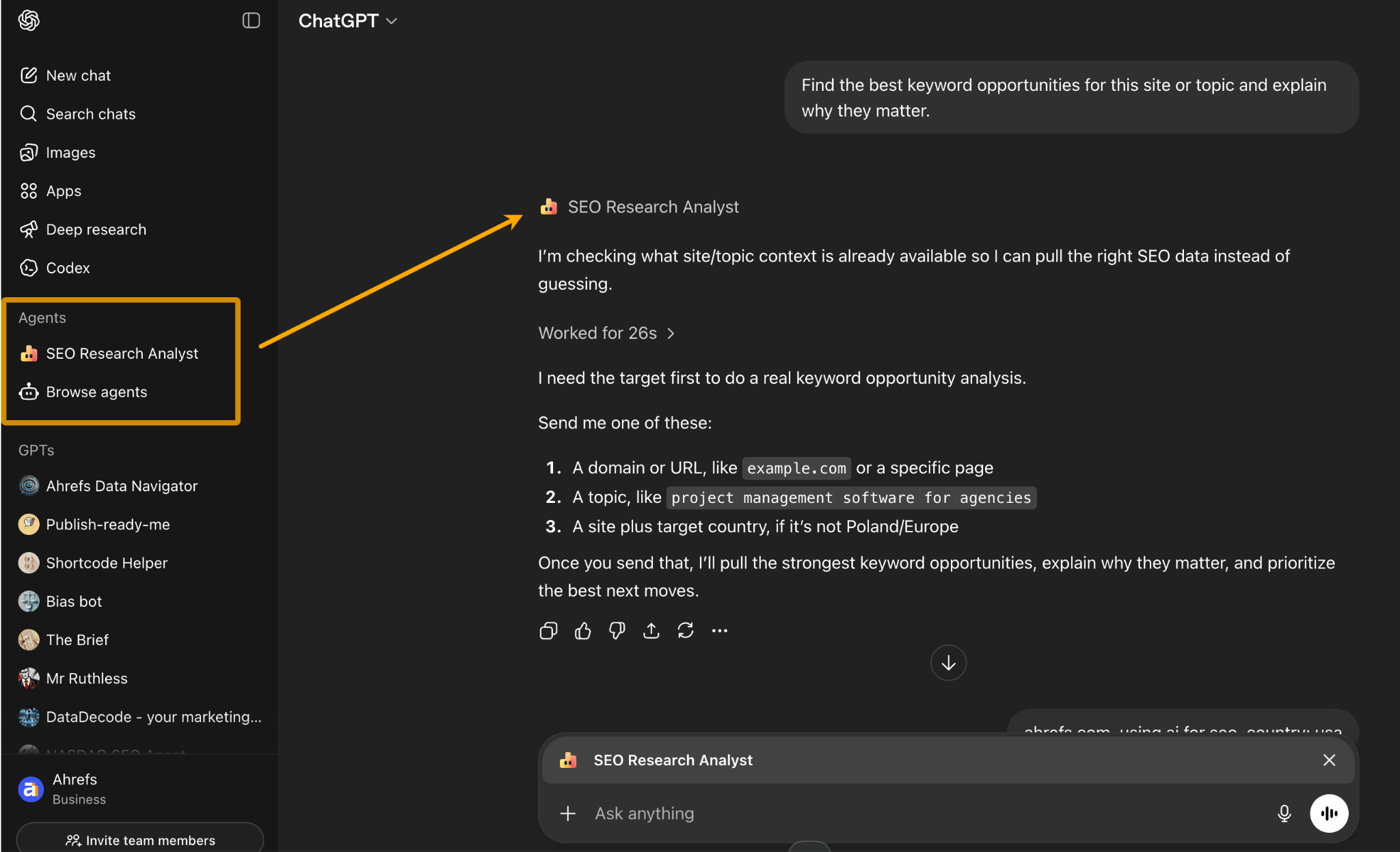
My assistant keeps me from burning out on repetitive SEO work
My assistant monitors metrics I would otherwise forget to check
My assistant remembers product knowledge and unique step-by-step guides
My assistant remembers how I like to write
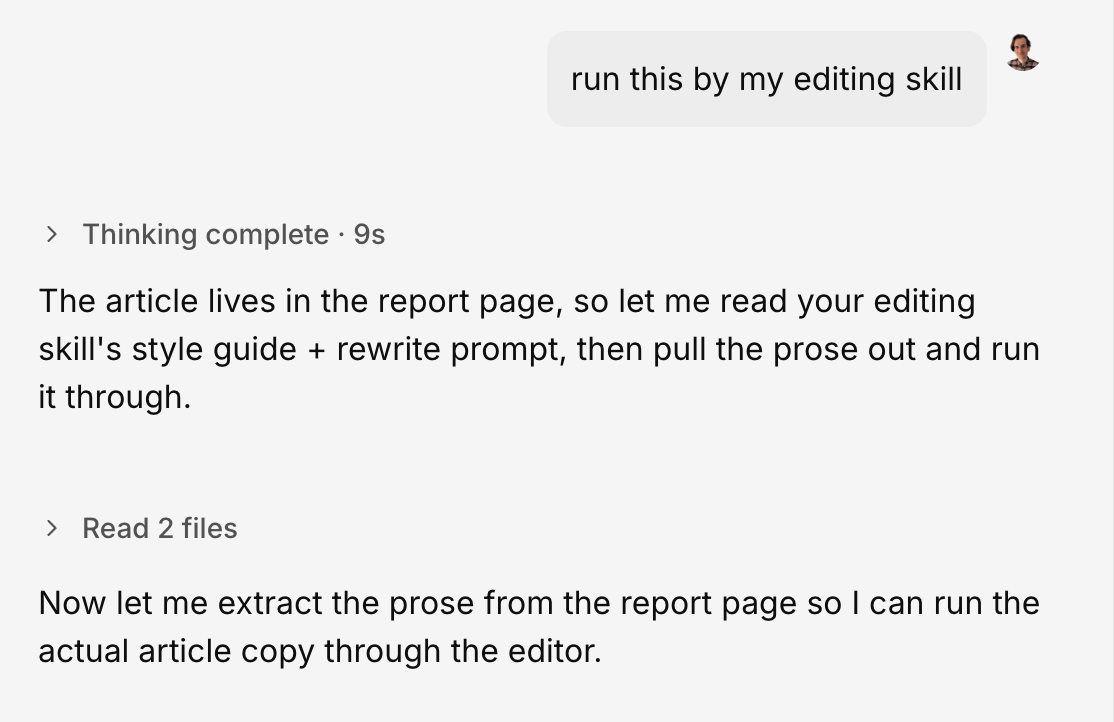
My assistant helps me apply great ideas and practices I’ve seen online
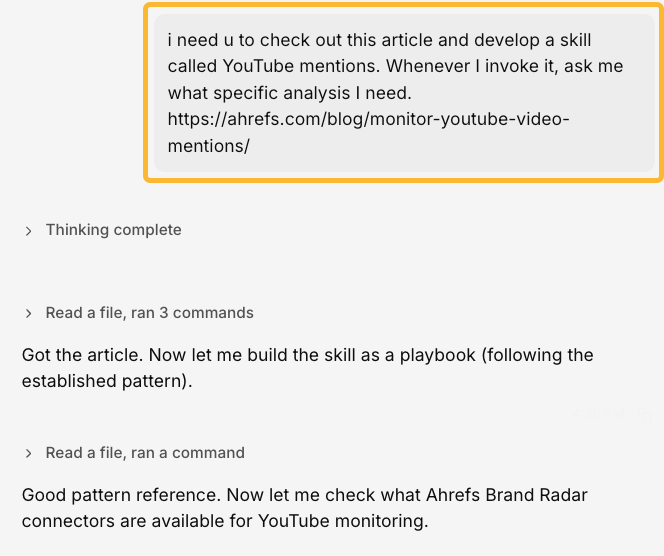
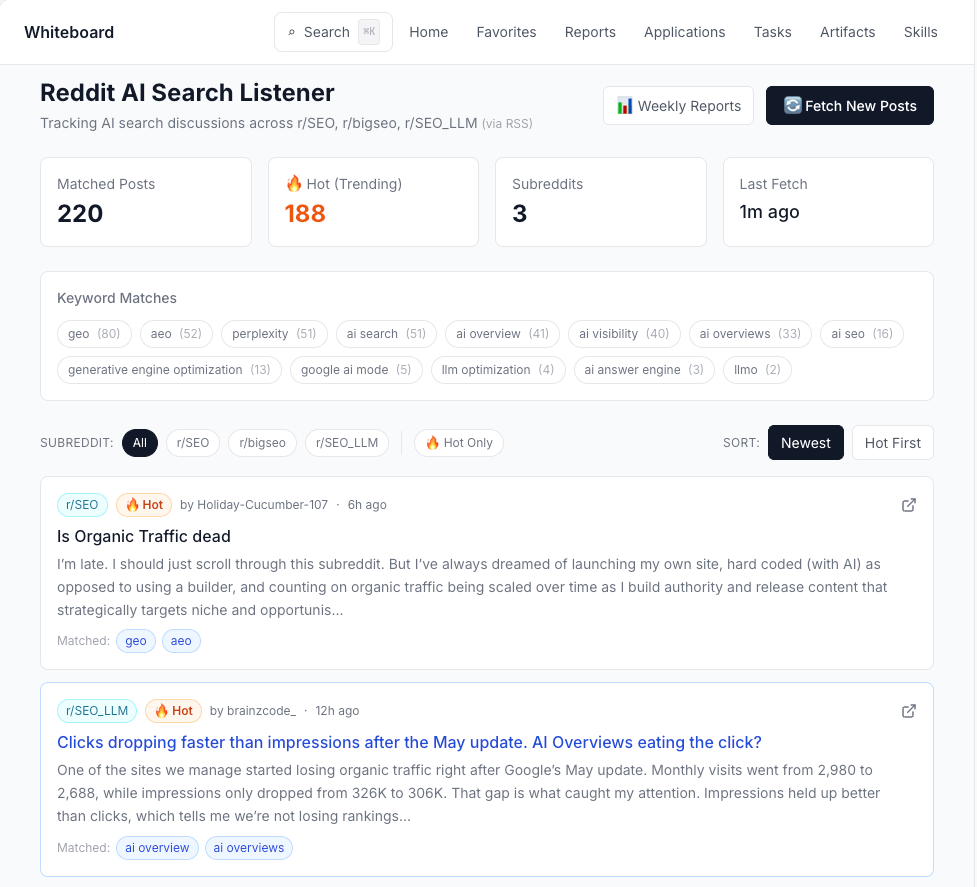
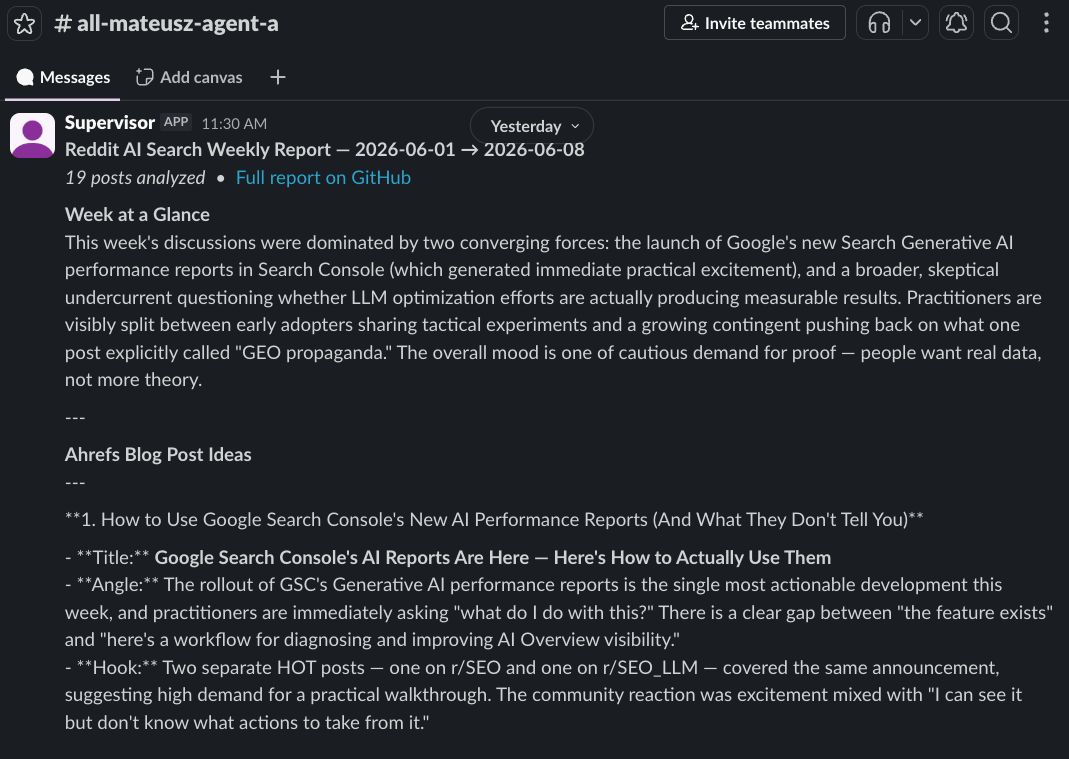
My assistant runs content research in the background and tells me when it’s done
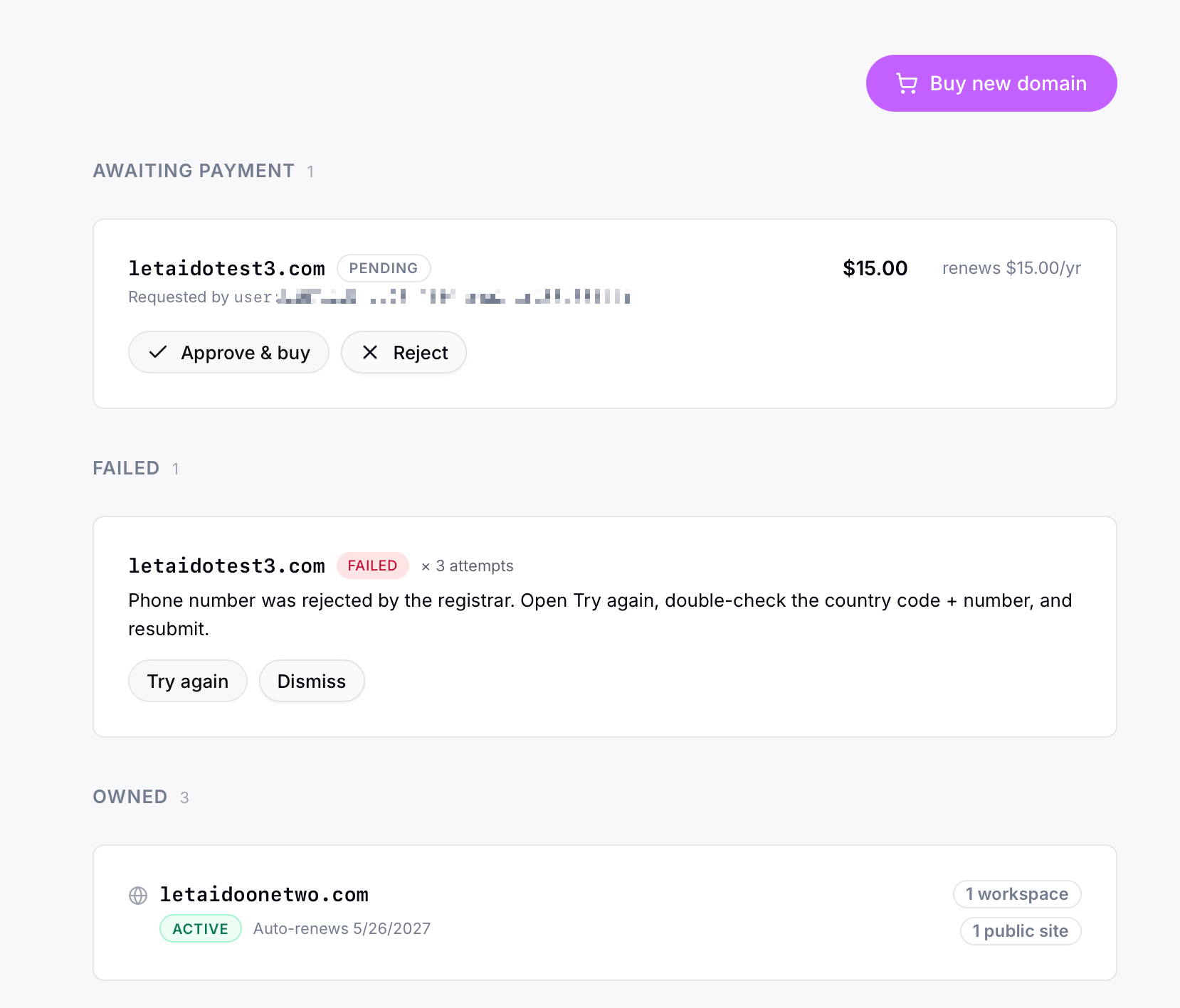
My assistant builds webpages for me (CMS too)
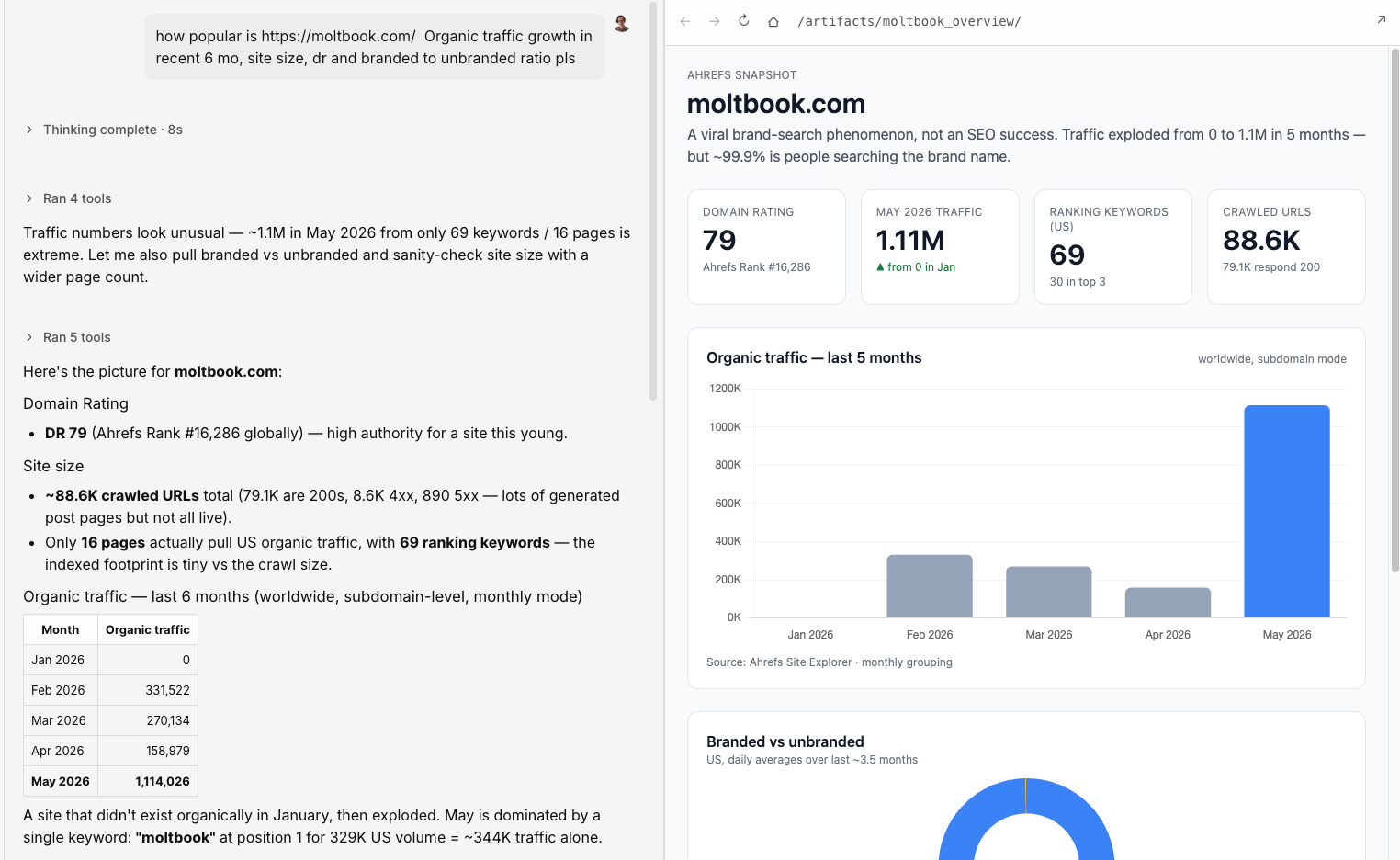
My assistant pulls data from the tools I already use (so I don’t have to)
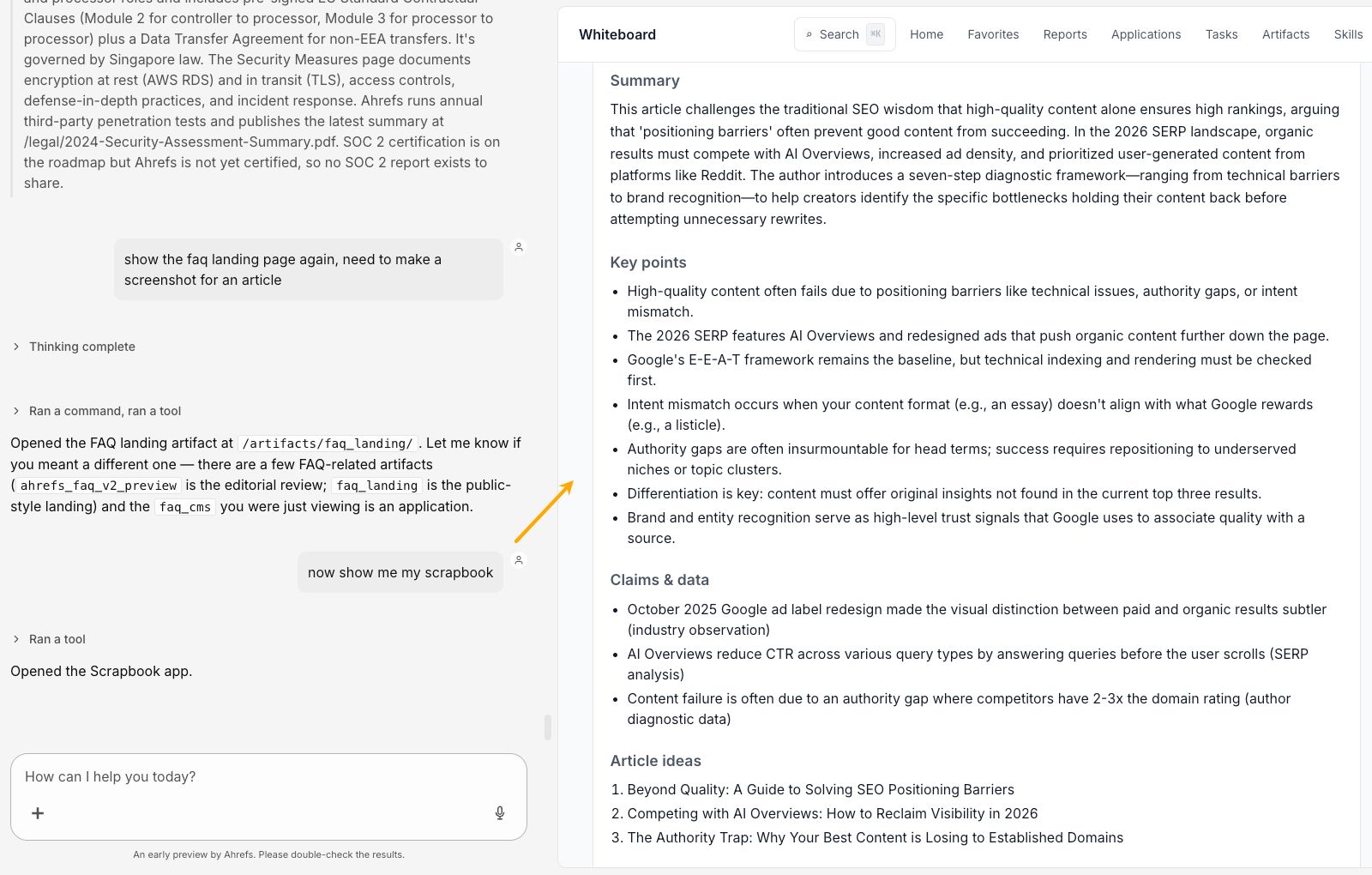
My assistant builds tools tailored to exactly how I work
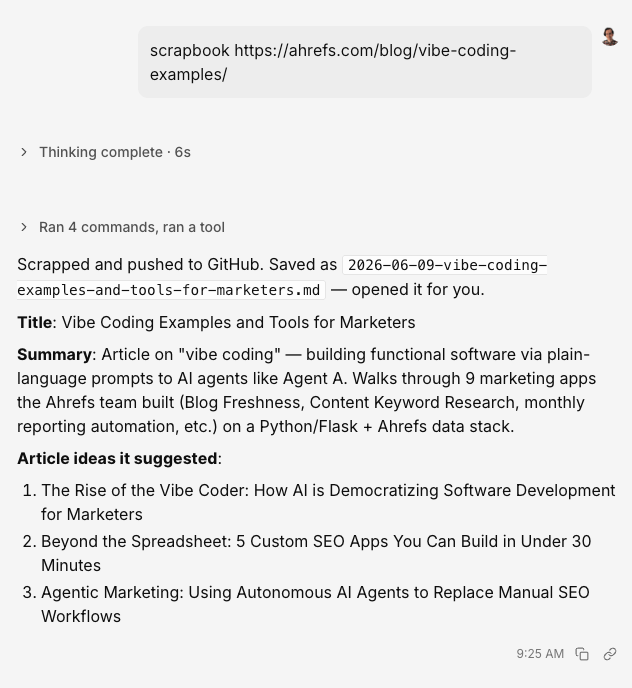
My assistant connects my entire marketing stack
research, competitor analysis, and a lot more.Apify: scraping web pages and SERPs for data that isn’t in any
tool yet—useful for one-off competitor pulls, building custom datasets, and watching pages that change.Github: where my notes, knowledge bases, and small app code live.
Markdown files sync there automatically, so I always have a clean backup and teammates can read or edit the same content.Linear: my work log. Every task, idea, and follow-up goes here so
I can see what’s in progress, what’s waiting on me, and what’s done.Slack: where the agent talks to me when something needs attention—daily digests, finished jobs, alerts from recurring checks. Saves
me from having to remember to check every dashboard.WordPress: posting articles for reviews, updating articles.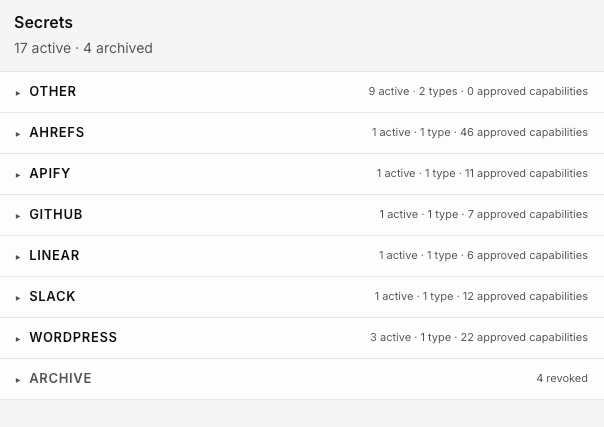
Thinking more AI output means better work
Letting the model do my thinking for me
Mistaking speed for progress








![Does Google Favor UGC? Reddit Leads In Search Growth [STUDY] via @sejournal, @MattGSouthern](https://www.searchenginejournal.com/wp-content/uploads/2025/01/img_2025-01-23-193114-772.jpg)