AI Keyword Research: How It Works and 9 Prompts to Start
Chatbots typically don’t have access to real SEO data, so they often make things up and present them as facts. But once you connect AI to real SEO data, it becomes a keyword research tool you’ll wonder how you...
 Aliver
Article Performance
Data from Ahrefs
The number of websites linking to this post.
This post's estimated monthly organic search traffic.
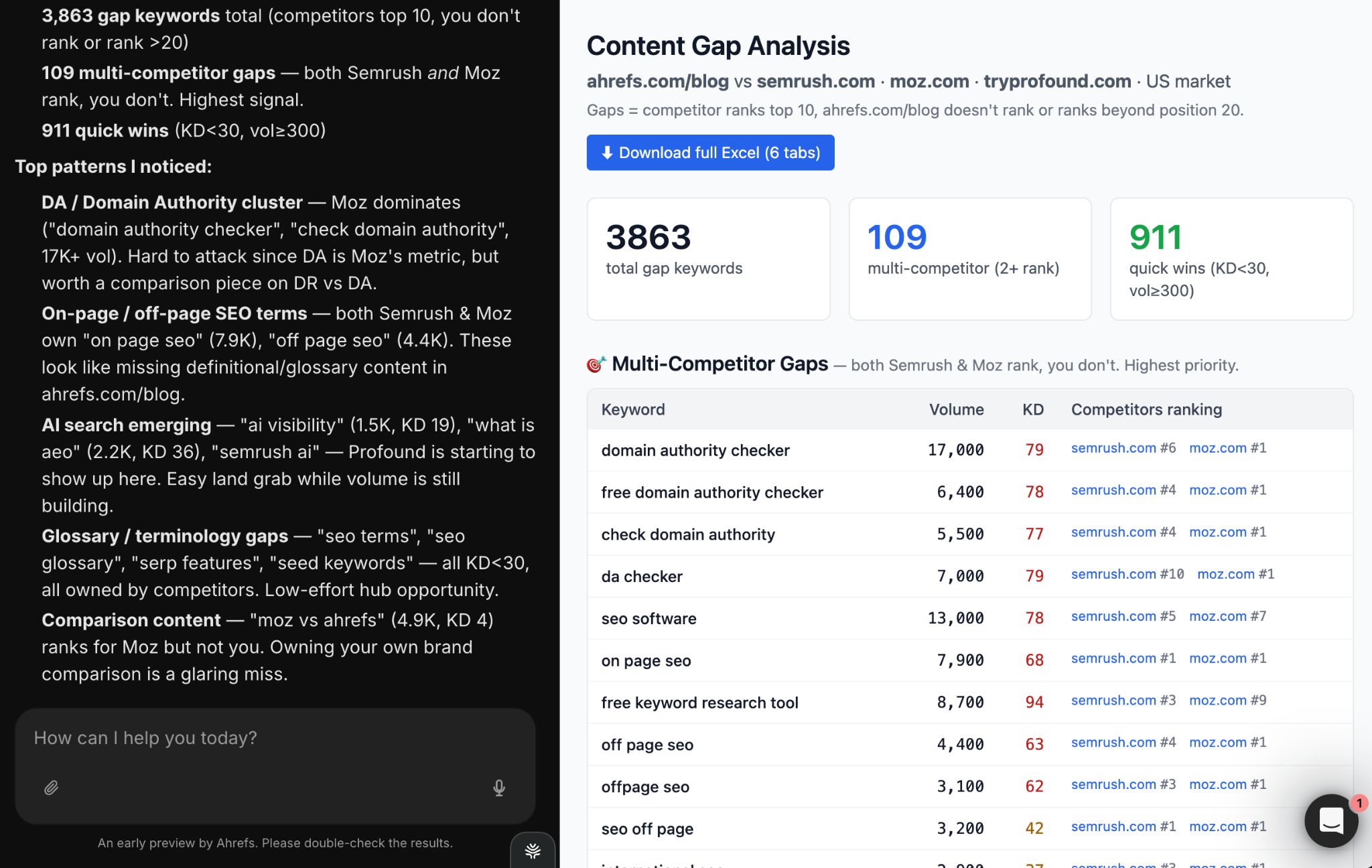
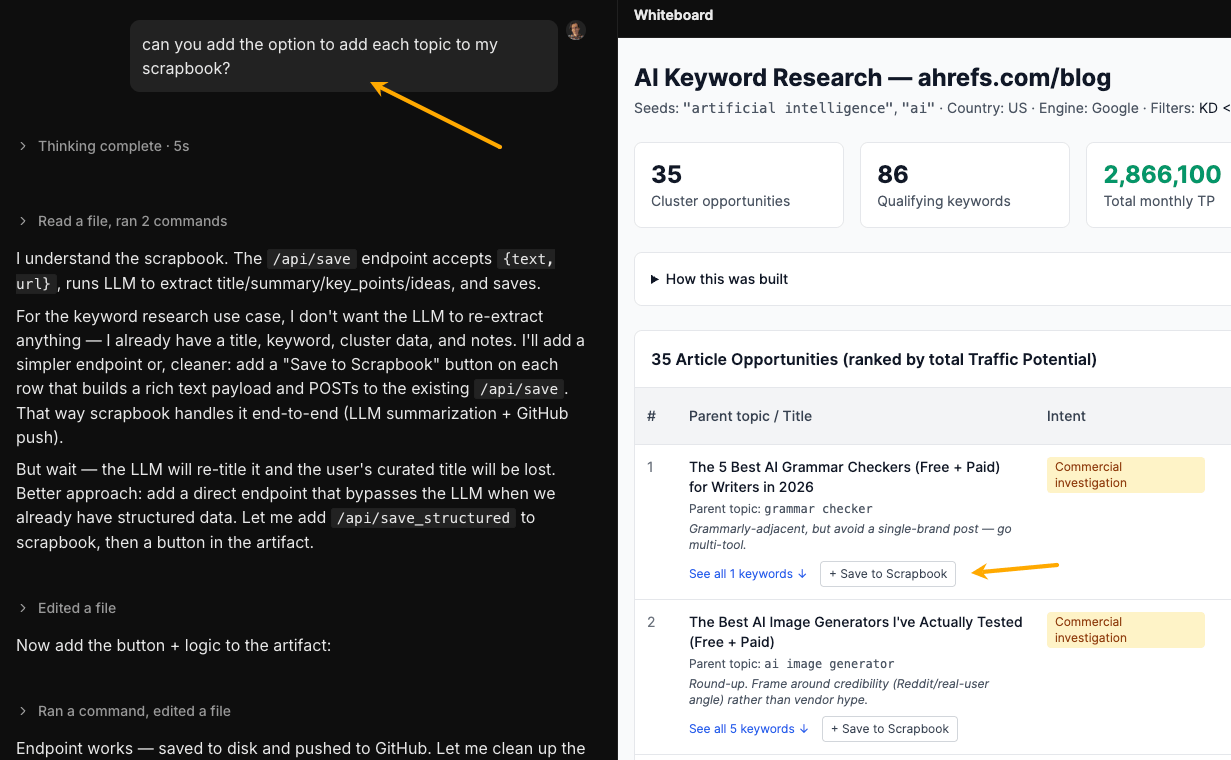
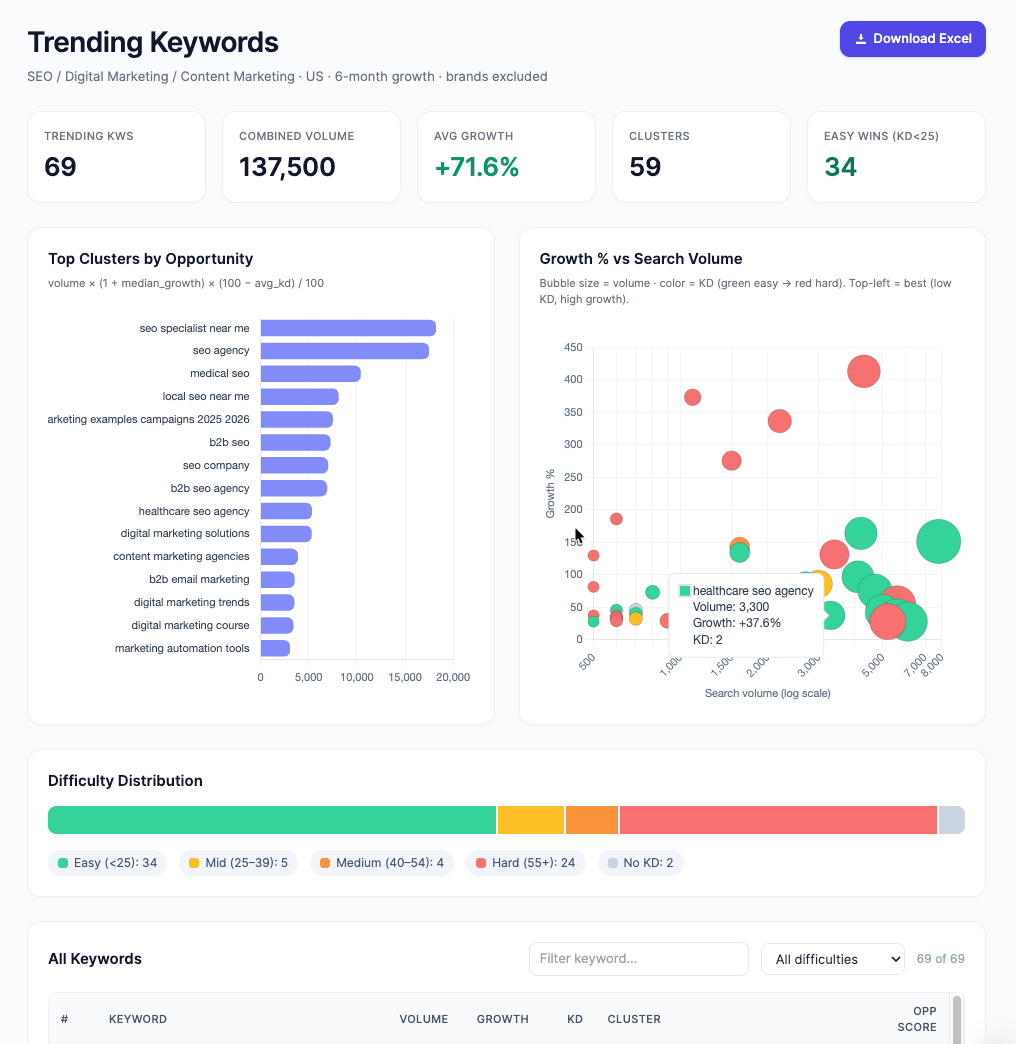
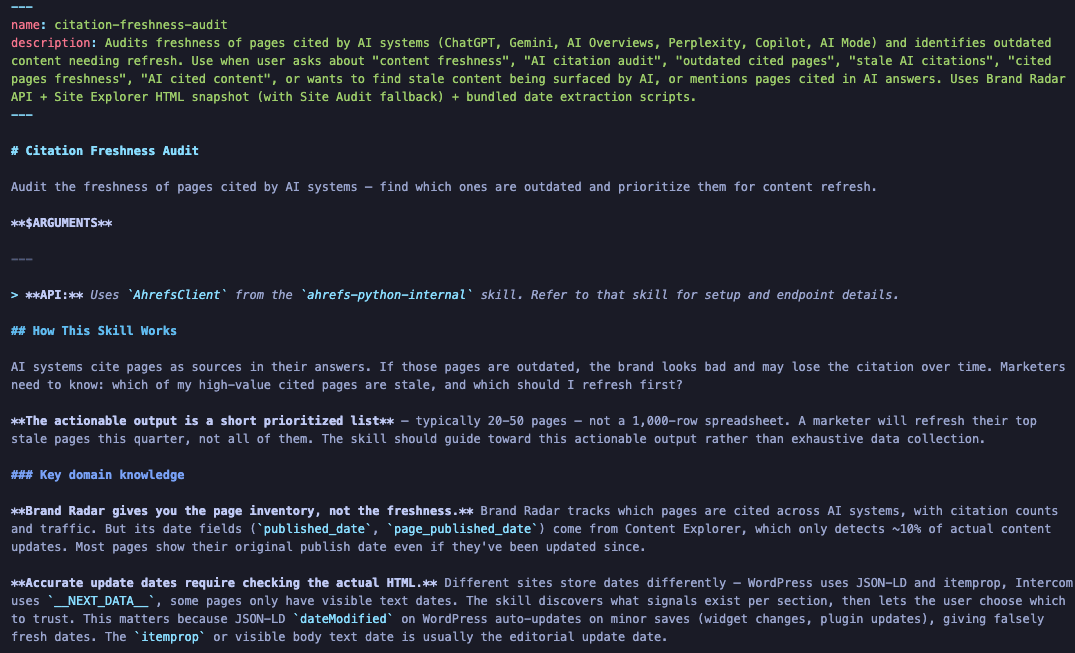
Chatbots typically don’t have access to real SEO data, so they often make things up and present them as facts. But once you connect AI to real SEO data, it becomes a keyword research tool you’ll wonder how you ever worked without. It can help with everything from brainstorming ideas and clustering keywords to sorting search intent and handling the repetitive, time-consuming tasks. In this article, I’ll show you how to do keyword research with AI using Agent A, Ahrefs’ AI marketing assistant, and the prompts to set up a similar workflow in other AI tools, like Claude, through an MCP connection. AI keyword research means using AI to do the work that’s slow, repetitive, or hard to scale: generating ideas from a seed topic, clustering hundreds of keywords, sorting by intent, spotting gaps between your content and your competitors. Here’s a sneak peek from Agent A, doing keyword research with AI through a preinstalled skill. The agent needs just a few words to launch the skill and starts collecting data. About five minutes later, AI reports job done: The catch is the input data: the context with which the AI should work. A language model has no idea what actually gets searched, or how often, or how hard it is to rank for. That gap is what separates the three tool setups worth knowing: The first two have been around for a while. The third is what makes the workflow in this article possible—especially when the model is also agentic. Recommendation A note on agentic AI. Agentic AI is about what an AI does once it has access to tools like APIs or MCP. Instead of just answering one question at a time, it can plan a series of steps, use tools in the right order, ask when it’s not confident, and complete a full task on its own—without you having to guide each step. Generating keyword ideas at scale. Give any AI assistant a seed topic and ask for 50 variations. It’ll surface long-tail phrases, question formats, and angles you’d never think to type into a keyword tool. A couple of minutes of prompting can double the size of a starting list. Data operations and math on large keyword sets. The grunt work. For example: All of this is minutes of AI work vs. a full afternoon of manual filtering. Short version: anything requiring real SEO data. Without a keyword database connected, the AI may still give you a volume, a KD score, a SERP feature list, and a trend assessment, all of them fabricated from training data. Connect the model to a live keyword database via MCP, or use a tool like Agent A that ships with one, and all four of those limitations disappear. The data part gets automated. The judgment part doesn’t. AI can hand you 200 prioritized keywords, but it can’t tell you which ones actually fit your business, which ones your team can actually write about, or which ones are worth the opportunity cost of not writing about something else. You still run the show: So, treat AI as a fast research analyst, not a SEO/content director. I run these prompts in Agent A, Ahrefs’ agentic SEO assistant, which ships with the full Ahrefs dataset connected out of the box, and which the team, including me, rigorously tests each on seo tasks. Tip: If you already have an Ahrefs subscription, you can try Agent A for free for a full month! You can run the same prompts today in Claude, ChatGPT, Manus, OpenClaw, or even Lovable, but make sure you have an MCP connection or API connection to a keyword database (or exported data from your SEO tool, at minimum). Once connected, the model can query real keyword data mid-conversation (volume, difficulty, traffic potential, SERP data, competitor rankings) and reason over it in the same pass. Give the AI a topic, your site context, and your constraints (KD, traffic potential, intent). It pulls matching keywords and related terms from the database, including terms top-ranking pages also rank for, filters to your thresholds, and clusters everything by parent topic. Each cluster maps to one article. And here you can see Agent A conducting research using Ahrefs data (my prompt and AI’s thinking on the left, the result on the right). From there, I can tweak the result to make it more useful in practice. For example, I could tell Agent A something like: “add an option that lets me save each of those topics to my scrapbook.” By the way, scrapbook is an app that I also built with Agent A from a prompt (much like you would with Lovable) to store ideas, inspirations, and sources I’d like to reference later. Tell the AI your domain and two or three competitors. It pulls their organic keywords, cross-references against yours, and surfaces what they rank for that you don’t. These are proven opportunities: real people search for them, and someone in your space already ranks. My site is [mysite.com]. My main competitors are [comp1.com, comp2.com]. Agent A has a content gap analysis skill pre-installed, so you could just click “Launch” to get started. Then the Agent takes you through a short questionnaire to understand your specific context. Keywords you already rank for in positions 4–20 are close enough to page one that a content refresh, better internal linking, or on-page optimization could push them into the top 3. In this workflow, the AI pulls your organic keywords, filters to this position range, and sorts by the traffic you’d gain from moving up. And here’s the result in Agent A—a dashboard you can chat with: Instead of individual keywords, the AI pulls your top pages and compares their traffic across two dates. Pages with declining traffic are candidates for a rewrite or update, especially if they once performed well. If you’re using Agent A, just launch the preinstalled skill. The results will look something like this (with an attached CSV file). It’s also an example that AI can just give you the answer in chat and a file to download instead of building an entire visual report if you don’t want to. Sometimes people search for [your brand] + [something] (a feature, a comparison, a use case), but you don’t have a dedicated page for it. So, this prompt tells AI to filter your organic keywords to branded queries and cross-reference against your sitemap. Any branded keyword landing on a generic page is traffic you’re leaving on the table. Here’s the result in Agent A. Queries in question format (“how to…”, “what is…”) and comparison format (“X vs Y”, “X alternative”) map to specific content types and often have lower competition. These are also the query formats most likely to trigger AI answers, and the content most likely to get cited in them. And here’s the result, made by AI from scratch in 3.5 minutes. The AI can pull your keyword metrics broken down by country. You may have significant keyword visibility in a market where your traffic is low. That’s a localization opportunity. Or it can run keyword discovery for a new market you’re considering entering. This one is a bit more complex, because there are multiple ways to look for these opportunities: And for this prompt, Agent A built a report looking like this: Trending keywords are those that gain search volume over time, typically within a few months. The AI can pull volume history for specific keywords to spot upward trends before they peak, especially ones that the model’s training data might not cover, since the keyword database updates continuously. This is another preinstalled skill in Agent A if you want to try it out: Result: Not every valuable keyword has high search volume. Your ideal customer may search for niche, specific queries that keyword tools show as low- or “zero-volume”, but these are exactly the queries that AI chatbots surface answers for. In this example, the AI brainstorms from a persona description, validates against the database, and flags keywords worth targeting even without traditional traffic potential. Agent A built the following artifact out of the prompt: A skill is a saved, reusable instruction for AI. Instead of rewriting the same prompt every time, you can type something like “/keyword-audit” and the AI already knows what to do: what data to pull, how to filter it, and how to format the results. The AI can run a skill whenever you need it. You can use skills on their own, call them as part of a bigger workflow, or let the AI use them automatically when they fit the task. Under the hood, a skill is just a markdown file. It is plain-language instructions, not code. To illustrate, here’s an excerpt from a citation freshness skill markdown file I’ve been working on: Because each skill has a clear input and output, you can chain them together into a pipeline. The output from one skill becomes the input for the next, and Claude can move through the whole sequence on its own. A keyword research pipeline might look like this: /keyword-audit → /cluster → /content-brief You start the first step. The AI audits your site, passes the results into the clustering skill, and then turns the best clusters into content briefs, without you having to manage each handoff. To build your own custom skills, you just describe what you want each step to do, and the AI creates the skill files for you—no coding skills required. For example, you could prompt it like this: Or you can ask the AI to create a skill out of the conversation you’ve just had. You do not even need to invent your own skills from scratch. You can also ask the AI to turn a blog post or help doc into a skill. Here are a few of our blog posts that would be great starting points for skills: The AI has to make a dozen small decisions for you—what counts as “good,” what KD threshold is reasonable, what format to return, how to rank the results, what to exclude. Leave any of them unspecified, and the AI fills the gap from training-data averages, which rarely match your site, your goals, or your constraints. Better prompts are mostly about moving those decisions out of the AI’s head and into yours. A few patterns that help: One anti-tip: don’t ask AI to judge strategic fit to your business. It can tell you which keywords are winnable. It can’t tell you which ones are worth winning. That’s still your call. A few questions that come up a lot when people start working AI into their keyword research. Start where you already work. Claude, ChatGPT, Manus, Lovable—any of these can connect to the Ahrefs MCP and query real keyword data mid-conversation, so you don’t have to leave your usual AI setup to do keyword research. If you’d rather skip the setup and go straight to a purpose-built SEO agent with results like the ones in this article, Agent A is the zero-config option—the full Ahrefs dataset wired in from day one. Depends on the setup. A general AI model without any data integrations can brainstorm and database operations, but can’t provide accurate volume, KD, or SERP data. An AI with a keyword database connected via MCP is a different situation: it has live access to real search data and can run the full workflow end-to-end. The capability gap between those two setups is significant. Yes, but you have to bring the data yourself. ChatGPT has no keyword database of its own, so any volume, KD, or SERP figures it generates unprompted are fabricated. Export your keyword data from a real SEO tool (Ahrefs, for example) and upload the CSV—ChatGPT can then dedupe, cluster, tag intent, visualize the data, and answer follow-up questions against it. For live querying without the manual export step, connect it to a keyword database via MCP. A combined workflow beats either approach alone. AI handles the analysis and organization that’s slow to do manually. A keyword tool provides the data AI can’t generate on its own. With MCP connecting the two, the manual handoffs disappear entirely. An AI model with a live keyword database connected via MCP, like Claude with the Ahrefs MCP, is the most capable general-purpose setup. For a purpose-built version of the same idea, Agent A is Ahrefs’ own agentic SEO assistant, with the full dataset wired in natively. No. AI without a keyword database is guessing—it can generate ideas and reason over data you hand it, but it has no way to know what people actually search for or how competitive a term is. What AI changes isn’t whether you need a keyword tool, but how you interact with it: the tool still provides the data, and the AI handles the filtering, clustering, and synthesis that used to take hours of manual work. AI changes who does the mechanical parts. As a researcher with MCP access, the AI handles things like discovery, filtering, SERP validation, and clustering in a single conversation. As an analyst working from your exports, it still eliminates the most time-consuming parts of the process. Either way, what used to take a full day now takes a morning. The fastest path in: use Agent A or connect Claude to a keyword tool via MCP today. Describe your site and topic, ask for a prioritized content plan, and the AI pulls the data, applies your filters, checks the SERPs, and hands you back clusters ready to turn into a content calendar. Seed topic to the editorial plan in one conversation. Thanks for reading! Feel free to reach out on LinkedIn.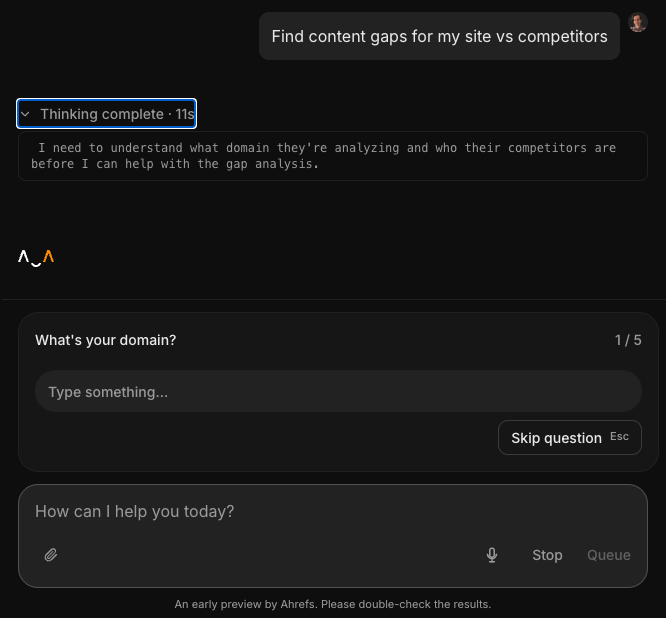
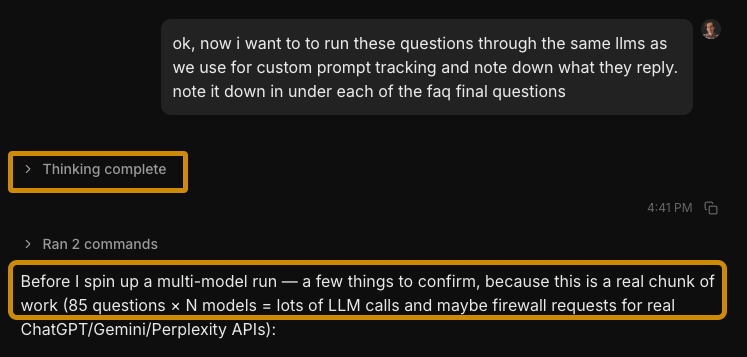 That’s exactly what systems like Agent A and Claude Cowork with MCP are doing.
 What AI does well
What AI gets wrong without a data connection
What AI still can’t do, even with a data connection
1. How to expand seed keywords and cluster them
I run [describe your site]. My audience is [describe audience].
Do keyword research for the topic "[your topic]". I want:
- 30+ keyword opportunities, KD < 30 and TP > 100
- Grouped by parent topic (one cluster = one article)
- Each cluster: suggested title, primary intent, top keyword by TP
- Prioritized by traffic potential
Visualize 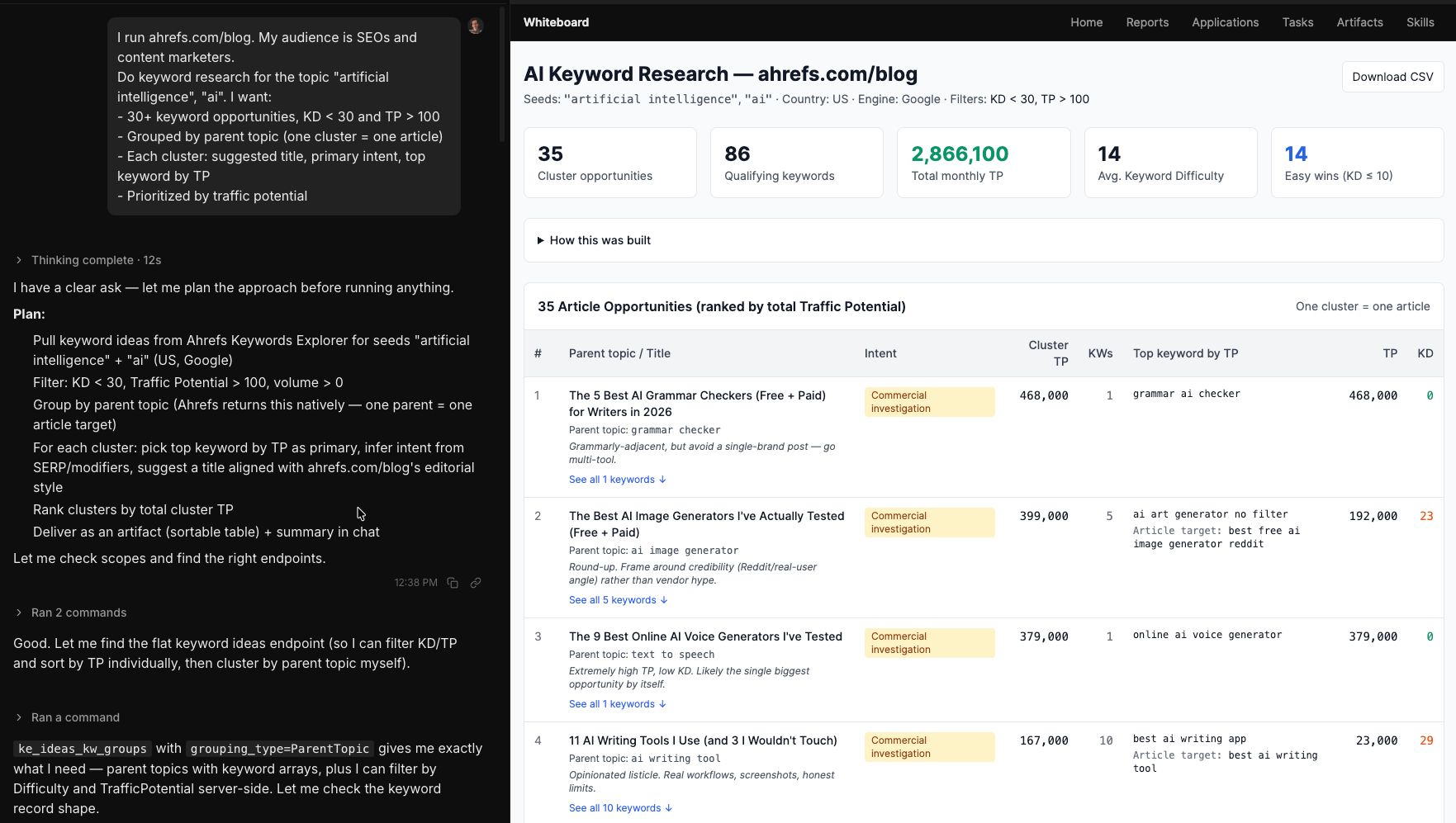
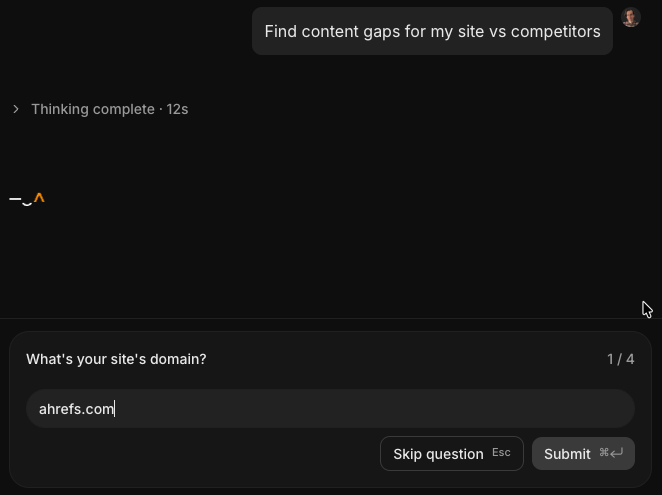
2. How to find competitor keyword gaps
Filter to KD < 40 and traffic potential > 200.
Group the gaps into topic clusters and rank by traffic potential.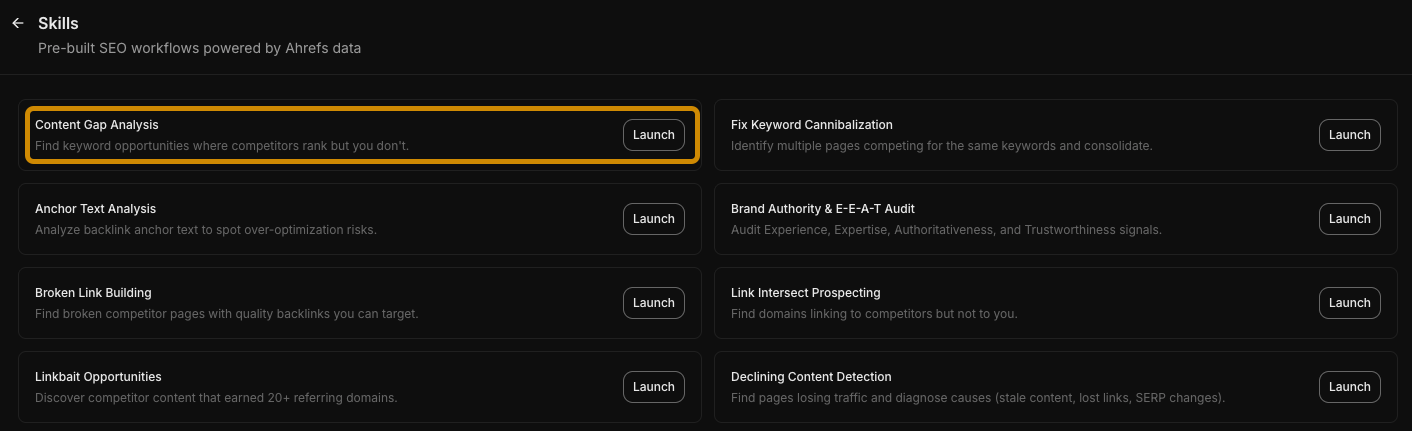
3. How to find “low-hanging fruit” keywords
Find keywords where I rank between positions 4 and 20. Exclude branded keywords.
For each: current position, search volume, traffic potential.
Rank by potential traffic gain from reaching position 1–3. Sort by parent topic.
Which 100 keywords are the best optimization targets right now? Visualize.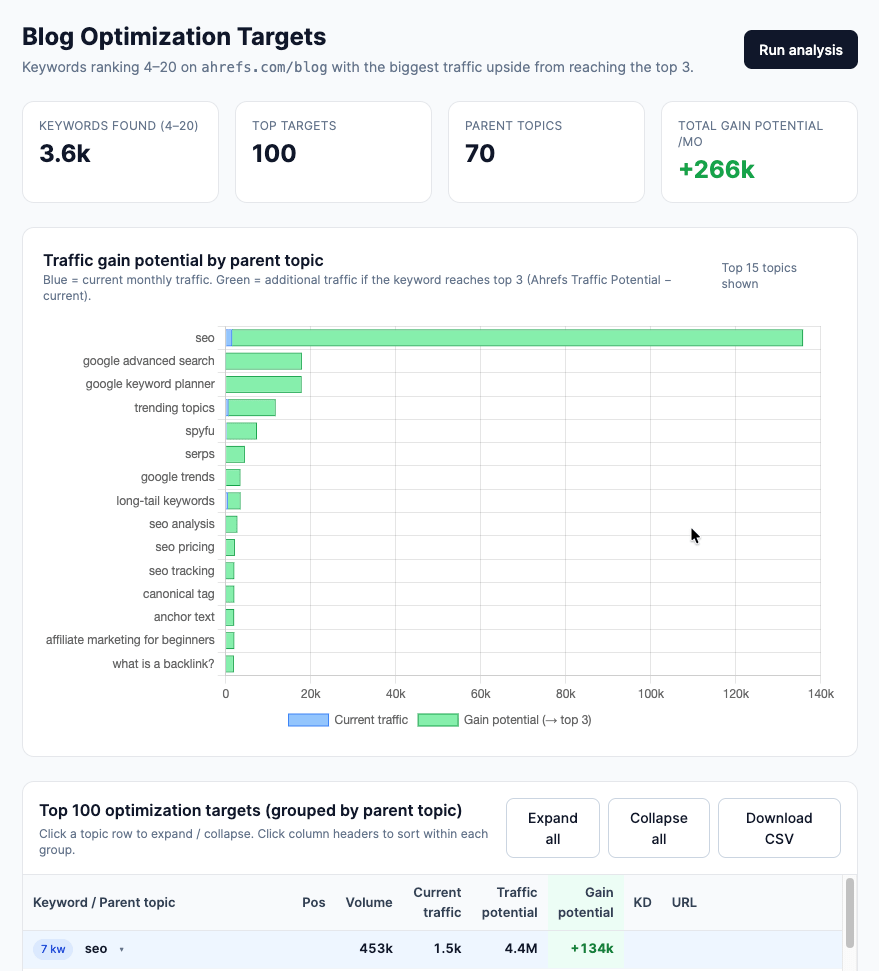
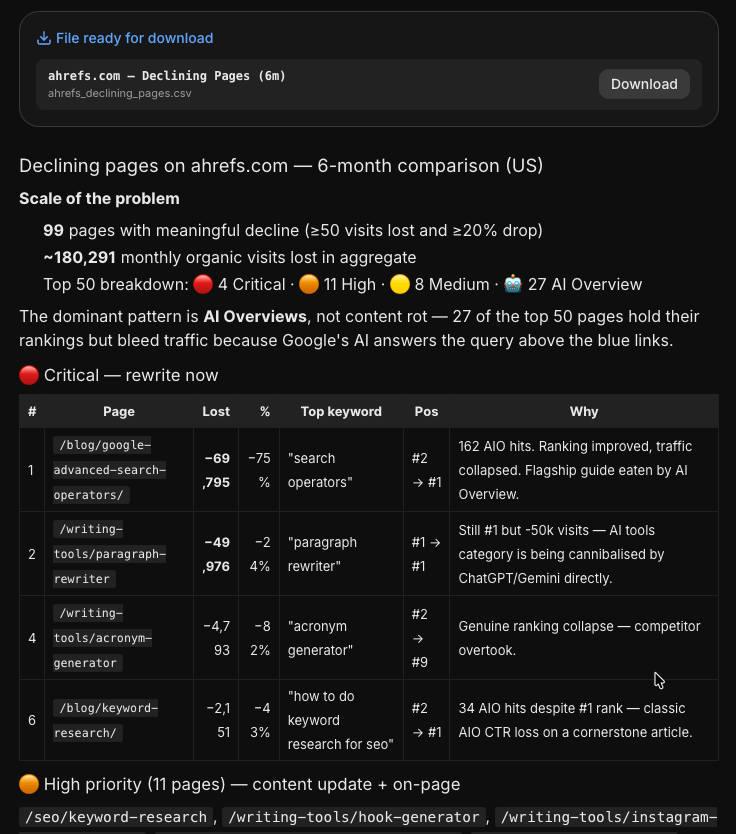
4. How to find pages with traffic decay
Compare organic traffic to my top pages between [6 months ago] and today. Find the pages with the biggest traffic drops. For the top 10 declining pages: current vs. previous traffic, top ranking
keyword, and current position for that keyword. Which should I prioritize refreshing?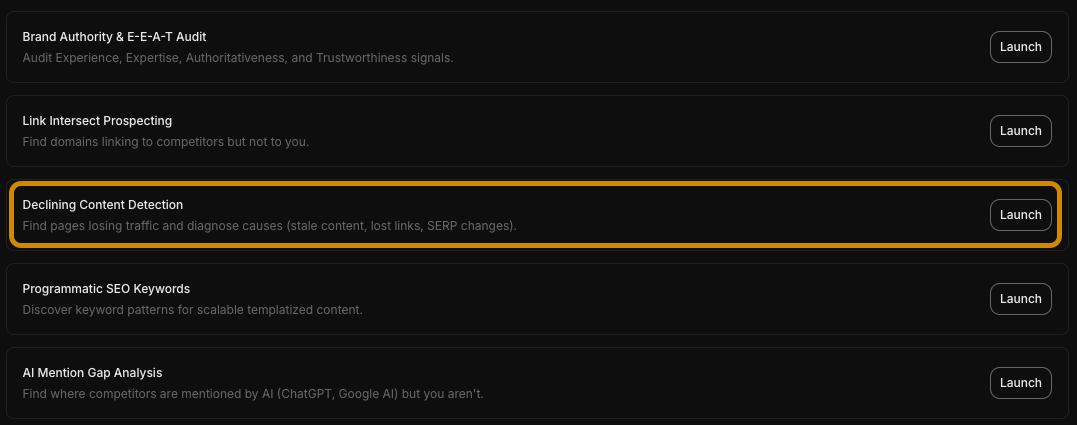
5. How to find untargeted branded keywords
Find keywords containing "[Brand Name]" where I rank, but my ranking page is a generic page (homepage, category page) rather than a dedicated one. Also, mark keywords where other domains outrank me. List by traffic potential. Visualize. 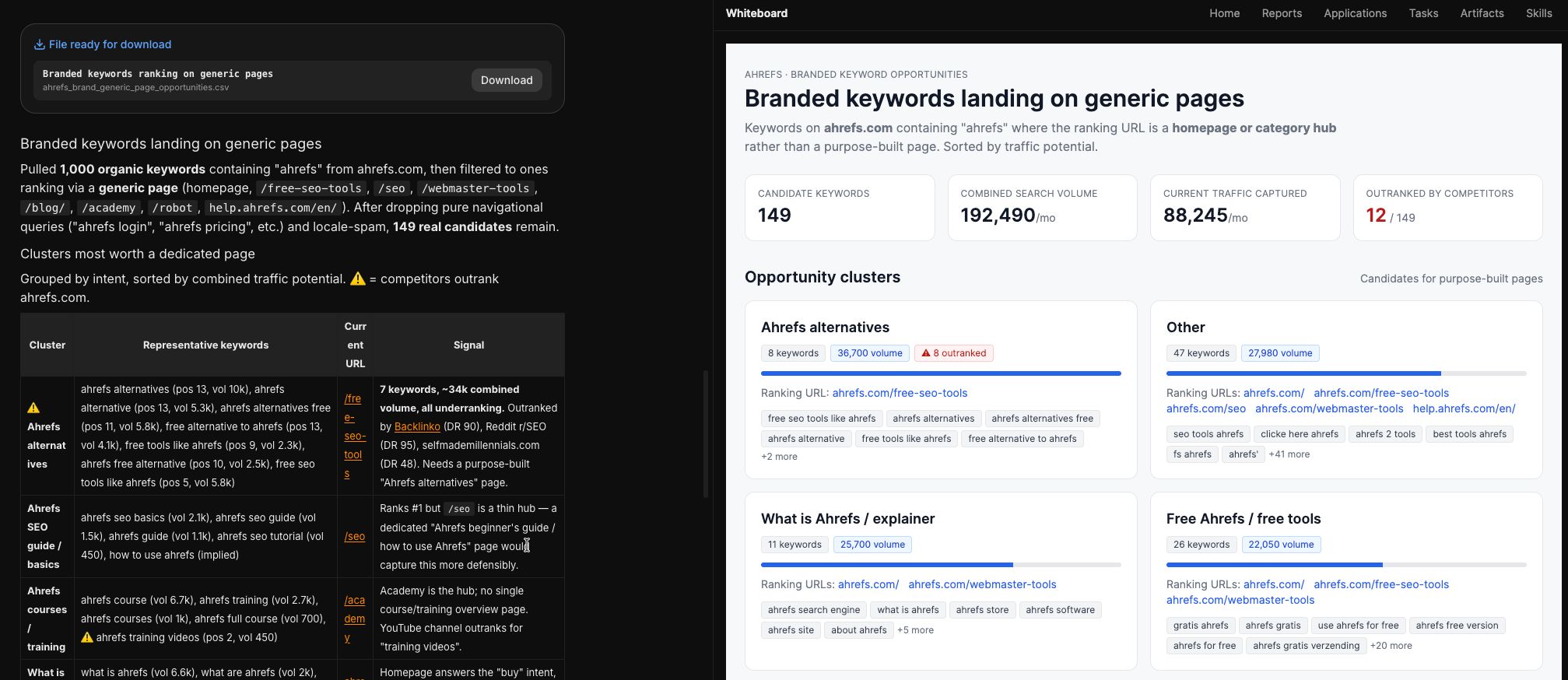
6. How to find question and comparison keywords
- Questions: "how to", "what is", "why", "can I", etc.
- Comparisons: "vs", "alternative", "compared to", "instead of"
Filter to KD < 35 and volume > 100.
Group by topic. Suggest a content format for each cluster.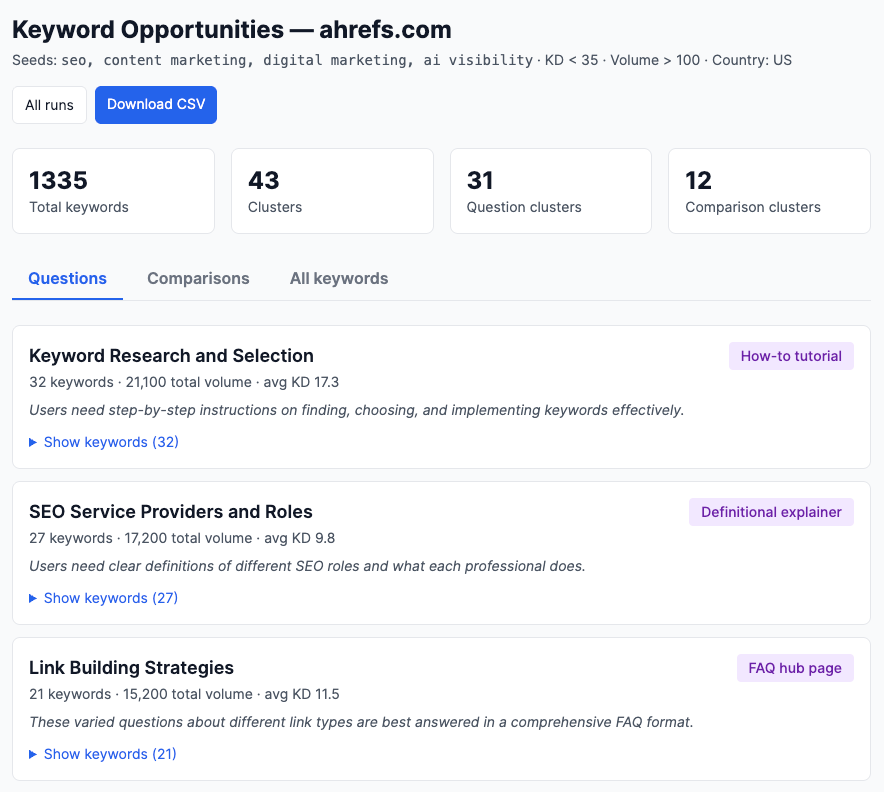
7. How to find international keyword opportunities
1. Rank non-English countries by opportunity:
(competitor_traffic_sum − my_traffic) × competitor_presence.
Pick top [N].
2. Gap keywords per country: where ≥2 competitors rank top 20
and I don't rank top 50 (volume ≥ [MIN_VOL]).
3. For my top [TOP_PAGES] US pages' main keywords:
a. Check the English term in each target country
(volume + SERP via KE serp_overview).
b. Translate each keyword into the country's native language
via LLM, then check volume + SERP for the translation too.
Classify each (page, country) into:
- open: volume exists, nobody ranks top 20 (biggest prize)
- contested: competitors rank, I don't
- defending: I rank, competitors also rank
- owned: I rank solo
4. Roll up by language — weight both gap-keyword count
and open+contested translation opportunities.
Output: country ranking, gap keywords per country, English
and native-language opportunities per page, top 3 languages
to prioritize (explain whether the driver is gap keywords or
translation opportunities).
Use Keywords Explorer's serp_overview (not Site Explorer's) for international SERPs.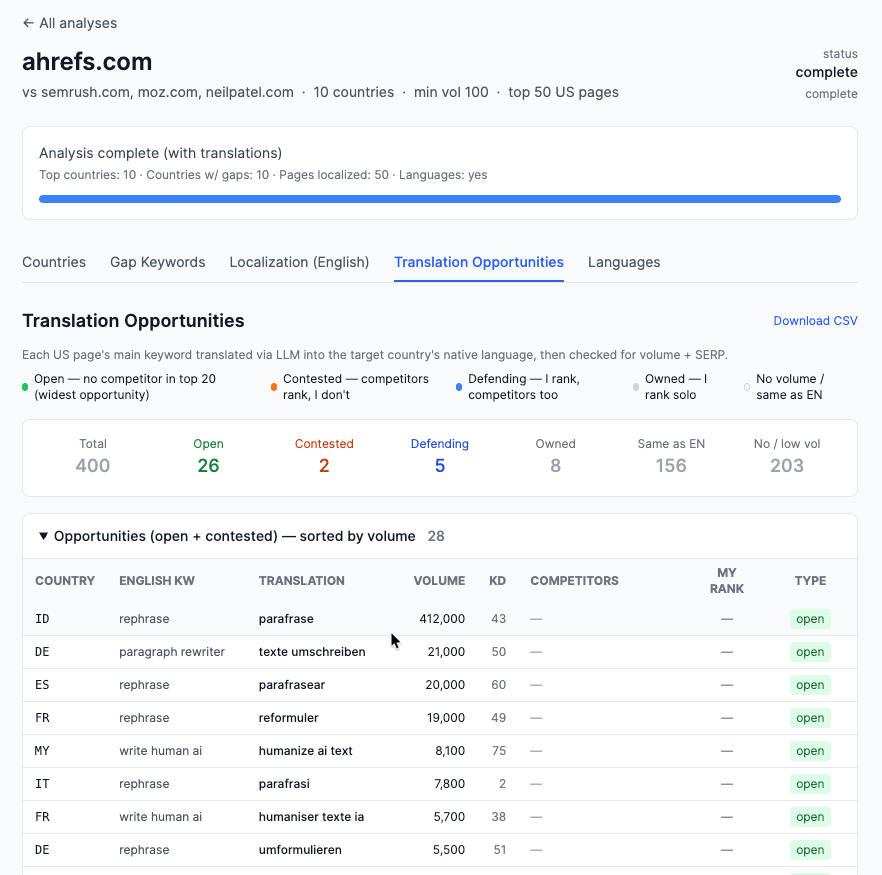
8. How to find trending keywords
Find keywords in this space where search volume has grown consistently
over the past 6–12 months and hasn't peaked yet. For each: current
volume, volume 6 months ago, KD, and whether I currently rank for it.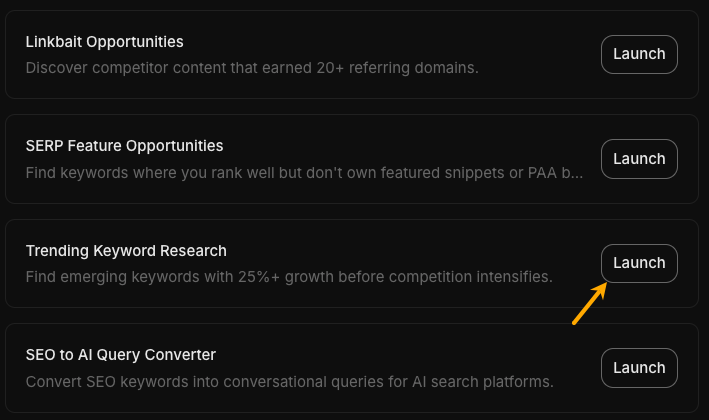
9. How to find buyer persona keywords
Brainstorm 30 keywords this person would search for, including:
- Problem-awareness queries (they know they have a problem)
- Solution-comparison queries (they're evaluating options)
- Niche queries they might ask an AI chatbot rather than a search engine
Then check which have measurable search volume. Flag zero-volume ones
separately. 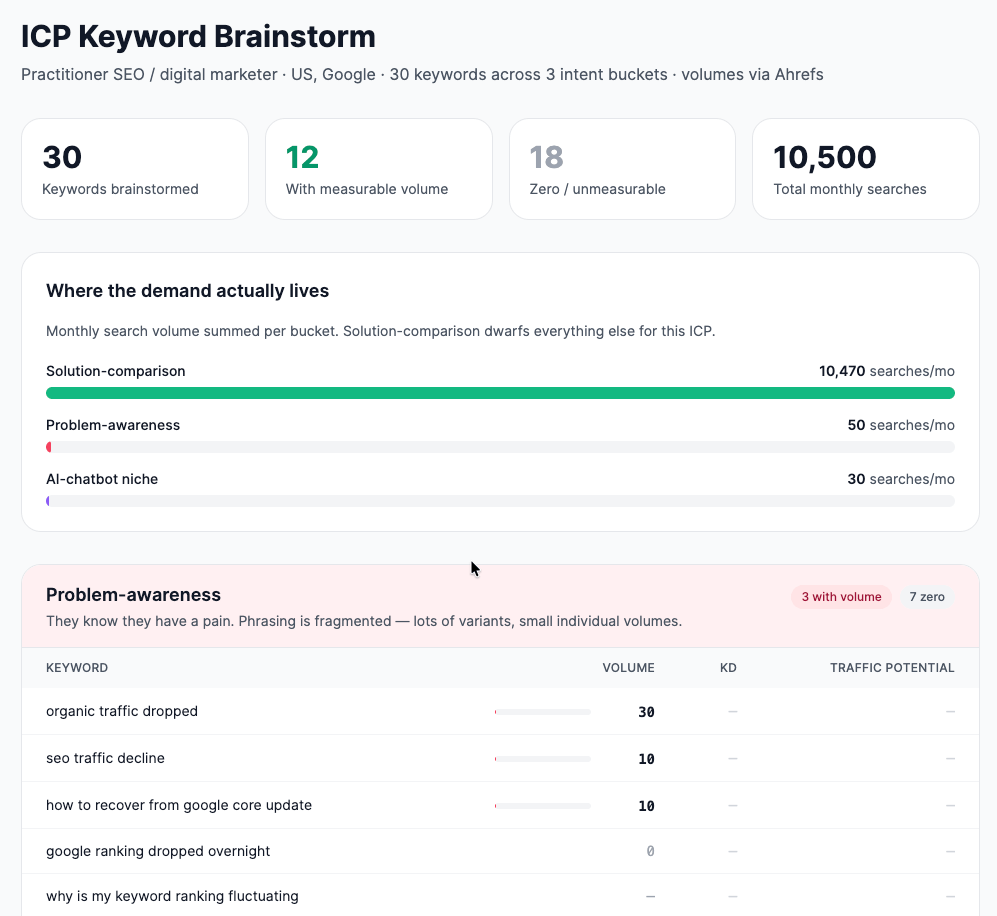
Skills and pipelines
* takes my domain and 2–3 competitor domains as input
* looks for competitor gaps, low-hanging fruit, and declining keywords using simple heuristics
* removes duplicates across all results
* returns a table with: keyword, which heuristic found it, KD, TP, and recommended action (`create`, `update`, or `optimize`)
* saves the output in a `reports/` folder with today’s date in the filenameFrequently asked questions
[/post_nav_link]What do I need to get started?
Can AI do keyword research on its own?
Can I use ChatGPT for keyword research?
Is AI keyword research better than traditional keyword research?
What’s the best AI tool for keyword research?
Will AI replace keyword research tools?