Building an AI Creative Director: From Ideas to Finished Content With Claude
Struggling to create consistent content across platforms without a creative team? Want to build an AI-powered system in Claude that drafts threads, newsletters, video scripts, and carousels from a single source? In this article, you'll discover how to build...
 Fransebas
Struggling to create consistent content across platforms without a creative team? Want to build an AI-powered system in Claude that drafts threads, newsletters, video scripts, and carousels from a single source?
In this article, you'll discover how to build an AI creative director using Claude that transforms voice journaling into multiple forms of content that match your voice and style.
This article was co-created by Nicky Saunders and Michael Stelzner. For more about Nicky, scroll to the end of this article.
Why AI Is a Creative Partner, Not a Replacement
The biggest misconception about AI content creation is that it has to be all-or-nothing. Nicky Saunders explains that people tend to fall into two camps: those who reject AI entirely and insist on doing everything manually, and those who want to hand over every creative decision to a machine. The real opportunity sits in between.
AI works best as an integration layer within existing creative workflows. The same pattern has played out with every major technology shift. The creators and business owners who learn to weave new tools into their process, rather than choosing sides, end up more consistent, more productive, and less stressed about content droughts.
Nicky describes AI as a “twenty-four-seven brain-warming buddy.” At 2 a.m., when calling a colleague isn't an option, she can open a conversation, break down an Instagram carousel she saw, or brainstorm a new video concept. The idea doesn't get lost by morning. And because AI tools like Claude retain memory across conversations, she can revisit ideas from weeks earlier and pick up where she left off.
There's also a confidence element. Nicky explains that AI provides the kind of early validation that keeps creative momentum going. The market ultimately decides what resonates, but having a tool that says “this idea has legs, and here are three directions to take it” is often enough to move from hesitation to execution.
For creators who use AI as a copy editor or sounding board, the benefits extend further. The tool can identify what has merit in a draft, flag where caution is needed, and suggest refinements, all without the ego dynamics of a human feedback loop.
#1: Establish Creative Vision and Style Before Building an AI Content System
Before setting up an AI creative director, two foundational elements need to be in place: vision and style.
Nicky compares AI to a new team member. Telling a contractor “I want this done” without context, direction, or examples of what “done” looks like will produce generic results. The same applies to AI. Without clear creative direction, the output defaults to AI slop, the copy-and-paste content that's become increasingly recognizable across social platforms.
Vision doesn't require knowing every detail. It means knowing the feeling the content should evoke, the audience's intended takeaway, the color palette or visual approach, and what to exclude. The goal for each piece of content, whether that's a signup, a purchase, or simply engagement, shapes every creative decision downstream.
Nicky recommends asking AI to help clarify vision when it's still vague. A prompt as simple as “I know I need to create this image, but I'm not sure what the goal is. Can we talk through what it could do for my audience?” opens a productive dialog that sharpens creative direction before any content gets made.
How to Define Style Through Visual Inspiration
Style requires showing, not just telling. Nicky recommends collecting visual inspiration from anywhere: Pinterest boards, Instagram carousels, magazine covers spotted at an airport, a business card design, a photograph taken inside a store.
These references get uploaded into a Claude project as a running inspiration library. The AI can then identify the technical elements behind what looks appealing. Nicky describes uploading an image and saying, “I like this blue and green thing around the corner of the flower,” and Claude responds with the precise design term, such as saturation levels. That exchange teaches the creator the vocabulary to communicate their aesthetic preferences more clearly over time.
For creators who already have a business, existing assets serve as style references. Screenshots of a website, product photography, and past social posts can all be uploaded. Claude can analyze these and produce a brand guide covering fonts, colors, writing style, and visual tone.
Marketers Are Learning AI Alone
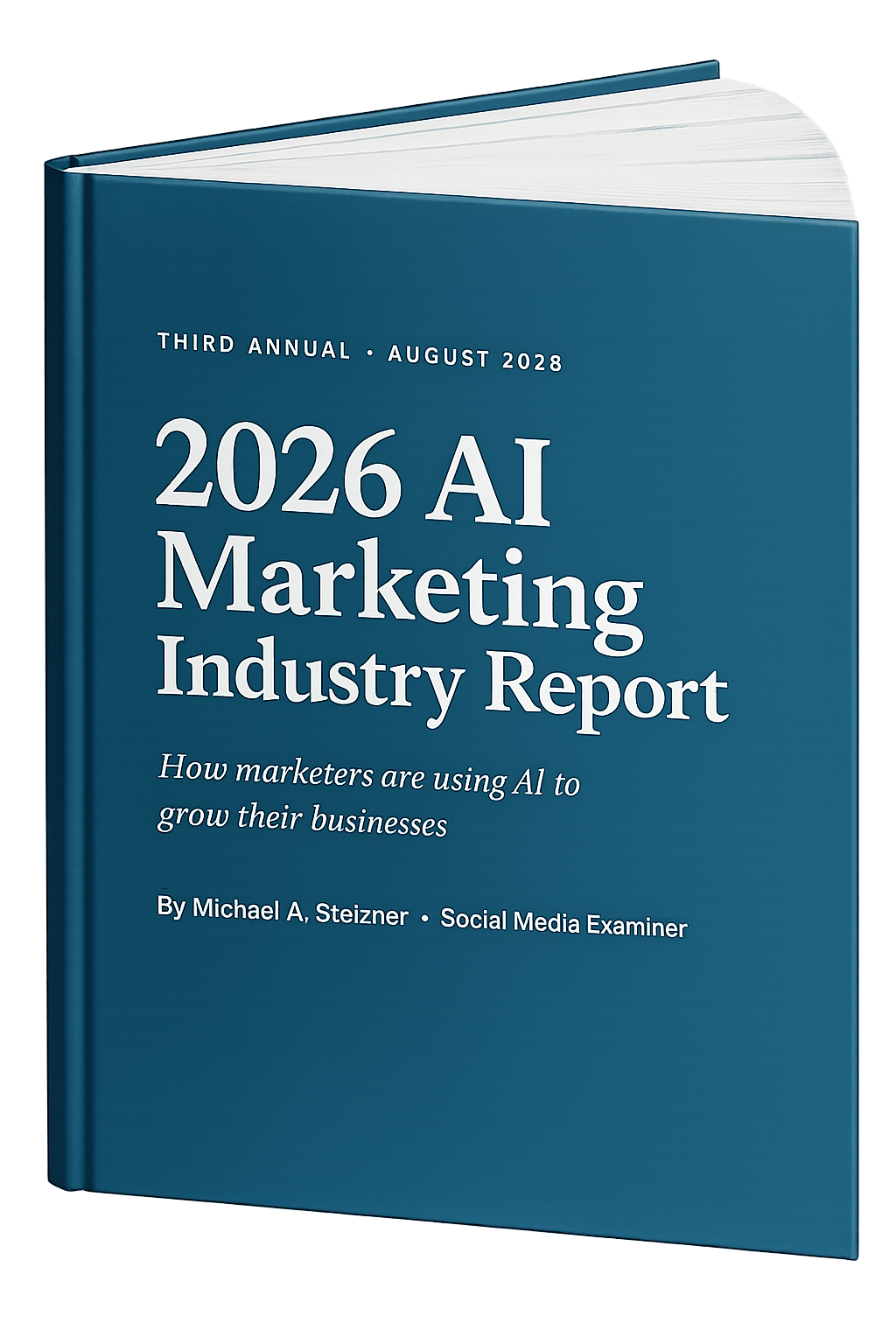
Sound familiar? 85% of marketers learn AI by experimenting on their own, just 7% get company training, and more than half spend their own money on tools.
Our third annual AI Marketing Industry Report surveys 681 marketers and distills everything into 32 clear charts — what's working, what platforms marketers rely on, and what to learn next.
Creators who don't yet know what style inspires them can ask AI to interview them, showing examples from image-capable models like Gemini or ChatGPT to narrow preferences before locking in a direction.
#2: Build Two Core Claude Skills for Brand Voice and Content Style
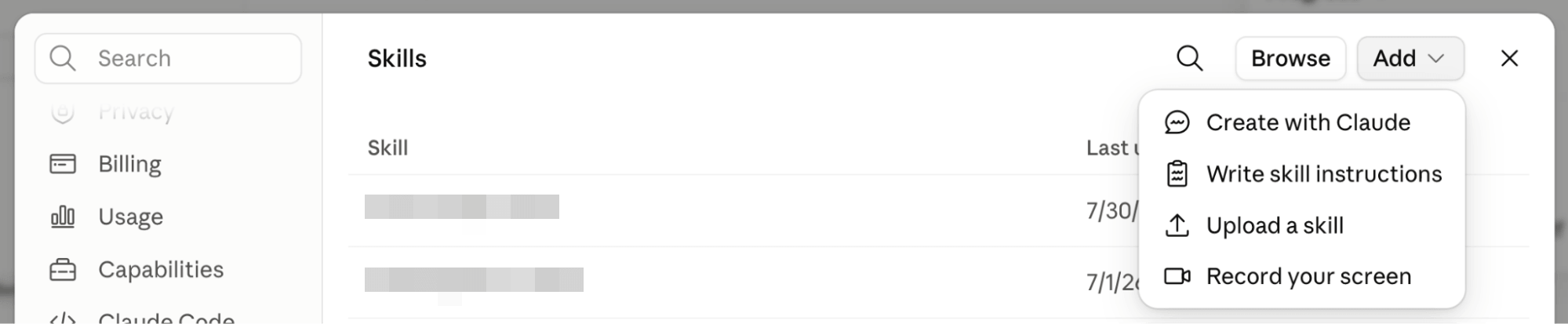
With vision and style established, the next step is creating Claude skills. A Claude skill is a reusable instruction set, a saved document of rules and examples that Claude references automatically when relevant context appears in a conversation. Skills function as persistent memory, ensuring Claude doesn't need to be re-taught the creator's preferences in every new chat.
The Brand Voice Skill
The brand voice skill teaches Claude how the creator talks. Building it requires feeding the AI as many examples of natural speech and writing as possible: video transcripts, Zoom recordings, Google Meet transcripts, tweets, threads, newsletter copy, and any other written or spoken content.
Nicky recommends supplementing these materials by asking Claude to conduct an interview, identifying tone, recurring keywords, phrasing patterns, and speech cadence. The resulting skill becomes a stored profile that Claude references whenever it writes in the creator's voice.
Once the brand voice skill is trained, Nicky estimates Claude produces output that's about 80–85% aligned with how the creator would naturally say things. That remaining 15–20% is where human editing comes in, but the starting point is far closer to finished than a blank page or a generic AI draft.
Pro Tip: The skill doesn't require slash commands or manual triggers. A prompt like “create a tweet about this idea in my voice” is enough for Claude to automatically apply the brand voice skill.
The Social Media Style Skill
The second skill focuses on platform-specific writing and presentation. It studies how the creator communicates differently across channels, because language, format, and tone shift between a tweet thread, an Instagram caption, a Substack essay, and a YouTube script.
Claude analyzes these differences, identifies patterns, and stores them. The result is a skill that ensures content matches not just the creator's voice, but the conventions and expectations of each specific platform.
Nicky notes that these two skills often inspire additional ones. Creators may eventually build image skills, video skills, email response skills, and more. But brand voice and social media style form the foundation that everything else builds on.
How to Gather Source Material With Apify
Nicky uses Apify, a data scraping tool with an MCP connector for Claude, to gather the raw material needed for skill training. Apify can pull content from any social media platform: all YouTube videos and their transcripts, Instagram comments, and public engagement metrics like views, comments, and shares.
The tool can also scrape competitors' public content, making it useful for competitive analysis alongside skill building. Pricing starts at $29 per month, with a free tier available. Apify stores data in Google Drive, Notion, or other connected storage, where Claude can access it to refine its skills over time.

Which AI Moves Actually Matter?
That's what every marketer is wrestling with now. New AI strategies, new tools, new takes every week — but no clarity. Most marketers and business owners are trying to figure out AI alone.
The AI Business Society is your trusted guide. Get expert-led training you can put to work immediately. Plus a community of marketers sharing what's actually working.
#3: The DraftLoop Content Workflow From Voice Journal to Multi-Platform Posts
Nicky's content system, called DraftLoop, is a daily automated workflow that turns a single voice journal entry into finished drafts across multiple platforms. DraftLoop connects Claude Cowork, Notion, Higgsfield, and HeyGen into a pipeline that starts with raw spoken thoughts and ends with ready-to-publish tweets, newsletters, video scripts, carousels, and more. It begins with a Claude project containing instructions that define the content formats to produce: threads and tweets, Substack posts, YouTube scripts, Reel scripts, and newsletter editions.
The Daily Journal as Content Source
Every day, Nicky records a voice journal using Notion's AI meeting notes feature. During a walk, she hits record and talks freely about whatever is on her mind, not structured content ideas, but a genuine debrief covering how she's feeling, what happened yesterday, what inspired her, what stressed her out, and any unfinished business.
The approach is inspired by Julia Cameron’s The Artist's Way and its morning pages exercise, adapted from handwriting three pages daily to speaking them aloud. Nicky explains that approaching the journal with a rigid content structure defeats the purpose. Social media audiences respond to authenticity, and the most resonant content often comes from personal stories and unfiltered reflections rather than pre-planned topics.
Even “I don't know what to talk about” becomes source material. Nicky recommends acting “like a two-year-old” and asking “why?” at least three times. “I don't have any ideas. Why? Because I feel like I'm in a drought. Why? Because these things are stressing me out. Why?” Three layers of “why” often surface the real issue, which becomes a business insight, content idea, or live stream topic.
The journal doesn't need to be the source for every creator. Meeting transcripts from Zoom or Google Meet, live stream recordings, podcast interviews, or even notes from staff conversations all work. The key is having a consistent stream of authentic, spoken or written material that reflects real thinking.
How the Automated System Processes Ideas
Inside Claude Cowork, Nicky has setup a scheduled task that runs at 8 a.m. daily. It checks her Notion journal for new entries. When one appears, Claude reads the entry and produces a Notion page containing content ideas extracted from the journal, draft tweets and threads, newsletter copy, and carousel quote images.
The system generates the initial batch and then stops. It waits for Nicky's review. Around 11 a.m., she reviews the output, selects the ideas she likes, and continues the conversation. “I see what you made. I like these two different ideas. Let's turn this one into a video script.”
This human-in-the-loop approach is deliberate. Nothing is published or moves forward without approval. The AI proposes; the creator decides. An ideal creative director would also proactively suggest repurposing top-performing content into new formats. If a video performed well on Tuesday, the system might recommend turning the same material into a thread, a newsletter edition, or even a live stream topic based on the engagement data.
How Visual and Video Content Gets Created
Once Nicky approves written drafts, the system triggers additional tools for visual content. Higgsfield, connected to Claude via MCP, generates images and videos directly inside the conversation window, no separate app required.
A selected content idea might become a carousel of quote images, an animated character video featuring Nicky's lion mascot, or a short-form video with custom styling. Each format starts as a storyboard that Nicky reviews before production begins.
For video scripts, Nicky connects HeyGen to produce an AI avatar version of herself reading the script. This isn't for publishing. It's a preview tool that lets her hear how a script sounds delivered aloud, like a practice round before recording the real version.
The system also generates newsletter drafts complete with Higgsfield-created images, live stream bullet points, and long-form content outlines. From a single journal entry, Nicky ends up with content for several days across multiple platforms.
#4: Keeping Human Judgment in the AI Content Creation Loop
Nicky is deliberate about where AI stops, and human judgment takes over. She does not grant AI direct access to publish on social media platforms, citing concerns about platform violations and account security. The creative director system handles ideation, drafting, and production. Scheduling and publishing remain manual.
This boundary extends to the source material itself. Because every piece of content originates from Nicky's own journal, experiences, and ideas, the output isn't AI-generated content in the conventional sense. It's human content that AI has helped reshape, reformat, and distribute across channels.
The AI creative director also serves as a data-driven counterbalance to creative instinct. Creators often get bored with topics they've covered repeatedly and want to chase new ideas. But Claude can surface engagement data showing that a particular topic has performed well across four previous posts with strong comment activity. Nicky explains that the AI “gets you right back” to what's working when creative restlessness pulls in a different direction.
#5: Using Claude's Advanced Models for Short-Form Copy
For creators on Claude's Max plan, different models serve different creative purposes. Claude Fable 5 Low excels at writing tight hooks and short-form copy.

Nicky confirms it performs exceptionally well for punchy, concise writing like tweet hooks, carousel headlines, and email subject lines, even compared to newer models like Opus 5. Fable 5 is the most resource-intensive Claude model to run, but the quality of short-form output justifies the cost for precision work.
The recommendation is to experiment with model selection rather than defaulting to one model for everything. More powerful models tend to produce stronger results for short, precise writing tasks where every word carries weight.
Nicky Saunders is an AI strategist who helps creators and small business owners authentically create online content. Explore her DraftLoop content system. Follow her on Instagram and YouTube.
Other Notes From This Episode
Connect with Michael Stelzner @Stelzner on Facebook and @Mike_Stelzner on X. Watch this interview and other exclusive content from Social Media Examiner on YouTube.Listen to the Podcast Now
This article is sourced from the AI Explored podcast. Listen or subscribe below.
Where to subscribe: Apple Podcasts | Spotify | YouTube Music | YouTube | Amazon Music | RSS
✋🏽 If you enjoyed this episode of the AI Explored podcast, please head over to Apple Podcasts, leave a rating, write a review, and subscribe.
Stay Up-to-Date: Get New Marketing Articles Delivered to You!
Don't miss out on upcoming social media marketing insights and strategies! Sign up to receive notifications when we publish new articles on Social Media Examiner. Our expertly crafted content will help you stay ahead of the curve and drive results for your business. Click the link below to sign up now and receive our annual report!
Discover Proven Marketing Strategies and Tips
Want to go even deeper with your marketing? Check out the Social Media Marketing Podcast! Publishing weekly since 2012, the Social Media Marketing Podcast helps you navigate the constantly changing marketing jungle, with expert interviews from marketing pros.
But don’t let the name fool you. This show is about a lot more than just social media marketing. With over 650 episodes and millions of downloads each year, this show has been a trusted source for marketers for well over a decade.












![I Took a Deep Dive Into PERT to Create More Accurate Time Estimates [+ Templates, Examples, and Formula]](https://knowledge.hubspot.com/hubfs/pert-1-20250213-8082845.webp)