Dell Alienware 15 (DA15265) review: Budget gaming has a new price, and it holds up surprisingly well
Dell’s $1,499 Alienware 15 makes some obvious compromises, but strong RTX 5050 gaming performance, useful upgrades, and a fast 165Hz display make them surprisingly easy to accept.
 Astrong
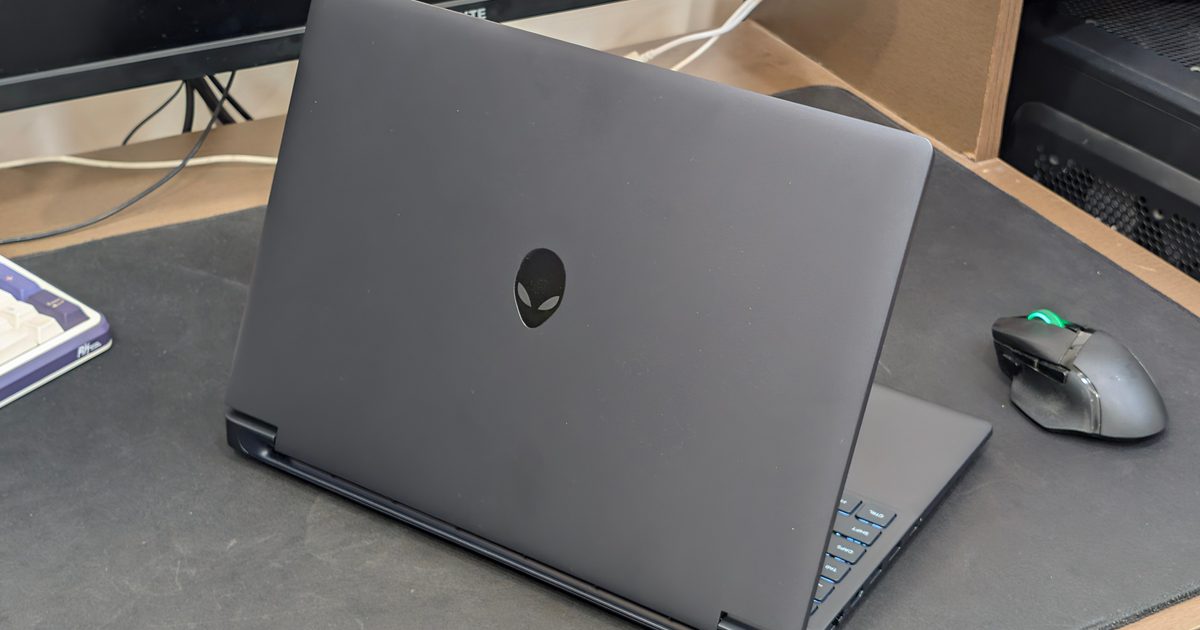
Dell Alienware 15 (DA15265)
MSRP $1,459.99
Pros
Strong native 1200p gaming performance Smooth and responsive 165Hz display RTX 5050 handled demanding games surprisingly well Good selection of ports, including Ethernet Alienware Command Center remains usefulCons
Heavy, especially with the 180W charger Display colors are noticeably muted Battery life is mediocre 512GB storage will disappear quicklyI don’t particularly enjoy describing a $1,459.99 laptop as entry-level, but it’s a rough time for upgrading your ageing gaming laptop. Just a year ago, you would probably find a healthy selection of mid-range, and even some high-end models, at a great deal. Now, PC hardware has become considerably more expensive, and the memory crunch has only made things worse.
We have already covered how rising DRAM and NAND prices are putting pressure on laptop pricing in 2026, and the Alienware 15 (DA15265) arrives during this strange period of time. My configuration combines AMD’s Ryzen 7 260 processor with an Nvidia GeForce RTX 5050 with 8GB of GDDR7 memory, 16GB of DDR5-5600 RAM, and a 512GB PCIe 4.0 SSD. I used it for just under a month, primarily as a gaming machine with some writing and regular Windows work thrown in.
There are plenty of reminders that this sits close to the bottom of Alienware’s lineup. The entire chassis is plastic. The 15.3-inch display has mediocre color coverage. You get a 720p webcam, weak speakers, and a fairly small SSD. Still, it is a surprisingly competent gaming rig.
Dell has concentrated most of the money where I actually want it on an entry-level gaming laptop, which is its performance.
I ran Cyberpunk 2077, Forza Horizon 5, Black Myth: Wukong, and Assassin’s Creed Shadows at the native resolution and Ultra settings without DLSS or frame generation. And the results? Well, they are quite decent.
I know the price and specs don’t match up, but you have to remember the insane price hikes that are basically affecting every tech brand out there.
 Vikhyaat Vivek / Digital Trends
Dell Alienware 15 specs
| Feature | Specifications |
| Processor | AMD Ryzen 7 260, 8 cores, up to 5.1GHz |
| Graphics | Nvidia GeForce RTX 5050, 8GB GDDR7 |
| Memory | 16GB DDR5-5600, 1x16GB |
| Storage | 512GB PCIe 4.0 NVMe SSD |
| Display | 15.3-inch 1920 x 1200 IPS, 165Hz |
| Display brightness | 300 nits |
| Color coverage | 62.5% sRGB |
| Keyboard | Alienware white-backlit keyboard |
| Webcam | 720p HD |
| Speakers | Stereo, 2W x2 |
| Battery | 70Wh |
| Wireless | Wi-Fi 6, Bluetooth 5.2 |
| Weight | 4.85 to 4.96 pounds |
| Charger | 180W |
| Color | Nova Black |
| Price as tested | $1,499.99 |
Design: a cheaper Alienware is still an Alienware
Quick take: The plastic construction is obvious once you start poking around, but the Alienware 15 doesn’t come across like a bargain-bin gaming laptop.
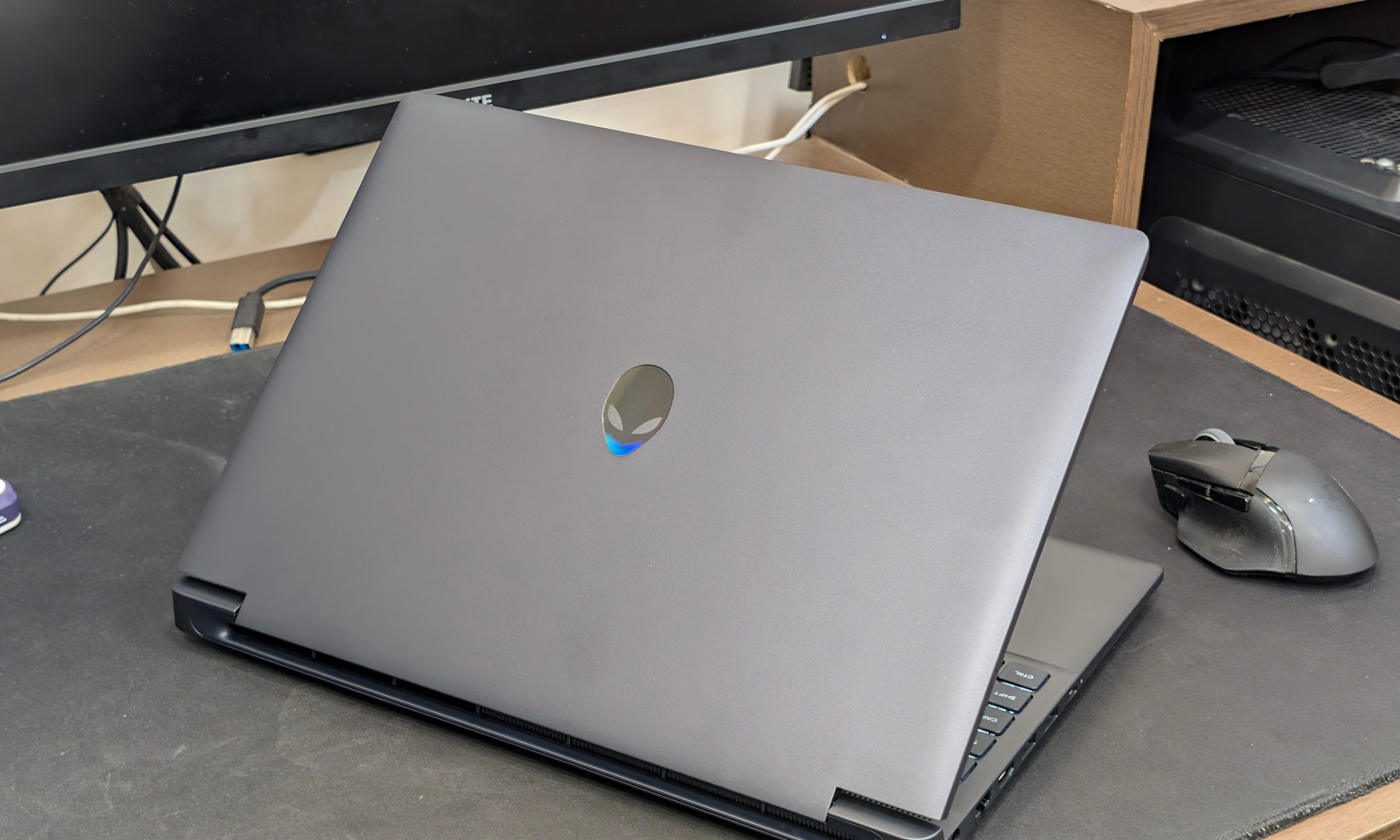
Just like with the ASUS Zenbook A14, the first thing I noticed again was the weight. But unlike the Zenbook, this wasn’t in amazement. At almost five pounds before you add the rather substantial 180W charger, the Alienware 15 isn’t something I enjoyed carrying around. I’m obviously spoiled by the thin-and-light laptops I usually review, but even accounting for the gaming hardware, this thing takes up a fair amount of space.
 Vikhyaat Vivek / Digital Trends
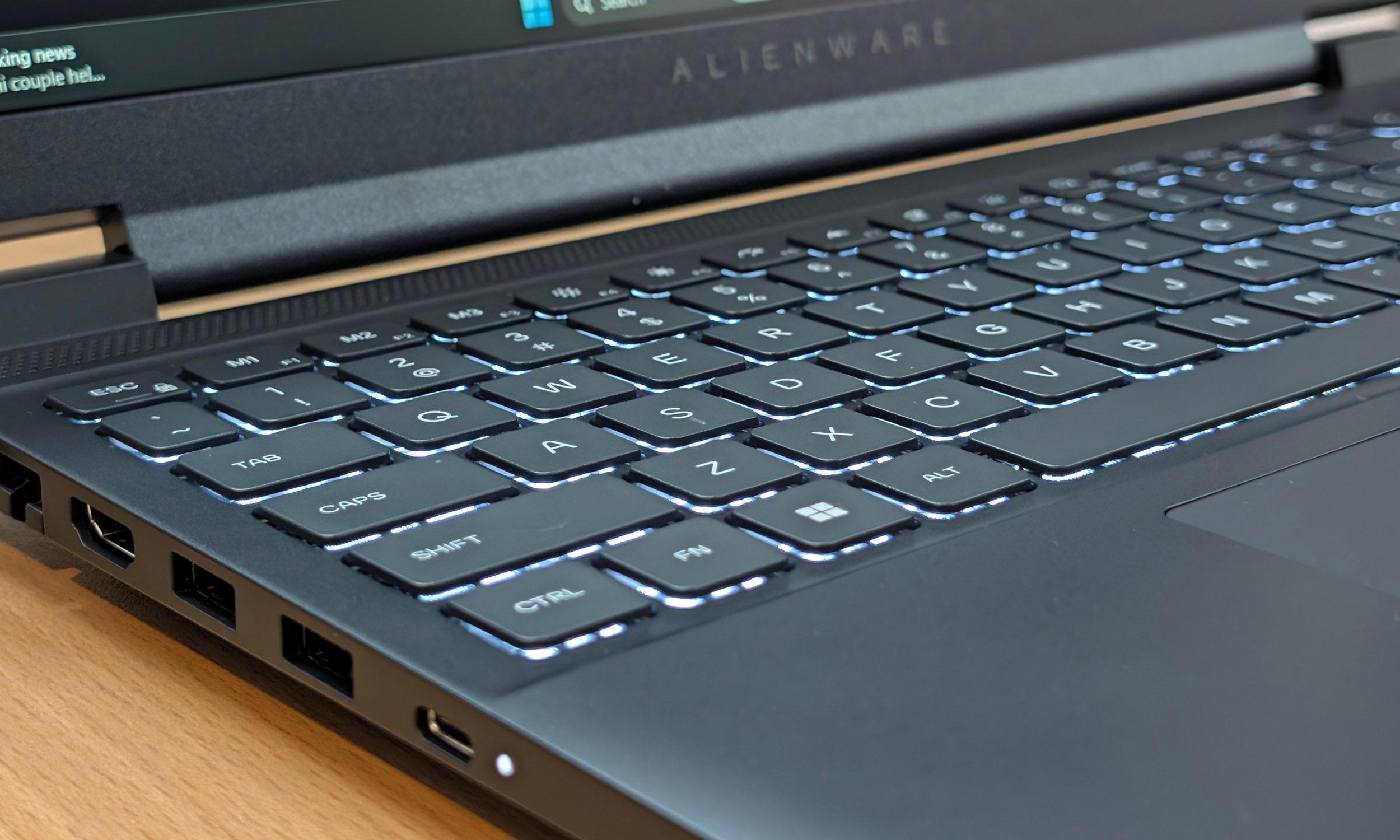
The chunky display bezels don’t help. They make the 15.3-inch laptop appear larger than the screen size suggests. Still, I expected the full plastic chassis to bother me more than it did. Most chassis made from this material have a little flex across the body, and you can observe it in the display lid and bottom cover.
The keyboard deck is surprisingly rigid, and the hinge also holds everything quite firmly. You can technically begin opening it with one hand before the bottom half eventually decides to come along for the ride.
More importantly, the plastic doesn’t have the unpleasant hard, hollow quality I’ve encountered on some cheaper HP, Acer, and MSI gaming laptops. It obviously cannot match something like the Alienware 16X Aurora for materials and finish, but it doesn’t look or feel embarrassingly cheap either. I also like how clean Dell kept the design.
 Vikhyaat Vivek / Digital Trends
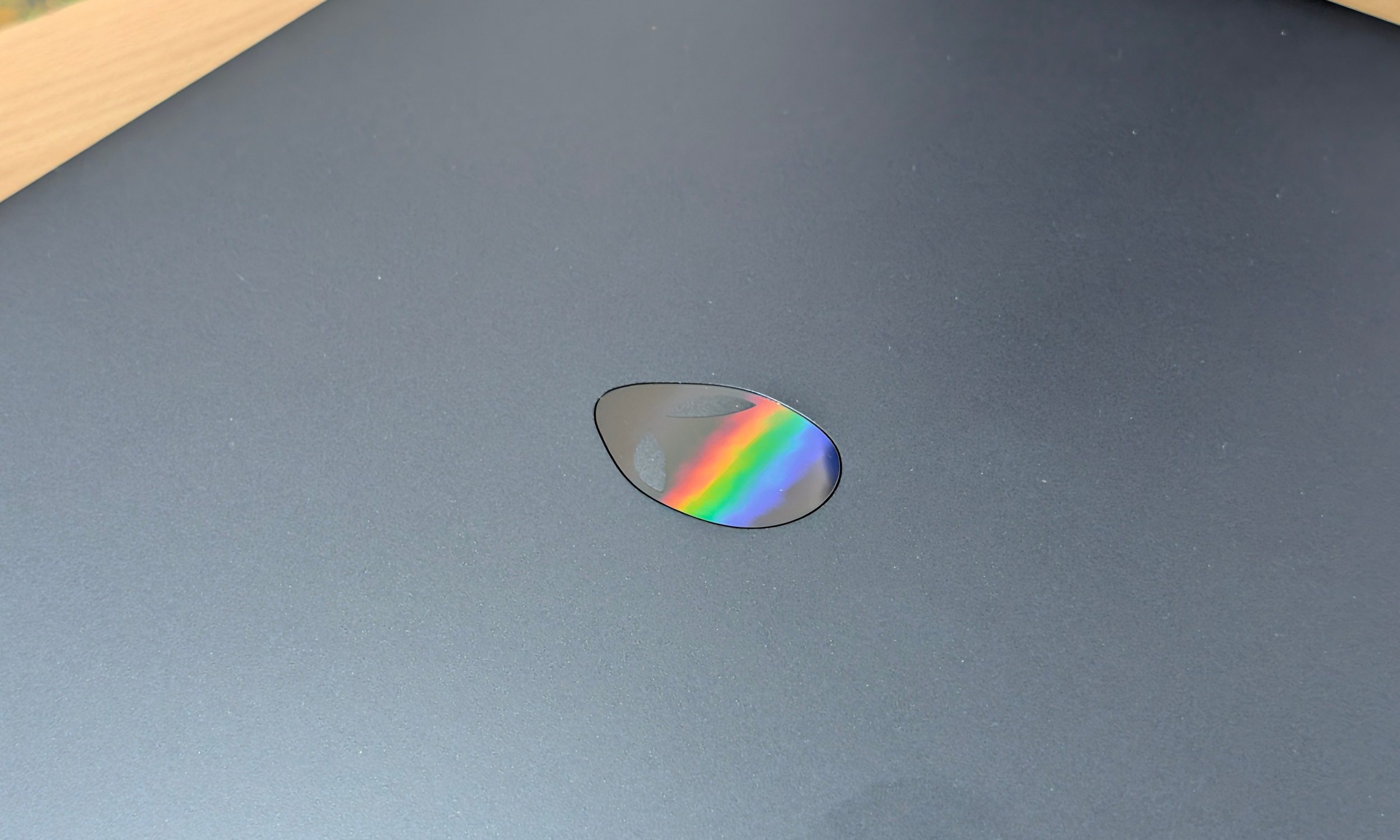
There is no RGB light show surrounding the chassis, and even the iconic Alienware logo on the lid doesn’t illuminate. Nova Black looks suitably mean without screaming for attention. Fingerprints accumulate quickly, yet they aren’t particularly obvious unless the light hits them at the right angle.
Design score: 7/10
Display: fast where it matters
Quick take: The 165Hz panel gets the most important gaming fundamentals right, while the colors won’t be impressing anyone.
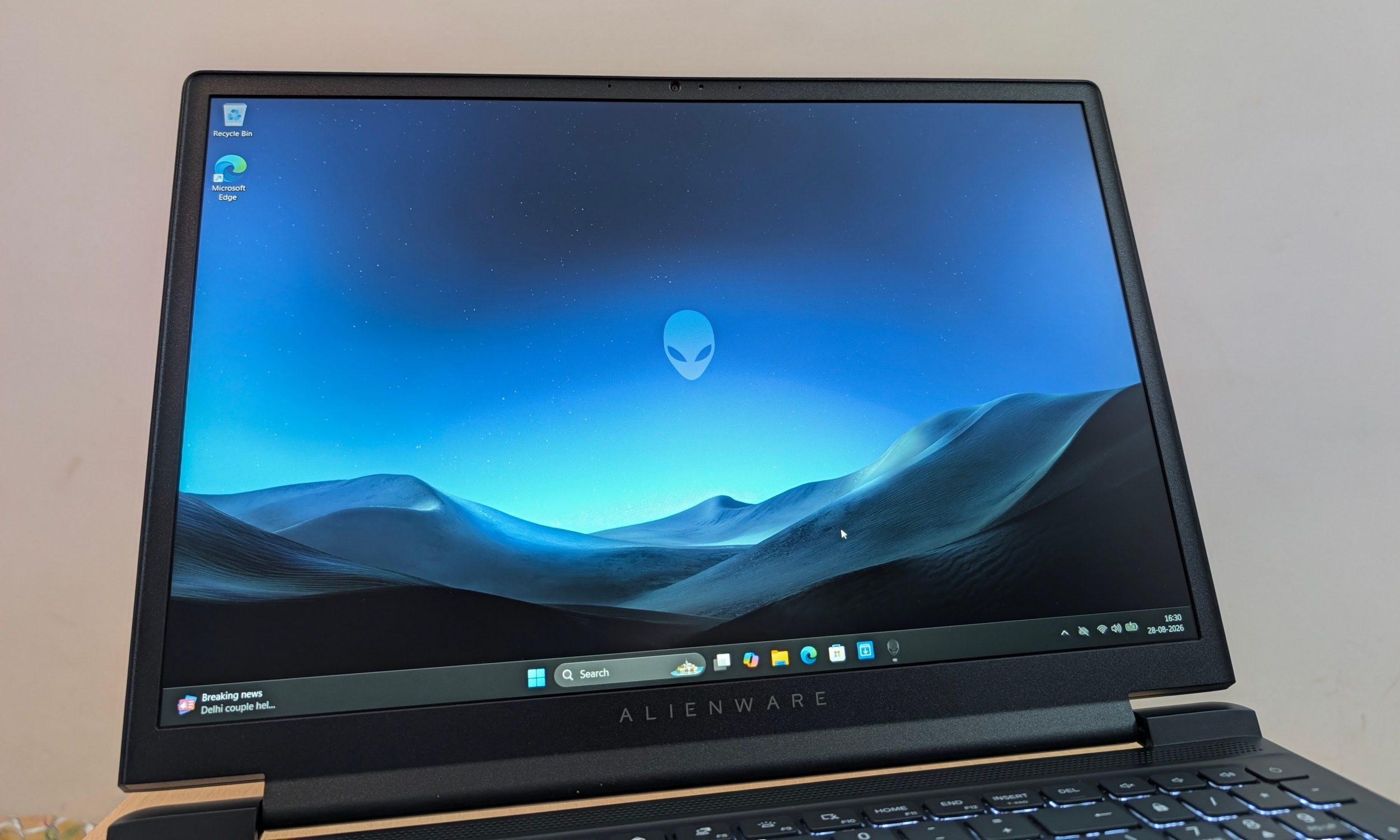
The display is probably the easiest place to see where Dell saved money. Don’t get me wrong, it’s a pretty solid screen for gaming overall. You’re getting a 15.3-inch 1920 x 1200 LCD with a 165Hz refresh rate and 300 nits of brightness, but with only 62.5% sRGB color coverage. In actual use, colors look somewhat muted, and the matte coating dulls the image further.
 Vikhyaat Vivek / Digital Trends
Dark scenes also expose visible backlight bleed and the fairly ordinary black levels you’d expect from an inexpensive LCD. None of this is ideal if you’re editing photos or doing color-sensitive creative work. For gaming, I didn’t mind the compromises as much.
Motion at 165Hz looks smooth, response is excellent, and I never noticed any distracting input latency. The 1920 x 1200 resolution also makes sense alongside an RTX 5050. A higher-resolution panel would look sharper, but it would immediately increase the GPU workload in the games this laptop is built to run.
Vikhyaat Vivek / Digital Trends
Outdoor visibility isn’t impressive either. Indoors, 300 nits was sufficient for me, which is where this machine spent virtually all of its time anyway. I’d happily take the faster gaming panel Dell chose over a prettier screen that pushes the price higher.
Display score: 7.5/10
Keyboard and touchpad: give it time
Quick take: Comfortable enough once muscle memory kicks in. Still, squeezing in a numpad makes the layout needlessly cramped.
 Vikhyaat Vivek / Digital Trends
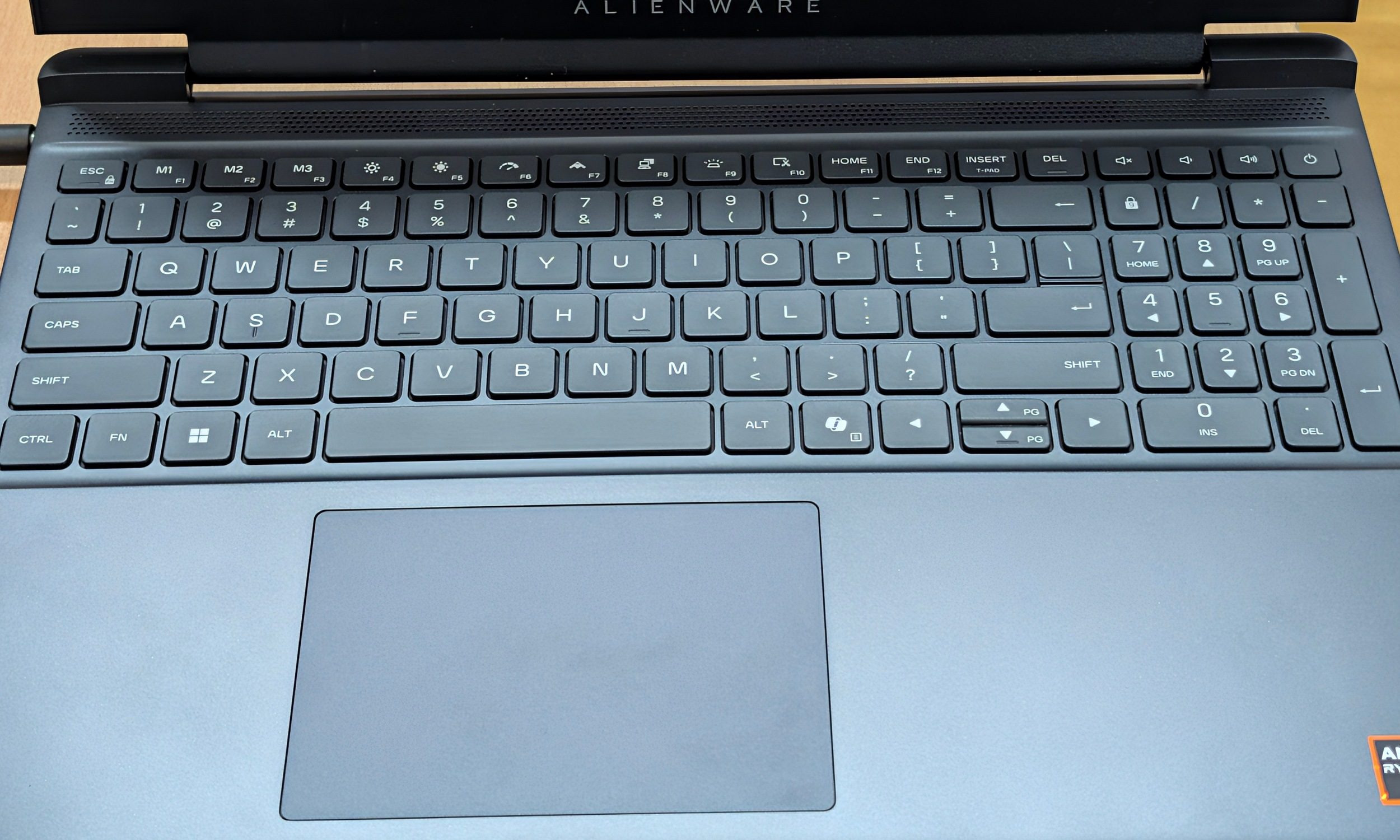
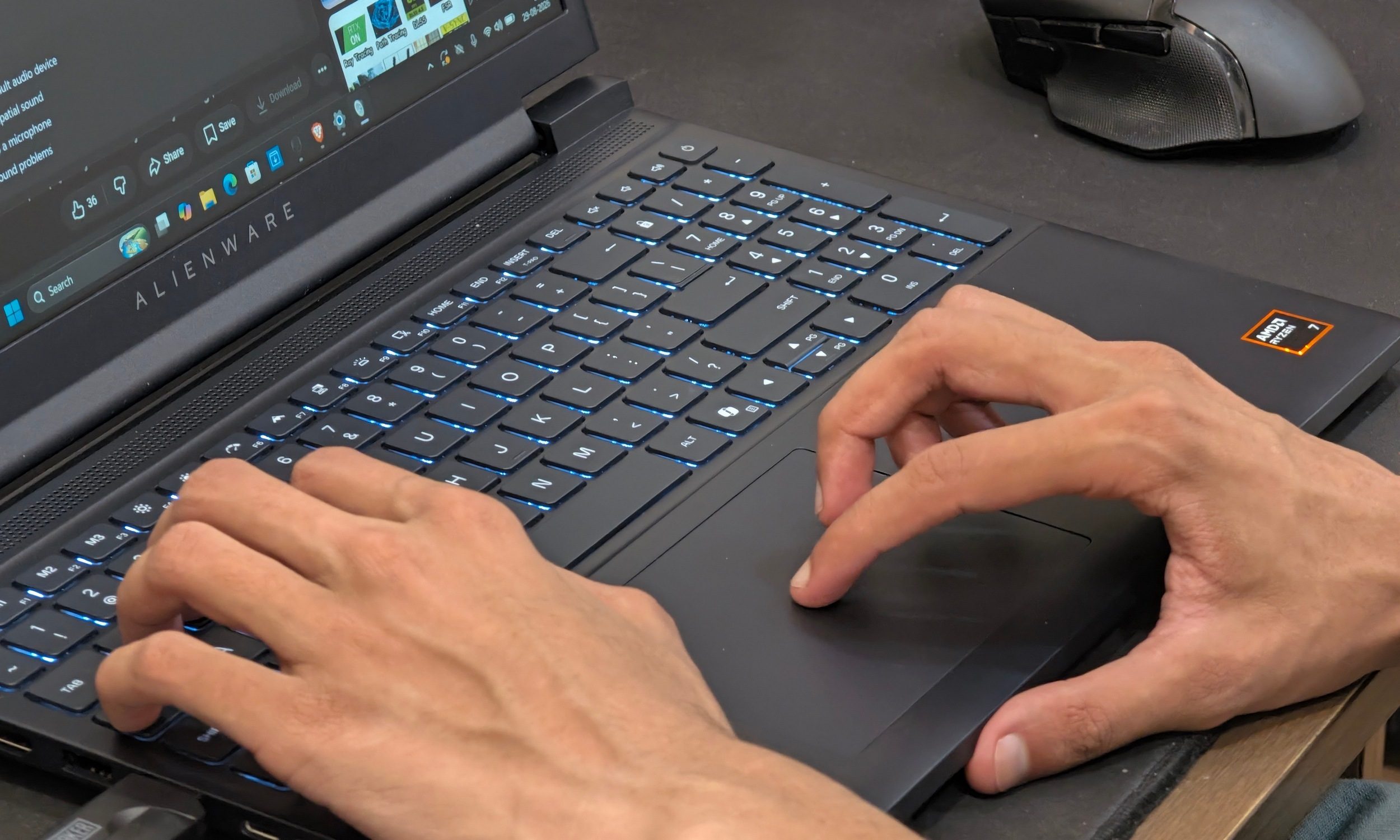
I didn’t get along with the keyboard, at least not immediately. Dell fits a full numpad into the deck, which compresses several keys. The smaller Backspace key annoyed me in particular during the first few days. The 1.3mm travel is comfortable enough once you adjust. The keys have a slightly mushy response that keeps them from becoming anything special.
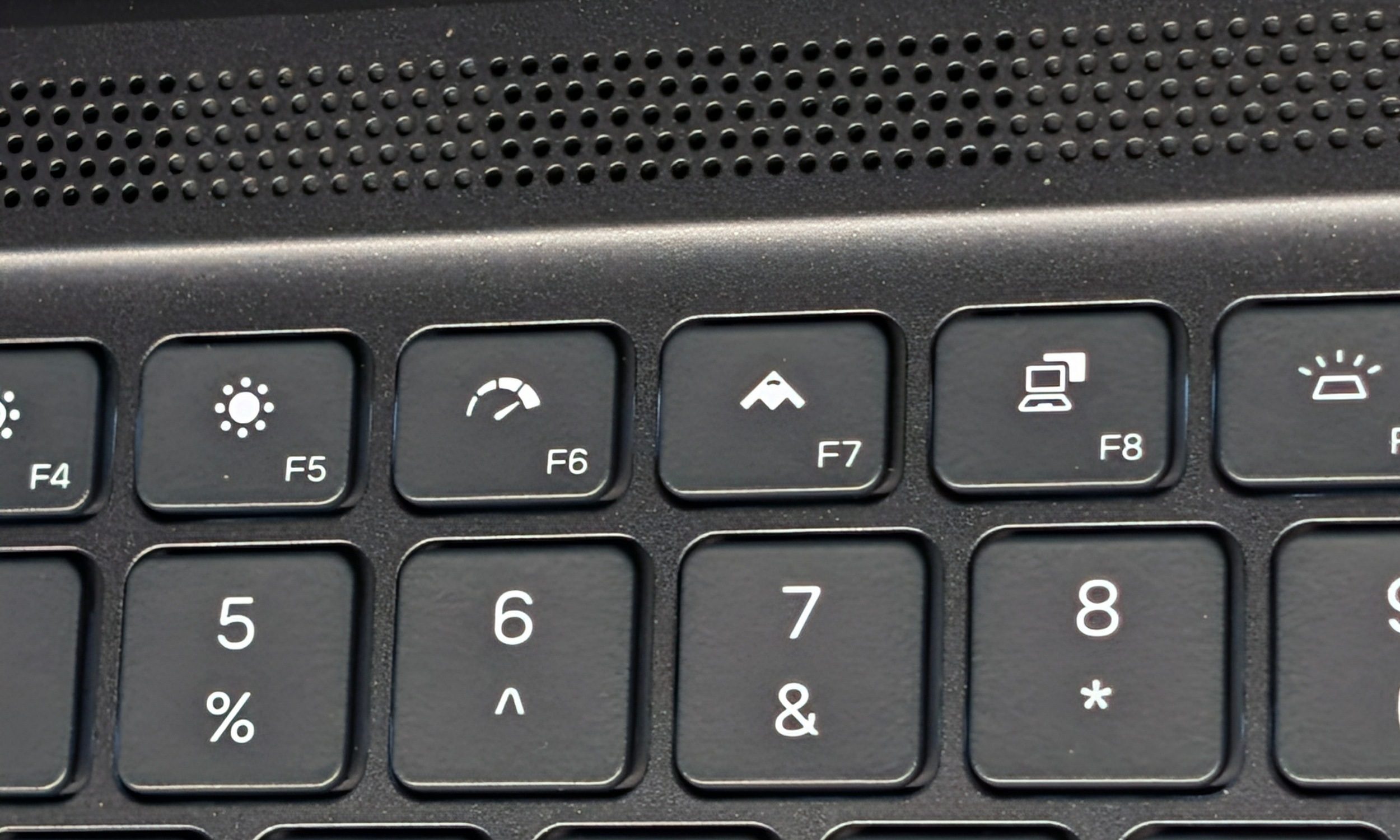
Gaming caused fewer problems. WASD positioning works well and the white backlighting keeps everything visible without turning the desk into an RGB carnival. The function row also hides some genuinely useful Alienware controls. F6 toggles Performance Boost, while the Stealth shortcut switches the system toward quieter operation.
 Vikhyaat Vivek / Digital Trends
The touchpad is perfectly fine. Tracking stayed smooth, the size is reasonable, and I rarely thought about it. That’s probably the nicest compliment I can give a gaming laptop touchpad.
Keyboard and touchpad score: 7/10
Performance: the reason this laptop works… kind of
Quick take: The Ryzen 7 260 and RTX 5050 make a much better argument for the $1,459 price than the chassis ever could.
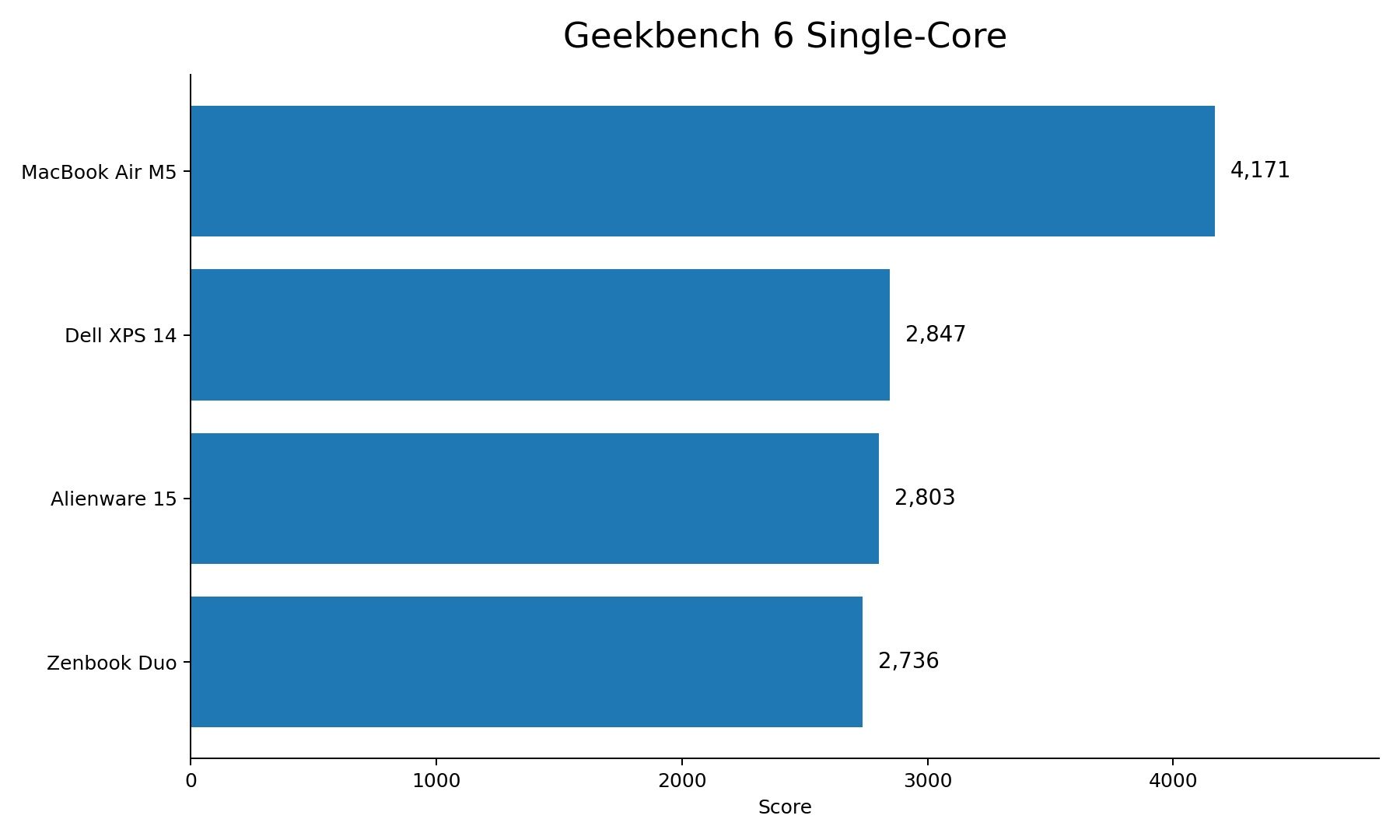
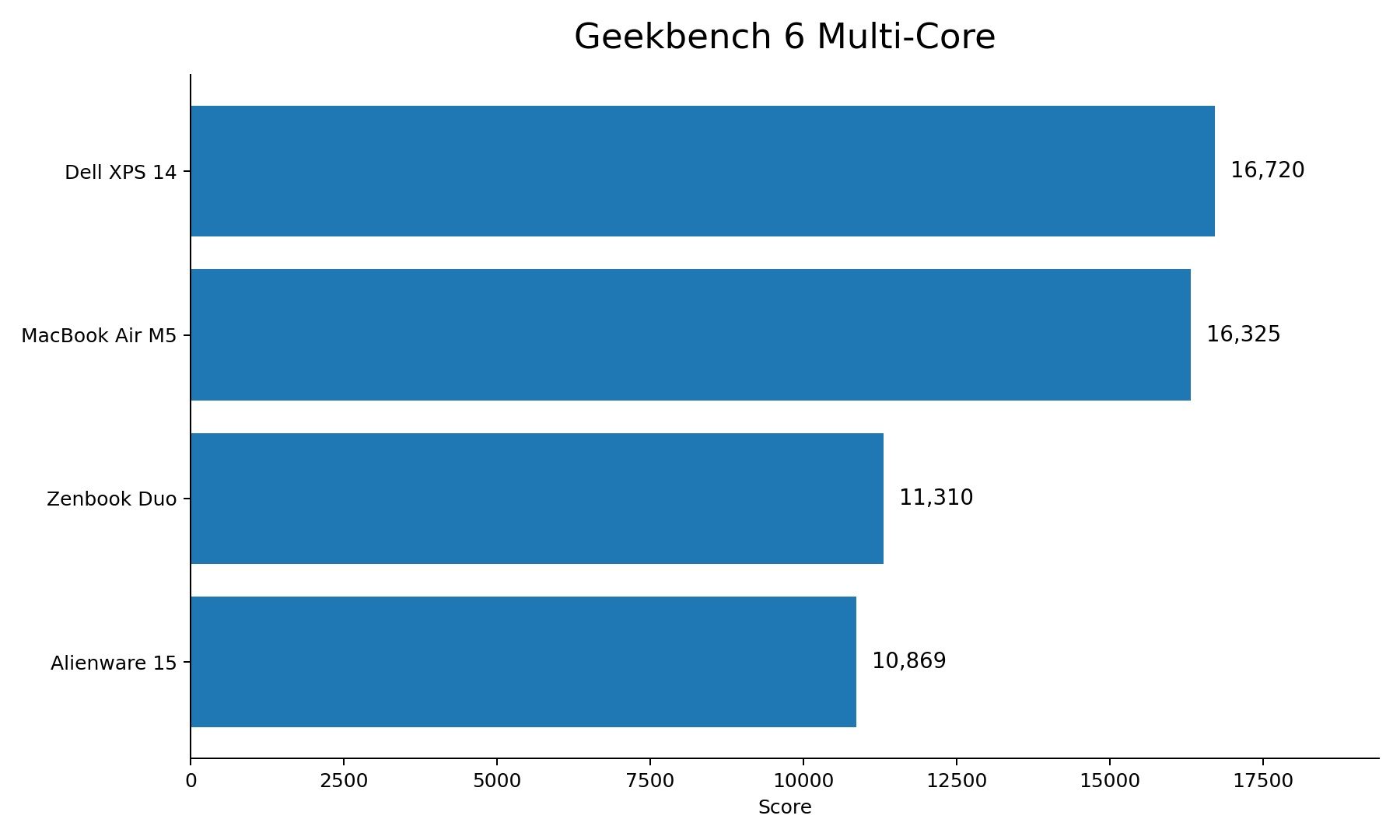
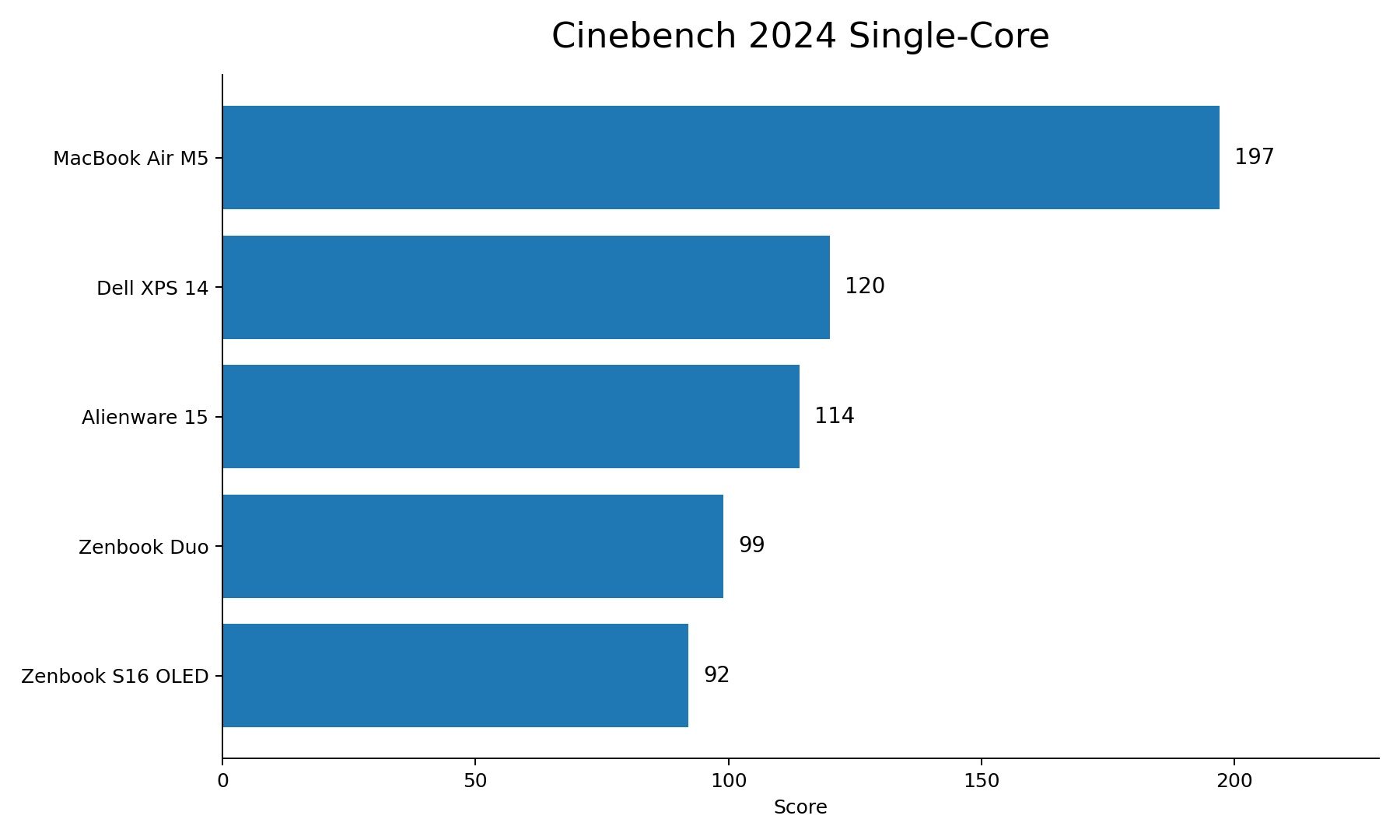
The performance numbers are where the Alienware 15 started pulling its weight. My Ryzen 7 260 achieved 2,803 single-core and 10,869 multi-core in Geekbench 6, followed by 114 single-core and 944 multi-core in Cinebench 2024. Some context from our recent laptop testing is useful here, even if these machines aren’t direct gaming competitors.
 Vikhyaat Vivek / Digital Trends
The Alienware’s Cinebench multi-core score actually beats the Dell XPS 14’s (Intel Core Ultra X7 358H) 817 points, Zenbook S16 OLED’s 640, and Zenbook Duo’s (Intel Core Ultra 7 355) 593. Apple’s M5 MacBook Air remains ahead at 1,126. In single-core, Dell’s XPS reaches 120 points, while the M5 runs away with 197.
 Vikhyaat Vivek / Digital Trends
GeekBench, unfortunately, doesn’t paint a pretty picture. Compared to these non-gaming models that we reviewed recently, the results seem pretty lackluster. But for a gaming laptop, I’m considerably more interested in what the GPU does.
 Vikhyaat Vivek / Digital Trends
3DMark Time Spy returned 10,699, with Time Spy Extreme at 5,109. Fire Strike hit 26,004, Fire Strike Extreme reached 13,240, Fire Strike Ultra landed at 6,615, and Night Raid returned 59,545. So the RTX 5050 isn’t here just to tick a box.
Vikhyaat Vivek / Digital Trends
Gaming
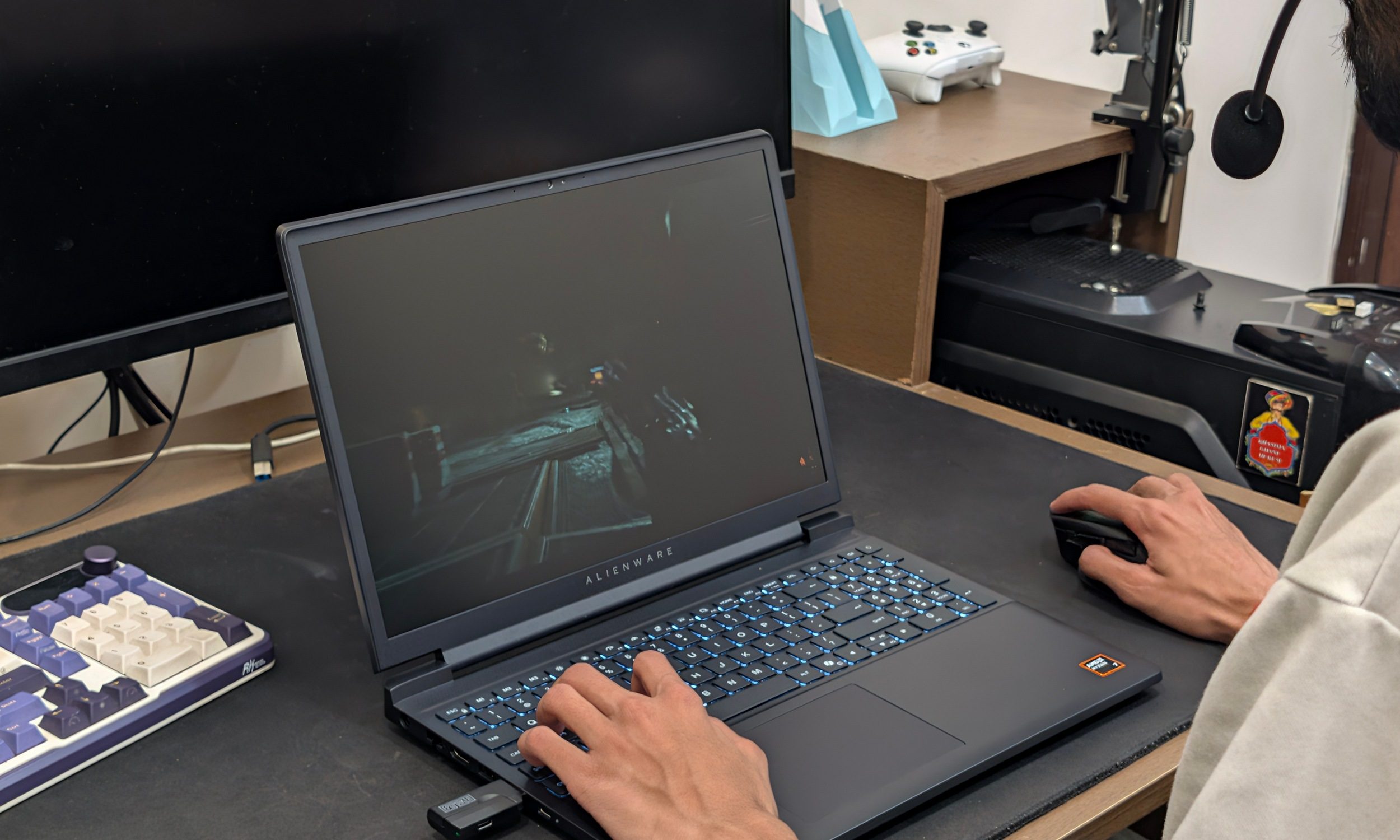
This was easily the most fun part of testing. I ran my games at the laptop’s native 1920 x 1200 resolution, using the Ultra preset and leaving DLSS and frame generation disabled. Cyberpunk 2077 averaged around 68fps, with heavier moments dropping into the low-40fps range. Forza Horizon 5 hovered around 90fps. But the game that really put it to the test was Black Myth: Wukong and Assassin’s Creed Shadows, which managed roughly 34fps and 32fps, respectively.
 Vikhyaat Vivek / Digital Trends
Those last two aren’t silky results, but there’s useful context here. I deliberately wasn’t letting Nvidia’s upscaling and frame-generation technology rescue the GPU. I wanted to see what the hardware itself could manage when pushed hard. And around 30fps in some of today’s heaviest games at native resolution and Ultra settings is a perfectly usable starting point for an entry-level GPU.
Drop a few settings or turn DLSS on and you’ve suddenly got considerably more room to work with. Drop a few settings or turn DLSS on, and you’ve suddenly got considerably more room to work with. The higher-end Alienware 16X Aurora gives an idea of what paying more gets you.
The unit we tried had the RTX 5070, which managed to run some of these same titles at QHD resolution. A good example is Black Myth: Wukong, which ran at 45-50fps at the native 2560 x 1600 resolution in the highest settings.
 Vikhyaat Vivek / Digital Trends
Cyberpunk could reach roughly 45fps near QHD with ray tracing set to Ultra. Those aren’t apples-to-apples tests with my 1200p results, but they show how much additional resolution and graphical headroom the higher-tier GPU opens up. The Alienware 15 doesn’t have that kind of breathing room. For hundreds of dollars less, I’m fine with that.
Storage and upgradeability
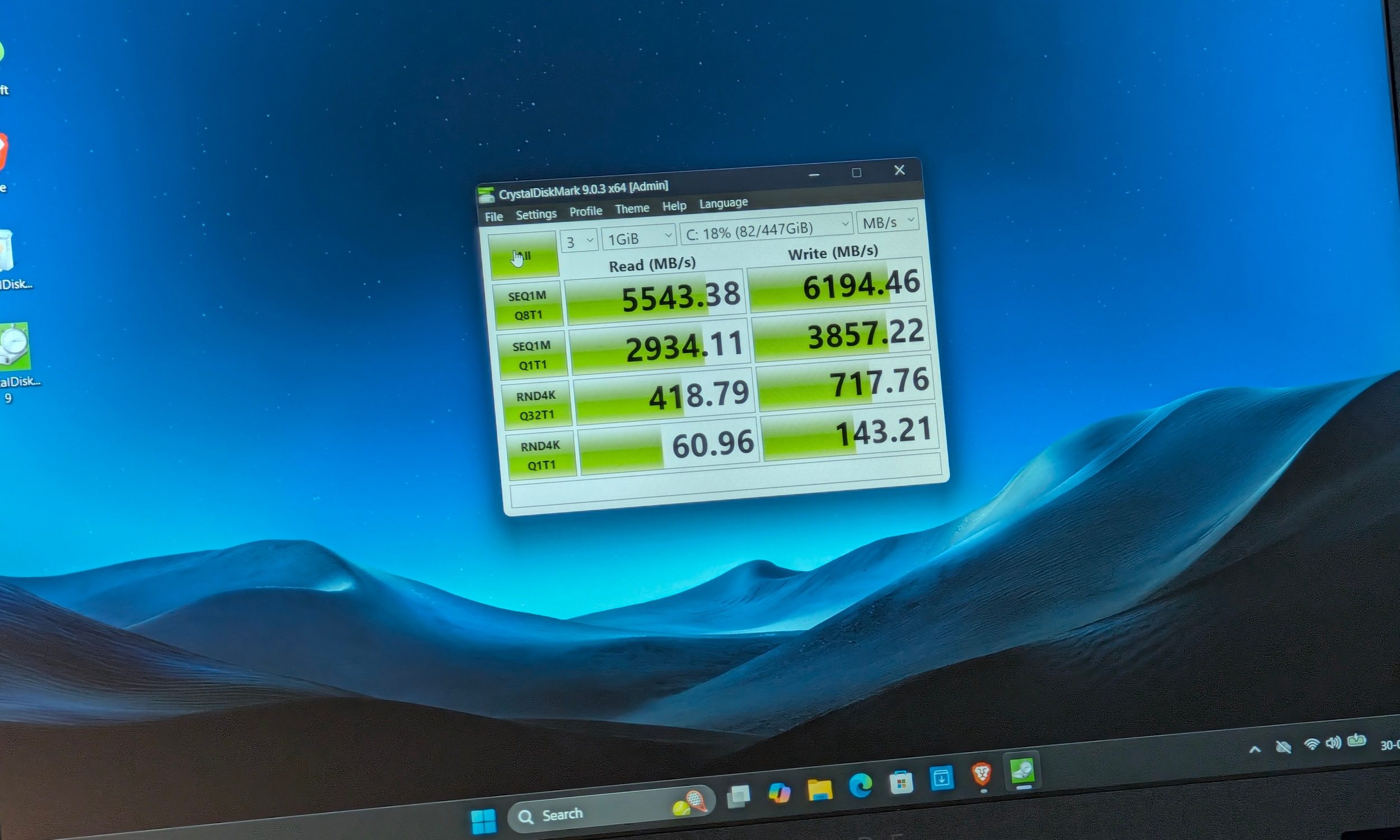
The 512GB PCIe 4.0 drive returned 5,543MB/s sequential reads and 6,194MB/s writes in CrystalDiskMark. Lower-queue sequential performance came in at 2,934MB/s and 3,857MB/s, respectively. But speed isn’t the issue–it’s capacity.
 Vikhyaat Vivek / Digital Trends
Modern AAA games can swallow 100GB or more without trying particularly hard, so 512GB disappears very quickly once Windows and everything else are installed. Unfortunately, there is only one M.2 slot. The laptop does have two SO-DIMM slots, and Dell populates only one with the supplied 16GB module. So the upgrade path is obvious, but it’s a double-edged sword. You miss out on the dual-channel memory advantage in the hopes of a future upgrade. Given how painful memory pricing has become, those upgrades will cost you… a lot.
Performance score: 8/10
Thermals: it’s hot and loud, but still consistent
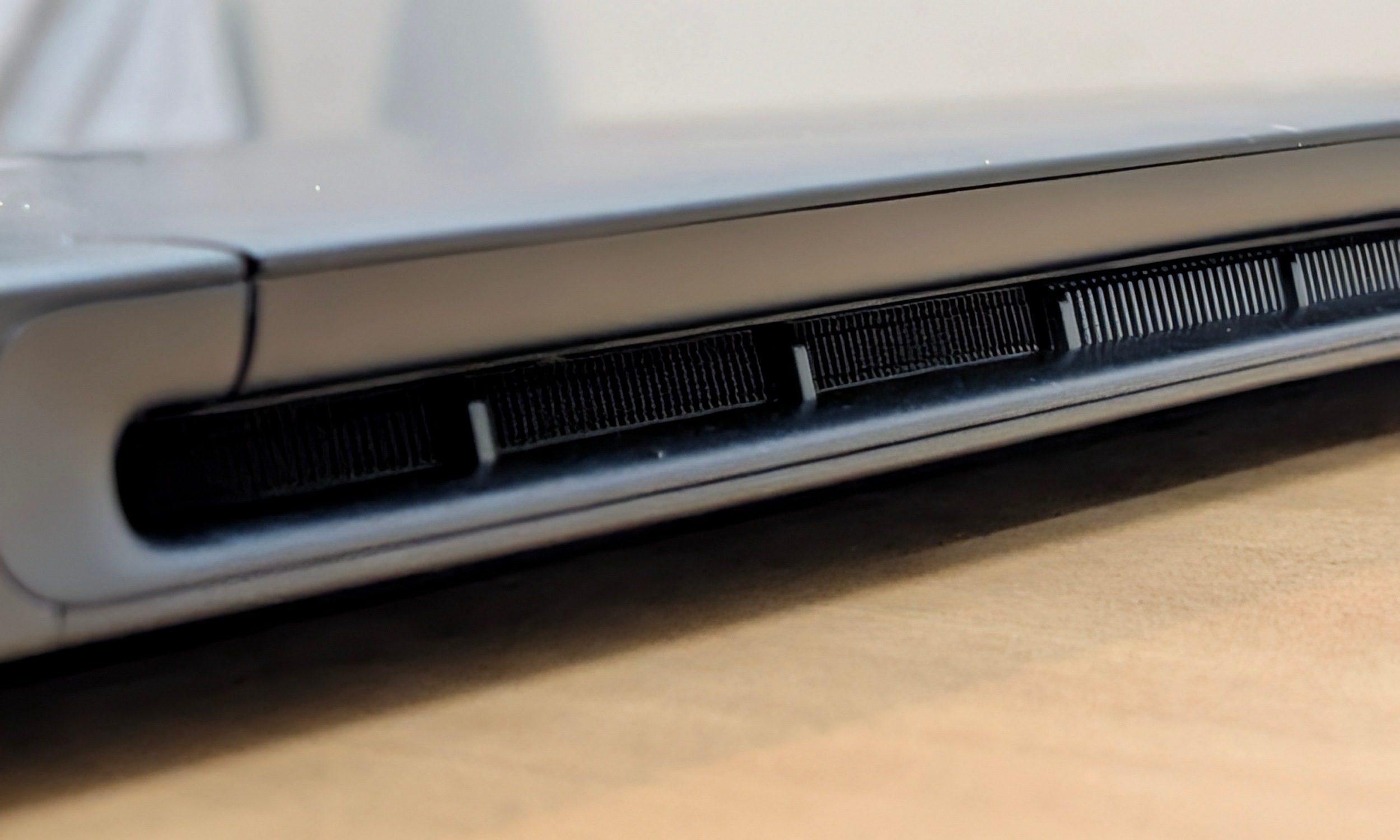
Gaming laptops get hot, and the Alienware 15 is no exception. Idle temperatures generally stayed around 45 to 50 degrees Celsius, while regular browser work with Discord, Spotify, and YouTube could push the CPU toward 70 degrees. Heavy gaming sent the processor toward 90 degrees Celsius. The GPU usually stayed below 70 degrees unless I started pushing more demanding graphical settings.
 Vikhyaat Vivek / Digital Trends
The heat concentrates around the upper half of the keyboard deck. WASD gets warm, but it never became uncomfortable enough to stop me from playing. More importantly, I didn’t see major performance collapses or obvious throttling during ordinary gaming sessions. The peaks do drop, and yet the performance stays mostly consistent.
The fans, though, aren’t so subtle. Performance mode makes them loud. There’s no irritating high-pitched whine, thankfully, but everyone around you will know something substantial is happening. The fans generally settle within a minute or two after closing a game. So Quiet mode is useful whenever you’re browsing or writing. You don’t necessarily want everyone in a cafe knowing you’re kickstarting a tank.
Software: Alienware Command Center is actually useful
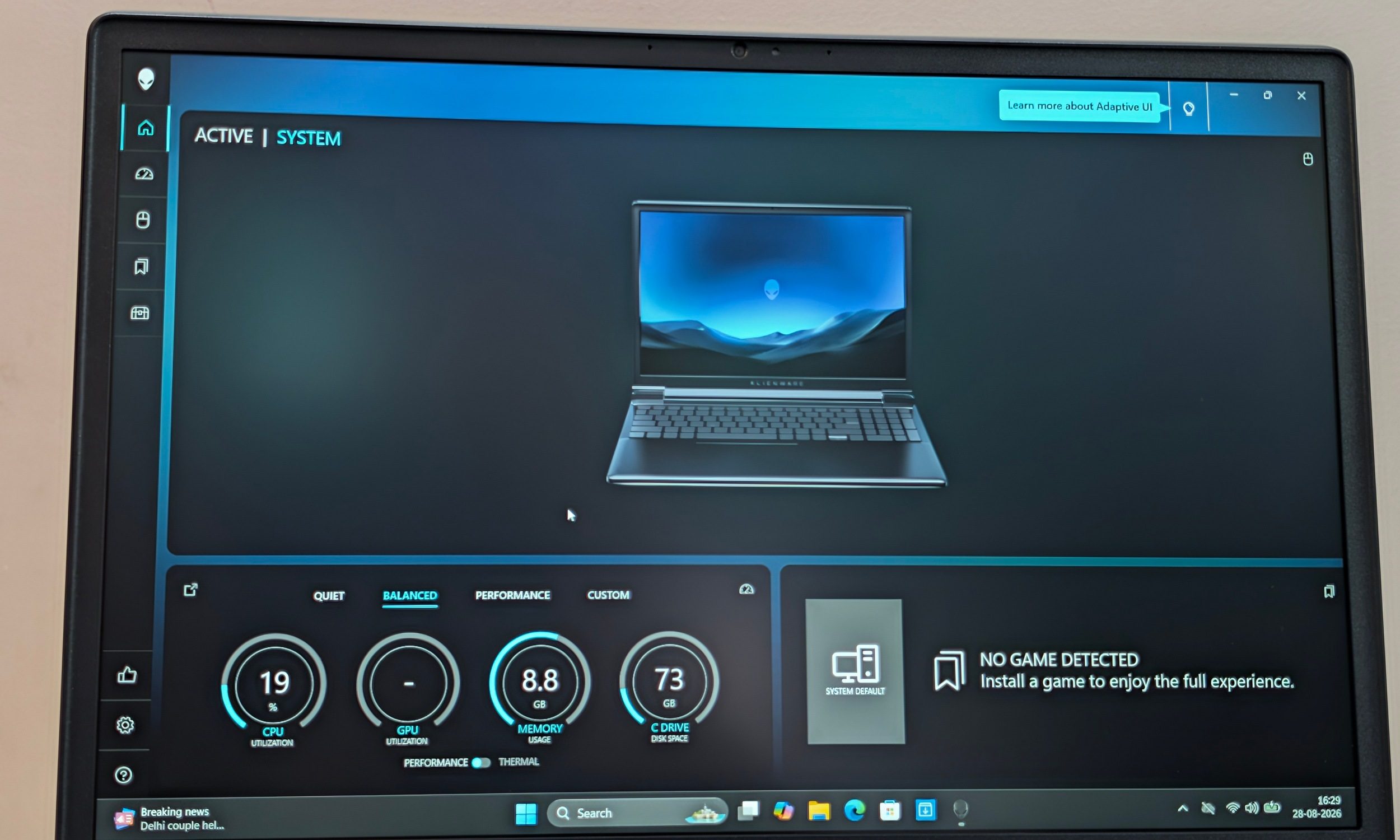
Alienware Command Center remains one of the better pieces of bundled software on the machine. I mostly bounced between Quiet and Performance depending on what I was doing. Performance gives the cooling system more room to stretch its legs when gaming, while Quiet has its obvious benefits.
 Vikhyaat Vivek / Digital Trends
Dell also provides Battery, Balanced, Performance, Max/Overdrive, and Custom profiles on supported Alienware laptops. AWCC can monitor CPU and GPU load, temperatures, fan speed, memory usage, storage activity, and frame rate while giving you control over performance and thermal behavior. I wouldn’t call it lightweight software, but on a gaming laptop I genuinely used it.
Software score: 8/10
Battery life: keep the brick nearby
Despite packing a sizeable 70Wh battery pack, the Alienware 15 isn’t turning into an all-day work machine. I generally saw around an hour and a half of battery life while gaming, or about 3 hours with ordinary productivity at roughly 70% brightness and the display usually running at its maximum refresh rate. Switching into more aggressive power-saving settings could stretch that toward four hours.
This isn’t surprising for a gaming laptop. The system relied on its integrated Radeon graphics while unplugged, which helps, but you’ve still got a large high-refresh display and gaming-class hardware packed inside. The weight creates the bigger problem. Even if battery life were better, I wouldn’t particularly enjoy carrying nearly five pounds of laptop plus a 180W charger around campus every day.
Battery score: 6.5/10
Ports, speakers, and webcam
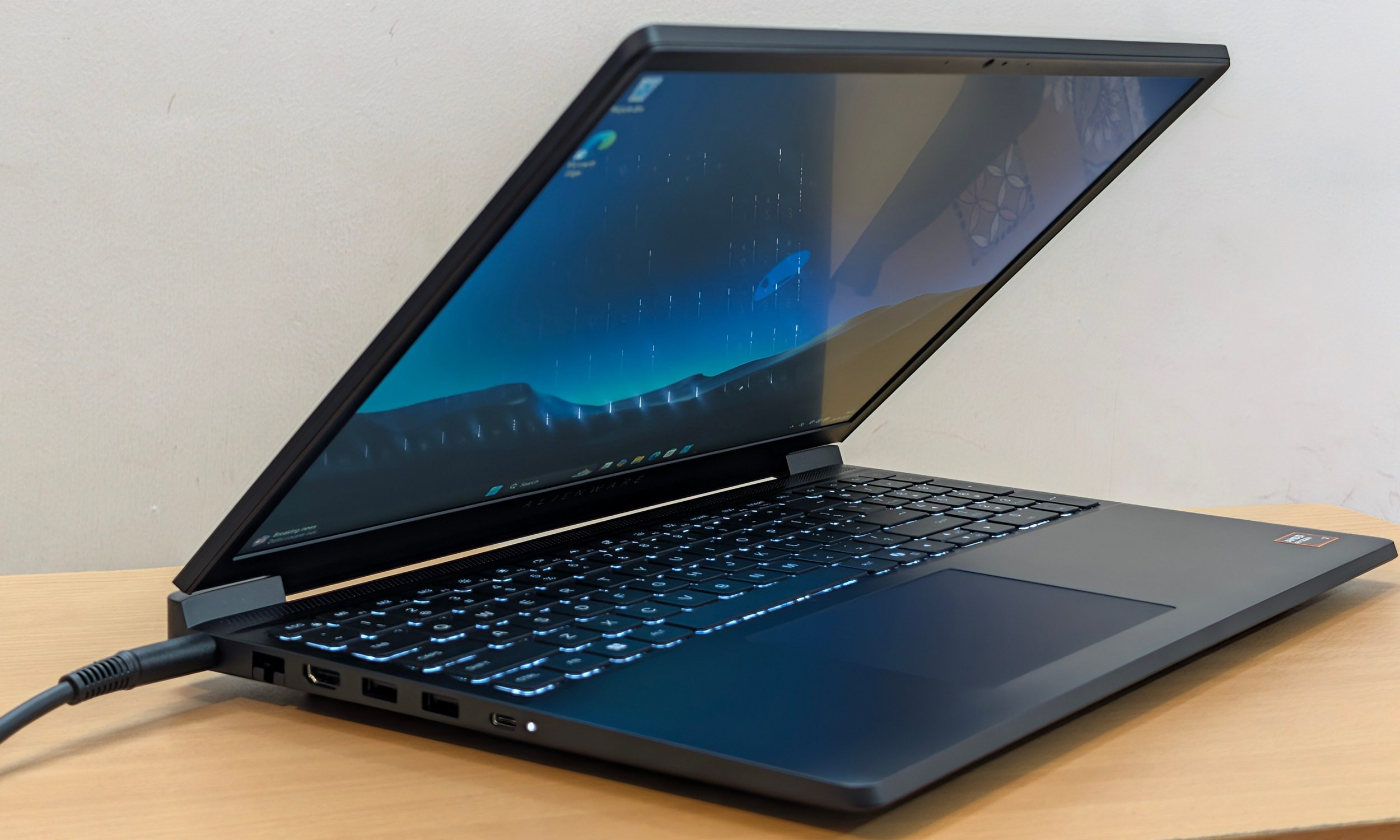
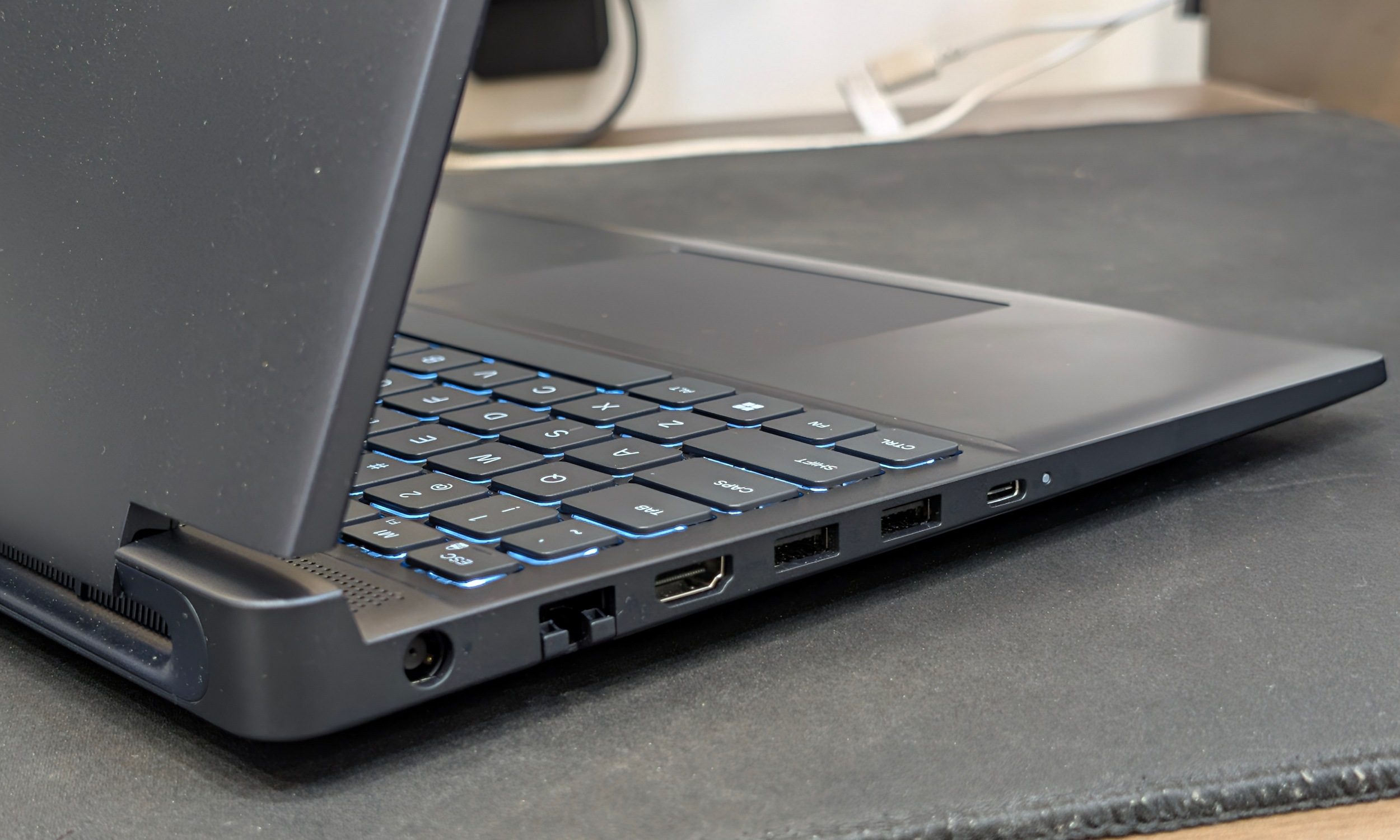
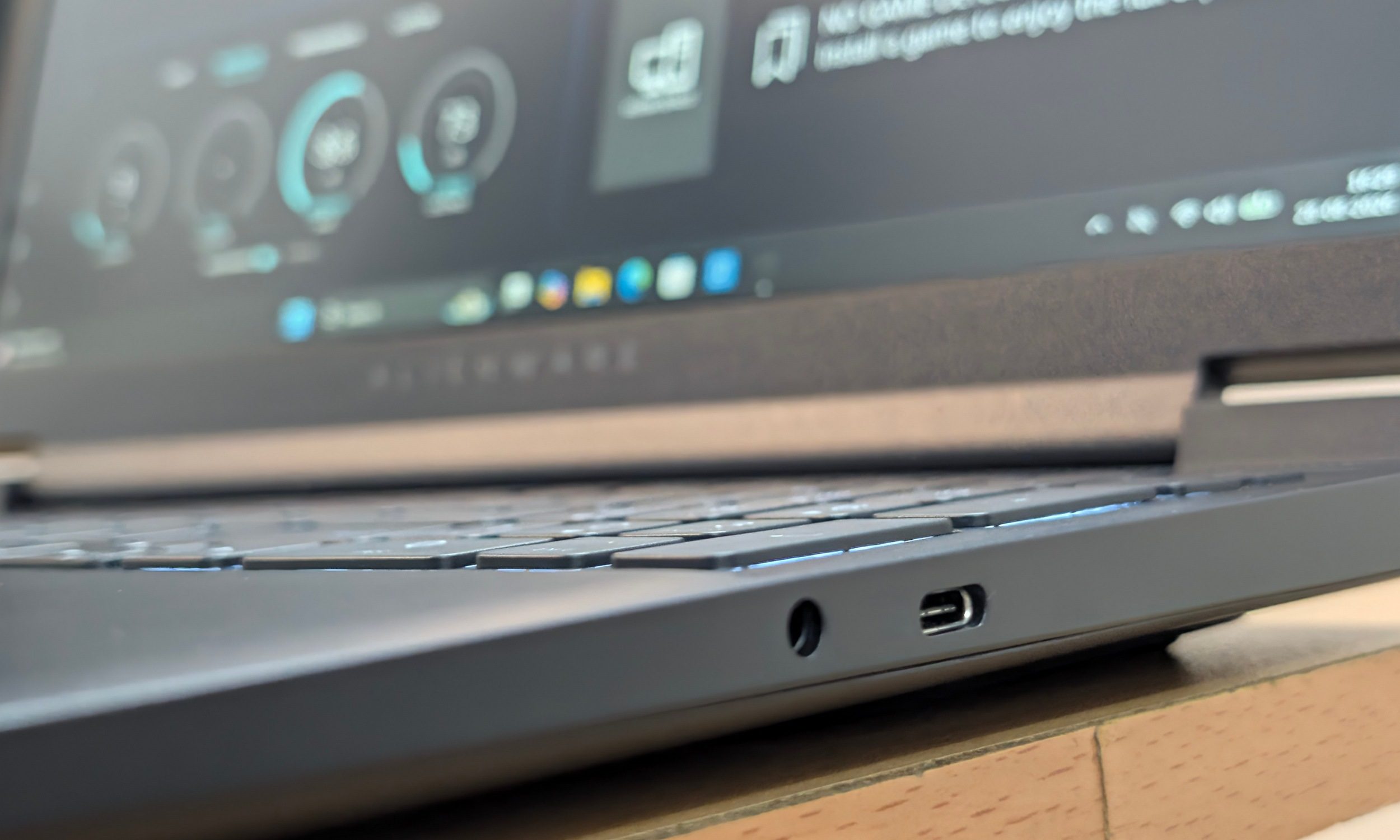
Dell has been rather generous with the port selection. You get two USB-A ports, two USB-C connections, HDMI 2.1 with direct output from the discrete GPU, Gigabit Ethernet, a 3.5mm audio connection, and the proprietary power input. One USB-C connection also supports DisplayPort 1.4a and up to 100W Power Delivery.
 Vikhyaat Vivek / Digital Trends
The Ethernet port deserves credit. Gaming laptops keep losing useful ports in pursuit of thinner designs, and I will happily take wired networking on something that spends most of its life sitting on a desk. Placement could be better. Most connections sit on the left side, with only the audio jack and one USB-C port elsewhere.
Meanwhile, the speakers are easier to criticize. They’re loud enough, but the highs begin tearing at maximum volume, and there is barely any meaningful bass. The bottom-firing arrangement provides acceptable stereo separation until the fans ramp up and start winning the volume contest.
 Vikhyaat Vivek / Digital Trends
The 720p webcam continues the budget theme. Even normal indoor lighting produced visible grain, and low light makes things considerably worse. A headset and external webcam solve both problems. At nearly $1,500, I still wish I didn’t have to say that.
Should you buy the Dell Alienware 15?
If you told me that entry-level laptops were hitting prices this high two years ago, I’d honestly think I got dragged into a terrible alternative reality. A machine with an RTX 5050, 16GB of memory, and 512GB of storage starting at $1,459.99 sounds absolutely ridiculous.
 Vikhyaat Vivek / Digital Trends
Dell clearly prioritized the CPU, RTX 5050, and fast display before working backwards to hit its price. The plastic chassis, mediocre colour coverage, 720p webcam, ordinary speakers, and limited storage reveal where Dell saved money. I’m okay with most of those compromises because this is a gaming laptop. AAA titles like Cyberpunk running at playable frame rates at Ultra settings is what I care about more than whether Spotify produces punchy bass.
There’s also a practical advantage to buying from Dell that doesn’t appear in benchmark charts. I put real value on its service infrastructure and the relative ease of getting support for a machine I expect to keep for several years. This can be the tiebreaker when two similarly specced gaming laptops are separated by a relatively small amount of money.
Score: 8/10
Why not try?
The Alienware 16X Aurora is the obvious step-up if your budget has room to breathe, adding RTX 5070 graphics, a far better 2560 x 1600 240Hz display, and a noticeably more premium overall experience. The Acer Nitro V 16 AI is the stronger value play if raw performance per dollar matters most; current configurations pair the same GPU class with a 180Hz 1200p display and often sell considerably below the Alienware, although its display, speakers, webcam, and plastic construction make similarly obvious compromises. Acer Nitro V 14 AI is another strong competitor that basically matches the Dell Alienware 15 in terms of performance. It also arrives in more vibrant color and offers better battery life overall. Nadeem Sarwar / Digital Trends
How we tested
I used the Dell Alienware 15 DA15265 for just under a month, primarily as a gaming and test machine with some writing, browsing, Discord, Spotify, YouTube, and everyday Windows work mixed in.
My review configuration used the AMD Ryzen 7 260, Nvidia GeForce RTX 5050 with 8GB GDDR7, a single 16GB DDR5-5600 module, and the stock 512GB PCIe 4.0 SSD. Gaming and performance tests were performed while connected to the included 180W adapter.
CPU testing included Geekbench 6 and Cinebench 2024. GPU testing included 3DMark Time Spy, Time Spy Extreme, Fire Strike, Fire Strike Extreme, Fire Strike Ultra, and Night Raid, while storage performance was measured with CrystalDiskMark.
For gaming, I tested Cyberpunk 2077, Forza Horizon 5, Black Myth: Wukong, and Assassin’s Creed Shadows at the native 1920 x 1200 resolution using Ultra presets. DLSS and frame generation were disabled so I could get a clearer picture of the RTX 5050’s native performance. Thermal observations were made across ordinary productivity, benchmarking, and extended gaming sessions.