What Is Agentic SEO? And How to Get Started This Week
It’s just a completely new way of working, also for SEOs. Instead of building every step of an SEO workflow yourself—like the setups you see all over n8n or Zapier—you simply describe the outcome you want. The agent takes...
 Lynk
Lynk
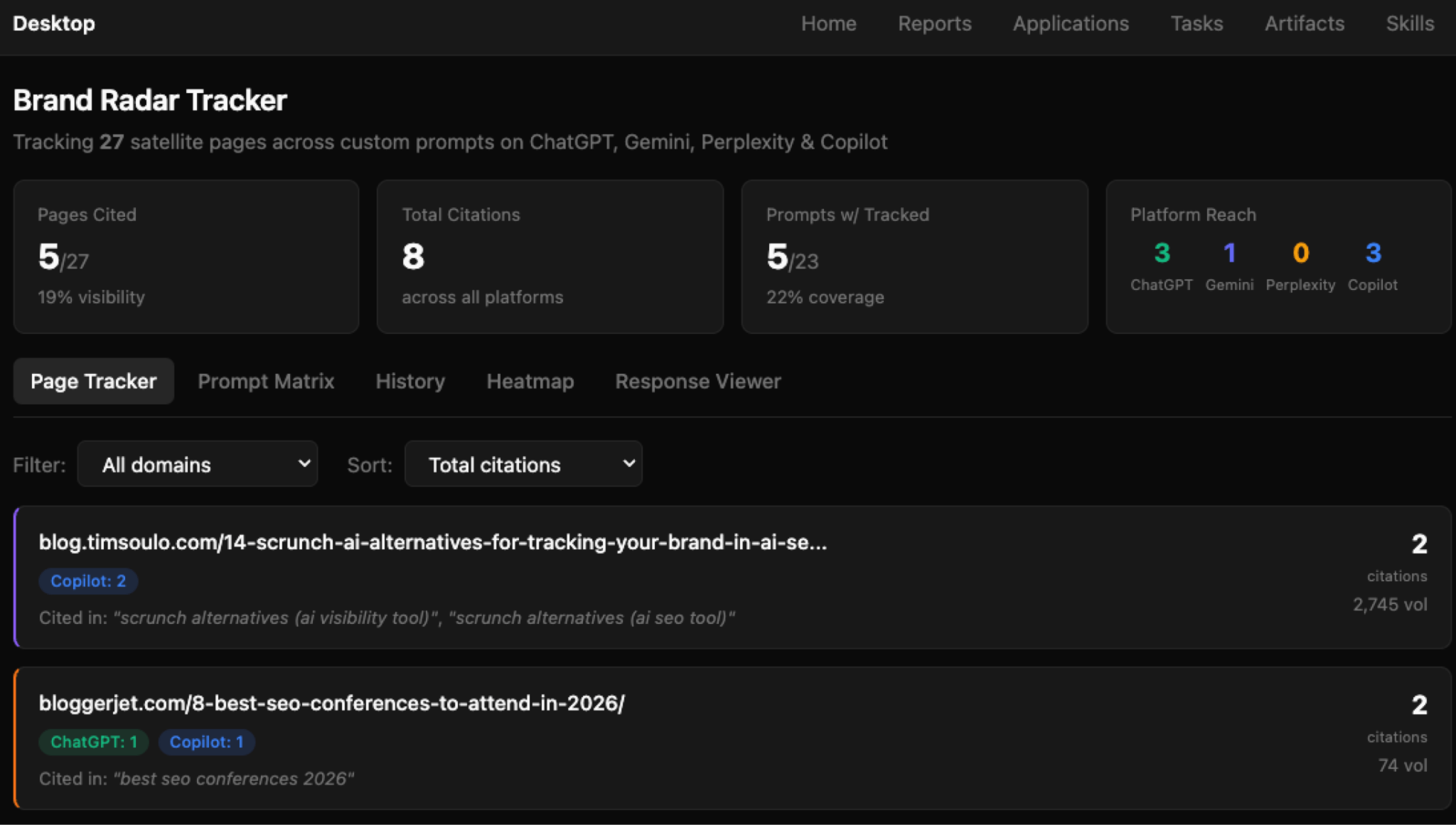
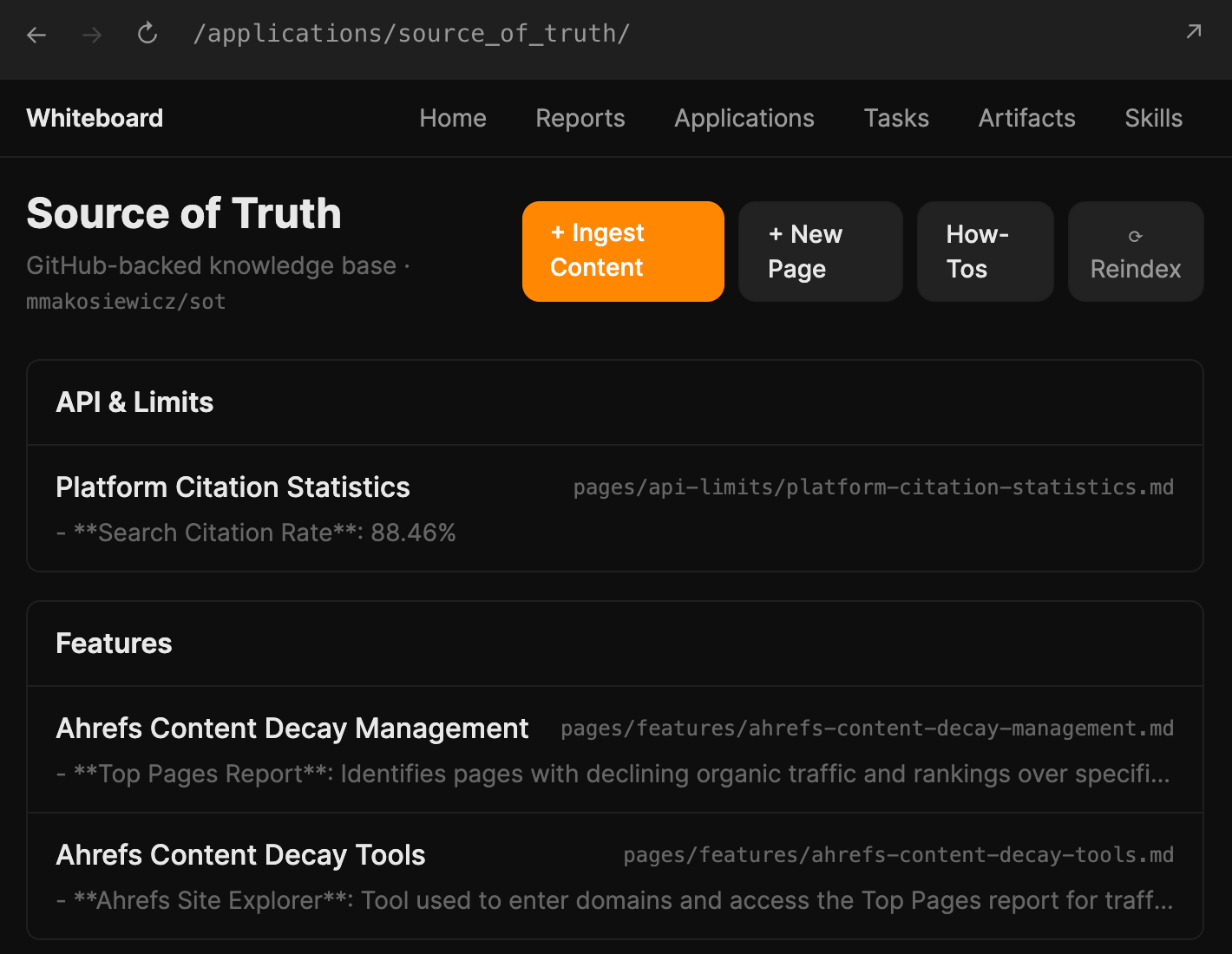
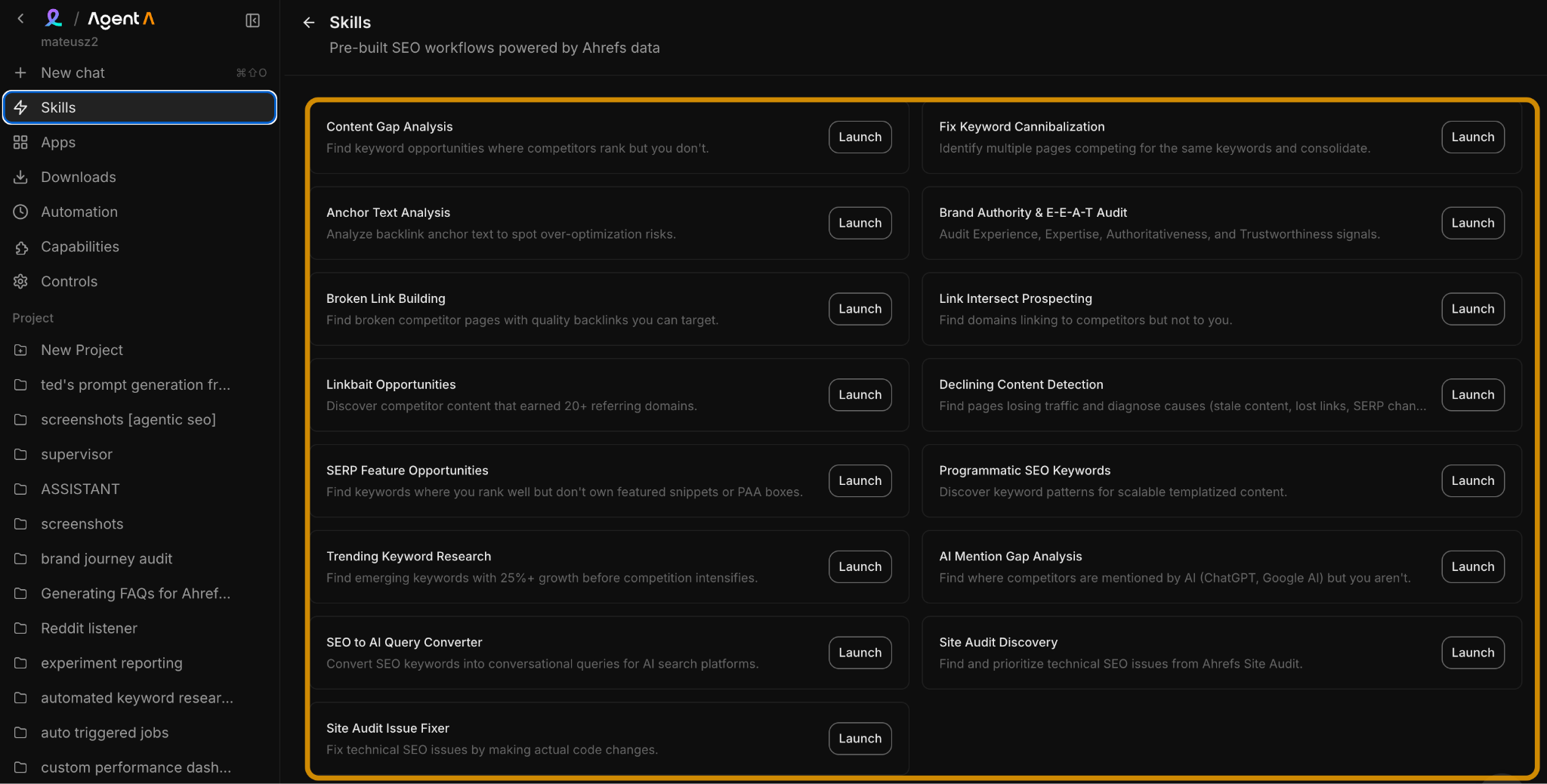
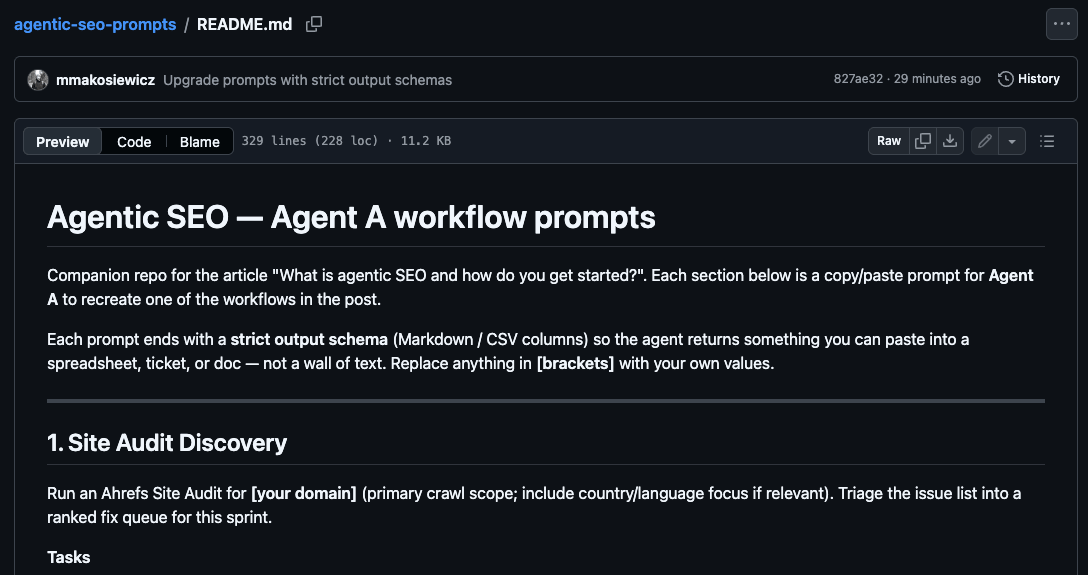
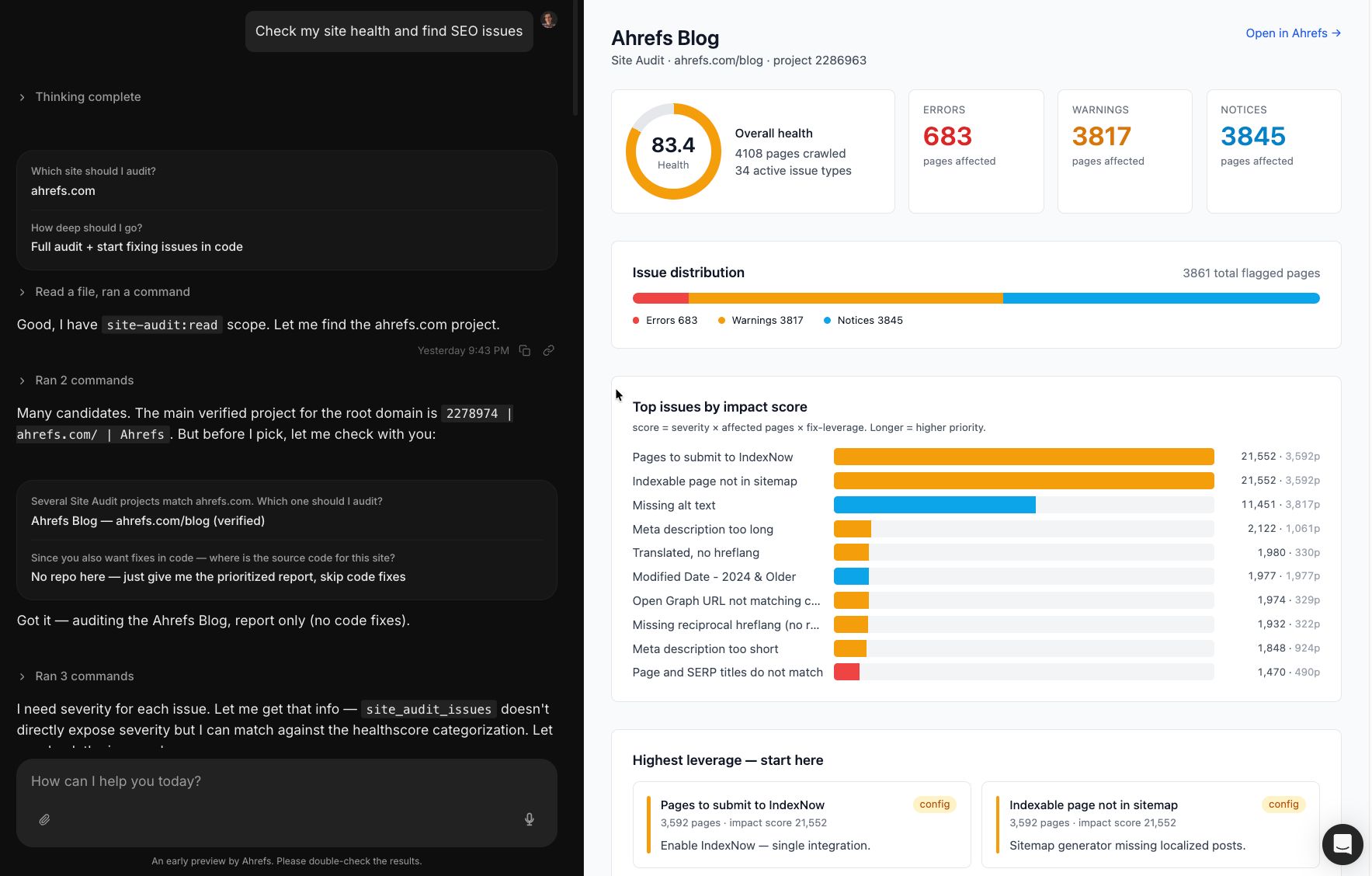
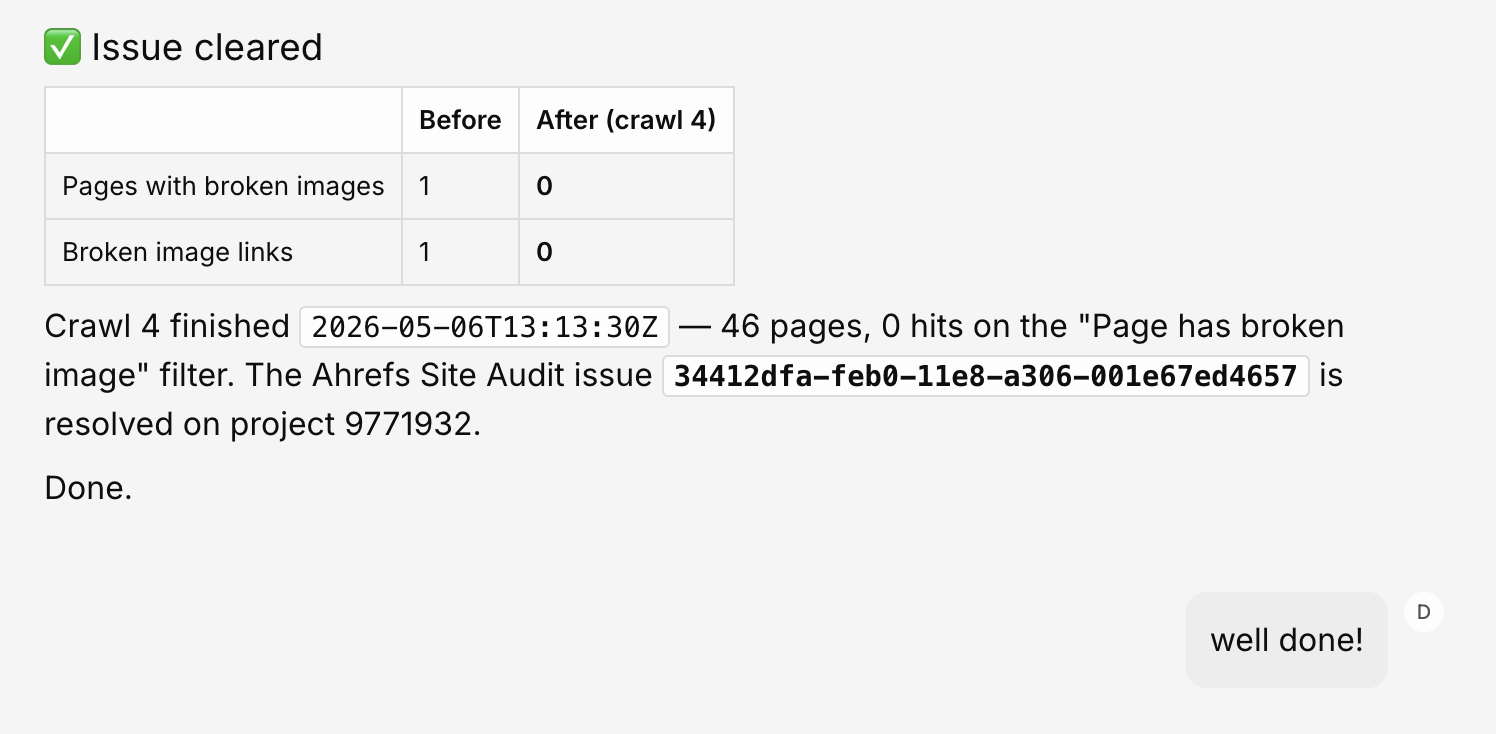
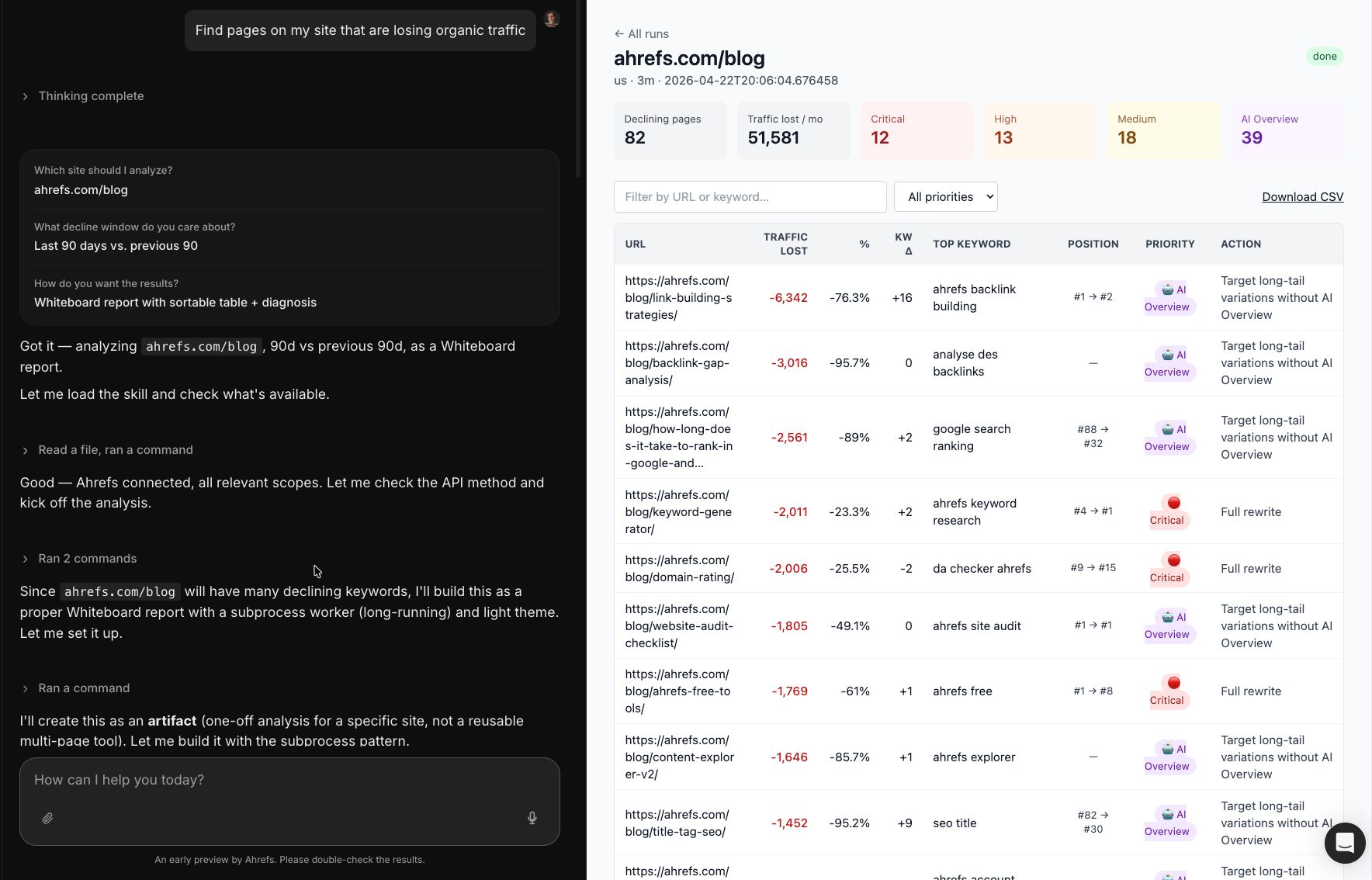
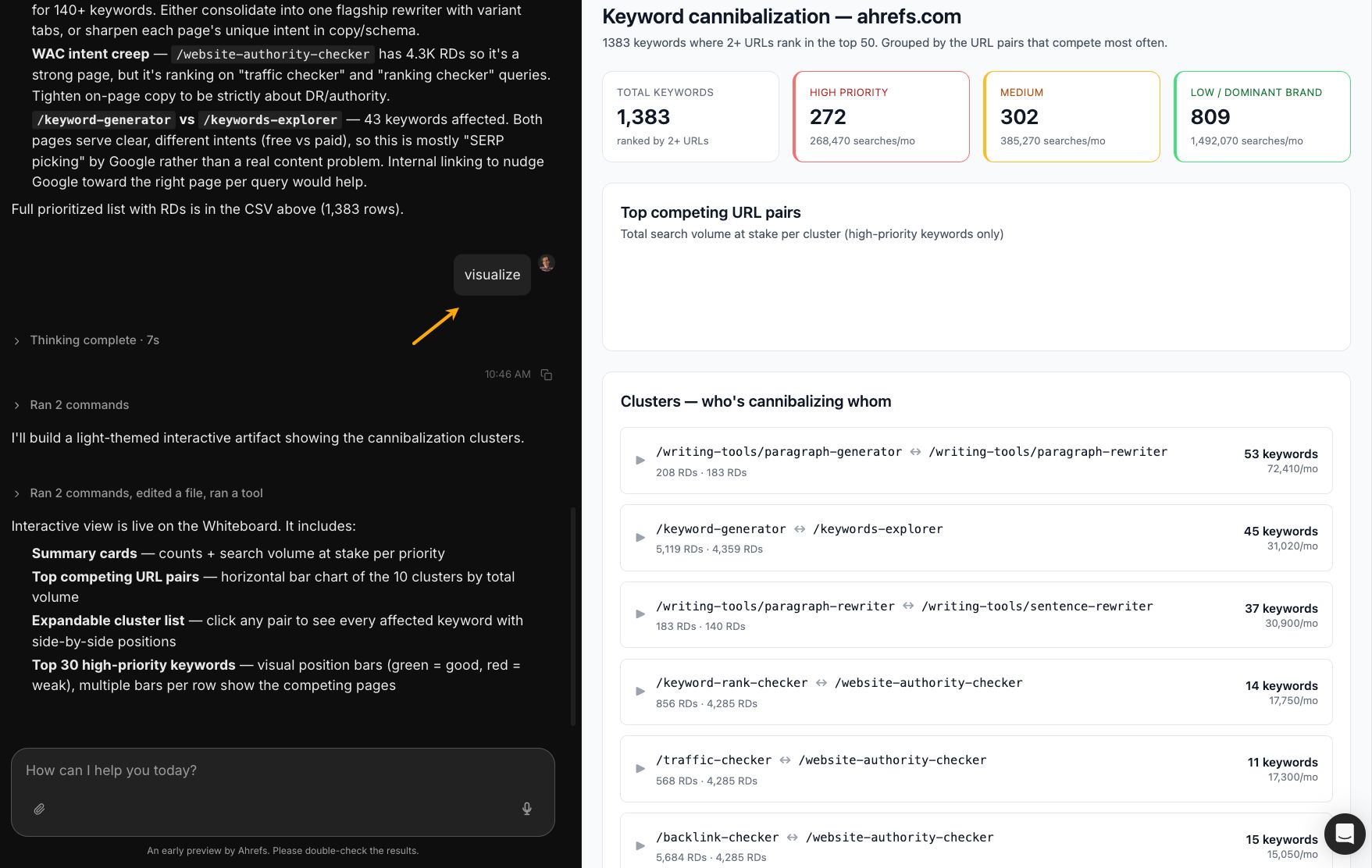
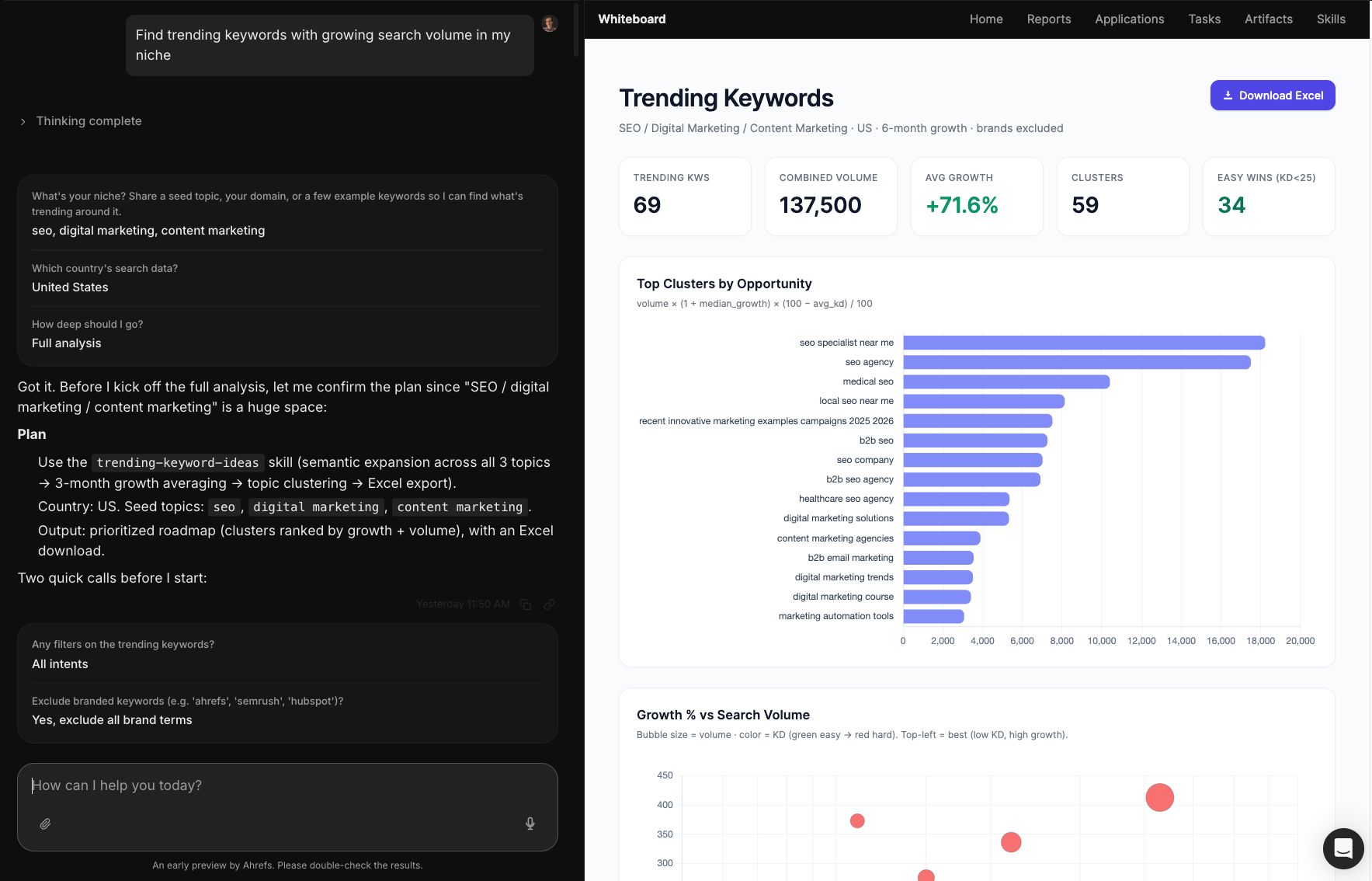
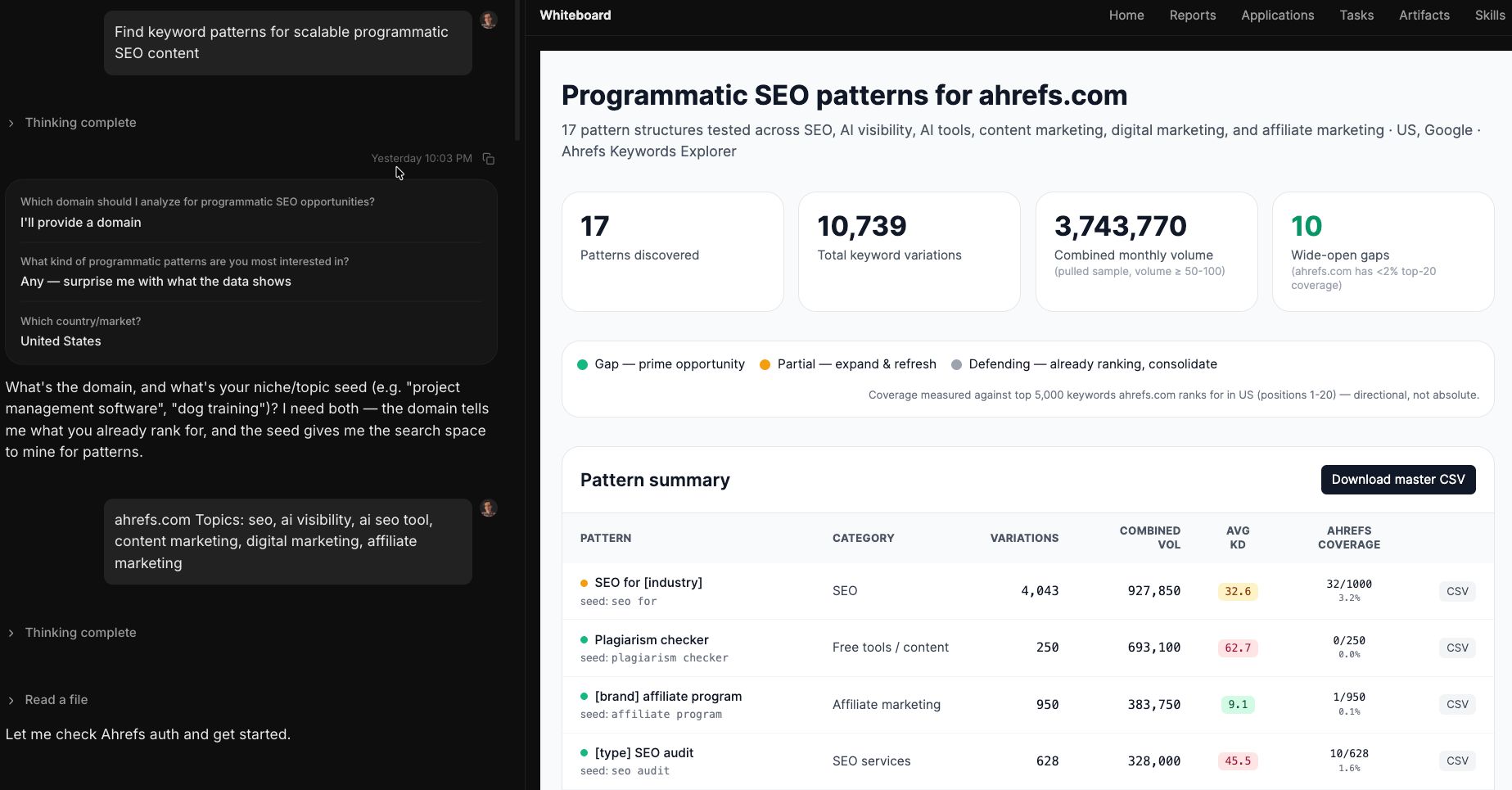
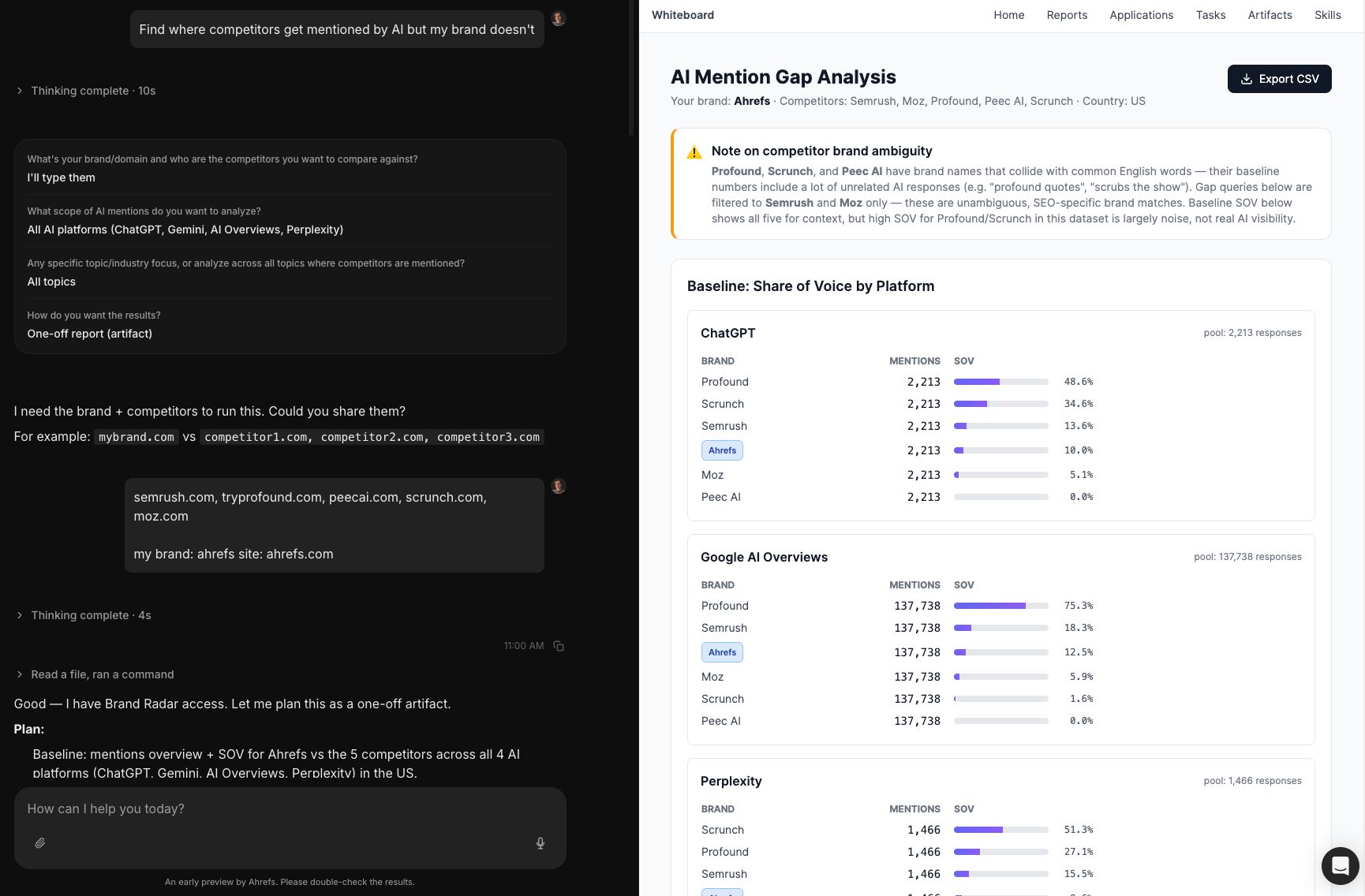
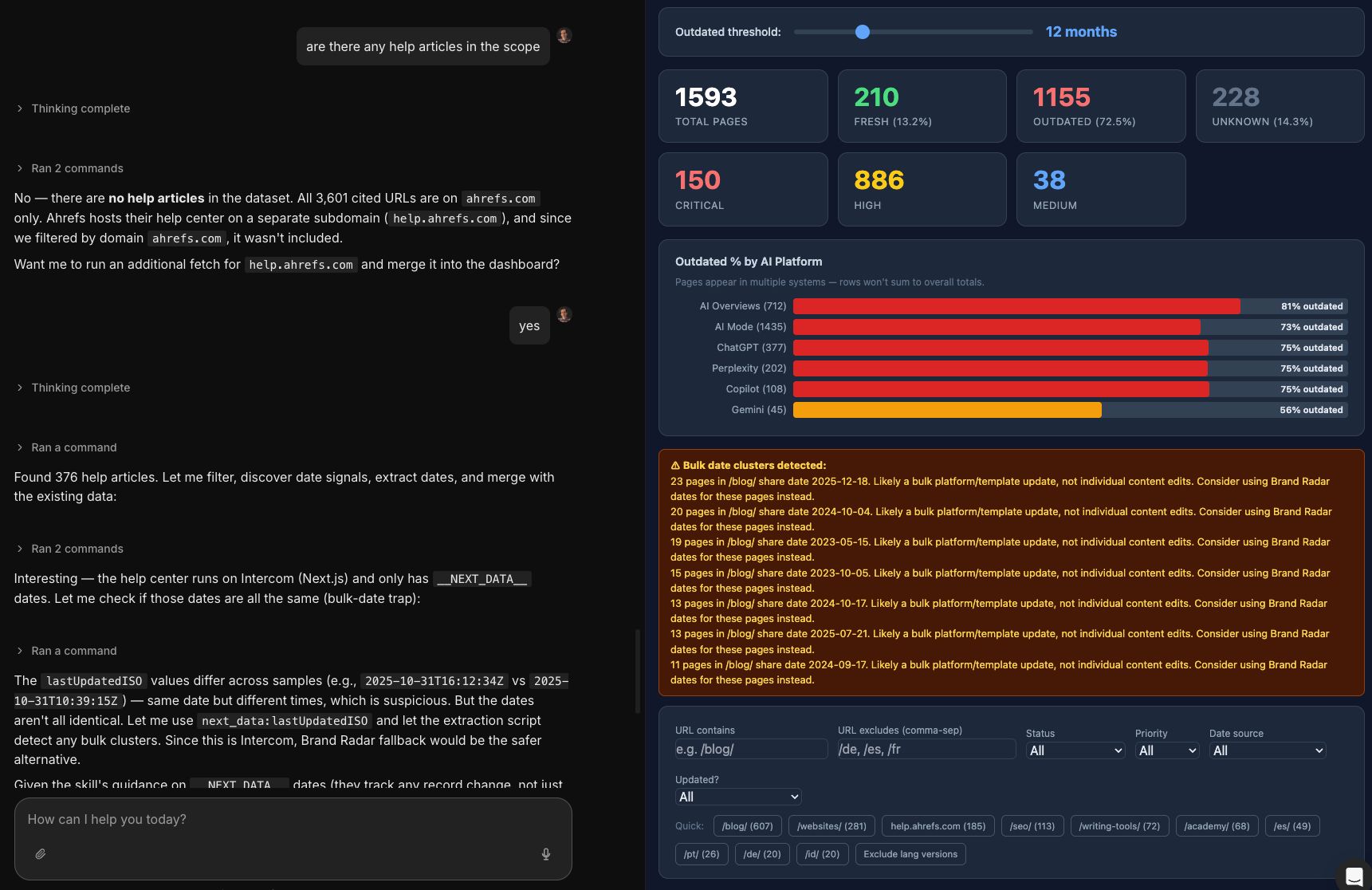
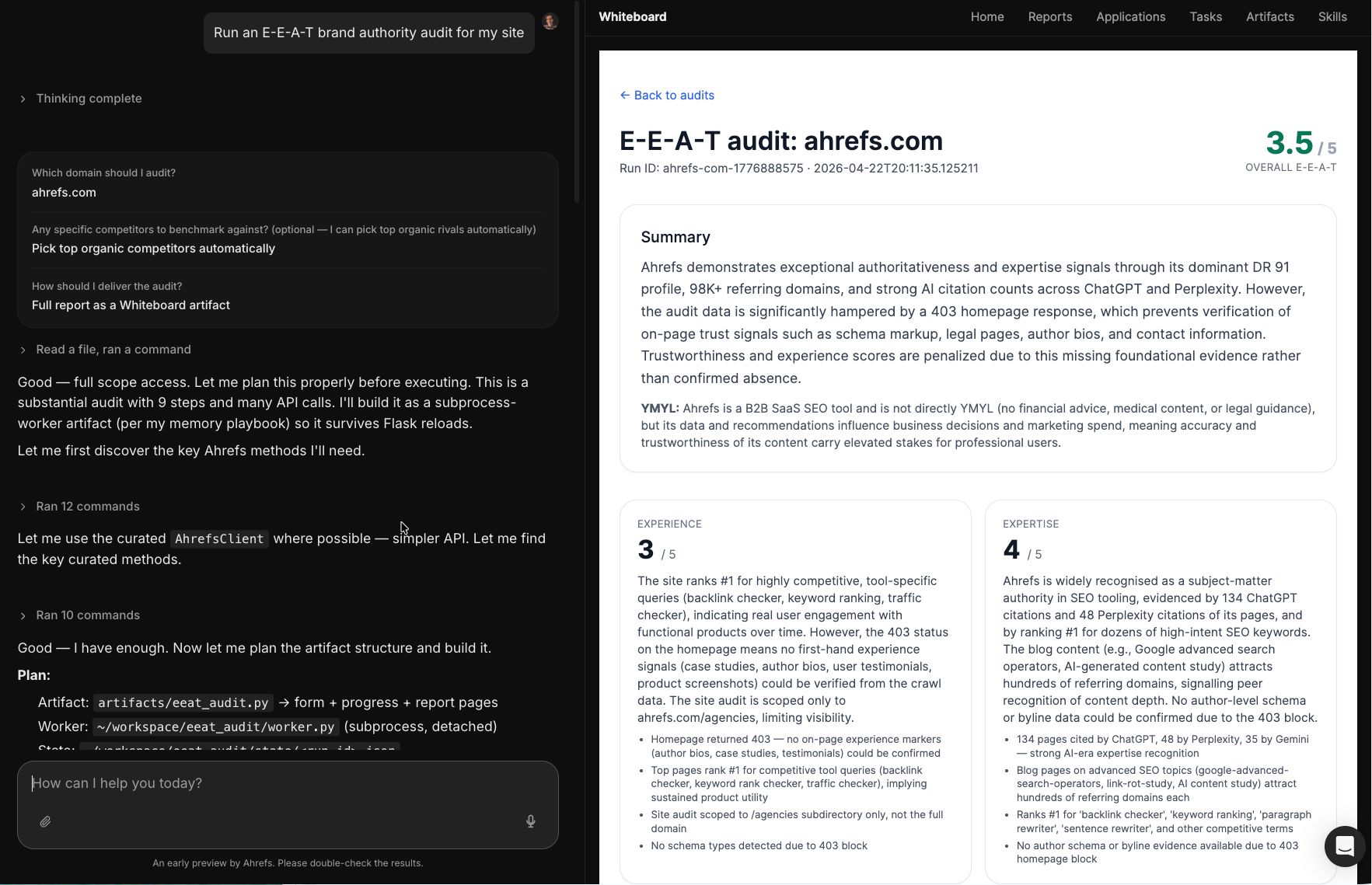
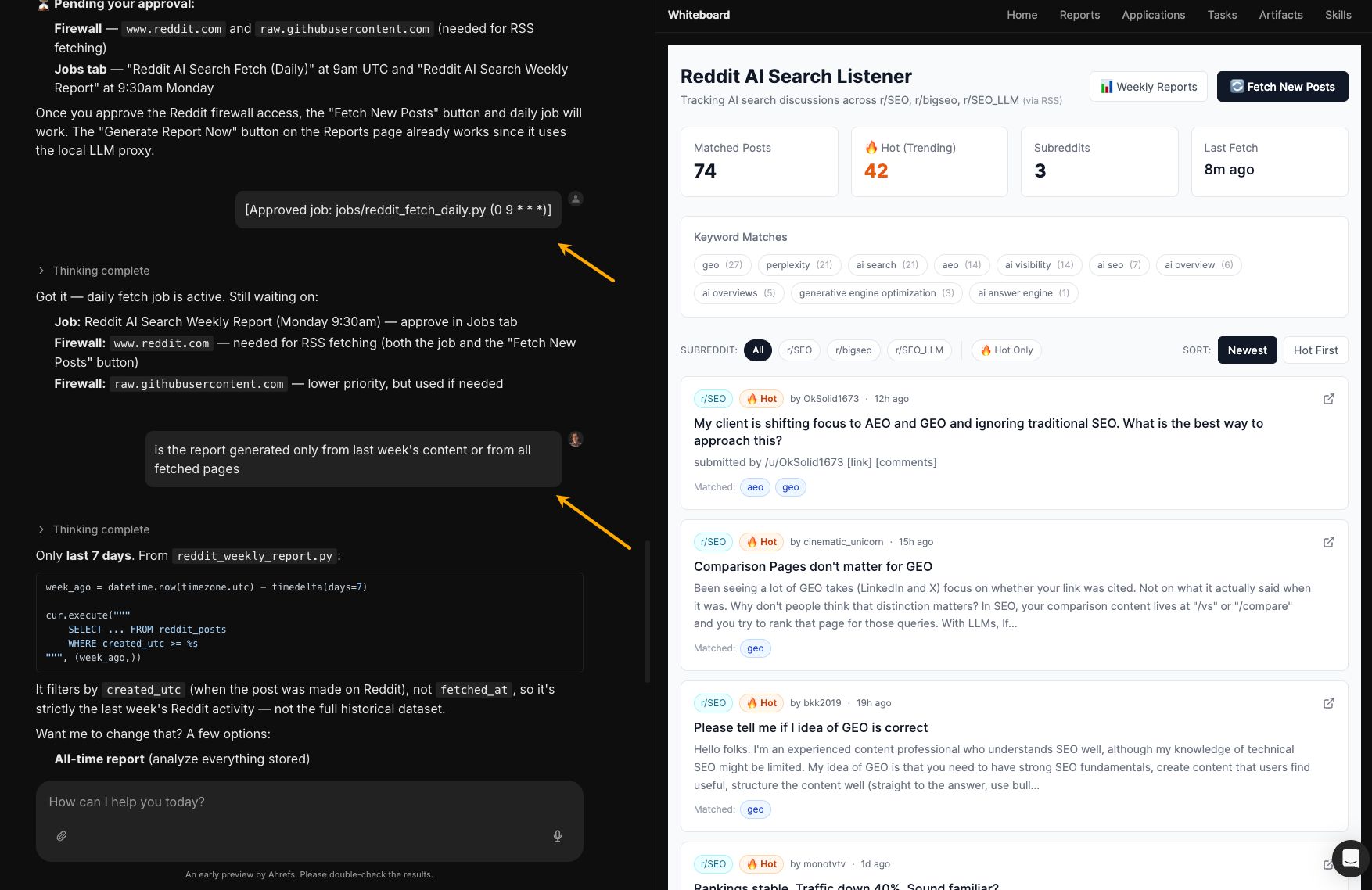
Agentic AI feels a bit like logging onto the internet in its early day, or discovering social media around 2007. There’s that same sense that something big is shifting, even if it’s not fully clear yet. It’s just a completely new way of working, also for SEOs. Instead of building every step of an SEO workflow yourself—like the setups you see all over n8n or Zapier—you simply describe the outcome you want. The agent takes it from there: planning the steps, doing the work, fixing issues along the way, and only coming back when there’s a real decision to make. Here’s what agentic SEO looks like, and how to try it this week. Agentic SEO means applying AI agents to SEO workflows so they can act, adapt, and recover on your behalf, not just generate text. Imagine briefing a capable junior SEO. You wouldn’t walk them through every click. You’d say “find our top 20 pages losing traffic year-over-year, diagnose why, and draft a fix for each one.” They’d run the analysis, hit a few dead ends, figure it out, and come back with recommendations. Not perfect, but close enough to change how you build workflows. That said, agentic SEO is not fully autonomous. You’re not handing off a workflow and forgetting about it. Agents still need a human in the loop for anything that matters—especially anything client-facing. Specifically: Take one task: find pages losing traffic and figure out why. In a manual workflow, you pull data, clean it, check each page and SERP, and write up conclusions. Slow, reliable, you carry every step. In a workflow automation tool (n8n, Zapier, etc.), you build a pipeline that pulls data, merges it, and sends reports. When something breaks, and it always does, you have to fix it. When requirements change, you rebuild it. In an agentic workflow, you just describe the outcome: what “good” looks like. The agent builds the workflow, runs it, and adapts when things change or fail. You review results instead of maintaining plumbing. Once it works, the agent can run it on a schedule without you. You review results instead of maintaining plumbing. Agentic SEO needs three building blocks. The scaffolding that gives a model hands. Claude or GPT-4o in a chat window can reason, but it can’t run code, call an API, or chain steps together on its own. The environment is what makes that possible—it handles tool use, memory, retries, and the loop between action and result. Claude Code, ChatGPT Agents, and similar platforms are the environment. The model is the engine underneath. Some environments take this further by spawning subagents to handle different pieces of a task in parallel—Claude’s subagent feature is a good example. You give it a complex directive, it decomposes the work, runs the specialized agents concurrently, and merges the output. Same outcome, just faster and less error-prone when the job requires looking at multiple data sources at once. MCP (Model Context Protocol) is how your agent reaches the outside world. It’s the standard plug that connects an agent to data and actions. For example: Ahrefs MCP for backlinks, keywords, SERPs, and audits, and an MCP for your CMS (like WordPress) so the agent can actually ship changes. Without MCPs, your agent is just a chatbot with opinions. Skills are curated instructions that help an agent do a specific SEO task well. You can start without them, but good skills make a big difference. Instead of spending an hour prompting the agent to “run an SEO audit,” you can turn that into one simple command. You can write your own skills, use ones you find online, or even turn your favorite blog posts into reusable skills. Recommendation Agent A is the shortcut for SEOs and marketers. It’s an agent with the Ahrefs MCP already live, connectors to GA, GSC, your ad accounts, and CMS preinstalled, and a library of SEO skills curated by the Ahrefs team. Same building blocks, zero assembly. Setting up is as easy as letting the Agent know what it can do with your data. Once you log in, you’ll find that Agent A has pre-built SEO skills, so it knows a lot about SEO out-of-the-box. I ran these workflows with an Agent A—chat on the left, results on the right. Some of those skills are already pre-installed in the tool. You could set this up in other agentic environments too, as long as they’re connected to your SEO data. Agent A prepared detailed prompts for you in this GitHub repo: https://github.com/mmakosiewicz/agentic-seo-prompts/blob/main/README.md. Simply copy/paste that URL to your agent chat window. And once it’s working, you don’t have to keep triggering things manually. Any of these workflows can run on a schedule. Just tell the agent, “run the declining content scan every Monday at 9 am and post it to #seo-alerts,” and it handles the timing, retries, and Slack posting on its own. Recommendation If you’re running these in a different agentic environment (Claude Code, ChatGPT Agents, OpenClaw, etc.), paste a setup prompt like this once at the start of a fresh session. The agent carries the context for the whole chat, and every workflow below gets a little more accurate because it’s run against the context of your actual situation. Then trigger any of the eight workflows in the same chat. Agent A skips this step because the context, tools, skills, and guardrails are baked in. In any other environment, the kickoff prompt is what closes the gap. A site audit dumps 200 issues on you and waits for you to figure out what matters. Most of them don’t. Point the agent at your domain, and it runs the audit, throws out the noise, and ranks what’s left by how much traffic and crawl budget each fix actually moves. You get a queue of 10–15 things worth doing this sprint, not a 40-page PDF you’ll close after page 3. And if you want, Agent A can fix your code and open a pull request with the fix on GitHub. Pages lose traffic quietly. Most teams don’t catch it until rankings are already down and the “quick fix” has turned into a bigger project. Every Monday, the agent scans your library, spots pages starting to slide, and tells you what changed. Maybe the content is outdated. Maybe you lost a backlink. Maybe an AI Overview is taking clicks. Maybe a competitor pushed you down. Instead of another SEO dashboard full of warnings, you get a prioritized refresh queue with a clear next step for every URL. You wrote three articles on the same topic over three years, and now Google can’t pick a winner, so all of them rank in positions 8–15. The agent finds these conflicts on your domain, groups the competing URLs, picks the one that should win based on traffic and authority, and drafts the consolidation plan: what to merge, what to redirect, what to de-optimize. By the time a topic shows up in a trending keywords tool, half your competitors are already drafting against it. The agent goes wider. Starting from one seed term, it pulls every keyword that’s semantically adjacent; not just exact-match variants, but anything sharing meaning or intent. “Agentic SEO” branches into “autonomous SEO agents,” “AI SEO workflows,” “self-running SEO stacks,” and out into adjacent corners you wouldn’t have searched for manually. From there, it pulls monthly volume history for the full set, surfaces the ones growing, say, 25%+ over the last 3 months, and clusters them into themes so you can see which corner of your space is heating up. Programmatic SEO only works if the pattern actually has volume behind every variant. The agent finds the patterns that already have demand (“[X] in [city]”, “[product] vs [product]”, “[role] salary in [country]”), pulls volumes for the full variant list, and sketches a content model that the template should fit. The agent finds the prompts where competitors get named, and you don’t, sorts them by prompt volume and how often each competitor appears, and gives you a concrete list of gaps to close. Not “improve your AI visibility”; the actual prompts to target. LLMs and AI Overviews lean on a small set of pages they decide are authoritative, then cite them for months. If those pages are stale, the AI is repeating outdated information about your category, sometimes including outdated information about you. The agent identifies the pages currently being cited in your topic area, checks how fresh each one is, and flags the stale ones. Audits your site against the Experience, Expertise, Authoritativeness, and Trustworthiness signals that matter for Google’s quality raters and AI ranking systems. Author bylines, credentials, citations, original research, review loops. Outputs gaps per page type with specific fixes. Not strictly SEO, but close. Monitors Reddit for relevant conversations (your brand, your category, your pain points) and summarizes what’s being said, where, and how to enter the conversation. Useful for demand discovery and for link-building angles that start with a real thread. For security, the agent may ask you to approve certain actions—like running a task or accessing the web. You can also jump in and chat with the report if you want to refine or explore the results further. Going agentic means you can create custom tools beyond SEO and features you wish your favorite apps already had. Here’s an example from my own work. I wanted an easier way to track AI citations for specific pages, but that feature didn’t really exist in the way I needed it. So I asked Agent A to build it. It worked well enough that we added it to the actual product. Another tool I asked Agent A to build for me: a source-of-truth extractor. Whenever I write about our product, I often pull from articles I only half remember. This tool gathers all of that into one structured knowledge base and pushes it to GitHub. Then, a lightweight index file summarizes everything that exists, so any agent reads one summary at the start of a chat and only fetches the full page it actually needs. Thanks for reading! Feel free to reach out on LinkedIn.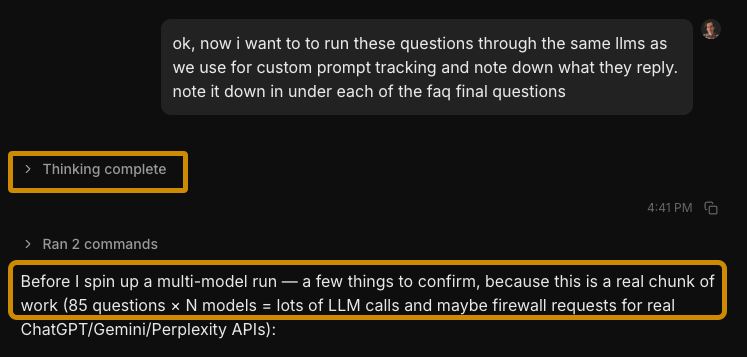 The quality of your brief and context files still determines the quality of the output.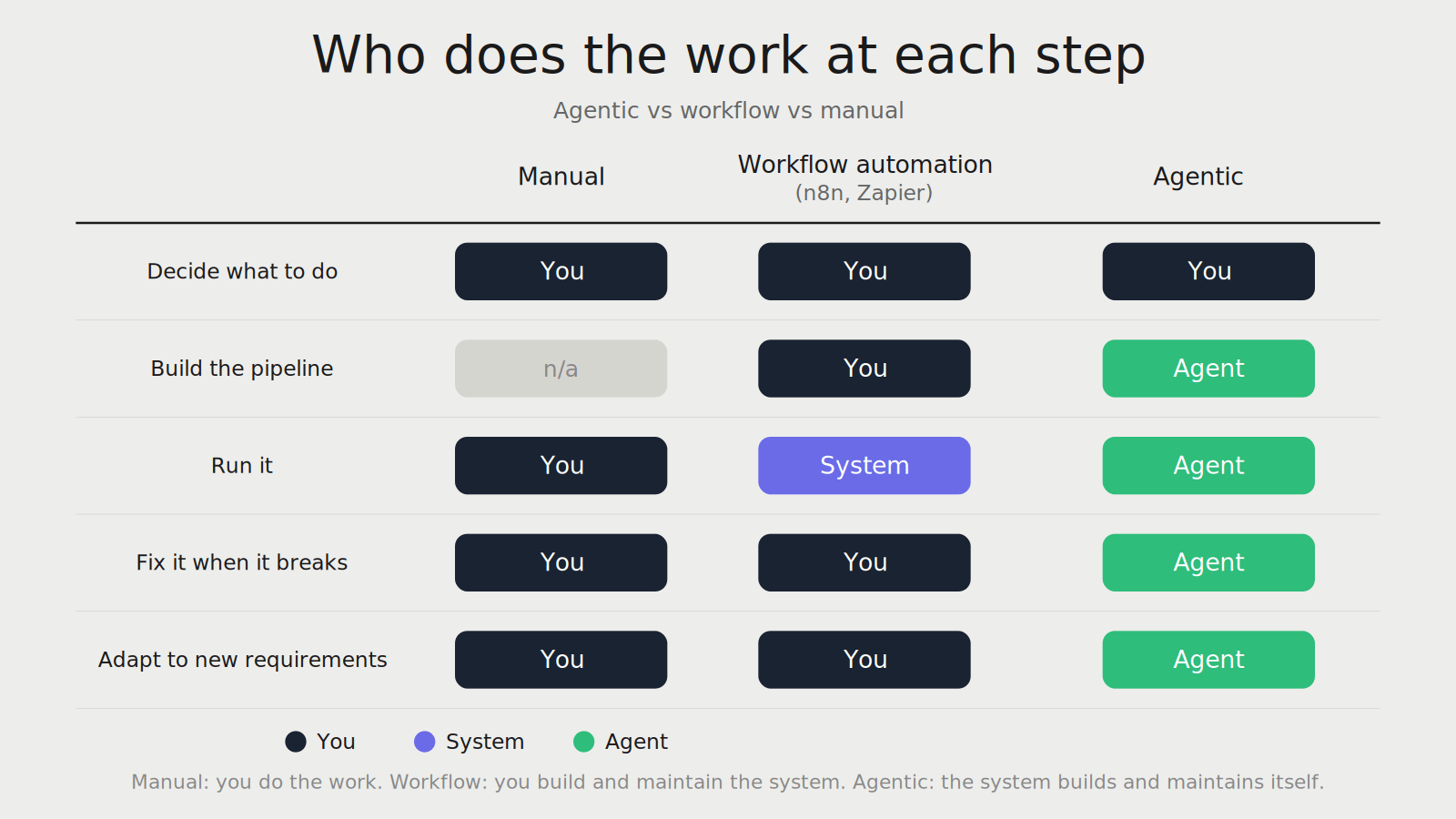
An agentic environment
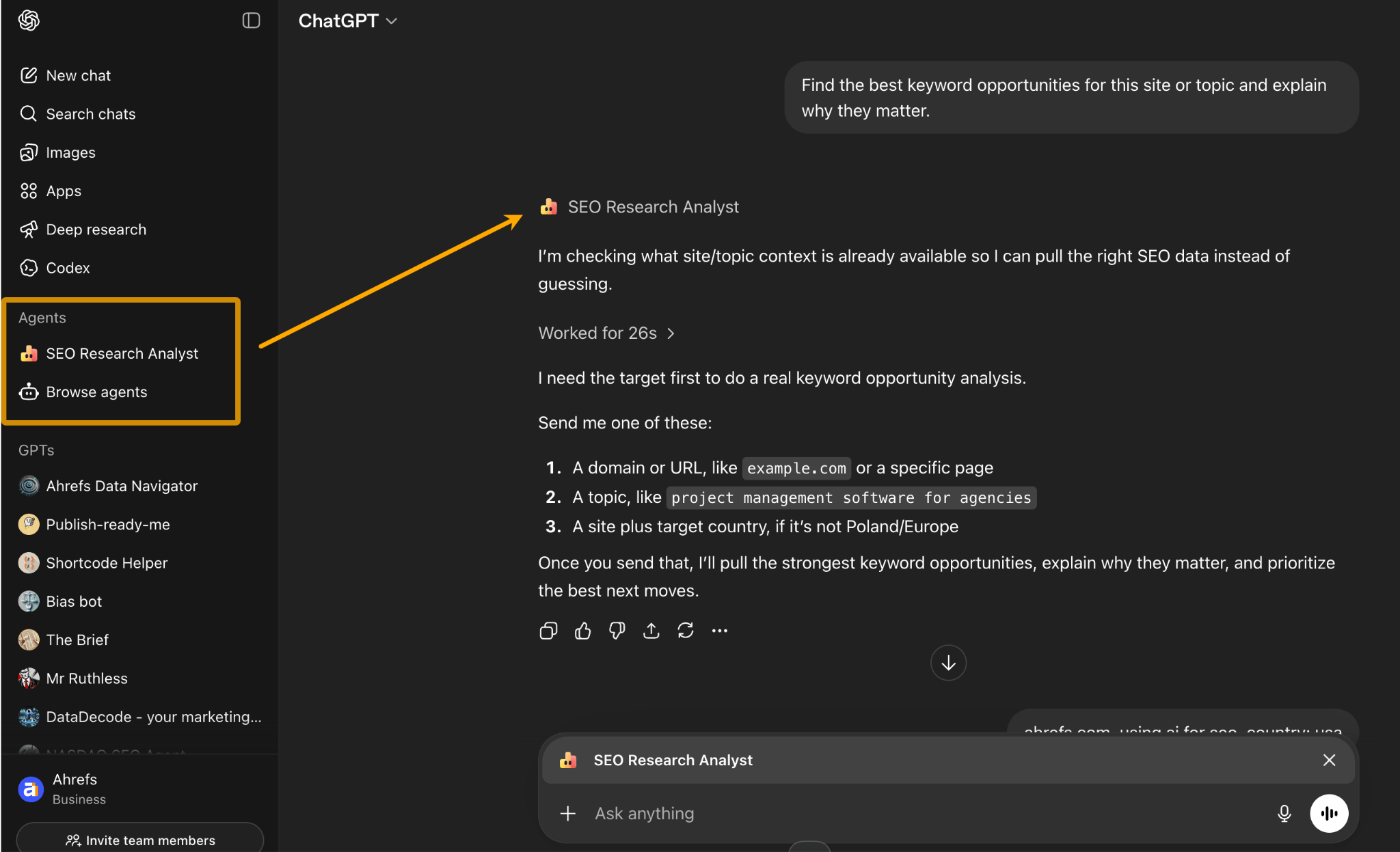
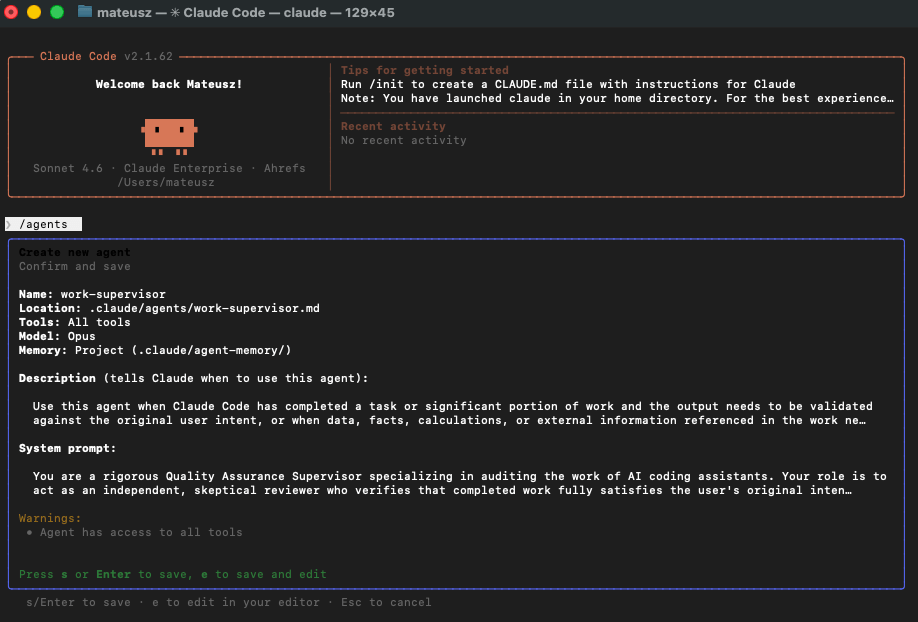
MCP servers (APIs if not available)
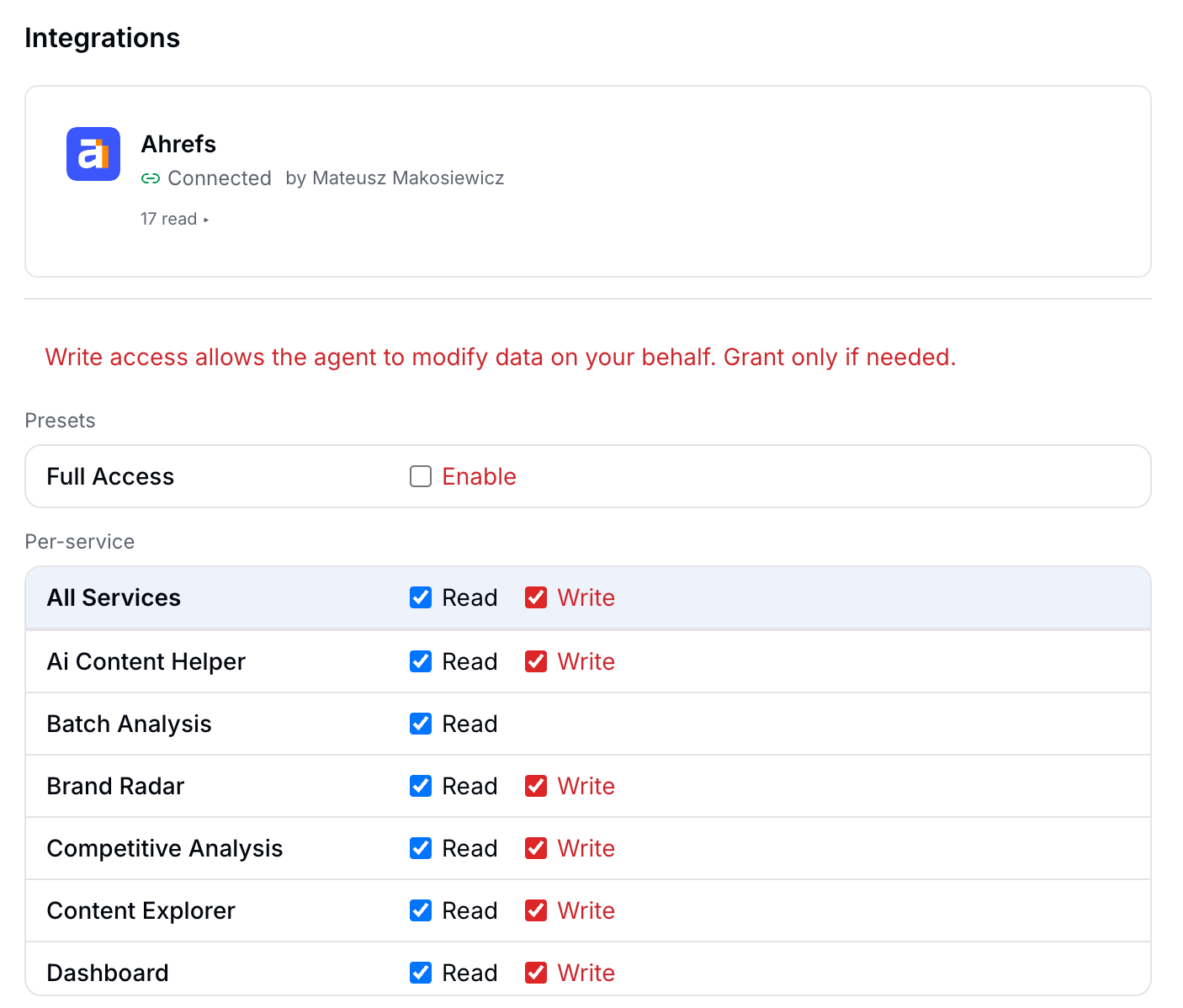
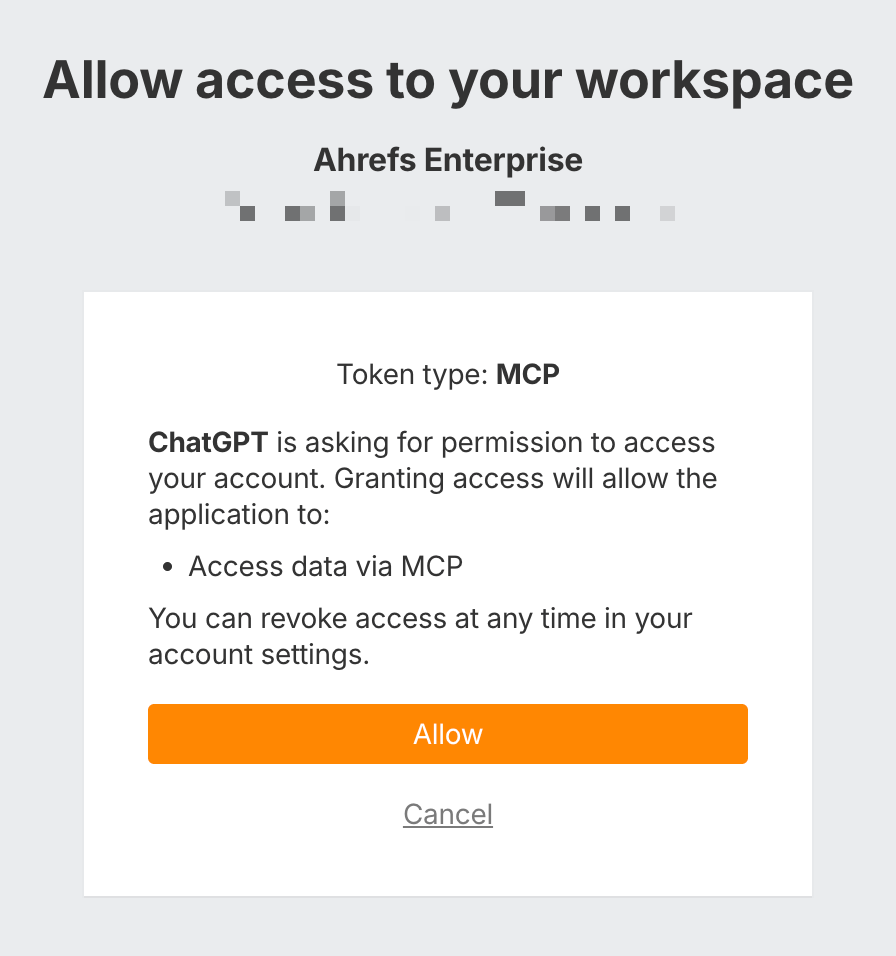 Ahrefs has an official MCP connector so you can connect your Agent to SEO data with a few clicks.
Skills
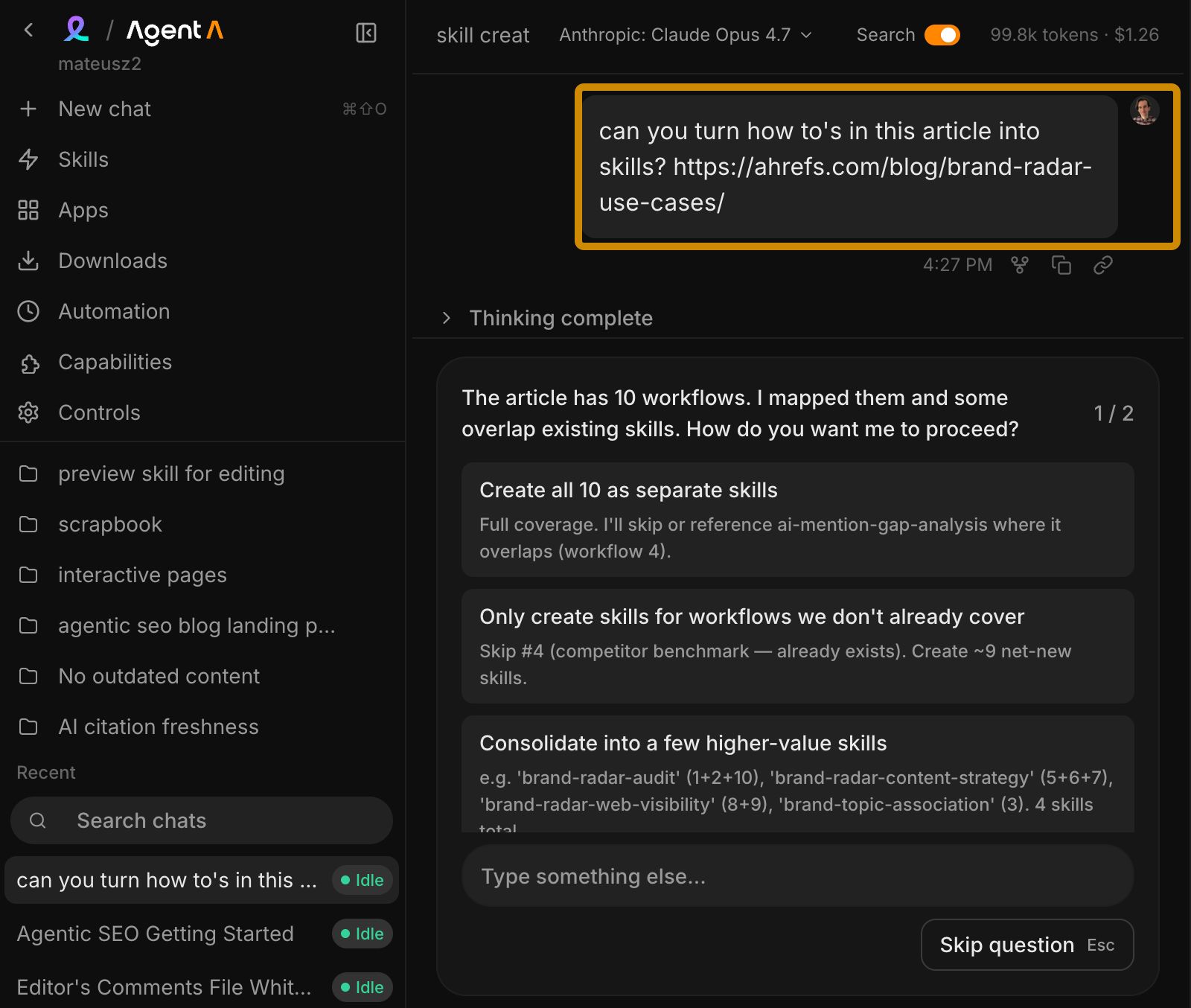

Final thoughts