
I found a better way to dictate on my Mac, and it doesn’t need the cloud
This free, local AI dictation app pastes your words straight into any app, no subscription, no cloud required, and it's shockingly accurate. Here's why I can't stop using it.
 JimMin
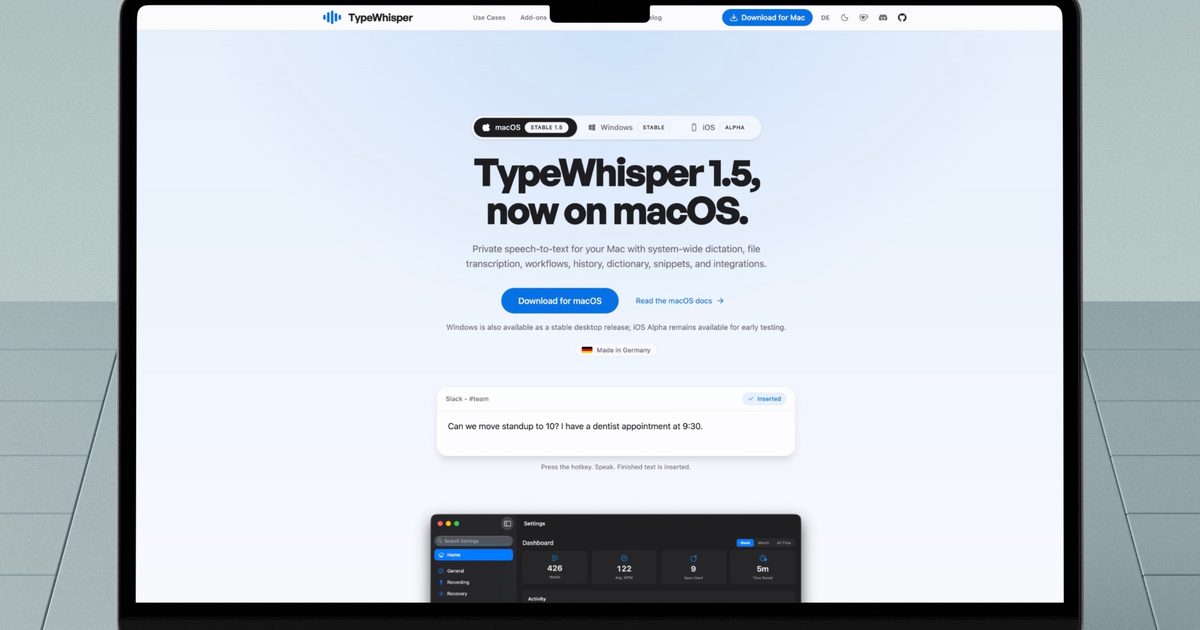
Apple has improved its dictation feature a lot on the Mac, but it’s still nowhere near as good as some of the AI-powered dictation apps that have taken the App Store by storm.
My only issue with these apps is that most of the good ones are subscription-based, and I don’t want to add yet another subscription to my already long list. That’s why I was happily surprised when I discovered TypeWhisper.
It uses local AI models to transcribe text and is one of the best dictation apps I have tried. It has become my go-to app for jabbering and jotting down my thoughts that I can refine and process later. So, let’s talk about it.
An introduction to TypeWhisper
At its core, TypeWhisper turns speech into text using AI models that run locally on Mac. The App Store is packed with apps that do something similar, but most of them lock the good stuff behind a subscription and ship your voice off to the cloud for processing.
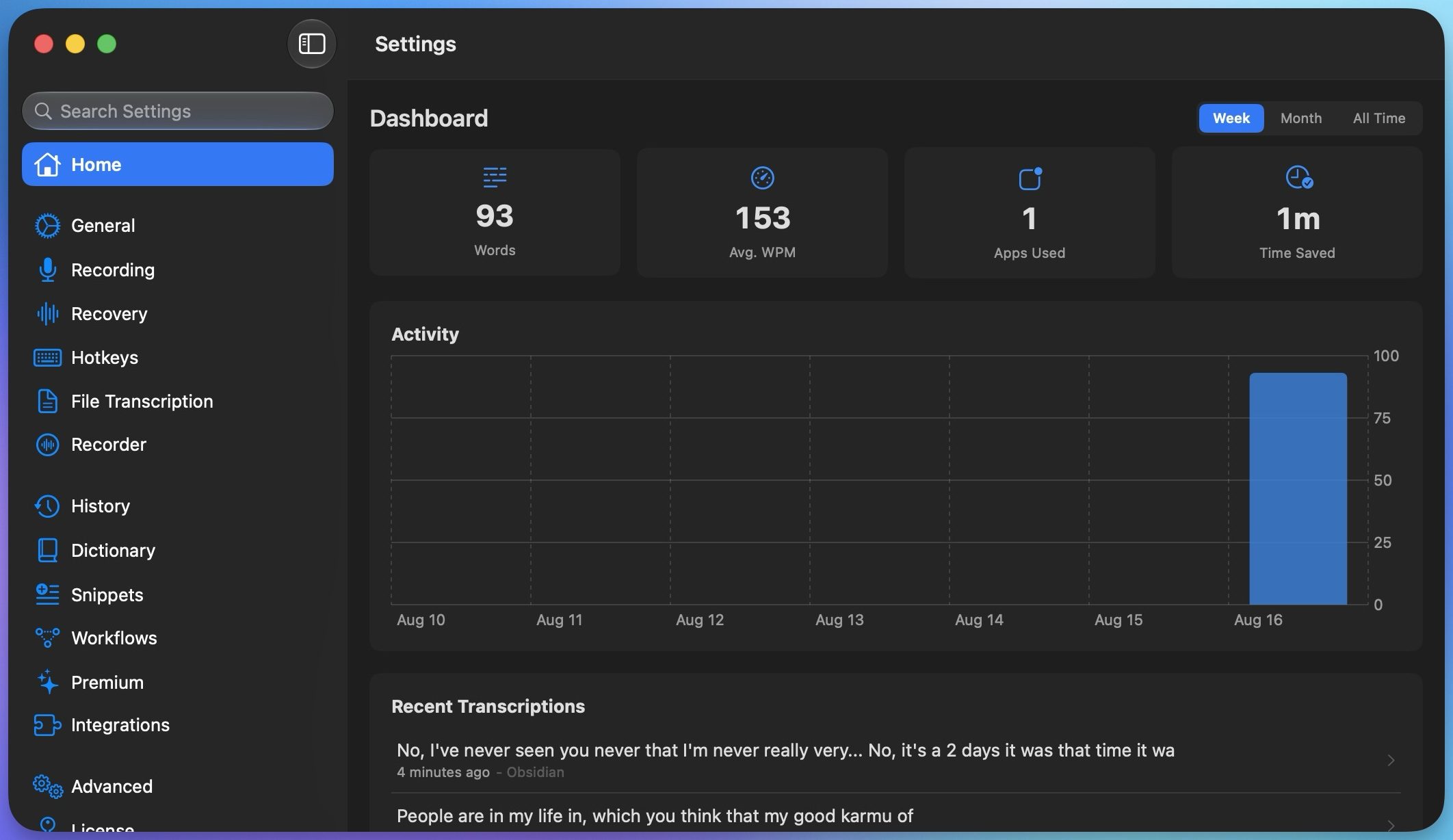 Rachit Agarwal / Digital Trends
TypeWhisper does the opposite. You can use cloud-based models if you find them to be more accurate, but you are not stuck using them. There are several on-device models that cost absolutely nothing to use. I have been testing the app for a while now, and I’m consistently surprised by how fast and accurate the transcriptions are, even with the free local models.
It works inside your favorite writing apps
My favorite part of TypeWhisper is how little friction there is between talking and typing. I can use a global keyboard shortcut and start dictating from literally anywhere on my Mac. I can hold it down for push-to-talk, or tap it once to toggle recording on and off.
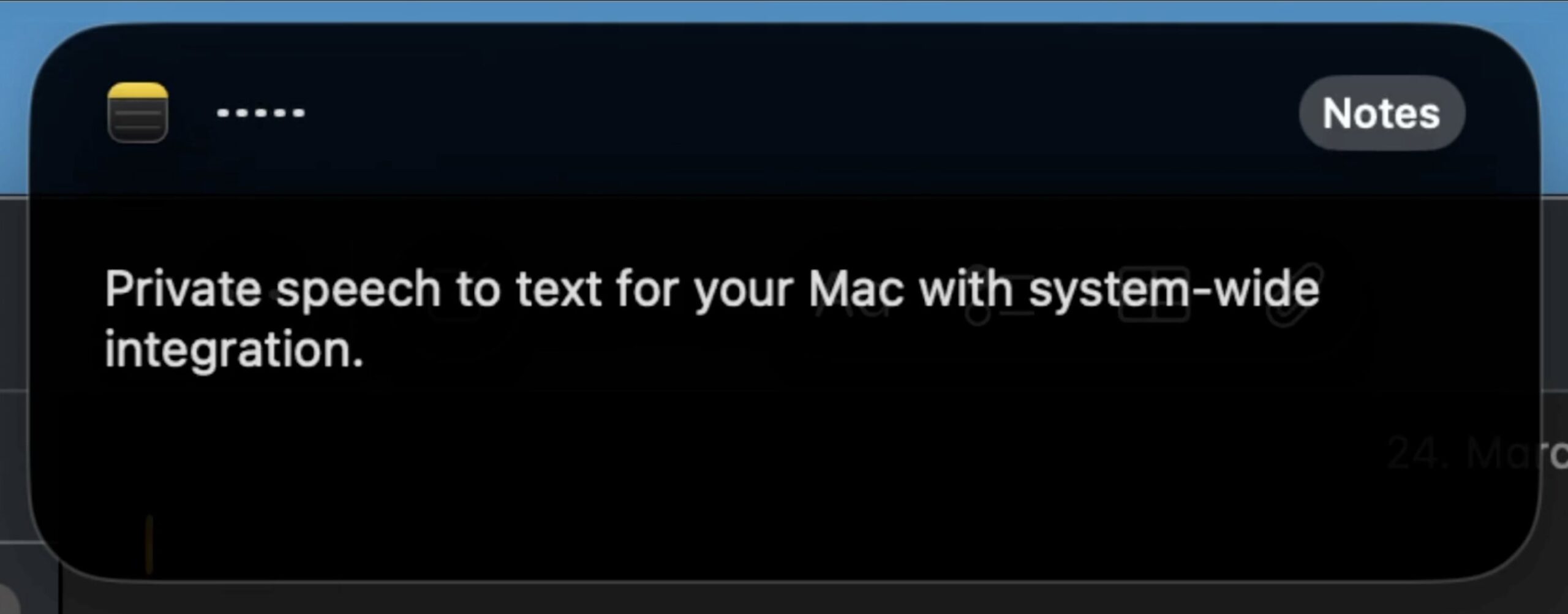 TypeWhisper
Once I am done talking, TypeWhisper drops the transcribed text directly into whatever text field I had open. That means I don’t have to copy and paste text manually from TypeWhisper to the app I want the text inside. For example, if I am dictating an email, I can do it directly inside my email app.
Here’s another example of how I use it. Say I want to add a note in my Obsidian vault. I hit my shortcut, talk through my ideas, hit the shortcut again to stop, and a second or two later, my words show up in the app. It sounds simple, but once you get used to talking instead of typing, going back feels painfully slow.
Adapts to your vocabulary
If you often use specific names, brands, or industry terms, TypeWhisper lets you teach it your own vocabulary. I can define custom terms, set up corrections for words it tends to get wrong, and let it build a personal dictionary over time as I keep using it.
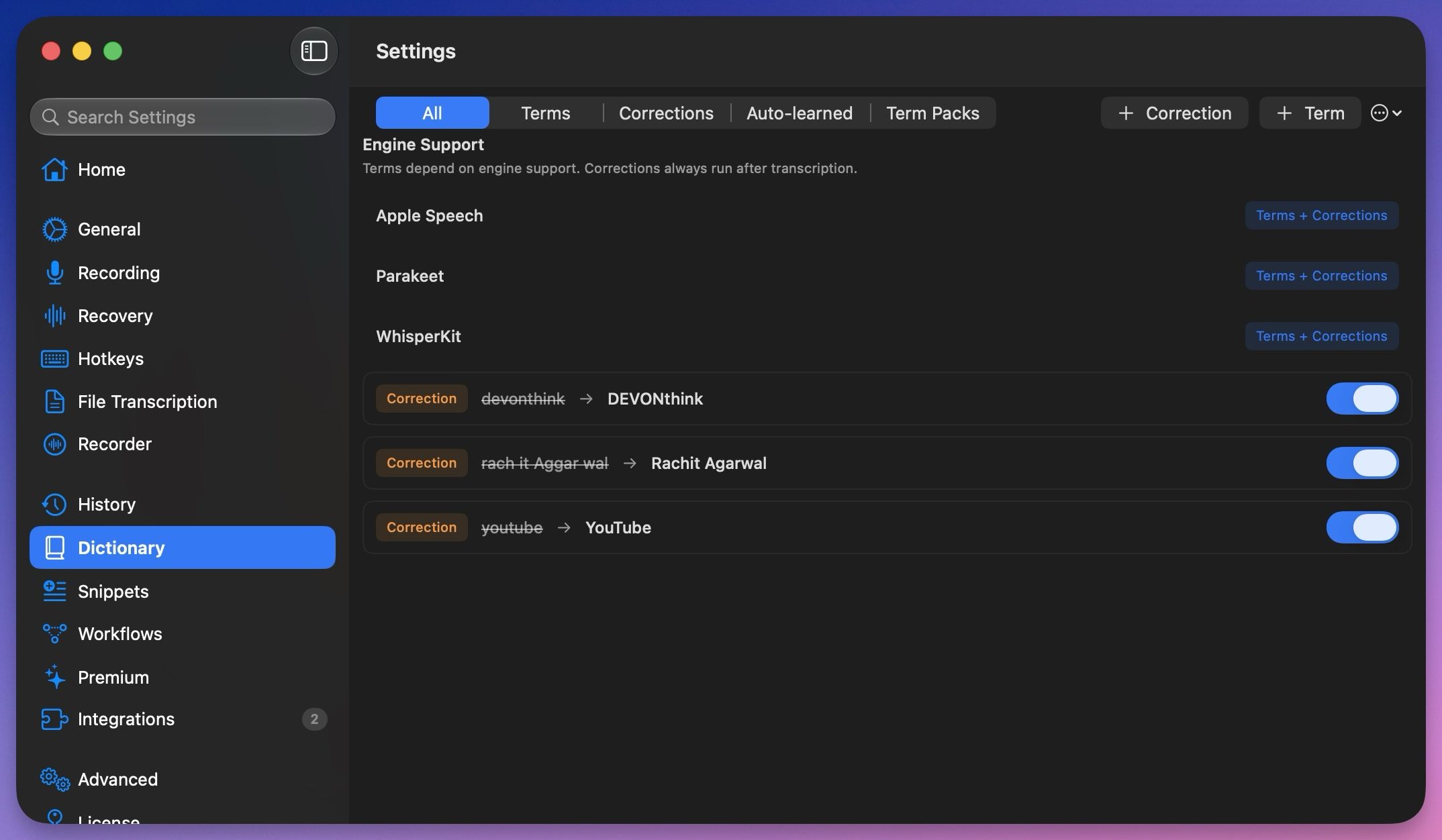 Rachit Agarwal / Digital Trends
What I like most is that I don’t always have to add these words manually. If I fix a misheard word after dictating, TypeWhisper notices the correction and remembers it for next time. That means I don’t have to spend time digging through a settings menu to do it.
Talk it out, let AI tidy it up
A powerful feature of TypeWhisper is that it can run your transcribed text through AI before adding it to a document. Suppose I want my dictation formatted in Markdown for Obsidian. I can set up a workflow for that and even choose which AI provider handles it, whether that’s an on-device option or a service like OpenAI or Gemini.
 Rachit Agarwal / Digital Trends
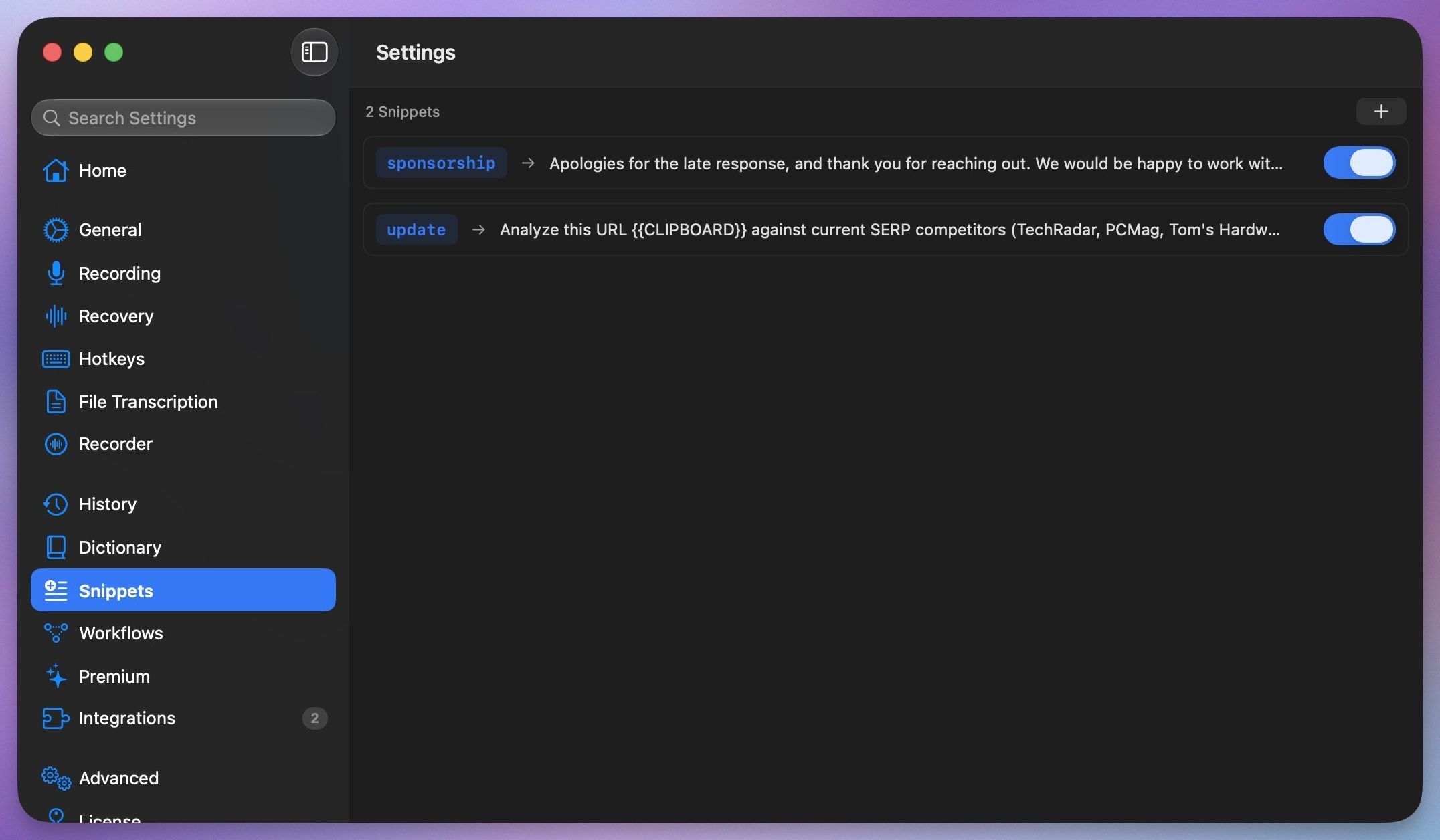
I also love the snippets feature, which is handy for dictating repeated text. I have set up trigger phrases, which, when spoken, expand into a full sentence or even a paragraph.
A few more handy extras
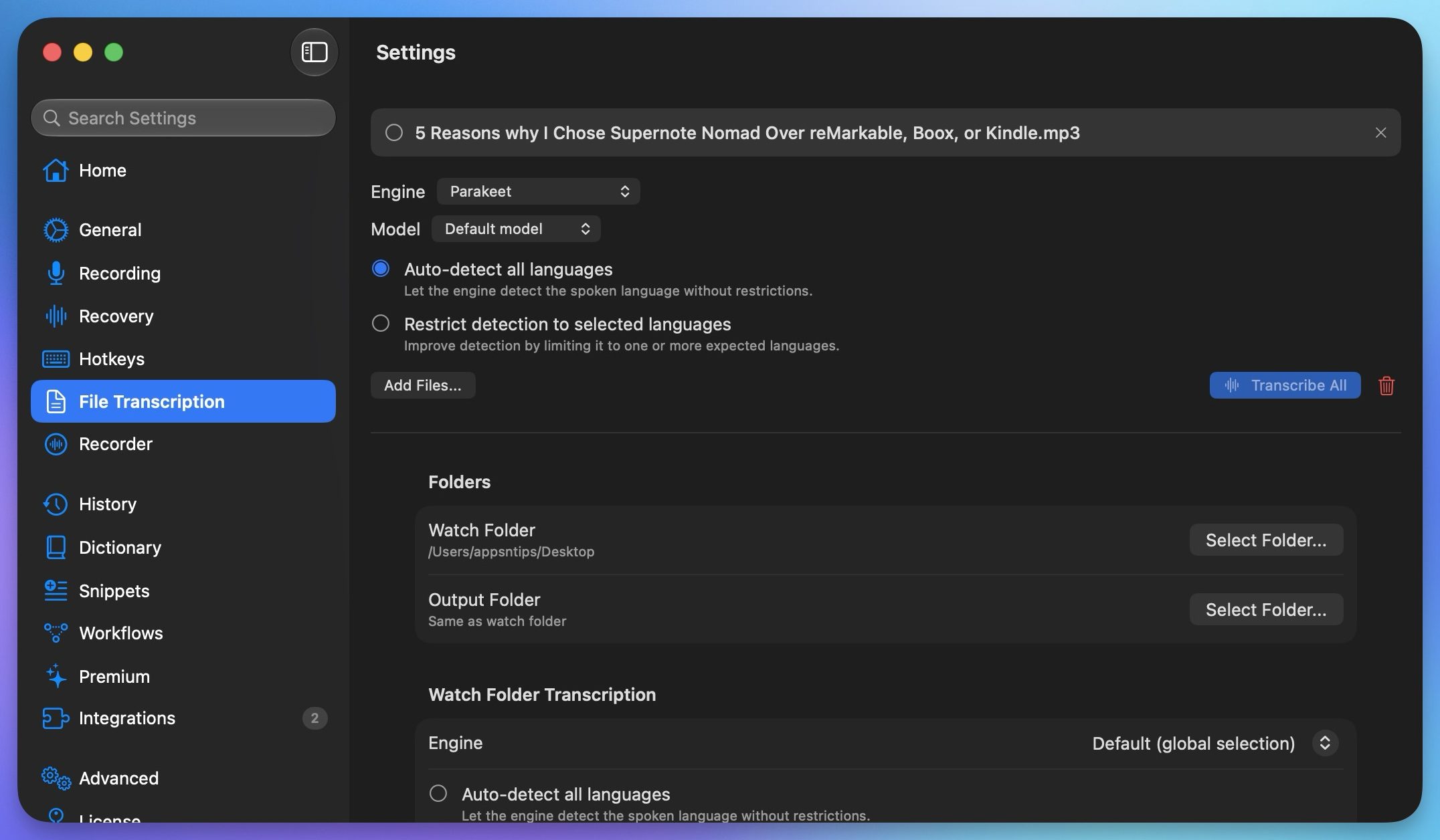
TypeWhisper can also transcribe recorded audio and video files. I can even export subtitle files with timestamps if that’s what I need. There’s a searchable history of everything I have dictated, complete with filters, so I can go back and find something I said last week without much hassle. There’s a mode that boosts microphone gain so the app can hear me even in noisy environments.
 Rachit Agarwal / Digital Trends
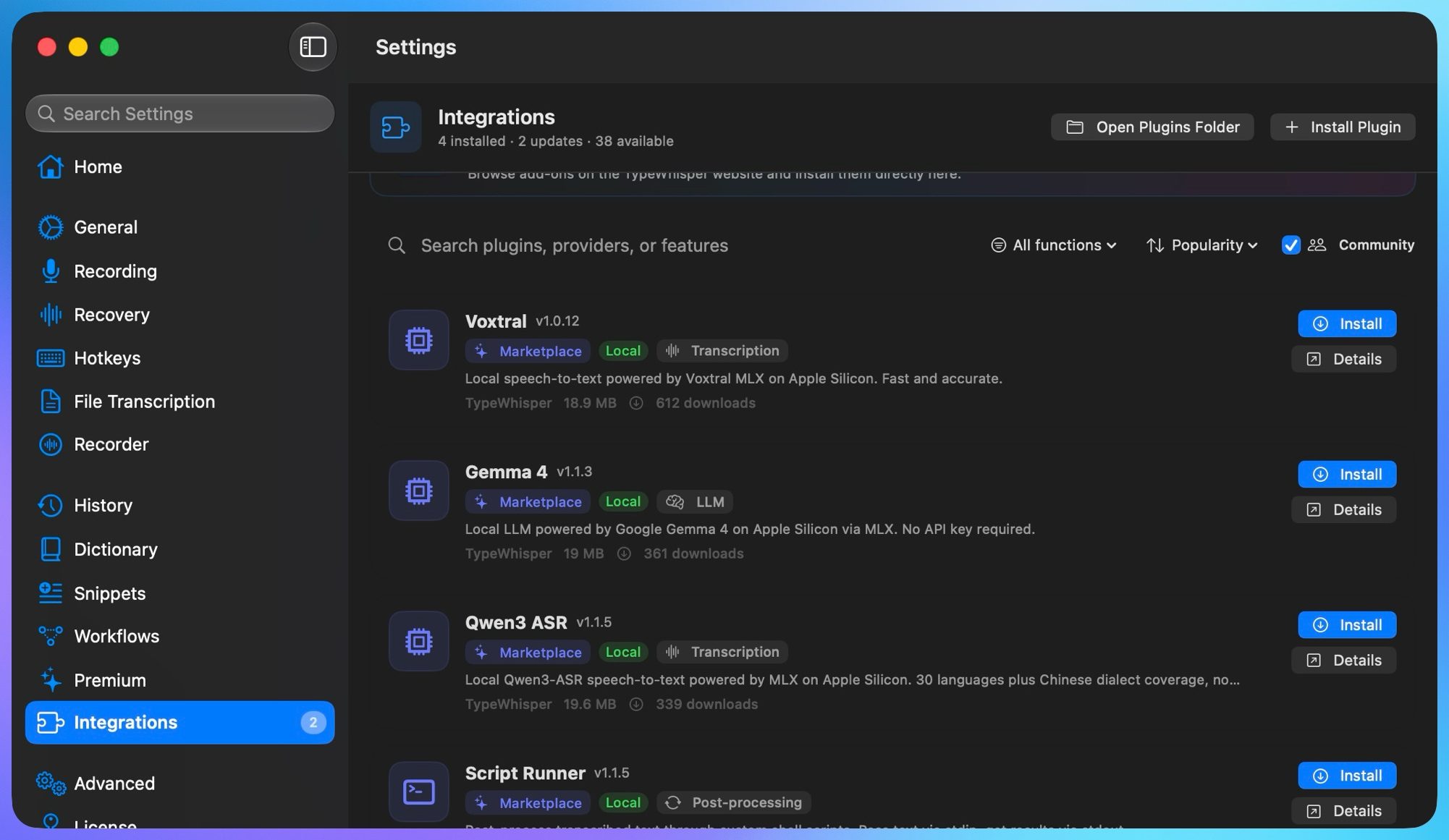
TypeWhisper also has an add-ons hub that lets you add extra features. One I really like is the Filler Words add-on. It automatically strips out all those “ums” and “uhs” from my dictation before the text even gets pasted in, so I get cleaned-up text.
 Rachit Agarwal / Digital Trends
There’s a whole marketplace of these add-ons, and if you are handy with coding, you can even build add-ons specific to your workflow.
My final thoughts on TypeWhisper
TypeWhisper has become an integral part of my workflow. The app is fast and accurate, and it’s free. If you’ve not tried a dictation app because you assumed it would be slow or inaccurate, or because you didn’t want to pay a subscription just to talk to your computer, give TypeWhisper a shot. I guarantee it will become a permanent fixture on your Mac.

























.jpg&h=630&w=1200&q=100&v=c0f97a310e&c=1)