What is an AI Agent? A Plain-English Guide
Unlike a chatbot that simply answers what you ask, an agent can break a goal into steps, make decisions, use tools, and take actions across multiple steps, with little or no human intervention along the way. If a chatbot...
 Kass
Kass
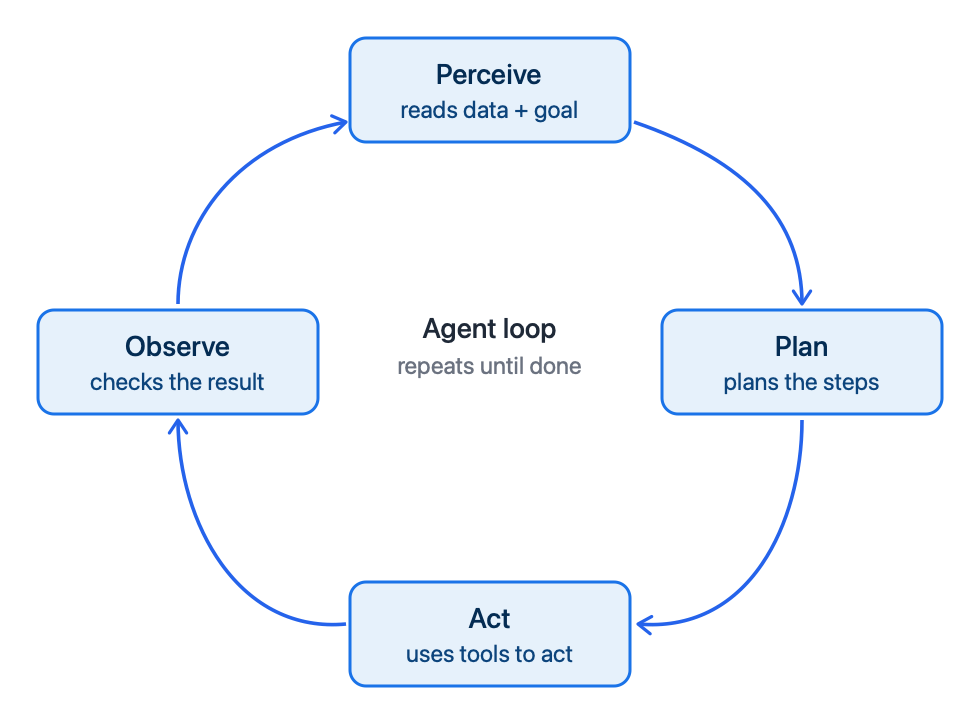
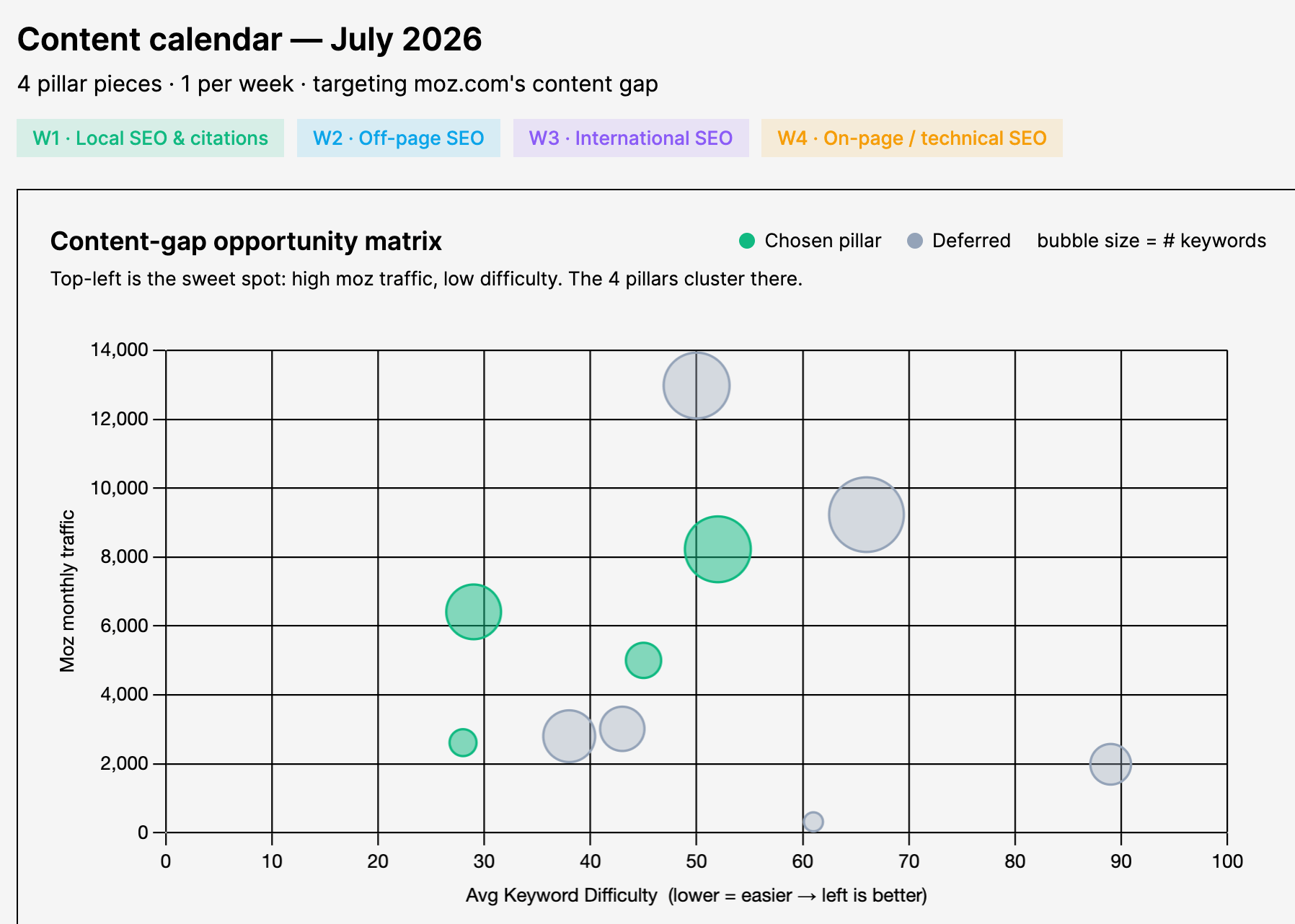
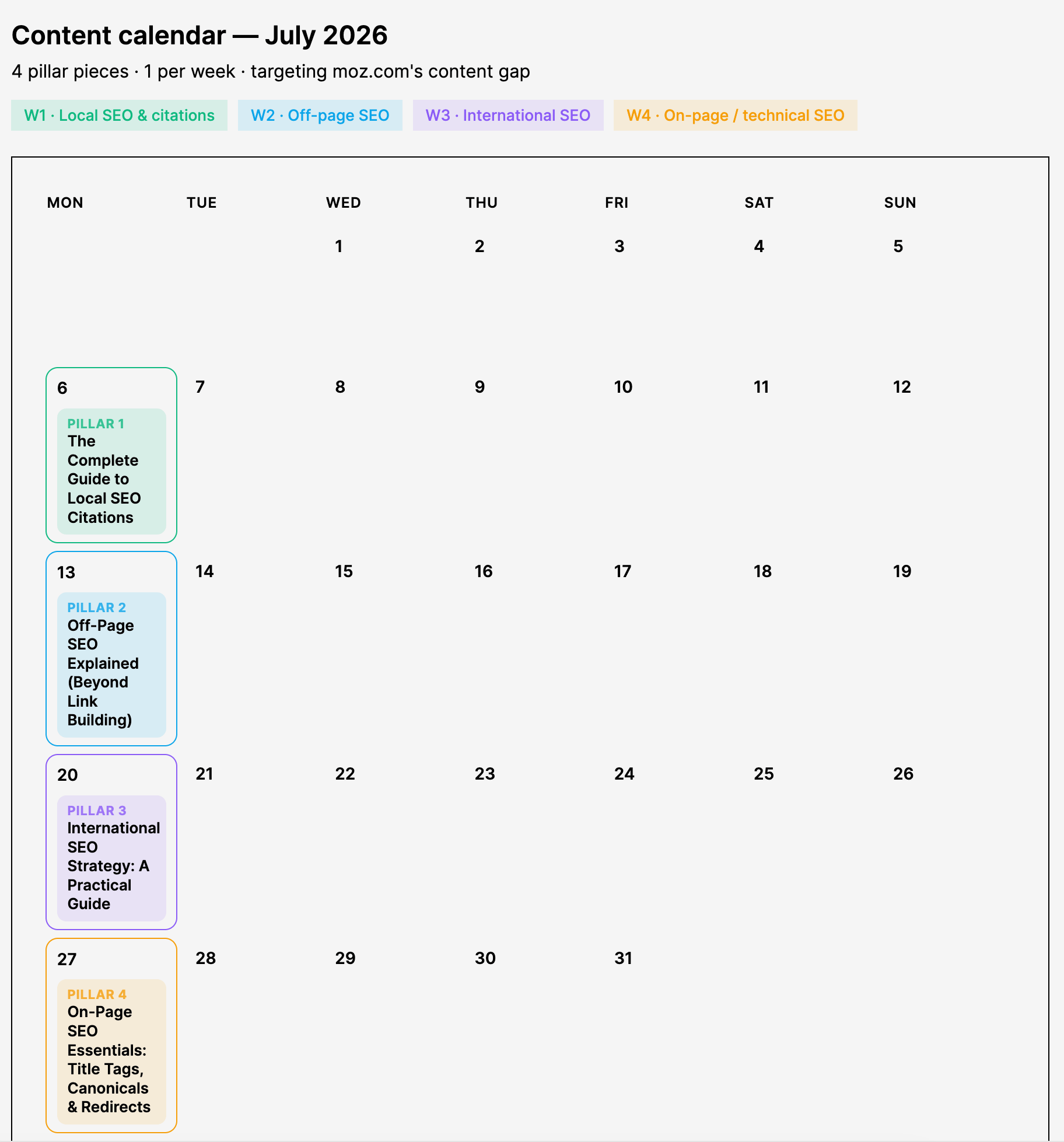
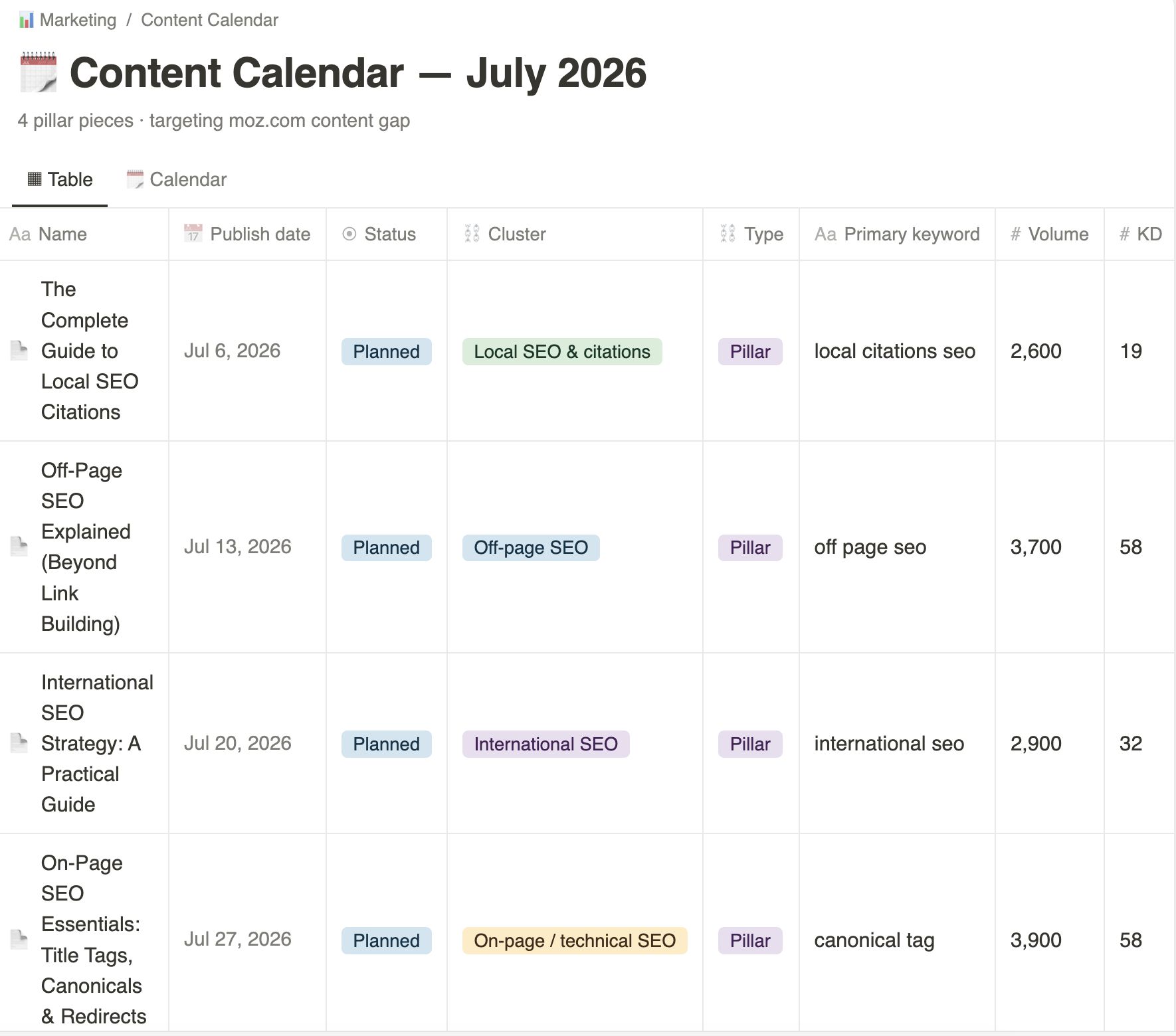
An AI agent is a software system that uses artificial intelligence to pursue a goal and complete tasks on your behalf. Unlike a chatbot that simply answers what you ask, an agent can break a goal into steps, make decisions, use tools, and take actions across multiple steps, with little or no human intervention along the way. If a chatbot is someone who answers your question, an agent is someone who goes off and gets the job done and comes back with the result. But the word agent now gets attached to almost everything, from basic chatbots to fully autonomous systems, so it’s worth being clear about what actually makes something one. These terms get used interchangeably, and that’s the single biggest source of confusion. Here’s how they actually relate. Every AI agent, no matter how simple or advanced, runs the same basic loop: Perceive → Reason & plan → Act → Observe → repeat until the goal is met. The clearest way to understand the loop is to watch one work. Say you ask an agent: “Here’s my sitemap. Find the broken links on my site so I can fix them.” Here’s roughly how the loop plays out (the exact steps vary by agent and task): Running quietly under all four steps is memory: The output isn’t a chat reply you still have to act on. It’s a finished, verified list: each broken link, the page it’s on, and its status code. Put the loop, the LLM, tools, and memory together and you get the traits that define an agent: autonomy (it acts without step-by-step instructions), goal-orientation (it works toward an outcome), and adaptability (it adjusts when something doesn’t work). An agent does the job, rather than just describing it. Here are specific AI agents a marketer (or anyone marketing-adjacent) can go and use right now. If you’re not sure what to start with yet, I highly recommend Agent A. Agent A is a marketing agent — it works exactly like Claude Code, but supercharged with all of Ahrefs’ datapoints (even ones not in the API). Just pick a repetitive job you already do by hand and ask Agent A to automate it for you. For example, Ryan, our Director of Content Marketing, has to publish a monthly website performance report for our CMO. So, he got Agent A to do it for him: Many agents can also be taught new tricks with skills: short instruction files that package how to do a specific job so it’s done the same way every time. Agent A ships with prebuilt skills for common marketing tasks, and you can write your own. If you need ideas on what to automate or build with Agent A, here are some cool examples: Reading about agents only gets you so far. Here’s an end-to-end walkthrough using Agent A to turn a vague goal — “find what my competitor ranks for that I don’t, and tell me what to write next” — into a finished content calendar. The five steps generalize to almost any AI agent. You don’t have to configure anything or learn a new programming language. Just type what you want: “Compare my site to competitor.com. Find the topics they get search traffic from that I’m missing, and draft a content calendar for next month.” After clarifying what you need, Agent A goes and does its job. This is where an agent earns its keep. Before it produces anything, it does the legwork you’d normally dread: pulling data from every source it can reach, cross-referencing it, running the analysis, and surfacing what actually matters. Because it has all Ahrefs data, the agent is able to pull live ranking data for both sites (the same data behind the Ahrefs interface), find the keywords your competitor ranks for that you don’t, and cluster them into topics. Then it hands you something finished — a report, a plan, a draft — built from that research, not a pile of raw data for you to sort out yourself. Just because the agent did everything for you doesn’t mean it’s always correct. This is where taste and expertise comes in. You review what the agent did and see if there’s anything that’s bad or not up to your standards. Then because the agent holds context, you steer instead of starting over. Tell the agent what’s bad or not so great, e.g., “Drop anything with a difficulty above 40, and add a suggested title for each.”, and then let it revise what it did. Once you’re happy, ask the agent to write the calendar into Notion, create the tasks in Linear, or post a summary to Slack. Agent A connects to those plus HubSpot, WordPress, Mailchimp, and more out of the box. Make it automated so you don’t have to think about it constantly. An AI agent is a straightforward idea: software that doesn’t just answer, but acts. It takes a goal, breaks it into steps, uses tools to do the work, and checks the result, repeating until the job is done. For marketing, the multi-step chores that pile up, the boring stuff that you hate to do (auditing a site, keyword research, chasing broken links, drafting outreach) are exactly the kind of work an agent can take off your plate, working from real data instead of guesses. So, don’t be afraid and just start. Give it a plain English instruction and see how far you can take it. And if you’re an Ahrefs customer, you get to try Agent A for free for a month.TermWhat it isWhat it does LLM (large language model) The “brain”, for example a model like GPT or Claude trained to predict text Generates text. Doesn’t do anything on its own. Essentially a sophisticated autocomplete. Chatbot An interface on top of an LLM Responds to your messages. One turn in, one turn out. AI agent An LLM wired up with goals, memory, and tools Plans, decides, and takes multi-step actions to finish a task. Agentic AI The broader approach/paradigm The umbrella term for building systems that behave like agents. AgentUse caseWhat you’d use it for Claude Code Coding / vibe coding For when you want to ship a small tool or landing page without coding it yourself. Tell it what you want and it works inside your project’s files, writing and testing the code and pausing for your okay before big changes — you direct, it types. Codex Coding (parallel tasks) For when you’ve got several coding jobs to hand off at once. OpenAI’s agent works on a private copy of your project, writes the code and runs your tests until they pass, then hands back a change for you to approve, and can juggle several tasks in parallel. Agent A SEO & marketing Ahrefs’ marketing agent — the same idea as a coding agent like Claude Code, but pointed at marketing work. For when your week is full of SEO and marketing chores you keep putting off. Connected to your Ahrefs data, it takes a job like a content gap analysis or a keyword cannibalization check (two pages competing for the same term), runs the whole thing itself, and drops the results into the tools you already use — Slack, Notion, WordPress — on demand or on a schedule. Clay Sales / lead gen For when you’re building targeted prospect lists by hand. It gathers data on each lead from across the web, then sends AI research agents (it calls them “Claygents”) to dig up context and draft a personalized first message — so outreach scales without reading like a template. Fin AI Customer support For when repetitive tickets are eating your support team’s day. It answers incoming questions using your existing help articles and resolves the whole ticket itself, handing off to a human only when it can’t, and it plugs into the help desk you already run. Cursor Coding (prototypes) For when you want to get from idea to working prototype fast. It’s a code editor with an “agent mode” that can build, test, and demo a whole feature on its own, with a dial to set how much it does versus how much you steer. 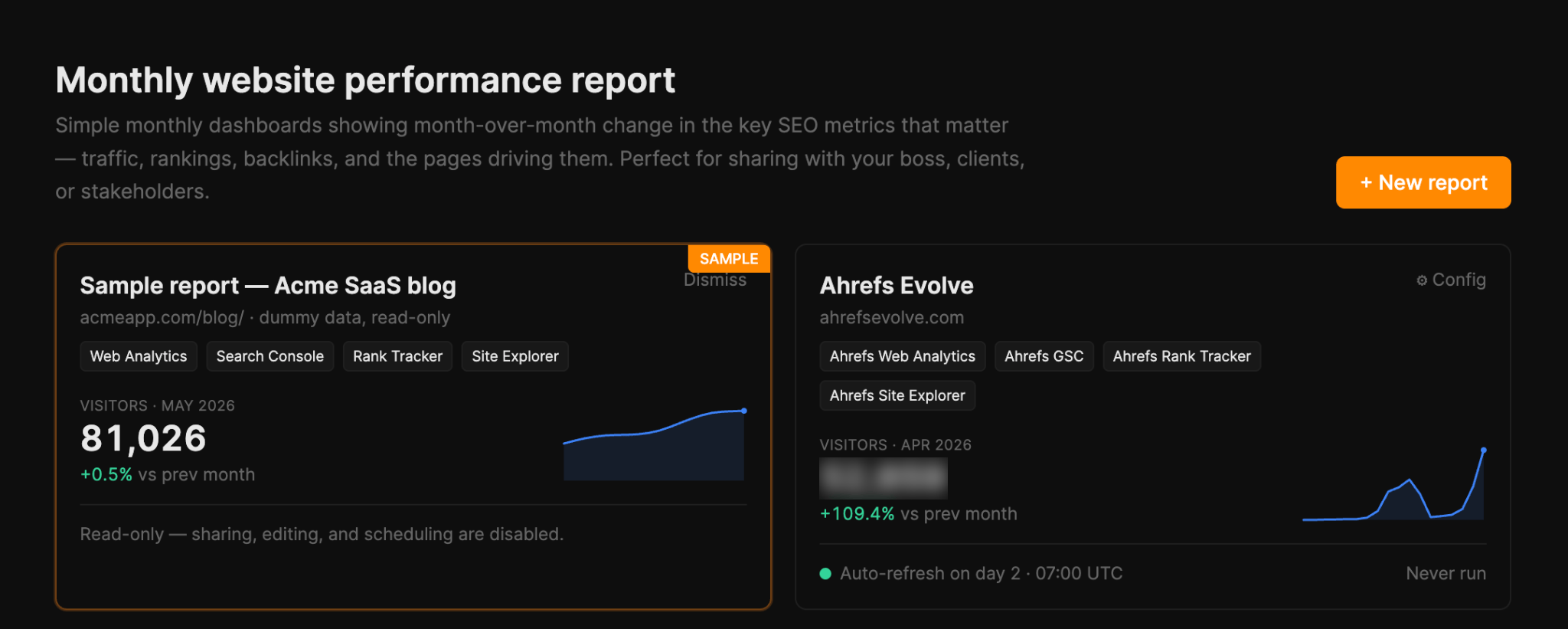
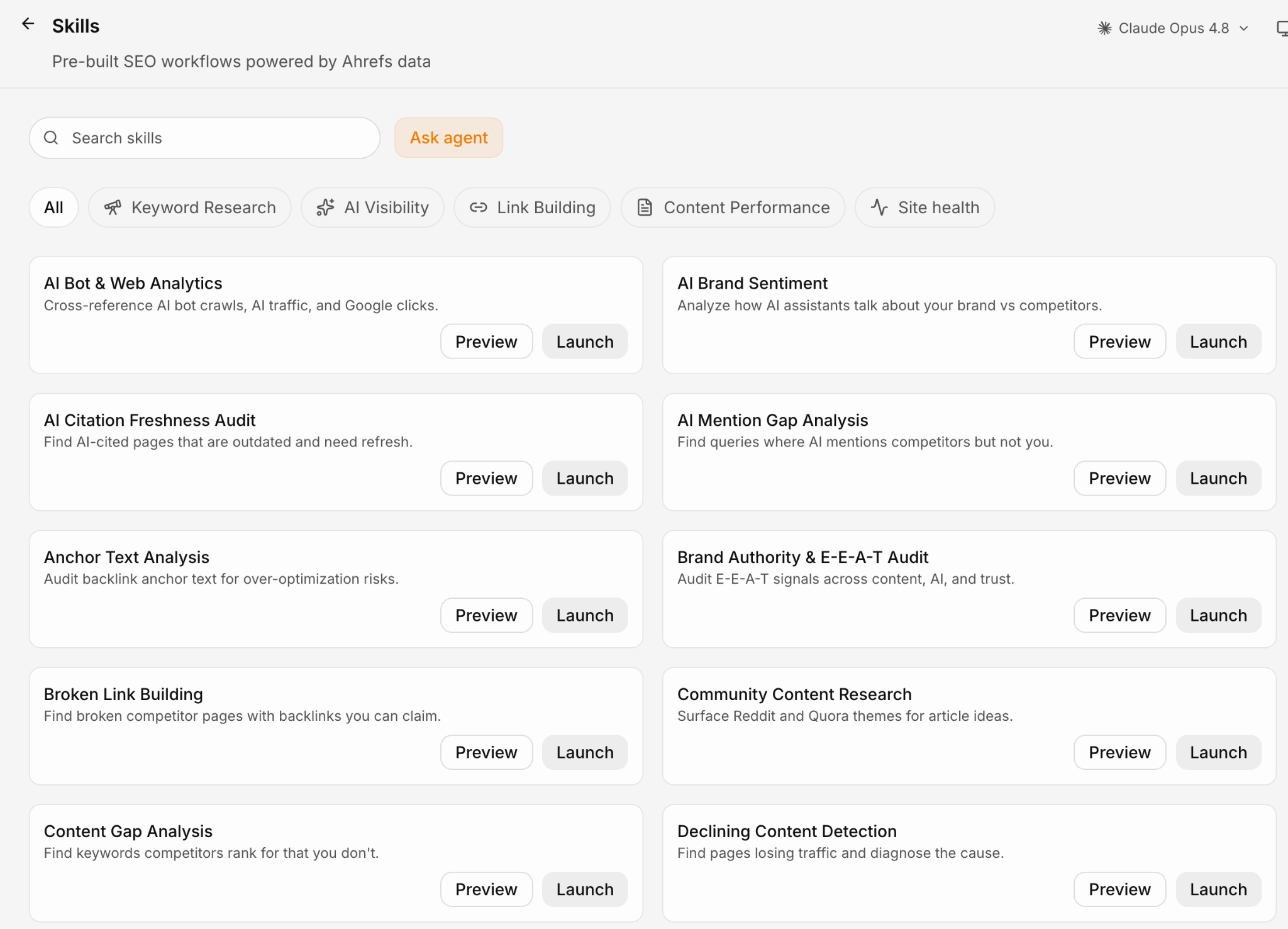
Step 1. Tell it what you want in plain English
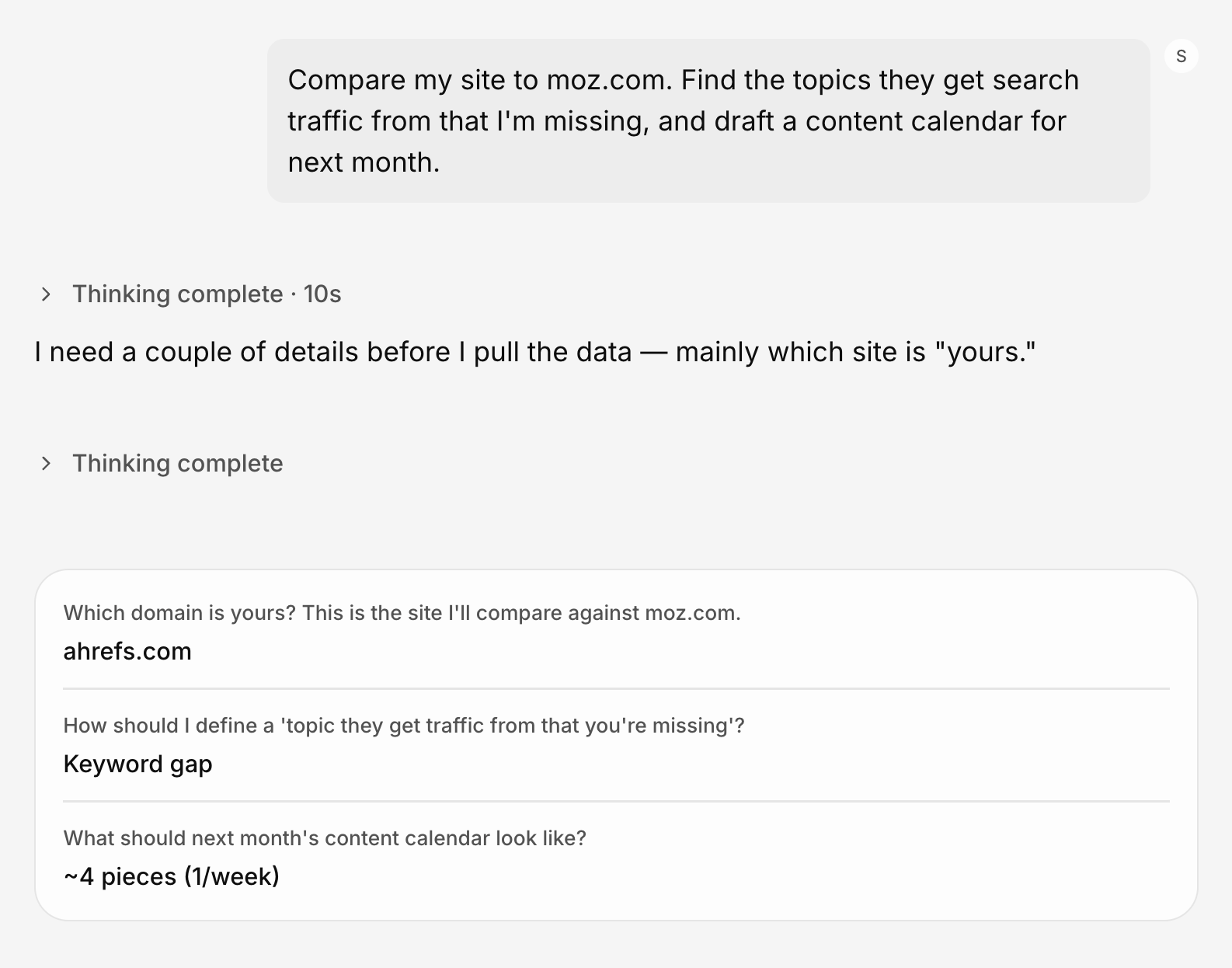
Step 2. Let it do the research
Step 3. Get the result
Step 4. Keep refining with follow-ups
Step 5. Push it into your real workflow
Final thoughts


























.jpg&h=630&w=1200&q=100&v=c0f97a310e&c=1)