YouTube previews AI-powered Conversational Editing
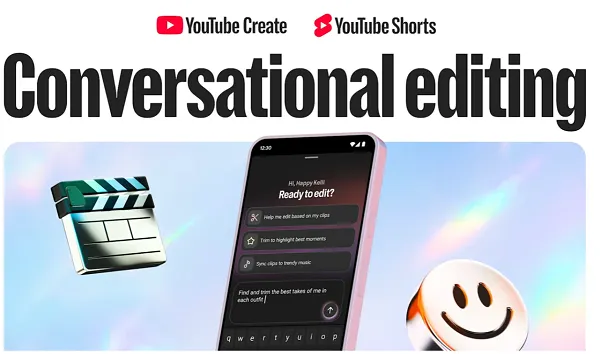
Conversational Editing will make it easier for creators to build and refine their projects using plain language guidance.
 FrankLin
This audio is auto-generated. Please let us know if you have feedback.
One of the more interesting announcements at YouTube’s Made On event last week was the introduction of Conversational Editing within the Shorts composer and in its YouTube Create app.
As it sounds, Conversational Editing will enable creators to edit their video content via basic language prompts, with YouTube’s artificial intelligence tools then translating those commands into edits and changes.
At the live Made On event, YouTube had creator Kelli Erdmann, better known as Happy Kelli, provide an overview of the feature, and how it works in practice.
As per Erdmann: “Editing is an art form. It takes a million tiny decisions to shape how a video feels. A 1-hour shoot can be 10 hours or more in the edit. So, what if we could speed that process along without sacrificing any of our creative control?”
Erdmann explained how the system will translate conversational prompts to help creators build their video project.
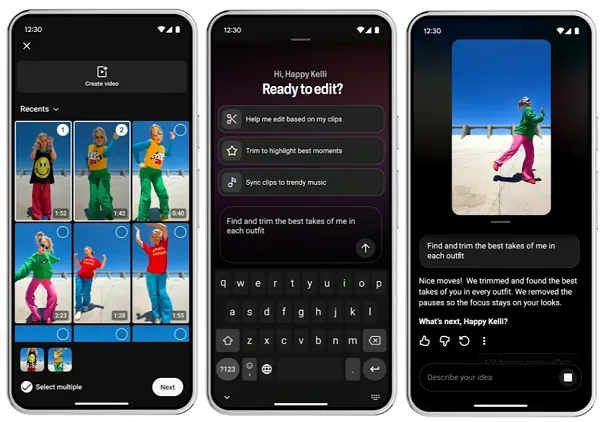
As shown in this sequence, the tool will be able to edit together multiple clips from a creator’s camera roll based on simple instructions, streamlining the initial editing process.
Creators will be able to continue refining and updating their instructions based on the outputs, “working on everything from typography to music, or even nailing that perfect hook to grab attention on a short,” per Erdmann.
The system will also share contextual prompt suggestions related to the draft, like “add music,” or “add color filters,” helping to keep these ideas front of mind within the editing process, she explained.
Also possible are action requests like “match the edits to the beat of the song” or “find a perfect loop point,” making it much easier to create thematic, integrated content.
Erdmann noted that creators will be able to jump back into the manual editing timeline at any point to refine elements themselves, if they choose.
It looks to be a handy video editing process, which could save a lot of time for those who have a great idea, but maybe aren’t so good at understanding the intricacies of video editing.