Gemini Power-User Tips: 15 Ways to Work Faster in 2026
Practical Gemini productivity tips for prompts, context, examples, Gems, Skills, reusable workflows, critique, verification, and review loops.
 Netzender Editorial Team
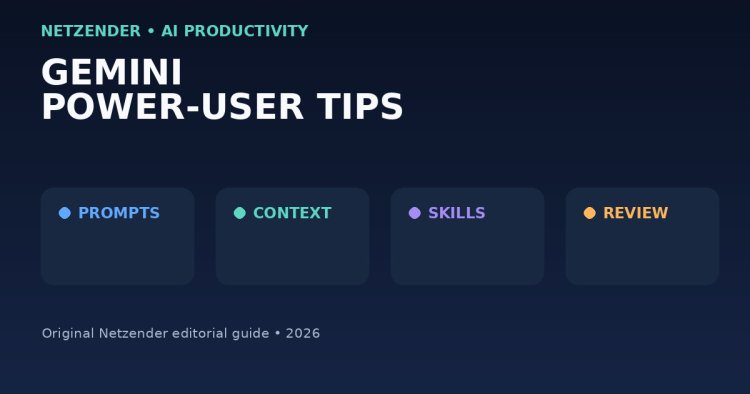
The biggest productivity improvement in Gemini usually does not come from a clever one-line prompt. It comes from giving the model better context, creating reusable instructions, breaking complex work into stages, and reviewing the output instead of treating the first response as final.
Here are practical ways to use Gemini more effectively in everyday research, writing, planning, analysis, and repetitive workflows.
1. Start With the Outcome
Tell Gemini what you need at the end.
Instead of:
Tell me about this report.
Use:
Summarize this report for a marketing manager. Give me five findings, three risks, and three recommended actions.
Clear output requirements reduce unnecessary back-and-forth.
2. Give Context Before Asking for Judgment
Explain:
- who you are;
- who the audience is;
- what the goal is;
- what constraints matter;
- what material should be treated as the source.
When using long context, Google recommends placing the specific instruction or question clearly after the supplied material for Gemini 3 workflows.
3. Use Examples
Examples are one of the most reliable ways to communicate format and style.
Google's Gemini prompt design guidance recommends few-shot examples for many tasks because they show the model what a correct response looks like.
4. Ask for Structured Output
For repeatable work, specify the structure:
- table;
- checklist;
- JSON;
- headings;
- bullet list;
- decision matrix;
- step-by-step plan.
Structure makes output easier to review and reuse.
5. Separate Research From Writing
Do not always ask Gemini to research, decide, and produce polished copy in one step.
A stronger workflow can be:
- extract relevant facts;
- identify uncertainty;
- organize an outline;
- draft;
- critique;
- revise.
6. Ask Gemini to State Assumptions
If the task depends on missing information, ask the model to list assumptions before proceeding.
This helps expose hidden guesses that might otherwise appear as confident conclusions.
7. Use Gems for Repeated Roles
Gemini's Gems allow users to create customized versions of Gemini with reusable instructions.
A Gem can be useful for repeated roles such as:
- editor;
- research assistant;
- meeting summarizer;
- SEO reviewer;
- study coach;
- coding reviewer.
The advantage is consistency: you do not need to rewrite the same background instructions every time.
8. Watch the Transition Toward Skills
Google is also rolling out Skills for eligible Gemini users. Skills are reusable instructions that can be applied across chats and combined for more complex workflows.
Google has announced a transition from Gems toward Skills beginning with personal accounts in November 2026, followed later by work and school accounts.
Because availability is being rolled out gradually, check what is currently enabled in your account rather than assuming every feature is available everywhere.
9. Build Reusable Prompt Templates
For recurring work, create a template containing:
- role;
- objective;
- input;
- constraints;
- output format;
- quality checklist.
This turns prompting into a workflow instead of improvisation.
10. Use Gemini for Critique, Not Only Generation
After creating something, start a second pass:
Critique this draft. Identify factual gaps, weak logic, repetition, unclear wording, and unsupported claims. Do not rewrite it yet.
Critique and generation are different tasks. Separating them often produces better revisions.
11. Ask for Alternatives
For decisions, request several approaches rather than one recommendation.
For example:
- lowest-cost option;
- fastest option;
- lowest-risk option;
- most scalable option.
This is especially helpful when the best answer depends on trade-offs.
12. Use Gemini to Transform Information
Many high-value uses are transformations rather than original generation:
- long document → executive summary;
- meeting notes → action list;
- technical explanation → customer language;
- dataset → observations;
- rough notes → structured outline;
- requirements → test cases.
13. Verify Time-Sensitive Facts
AI products, prices, laws, travel rules, software features, and company information can change quickly.
For time-sensitive work, verify claims against current authoritative sources before publishing or making decisions.
14. Do Not Over-Prompt Reasoning Models
Google's current Gemini 3 guidance emphasizes clear and direct instructions. Extremely elaborate prompting frameworks can sometimes create more noise than value.
Give the model the information it needs, define the task clearly, and request the output you want.
15. Create a Review Loop
A useful workflow is:
Draft → Check → Challenge → Improve → Verify.
Ask:
- What might be wrong?
- What evidence is missing?
- What would an expert challenge?
- Which claims require verification?
- Can the answer be shorter without losing meaning?
A Simple Power-User Template
You can adapt this structure:
Goal: What I need.
Context: Background the model should know.
Source material: Information it should use.
Constraints: What it must or must not do.
Output: Exact structure required.
Review: Checks it should perform before finishing.
Browse more workflow ideas in our Productivity section.
Final Takeaway
Gemini becomes more useful when you stop treating every chat as a blank page. Reuse instructions, provide real context, show examples, separate stages of work, and build a review loop.
The goal is not to write the longest possible prompt. It is to make the task clear enough that both you and the model can evaluate whether the output succeeded.