Google Gemini Small Business Tools (2026): Brand Kits, Apps & Workflows
Explore Google's new Gemini small-business hub, reusable brand styles, connected apps and financial insights, with practical workflows, privacy checks and rollout caveats.
 Netzender Editorial Team
Google's October 20, 2026 announcement puts a new set of Gemini tools in front of small-business owners: a dedicated business hub, reusable brand styles, connected apps, and ways to turn financial records into understandable visuals. The practical question is not whether AI can produce another marketing slogan. It is whether a busy owner can use these features to save time without losing control of brand quality, customer information, or financial decisions.
This guide separates Google's announced capabilities from features that may not yet appear in every account. It also provides realistic workflows for independent retailers, local service businesses, consultants, and small online shops. It is based on Google's published product information, not a claim that Netzender has tested every integration.
What are Google's new Gemini small-business tools?
On October 20, Google introduced a dedicated small-business landing page inside the Gemini experience. The hub is intended to bring common jobs—building a brand, understanding customers, working with business records, and producing marketing materials—closer together. Google also described a broader collection of connected apps, including Google Business Profile, Google Ads, Google Workspace, Adobe, Canva, Dropbox, Shopify, Wix, Zoho, and Xero.
That list represents announced integration opportunities, not a guarantee that every connector, account type, region, or action is available today. The company said the hub, marketing and finance skills, and new connected apps would begin rolling out globally over the following days. Availability should be checked in the actual Gemini interface before committing a business process to it.
What's new in October 2026?
A dedicated business starting point
Rather than starting every conversation from an empty prompt, owners are being offered a business-focused entry point. The idea is to organize tasks around what a company needs to accomplish, such as planning a promotion or interpreting recent performance. The business hub is a product direction, not a replacement for a point-of-sale system, accounting software, or a CRM.
Reusable brand styles for visual work
Google says owners can define a brand style using a website, existing brand kit, fonts, or color palette. Gemini can then use that context when generating visual assets, reducing repeated explanations of the brand's appearance. Google's announcement associates this workflow with its Nano Banana 2.1 image-generation model. Generated output still requires a human check for spelling, trademarks, accessibility, product accuracy, and consistency with the original brand guidelines.
Connected apps and financial visuals
Gemini can help transform spreadsheets, receipts, and purchase records into charts or interactive financial models. Connected apps may reduce switching between tabs, but integrations depend on permissions and rollout. A chart can make patterns easier to notice; it cannot independently validate whether the underlying transactions, categories, or formulas are correct.
How to access the Gemini small-business hub
- Open the official Gemini app while signed into the Google account you intend to use.
- Look for the business landing page or business-related tools as they roll out. If you cannot see them, check Google's announcement and wait rather than following an unverified workaround.
- Start with a low-risk task such as drafting a promotion from publicly available product details.
- For connected apps, review the permissions screen and the exact account or workspace being linked. Enable only what is necessary.
- Review every proposed output before publishing, sending, or using it to make a financial decision.
Menu labels and feature locations can change during rollout. Google has not stated that every account will receive all features on the same day. For larger teams needing centralized administration and enterprise governance, Google's business-oriented products may be more appropriate than an individual Gemini account.
How to create on-brand marketing assets
A useful first project is a seasonal promotion. Gather the approved logo, color codes, fonts, product photos, brand voice notes, and the promotion's exact terms. Supply these as reference material only if you have the right to upload them and are comfortable with the account's data-handling terms.
Ask Gemini to draft three creative directions for a social post and a landing-page banner. Specify audience, format, offer, mandatory disclaimer, and what the design must not imply. Compare the outputs with your brand kit. Correct any invented product attributes, inaccurate prices, misspelled labels, or inconsistent logos before handing the asset to a designer or publishing it.
Example prompt: “Act as a marketing assistant for a neighborhood coffee shop. Use the attached approved brand guide. Propose three 1:1 Instagram post concepts for our weekend pastry offer. Use only the product prices listed below. Include an accessible text alternative, and flag anything that needs owner approval.”
For teams building a more formal creative process, Netzender's guide to AI in the design process and human judgment explains why editorial review still matters.
Connecting Gemini to business apps: what to verify
Google names services such as Shopify, Wix, Canva, Zoho, and Xero alongside its own Workspace, Ads, and Business Profile tools. A business owner should verify three separate questions: Can the app connect to this Gemini account? What information can Gemini read? And can it actually take an action, or only help draft a response? These are different capabilities.
Before authorizing a connection, identify the account owner, scope of access, retention expectations, and the procedure for disconnecting the app. Use a non-production workspace or sample data for the first test where possible. Do not assume an integration can update inventory, send customer messages, or modify financial records unless the specific connection explicitly supports those actions and you have approved them.
Financial analysis: useful assistant, not your accountant
Owners can use Gemini to summarize an exported spreadsheet of sales, costs, and marketing spend. A good workflow begins by cleaning the input: use consistent dates and currencies, separate revenue from refunds, and label whether costs include tax and shipping. Ask for the formulas and assumptions behind each chart, not just the final graphic.
For example, request a month-by-month revenue chart, gross margin by product category, and a list of missing or inconsistent rows. Then reconcile the totals against the original spreadsheet or accounting system. A persuasive-looking AI chart is not proof of correct bookkeeping, tax treatment, or cash-flow forecasting. Keep sensitive customer, payroll, and banking details out of prompts unless the account and processing terms are appropriate for that information.
Five practical Gemini workflows for a small business
1. Weekly local marketing plan
Input: opening hours, current offers, approved product descriptions, and past campaign results. Task: draft three posts and a short email for the coming week. Review: verify offers, local dates, prices, and any claims before scheduling. Success measure: minutes saved per approved asset, not number of drafts generated.
2. Customer feedback themes
Input: a redacted export of reviews or feedback. Task: group comments by recurring themes and suggest response drafts. Review: inspect source examples and remove personally identifying details. Success measure: issues resolved and response quality. Google previously described Business Profile connections and Business notebooks; confirm the features present in your account before using them.
3. Simple sales dashboard
Input: a sample or properly authorized sales CSV. Task: compare revenue, units sold, returns, and margins across periods. Review: reconcile totals and formulas in the source file. Success measure: fewer hours spent preparing the same report with equal or better accuracy.
4. Product launch creative brief
Input: approved specifications, audience, product imagery, and brand colors. Task: create a one-page launch brief, image concepts, and a channel-specific checklist. Review: confirm product claims, rights to images, and final brand consistency. Success measure: time from brief to approved creative, not the volume of AI assets.
5. Owner's Monday planning review
Input: non-sensitive priorities, outstanding tasks, and previous week's milestones. Task: summarize blockers, propose the top three priorities, and draft follow-up messages. Review: assign owners and deadlines manually; do not allow unapproved outbound messages. Success measure: fewer missed follow-ups and clearer ownership.
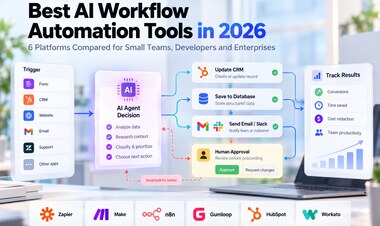
If you want a broader comparison of automation platforms beyond a single assistant, see Netzender's AI workflow automation tools guide.
Gemini versus traditional small-business software
Gemini is most promising as a flexible layer for drafting, exploration, summarization, and creative ideation. Dedicated accounting, ecommerce, booking, and CRM systems remain the systems of record. They provide transactional controls, audit histories, role-based permissions, and predictable business rules that an AI conversation does not automatically replace.
For a small retailer, a practical combination might be a store platform for inventory and orders, accounting software for financial records, and Gemini for interpreting an approved export or drafting campaign copy. Treat the assistant as a collaborator that needs supervision, not an autonomous employee with unlimited access. Netzender's Gemini agent for work coverage provides additional context on supervised automation, although available capabilities may differ.
Is Gemini free for small businesses?
Google says the new business landing page, skills, and connected apps are beginning to roll out globally for Gemini app users. That statement does not establish that every feature is free without usage limits. Subscription tiers, model access, third-party app fees, and account eligibility may differ. Check the official Gemini experience and relevant Google plan terms for current pricing before budgeting.
Calculate return on investment conservatively. Track staff time saved, rework, review time, and subscription costs over a month. A tool that creates ten unusable images faster is not necessarily cheaper than one that creates two approved assets with less revision.
Privacy, permissions, and business data
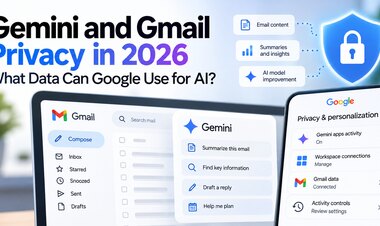
Connected apps introduce a real trade-off: better context may require broader access. Use the least-privilege approach, check which Google account is active, and avoid uploading customer personal data or confidential contracts without appropriate authorization. Review product-specific privacy notices and organizational policies rather than assuming the protections of a managed enterprise workspace apply to a consumer account.
For sensitive activities—payroll, tax calculations, payment instructions, regulated advice, or customer account changes—retain an independent verification and approval step. Never let an AI-generated summary substitute for a source document or signed financial record.
Limitations and rollout caveats
- Rollout: Google's October announcement says features are beginning to arrive over subsequent days, not simultaneously for every user.
- Integrations: a named partner is not evidence that every read or write action is supported.
- Accuracy: financial visuals and marketing claims must be checked against original records.
- Brand safety: generated text and imagery can still contain mistakes or unsuitable claims.
- Pricing: availability and usage allowances depend on the actual account and connected services.
- Measurement: use approval time, accuracy, and business outcomes to judge value rather than AI output volume.
Frequently asked questions
When were the new Gemini business tools announced?
Google published the announcement on October 20, 2026, and said the business hub, skills, and connected apps would start rolling out globally in the following days.
Can Gemini connect to Shopify or Xero?
Google listed Shopify and Xero among the connected-app ecosystem in its announcement. Check your account for availability and review the specific permissions and supported actions before relying on either integration.
Can Gemini design images in my brand style?
Google says the new tools can use an uploaded website, brand kit, fonts, or color palette to maintain visual consistency. Human approval is still required for accurate logos, prices, and product claims.
Can Gemini replace accounting software?
No. It may help visualize and explain data, but dedicated accounting systems remain responsible for authoritative records, reconciliation, tax treatment, and audit trails.
Are all the new features available in every country?
Google described a global rollout, but feature timing, account eligibility, and integration availability can vary. Check the current interface and product documentation.
Final verdict: start with one measurable workflow
Google's new Gemini business tools are a meaningful attempt to make AI more useful for small-business owners, particularly for branded creative work, connected-app context, and interpreting business data. The smartest adoption strategy is modest: choose one repetitive task, use non-sensitive inputs, keep a human approval step, and measure time saved and output quality over several weeks. Expand access only after the first workflow proves reliable.
Official sources: Google: New Gemini tools for small business owners (October 20, 2026); Google: Gemini business features and Business notebooks (June 10, 2026); Google: Connected Apps rollout (September 23, 2026).