Holiday Travel Checklist 2026: REAL ID, Power Banks, eSIMs & Airport Essentials
Flying for Thanksgiving or Christmas 2026? Use this U.S.-focused travel checklist for REAL ID, TSA identification, FAA power-bank rules, eSIM setup, luggage and airport preparation.
 Netzender Editorial Team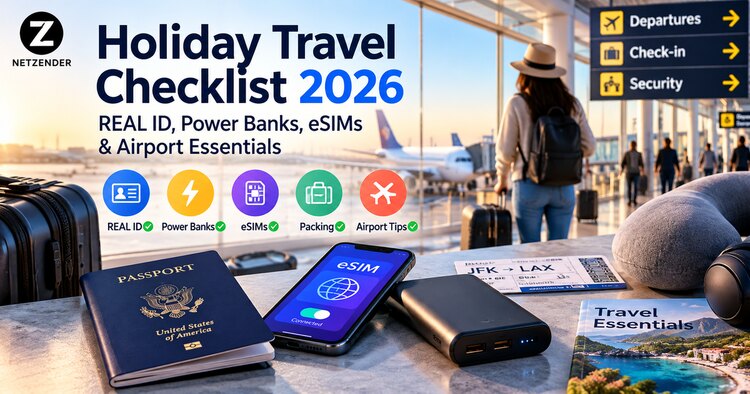
Holiday flights are easier when the essentials are handled before you leave home. For Thanksgiving and Christmas 2026, that means checking your airport ID, keeping power banks out of checked luggage, making sure your phone works when you land, and saving a few critical documents offline. This practical checklist focuses on U.S. airport travel, with additional reminders for international itineraries.
Quick answer: Bring a REAL ID-compliant license or another TSA-accepted ID; keep spare lithium batteries and power banks in your carry-on; download boarding passes and maps; check your airline's baggage and battery limits; and confirm your mobile-data plan before departure.
Holiday travel checklist: the essentials at a glance
- Identification: Confirm your license is REAL ID compliant, or pack a passport or other TSA-accepted ID.
- Power: Put power banks and spare lithium batteries in your carry-on, not checked baggage.
- Connectivity: Set up your carrier's roaming plan or a compatible travel eSIM before you fly.
- Offline access: Save boarding passes, hotel details, tickets, and offline maps.
- Airport timing: Check your airline's recommended arrival time and monitor flight alerts.
- Baggage: Confirm personal-item dimensions, carry-on size, checked-bag fees, and connections.
1. REAL ID rules for domestic U.S. flights in 2026
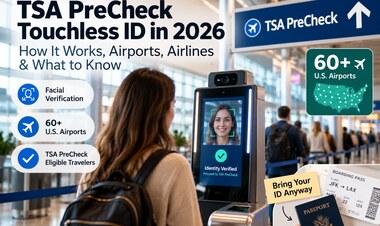
Since May 7, 2025, U.S. state-issued driver's licenses and identification cards that are not REAL ID compliant have not been accepted as standard identification at TSA checkpoints. Travelers age 18 and older should carry a REAL ID-compliant state ID or another accepted form of identification. A valid U.S. passport or passport card can serve as an alternative for domestic flights; a passport book is generally needed for international air travel.
Check your state DMV if you are unsure whether your driver's license is compliant. A temporary paper driver's license is not on the TSA's list of acceptable identification. TSA also lists foreign passports, certain trusted traveler cards, and other eligible documents. Rules can change, so use the official TSA acceptable-ID page rather than a social-media checklist.
What if you arrive without an acceptable ID?
TSA may offer an identity-verification process, but admission to the checkpoint is not guaranteed. You may face delays or be unable to pass security if your identity cannot be confirmed. The safer plan is to resolve your documents before travel rather than rely on verification at the airport.
2. Can you bring a power bank on a plane?
Yes, most ordinary personal-use power banks can fly, but spare lithium batteries and portable chargers must stay in carry-on baggage. The FAA prohibits placing them in checked luggage. If your carry-on is gate-checked, remove the power bank and keep it with you in the cabin.
- Up to 100 watt-hours (Wh): Generally permitted for personal use, subject to airline-specific restrictions.
- More than 100 Wh and up to 160 Wh: Requires airline approval; a maximum of two spare larger lithium-ion batteries per passenger is generally allowed.
- Over 160 Wh: Not permitted as an ordinary passenger power bank.
The battery's Wh rating is the important number, not just its advertised mAh capacity. To calculate watt-hours, multiply volts by amp-hours: Wh = V × (mAh ÷ 1,000). For example, a 20,000 mAh battery rated at 3.7 V is about 74 Wh. Verify the actual rating printed on your device; not all battery packs use the same voltage.
Protect the battery from short circuits and damage, and do not travel with a recalled, swollen, or damaged pack. Airlines may impose stricter rules, including limits on use or charging in flight. See the FAA PackSafe lithium-battery guidance and your carrier's current policy.
3. Set up an eSIM or roaming plan before departure
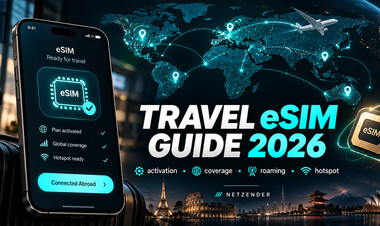
Reliable data is useful for gate changes, rideshare pickups, two-factor authentication, and hotel check-in. If your trip crosses borders, compare your carrier's international roaming prices with a destination-specific or regional travel eSIM. Before buying, verify that your phone supports eSIM, is carrier-unlocked where required, and is compatible with the plan's supported networks.
Install or download the eSIM profile while you still have dependable Wi-Fi, but follow the provider's activation instructions: some plans start when installed, while others start on first network connection. Keep your primary SIM available for essential calls or account verification if your setup supports dual SIM. Turn off data roaming on the line you do not want to use to avoid surprise charges.
For a deeper comparison, see our Airalo vs Holafly travel eSIM comparison and our Wise eSIM 2026 guide. Check current plan details before purchasing; prices and coverage change.
4. Save the essentials offline
Airport Wi-Fi can be congested and mobile reception can be inconsistent. Store your boarding pass in your phone's wallet where supported, take an offline copy of your itinerary, and download the map area around your airport and accommodation. Save your booking confirmation numbers and emergency contact information in a secure place you can access without mobile data.
Do not put unprotected passport scans or payment-card details in a shared photo album. Use a secure password manager or encrypted storage for sensitive documents, and keep a physical backup of the most important information. If you travel with children or a group, agree on a meeting point in case a phone battery dies.
5. Check baggage rules for each airline and ticket
Carry-on allowances vary by airline, route, aircraft, fare class, and sometimes operating carrier. A bag that is included on one segment might incur a fee on the next. Review the actual itinerary rather than relying on a general packing list. Confirm weight and size limits, personal-item rules, and fees for checked bags or seat selection.
Keep medicines, essential electronics, chargers, valuables, identification, and a change of clothes in your cabin bag when allowed. If a bag contains a removable power bank, follow the FAA's rule to keep the spare battery with you when the bag is checked. Luggage trackers have their own battery rules; check your airline and the FAA guidance for battery-equipped baggage.
6. Make a realistic airport plan for Thanksgiving and Christmas
Holiday travel can bring long lines, crowded roads, and limited rebooking options. Instead of assuming a universal arrival time, use your airline's guidance for your specific airport, domestic or international flight, checked bags, and any accessibility needs. Allow additional time if you must park, return a rental car, or travel with children.
Enable flight notifications from the operating airline, check the terminal and gate on the day of travel, and avoid scheduling a critical event immediately after a tight connection. For planning the purchase itself, read our guide to booking Thanksgiving and Christmas flights in 2026.
7. Prepare your phone for a travel day
- Update the airline app and sign in before leaving home.
- Charge your phone, earbuds, and power bank the night before.
- Pack the correct cable and an appropriate wall charger.
- Enable device location tools and a screen lock.
- Download entertainment for offline use rather than depending on aircraft Wi-Fi.
- Review mobile wallet and card notifications so unexpected charges are easier to spot.
A simple phone setup beats carrying five travel apps you never open. Keep the tools you actually need: airline, maps, hotel, transport, and your eSIM or carrier settings.
8. A practical packing timeline
Seven days before
Confirm your ID and passport validity, review entry requirements for international travel, check airline baggage limits, inspect your power bank's Wh label, and verify eSIM compatibility.
One day before
Check in when available, save boarding passes, charge devices, download offline maps, confirm transportation to the airport, and review flight notifications.
Before leaving for the airport
Make sure your ID, phone, wallet, essential medications, charging cable, and power bank are in the correct bags. Confirm your terminal and flight status one last time.
Common holiday airport mistakes to avoid
- Assuming a non-REAL ID driver's license will be accepted at the checkpoint.
- Leaving a power bank in a checked or gate-checked bag.
- Buying a travel eSIM without checking device unlock status or activation timing.
- Depending on airport Wi-Fi to retrieve every booking and boarding pass.
- Assuming every airline on a multi-carrier itinerary has the same baggage allowance.
- Failing to verify rules again close to departure.
Frequently asked questions
Do I need a REAL ID if I have a passport?
No. A valid U.S. passport is an acceptable alternative for identification at a domestic TSA checkpoint. International air travel has additional document requirements.
Can I put a 20,000 mAh power bank in checked luggage?
No. Power banks are spare lithium batteries and must remain in carry-on baggage. The mAh number alone does not establish the Wh rating; check the label and airline rules.
Should I activate my eSIM before boarding?
Follow your provider's activation instructions. Download or install the profile on reliable Wi-Fi when appropriate, and verify when the plan's validity period begins.
How early should I arrive for a holiday flight?
Follow the operating airline's guidance for your departure airport and itinerary, then allow extra time for peak holiday congestion, baggage drop, parking, and security.
Final checklist: fewer surprises, smoother travel
The best holiday travel kit is not the most expensive one. It is the set of essentials that keeps you moving when lines are long and connectivity fails: accepted identification, properly packed batteries, reliable mobile data, offline documents, and a realistic airport schedule. Recheck TSA, FAA, airline, and destination guidance before departure because requirements can change.