Holiday Digital Boundaries: How to Stay Connected Without Being Always Available
A practical holiday guide to digital boundaries for families and remote workers: work handoffs, emergency contacts, notification settings and device-light moments.
 Netzender Editorial Team

Quick answer: simple agreements about when you will respond, which messages are truly urgent, and when devices can wait. Keep useful technology; change the expectation that every notification deserves immediate attention. Start by setting a clear work handoff, allowing calls from essential contacts, and choosing one screen-light family activity. A boundary is a plan, not a punishment.
Reviewed November 12, 2026. General lifestyle guidance; not legal or medical advice.
Why holiday availability feels different
A normal workday has cues: a meeting ends, a commute begins, or a laptop closes. Holidays blur those cues. Family group chats may be organizing travel while coworkers send last-minute requests. Remote workers can feel especially visible because their office is also their living room. The solution is not to label every app unhealthy. It is to distinguish information you need from interruptions you do not. A travel confirmation, an emergency call, and a promotional alert do not belong in the same category. A practical boundary makes that distinction before the busy day begins.
Digital boundaries are not a digital detox
A digital detox often emphasizes reducing screen time. A boundary emphasizes deciding what technology is for, when it is welcome, and what response time others can reasonably expect. You can use maps, video calls, photos, and shared calendars while still protecting a meal or a quiet evening. This article focuses on holiday expectations and relationships rather than repeating our existing guide to digital detox for better sleep. The goal is a sustainable agreement, not a perfect screen-time score.
Step 1: Decide what counts as urgent
Write down three categories before you change settings. First, true emergencies: safety, health, or a time-critical travel disruption. Second, important but flexible matters: tomorrow’s pickup time, a relative’s arrival, or a work decision that can wait until an agreed check-in. Third, everything else: newsletters, social updates, shopping promotions, and casual threads. Choose a reliable route for emergencies, such as a phone call from designated contacts. Tell those people the route. Do not assume that a muted group chat will be monitored for urgent needs. For caregivers or on-call professionals, boundaries must reflect real responsibilities rather than generic advice.
Step 2: Set a work handoff before your break
A useful out-of-office message states the dates you are away, when you will next review email, and who handles time-sensitive requests. If you are the escalation contact, define the circumstances that justify a call. Avoid vague promises such as “I will check periodically” unless you intend to do so. A short handoff document can include active projects, pending decisions, deadlines, and the backup owner. For a deeper routine around ending the workday, see our after-work reset guide. Holiday boundaries work best when your colleagues can still find the information they need.
A copy-ready out-of-office message
Here is a template you can adapt: “I’m away from [date] through [date] and will respond after [return date]. For urgent matters related to [project], please contact [designated person or team]. For an immediate safety issue, use the established emergency channel.” Replace the brackets before sending and obtain permission before naming a backup. For freelancers, state a reasonable response window for existing clients and distinguish support covered by a contract from optional holiday work. Clear expectations reduce unnecessary follow-up messages.
Step 3: Create two notification lanes
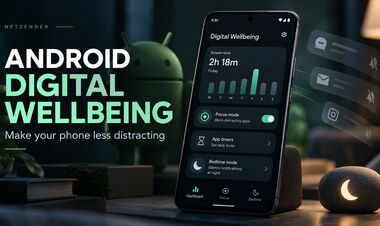
Use a priority lane for calls or alerts you truly need, and a quiet lane for everything else. Modern phones offer Focus, Do Not Disturb, or similar controls, but exact menus vary by device and software version. Test allowed contacts and emergency behavior rather than assuming a setting works as expected. Keep travel alerts available if you are in transit. Consider turning off badge counts for nonessential apps and removing promotional notifications. A quiet phone should not create a safety problem, so review exceptions for children, older relatives, or people who depend on you.
Step 4: Agree on family chat etiquette
Family messages can be joyful and exhausting at the same time. A group organizer can post a single pinned itinerary or shared document rather than sending dozens of updates. Suggest that logistics messages include a clear time and action, such as “Dinner starts at 6:30; please confirm by noon.” Encourage relatives not to interpret delayed replies as rejection. If one person is coordinating care or transportation, agree on a direct-call option. These small norms preserve connection while reducing the pressure to monitor every reaction and photo.
Step 5: Protect a few device-light moments
Choose moments that matter rather than declaring a whole day screen-free. Examples include the first fifteen minutes of a meal, a neighborhood walk, a board game, or a conversation with a visiting relative. A basket for phones can work if everyone agrees, but it should not be compulsory for someone who needs accessibility tools, translation, medical alerts, or emergency access. The point is attention, not surveillance. If a family member dislikes the rule, invite them to choose one moment they would like to protect instead.
Step 6: Make room for people who celebrate differently
Not everyone has a large family gathering or time off. Some people work shifts, live far from loved ones, or find the season emotionally difficult. A flexible digital boundary might mean scheduling a video call with one friend, silencing social comparison triggers, or choosing a predictable check-in time. Ask before adding someone to a busy group chat. Respect the answer when a person cannot reply immediately. Boundaries should make relationships more considerate, not become another standard people are expected to meet.
Step 7: Pair evening boundaries with sleep-friendly habits
If late-night scrolling keeps pushing bedtime later, move optional messages to an earlier window and dim screens when possible. Keep a reasonably consistent wake time. Our guide to morning light and better sleep explains how daylight and daily routines support the body clock. Sleep recommendations are not a promise that turning off notifications will treat insomnia. If sleep problems are persistent or interfere with daily life, consult a qualified health professional. For some households, caring responsibilities will always require overnight alerts; configure them deliberately.
A realistic three-day holiday reset
Day one: audit interruptions. Identify which apps generated the most unnecessary alerts and write down your true emergency contacts. Day two: communicate expectations. Send your work handoff, agree on a family logistics channel, and test priority calls. Day three: protect one meaningful block of time. Try a device-light meal or walk, then ask what worked. You do not need a seven-day challenge to make progress. Repeat the changes that improve your experience and abandon rules that cause more friction than they solve.
What if your job requires you to be on call?
An on-call shift is not a personal failure to set boundaries. Ask for a documented rotation, escalation criteria, and a backup plan where your workplace allows it. Separate the on-call channel from routine messages. Clarify compensation and availability according to your contract and local rules rather than relying on general internet advice. When a real emergency occurs, respond through the agreed process. When the shift ends, transfer responsibility explicitly so you can rest without guessing who is watching the queue.
What if relatives expect instant replies?
Use a kind, specific script: “I’m looking forward to seeing everyone. I won’t check the group chat during dinner, but please call if plans change urgently.” For friends in other time zones, suggest a window when you are likely to respond. If the same conflict repeats, address the expectation privately rather than sending a dramatic announcement to the entire group. Boundaries are more persuasive when they include a practical alternative and when you respect other people’s limits too.
How to tell whether the plan is working
Track outcomes that matter: Did you miss an important message? Were plans clearer? Did you enjoy an uninterrupted conversation? Did you feel less compelled to check your phone? Avoid treating daily screen-time totals as a moral grade. A long video call with family and an hour of automatic scrolling may look similar in a dashboard but serve very different purposes. Review the plan after the holiday and keep only the settings and agreements that help. For a broader approach to managing distractions, read our guide to protecting attention.
Frequently asked questions
Should I turn my phone off during the holidays? Not necessarily. Priority contacts and quiet hours are often more practical than switching everything off.
Is it rude to reply the next day? It depends on the relationship and urgency; tell people what to expect.
Can children use devices during family time? Families can agree on age-appropriate, flexible rules while preserving accessibility and safety needs.
Will Do Not Disturb block emergency calls? Behavior varies by device and settings. Test your configuration before relying on it.
Is this medical treatment for stress or insomnia? No. These are general communication and habit suggestions, not a substitute for professional care.
The bottom line
A good holiday digital boundary does not make you unreachable. It makes you reachable in ways that are clear, considerate, and proportionate to the situation. Tell coworkers when you are away, give family members an emergency route, silence low-value alerts, and protect a few moments worth remembering. Staying connected and being constantly available are not the same thing.