How Much Mobile Data Do You Need for an International Trip?
A practical guide to estimating how much mobile data you need abroad, with planning ranges for maps, messaging, music, video, video calls and remote work.
 Netzender Editorial Team
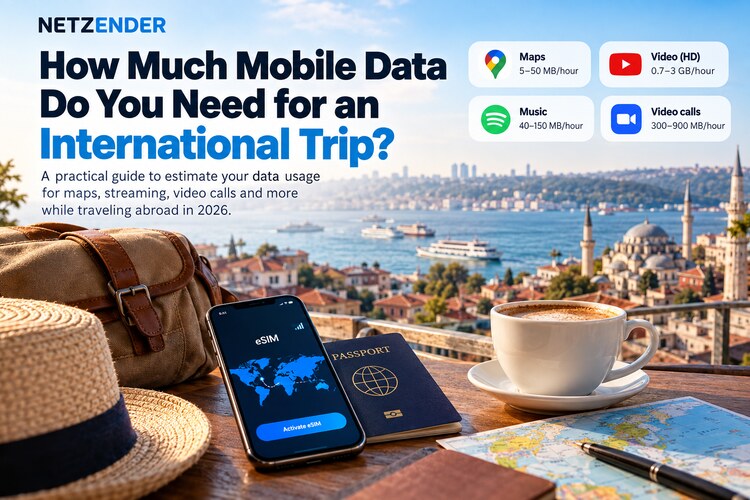
Buying mobile data for an international trip is easy. Choosing the right amount is harder.
A traveler who mainly uses maps, messaging and email may be comfortable with a small data plan. Someone watching video, uploading photos, joining video meetings or using a phone as a laptop hotspot can burn through the same allowance surprisingly quickly.
The best way to choose a plan is not to ask, “How many gigabytes does a traveler need?” Instead, estimate how you actually use your phone, identify the activities that consume the most data, and add a reasonable buffer. For an example of adjustable data allowances, read our Wise customizable travel eSIM guide.
Quick Answer: How Much Data Should You Plan For?
These are practical planning ranges, not guarantees. Actual usage varies by app, video quality, background activity, Wi-Fi availability and how often you use your phone as a hotspot.
| Travel style | 7 days | 14 days | 30 days |
|---|---|---|---|
| Light use: maps, messaging, email | 2–3 GB | 4–6 GB | 8–12 GB |
| Typical traveler: social media, maps, browsing, some music | 5–8 GB | 10–15 GB | 20–30 GB |
| Heavy social/video use | 10–20 GB | 20–40 GB | 40 GB+ |
| Remote work or frequent hotspot use | Estimate separately | Estimate separately | High-cap or unlimited plan may make more sense |
The biggest reason these ranges vary is video. Streaming and video calls can use far more data than maps, messaging or normal web browsing.
Start With Your Highest-Data Activities
You do not need to estimate every notification or web page. Start with the activities that can materially change your total.
For most travelers, those are:
- video streaming;
- video calls;
- music streaming;
- photo and video uploads;
- hotspot use for a laptop or tablet;
- cloud backups and app updates.
Once those are accounted for, ordinary maps, messaging, email and web browsing are usually easier to fit inside the remaining allowance.
Video Streaming Can Consume Gigabytes Quickly
Netflix publishes a useful reference because it shows how dramatically video quality changes data consumption.
According to Netflix, its Low setting can use up to about 0.3 GB per hour, Medium up to about 0.7 GB per hour, HD up to about 3 GB per hour and 4K up to about 7 GB per hour.
That means a few hours of high-quality video can consume more data than several days of navigation and messaging.
If you are traveling on a limited mobile plan, downloading movies and shows over hotel or home Wi-Fi before a long train or flight can make a significant difference.
Music Uses Much Less Data Than Video, but It Still Adds Up
Spotify lists mobile audio quality levels from approximately 24 kbit/s at Low quality through 96 kbit/s Normal, 160 kbit/s High and 320 kbit/s Very High for Premium users.
At roughly 160 kbit/s, an hour of continuous music is on the order of tens of megabytes rather than gigabytes. At 320 kbit/s, the total is roughly double the 160 kbit/s level.
For a short vacation this may not matter much. For a month-long trip with several hours of streaming every day, downloading playlists over Wi-Fi is an easy way to preserve mobile data.
Video Calls Matter a Lot for Remote Workers
If you expect to work while traveling, do not choose your data plan using leisure-travel assumptions.
Zoom's published bandwidth guidance shows why. Recommended bandwidth ranges from around 600 kbps for high-quality 1:1 video to several megabits per second for HD calls. Group HD video can require even more bandwidth.
A one-hour video meeting therefore has the potential to consume hundreds of megabytes or more depending on resolution, participants, network adaptation and whether you are sending and receiving video.
Remote workers should estimate meeting time separately from normal phone use.
Hotspot Use Can Change the Calculation Completely
A phone that is only used for messaging and maps behaves very differently from a phone that becomes the internet connection for a laptop.
Once you enable tethering, your laptop may start using data for:
- video meetings;
- cloud file synchronization;
- operating-system updates;
- browser tabs with autoplay video;
- large downloads;
- photo or video uploads;
- software updates.
If hotspot use is part of your travel plan, check both the total data allowance and whether the eSIM or roaming plan restricts tethering.
Our travel eSIM guide explains why hotspot rules, fair-use limits, network partners and activation policies matter before you buy.
Maps Usually Matter Less Than Travelers Expect
Navigation is important, but it does not have to consume large amounts of mobile data.
Google Maps allows travelers to download areas for offline use before leaving Wi-Fi. Once an area is downloaded, driving navigation can continue offline as long as the full route is inside the saved area.
Offline maps have limitations: live traffic, alternate routes and some transit or walking features may not be available offline. But for basic navigation, downloading your destination area before the trip can reduce unnecessary mobile-data use.
Messaging Is Usually a Small Part of the Total
Text messages through WhatsApp, Signal, Telegram, iMessage and similar services generally use little data compared with video.
The calculation changes when conversations include:
- large photo batches;
- high-resolution video;
- voice calls;
- video calls;
- automatic media downloads.
If you are trying to conserve data, disable automatic video downloads over cellular networks.
Social Media Usage Is Difficult to Predict
Social apps mix text, photos, short-form video, live streams and background preloading. Two people can spend the same amount of time in the same app and consume very different amounts of data.
Short-form video feeds are particularly important because they can play continuously. If TikTok, Instagram Reels, YouTube Shorts or similar feeds are a major part of your daily phone use, choose a larger allowance than a maps-and-messaging traveler.
Do Not Forget Background Data
Your visible activity is only part of the total.
Phones can also use mobile data for:
- photo backup;
- cloud drive synchronization;
- app updates;
- podcast downloads;
- email attachments;
- automatic operating-system services.
Before traveling, review which apps are allowed to use cellular data and whether photo backup or app updates should wait for Wi-Fi.
A Simple Way to Estimate Your Travel Data
Use this four-step method.
1. Estimate your normal phone use
Check your phone's cellular-data statistics before the trip. Looking at your real usage is more useful than starting from an average traveler.
2. Remove activities that will stay on Wi-Fi
If you plan to stream movies only at the hotel, do not budget those hours as mobile data.
3. Add travel-specific use
Travel often increases map searches, ride-hailing, translation, restaurant research and photo uploads.
4. Add a buffer
A plan that exactly matches your estimate leaves no room for delays, bad Wi-Fi, unexpected hotspot use or a change of itinerary.
For many travelers, adding roughly 20–30% above the expected total is more practical than trying to predict usage to the last megabyte.
Example: A 7-Day City Trip
Imagine a traveler who:
- uses maps and ride-hailing every day;
- messages frequently;
- checks social media;
- streams one hour of music per day;
- uploads some photos;
- does not stream movies over mobile data;
- uses hotel Wi-Fi at night.
A 5 GB plan may be entirely reasonable for that profile, while 10 GB provides more breathing room.
The important point is that this person does not need the same plan as someone watching HD video or tethering a laptop for work.
Example: A 14-Day Remote-Work Trip
Now imagine a traveler who:
- works from a laptop;
- uses the phone as backup internet;
- joins several video calls each week;
- uploads documents and media;
- streams entertainment;
- moves between hotels and coworking spaces.
This traveler should not choose a plan based only on smartphone usage. A high-cap plan or an unlimited plan with clearly stated fair-use and hotspot rules may be more appropriate.
Is Unlimited Data Always Better?
No.
“Unlimited” can still include:
- daily high-speed limits;
- speed reductions after a threshold;
- hotspot caps;
- video-quality restrictions;
- fair-use policies.
A smaller fixed-data plan with full-speed access can sometimes be more useful than an unlimited plan with aggressive throttling.
eSIM, Roaming or Local SIM?
The amount of data you need is only one part of the decision. You also need to decide how you will get that data.
Your main options are usually:
- a travel eSIM;
- your home carrier's roaming package;
- a physical or electronic local SIM;
- portable Wi-Fi or another shared connection.
For short trips, home-carrier roaming can be convenient. For longer or multi-country trips, a travel eSIM may provide more control over cost and data allowance.
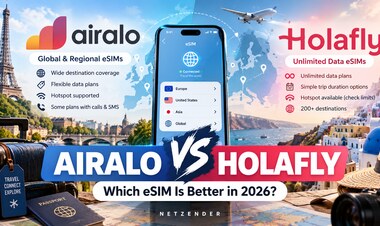
If you are considering two popular travel eSIM providers, our Airalo vs Holafly comparison examines the differences in plan style, coverage approach, hotspot considerations and traveler fit.
How to Make a Small Data Plan Last Longer
- Download offline maps before departure.
- Download music, podcasts and video over Wi-Fi.
- Disable automatic photo backup on cellular.
- Turn off automatic app updates over mobile data.
- Reduce streaming quality.
- Disable automatic video playback where possible.
- Use hotel or trusted Wi-Fi for large downloads.
- Watch hotspot usage separately from phone usage.
- Check which SIM line is configured for cellular data.
Which Data Plan Should You Choose?
For a short trip with maps, messaging and light browsing, a few gigabytes may be enough.
For typical social-media use over one or two weeks, a mid-sized plan is safer.
For heavy video, remote work or hotspot use, estimate those activities separately and consider a high-cap plan.
The goal is not to buy the largest plan. It is to avoid paying for data you will never use while leaving enough room that you are not constantly monitoring every megabyte.
Final Takeaway
There is no universal number of gigabytes that every international traveler needs.
Maps and messaging are rarely the biggest problem. Video streaming, video meetings, uploads and hotspot use are the activities that can change the calculation quickly.
Start with your real phone usage, remove what you expect to do on Wi-Fi, add travel-specific activity and include a sensible buffer. Then choose the eSIM, roaming package or local plan that matches both the amount of data and the way you actually travel.
Primary Sources
- Netflix Help Center: How to control how much data Netflix uses
- Spotify Support: Audio quality
- Zoom Support: Bandwidth requirements
- Google Maps Help: Download areas and navigate offline
If you are still choosing how to get that data abroad, compare eSIM, pocket Wi-Fi and carrier roaming by cost, convenience and multi-device use.